OG-export-invoice-format

Export Invoice Format

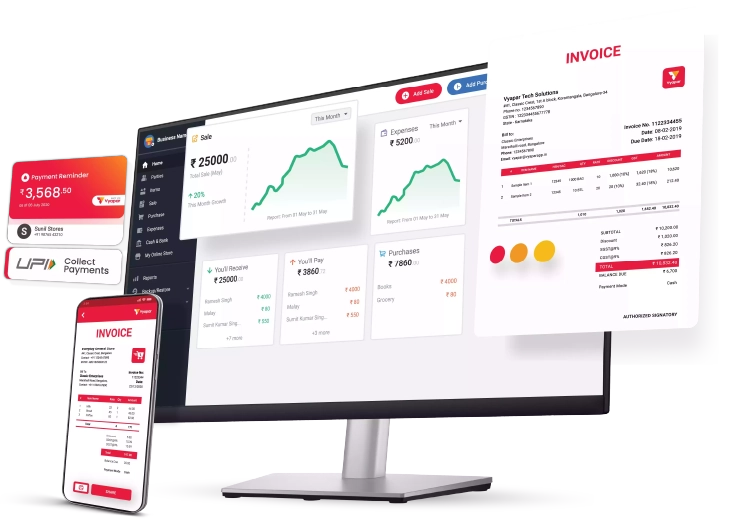
Vyapar App is a free-to-use invoice maker for small business owners. Even though it does not allow you to create export invoices, it can help you manage everything with the latest updated tax regulations.

  • ⚡️ Create professional invoices with Vyapar in 30 seconds
  • ⚡ Share Invoices automatically on WhatsApp and SMS
  • ⚡️ Connect with your parties through reminders, greetings, business cards and more
Free Bill Invoice Format in Excel

Highlights of Export Invoice Templates

We’ve put in a lot of effort to make sure you get the best template possible

All versions are print friendly

Built From scratch

Include essential invoice elements

Automatically calculate subtotal & grand total amount

Consistently formatted

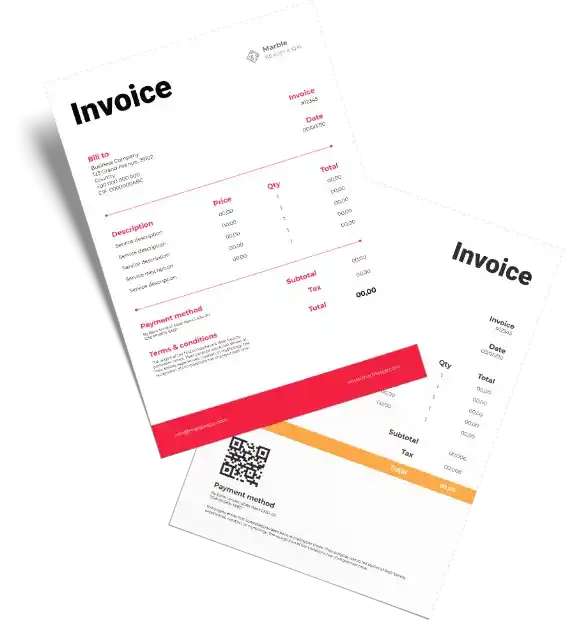
Free Professional Export Invoice Templates

Download professional free export invoice templates, and make customization according to your requirements at zero cost.
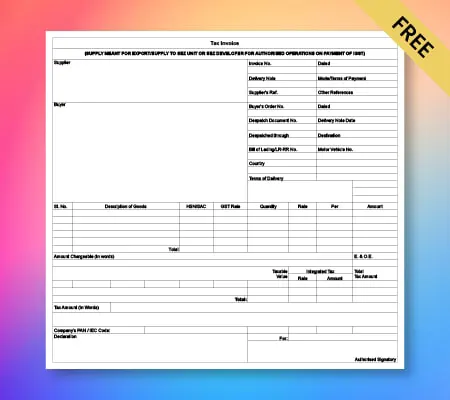
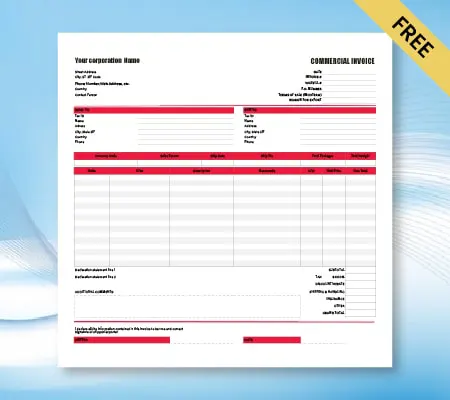
Simple tax invoice

Export Invoice Format – 01

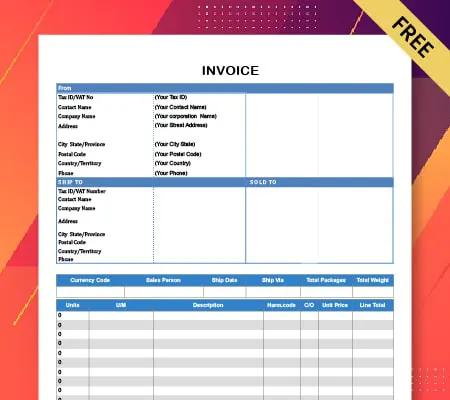
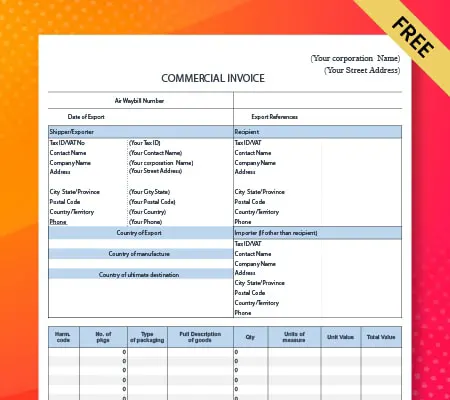
Sales invoice

Export Invoice Format – 02

GST invoice

Export Invoice Format – 03

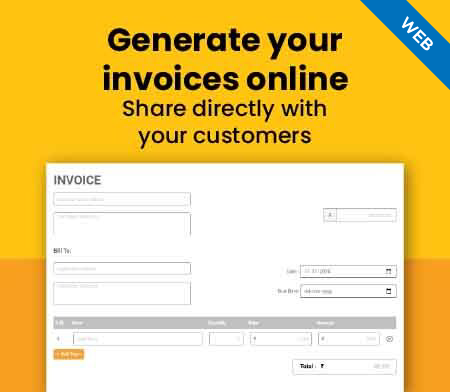
Generate Invoice Online
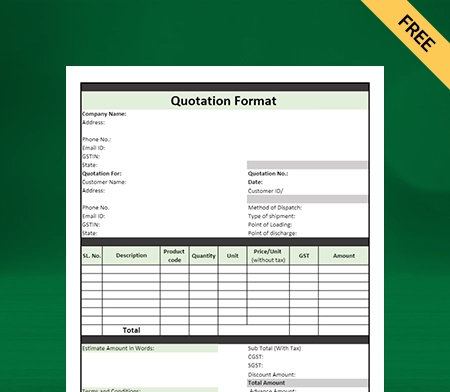
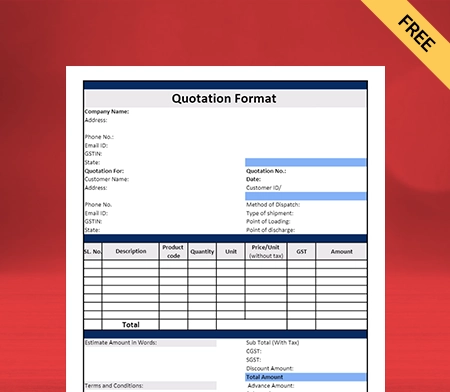
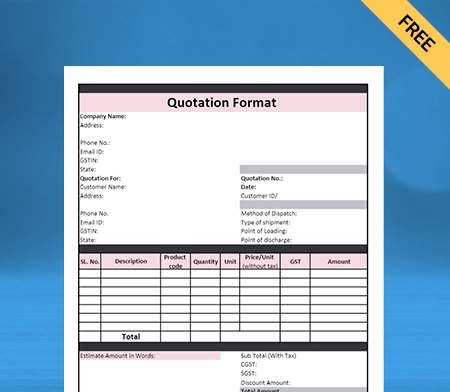
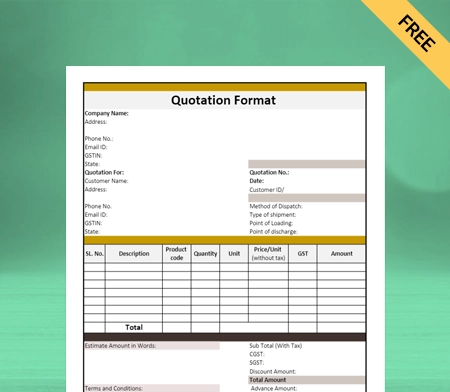
Quotation format

Export Invoice Format – 04

What is the GST Export Invoice Format?

The GST export invoice format is an editable document that a seller or the shipping company can use to issue commercial invoices to exporters. The sellers will use it to report their sales or purchase of goods and services to the exporters.
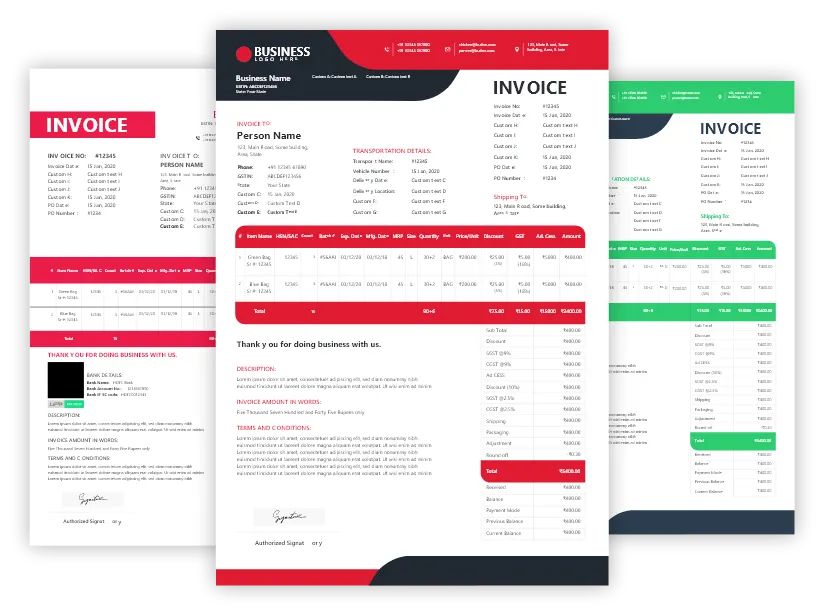
Download the export invoice format

Use of the GST export invoice format is mandatory for exports above Rs 20 lakhs. The sellers can issue the GST export invoices to customers and then manage their accounting requirements using the Vyapar app through a shipping company registered under goods and services tax (GST).

How to Create an Export GST Invoice Format in India?

Create export invoice format

Export invoice format is a GST government prescribed format for the export of goods and services. You can prepare the export invoice using the formats available in software such as MS Excel, Adobe, Open Office, and any other export invoicing software, etc. Currently, the Vyapar app is not cannot help create export invoices. The first draft of the format provides a way to identify sellers and buyers covered under the law and indicate the value of the transaction(in INR).

Why Do Small Businesses Require a GST-Compliant Export Invoice Format?

A well-prepared GST Invoice is critical for all businesses. It simplifies the process of doing business and makes it efficient.

Save time

Save Time by Tracking All Your Exports in One Place

Vyapar is a free business management app that helps individuals track their exports and keep all their data in one place. Wherever you are in the world, data has a significant impact on your business – and Vyapar lets you track all of it together.

Export invoice

Accurate and Timely Invoices for Export

The export invoicing process can add a significant amount of time to the process, and thus it is advisable to use invoice software that can help you process invoices in India. Vyapar invoice maker app is the perfect choice for quick invoicing. Invoices are the fastest and easiest way to offer professional invoices to your clients. However, you have to use templates to provide accurate export invoices as they are not available in the Vyapar app.

Simplified business

Useful for Small Businesses When Exporting

Vyapar app is a billing and accounting application that is used by small businesses all across India. An export invoice is a statement that shows the value of goods exported and the duties and taxes levied on them. It is an invoice for the export of goods is an essential document in any import-export transaction. An export invoice generator comes with built-in features for a small business to export to its preferred destination.

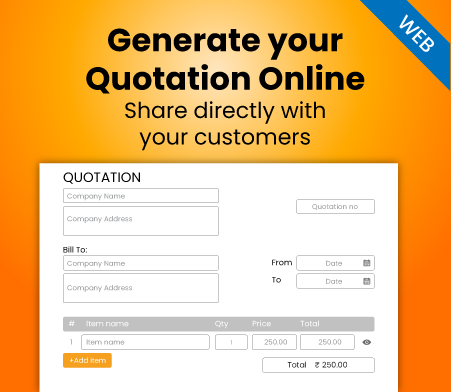
Create your first GST quotation with our free Quotation Generator

Features Of Vyapar Invoice Format

Multiple Payment Systems

Vyapar is a cost-effective way to create invoices for your products and collect payments. You can enable offline and online payments, including UPI, NEFT, debit, credit, cash, and cheque. The company provides cost-effective, fast, and reliable invoicing services in India.

Receivables and payables
Dashboard

Dashboard

The dashboard is an integrated suite of applications that provides a single source of information to view the status and progress of your business activities. It gives you the ability to understand what’s happening in every area of your business, and it helps you make better decisions faster.

Operate Online/Offline

Vyapar’s invoice format is a GST billing accounting software for invoicing within India. Vyapar app cannot create export invoices, but it can help operate your business accounting effectively. It works entirely offline on a single device, and no connectivity is required while using this accounting software. Our invoice generator is straightforward to use, user-friendly & flexible. You can access your data from anywhere using any device (computer/laptop/mobile) with an internet connection.


Offline Capabilities in Invoice maker software for windows
Report

GST Reports

GST reports are the official documents that you can use for tax purposes. These reports will be filed monthly with the government. The format of these reports is laid out in detail in the Goods and Services Tax Act 2017. Vyapar helps you take care of tax filing in India.

Business Management From Mobile/desktop

Vyapar is online accounting software for small and medium businesses. You can manage your entire accounting from a single window on your PC or laptop. And also, you can access all the records and data via a mobile app, which is available on Android and iOS. Using Vyapar, you can manage your business from a single device or multiple devices by accessing data across the devices.


Business management
choose the right software

Compatible for All Businesses Types

Vyapar app is the best app for tracking data & bills, inventory & accounting for any small/medium business in India. Even though it cannot create export invoices, Its simple, secure, and easy to use interface makes it a leading player in the retail invoicing industry in India. Vyapar app will help you with all your business requirements right from invoicing, managing, payments, and tax filing.

Tax and Discounts

Our invoicing app is a complete solution to manage your business and financial requirements, including the latest tax rates and discounts on your products. It provides you with an easy way to manage your accounts and file for taxes with GST reports created using sale/purchase transaction invoices. You can add outside transactions in the app to manage finances effectively.


Make Financial Reports
Customize invoice

Customisable Invoice

A customisable invoice is an essential document for any small/medium business. It has to be in a professional tone and should have all the information about products/services being provided by the company. Vyapar invoice format provides you with a platform to create any number of invoice templates and customise it according to your requirements. You can use ready-made invoice templates to facilitate quick billing for your business within India.

Create Various Transactions

You can save all transactions within the Vyapar app easily. You need not have any accounting knowledge to create transactions in Vyapar. It’s a simple interface and is easily accessible on mobile phones and tablets. The app allows you to create an invoice within seconds, saved or emailed it as a PDF file. You can also view your history of invoices, along with their status and payment details.
Transactions

Frequently Asked Questions (FAQs’)

How do I make an invoice for an export?

You can use any export invoice template online or an export invoicing app to find our app’s best quality export invoice generator. The Vyapar app cannot generate invoices for exports and imports digitally. The users are allowed to choose the type of transaction, whether it be export or import, and have the option to set taxes. Users can also upload their logo, add line items for payment, and create custom fields that will help export data in excel sheets with all the necessary calculations automatically done by Vyapar App.

Why can you not make a Vyapar export invoice?

Creating an export invoice requires complete functionality and compatibility with multiple currencies. Vyapar app does not have all the features needed to generate export invoices. However, you can use the app for your business accountancy requirements.

What is export invoicing?

Export invoicing is a process that records your company’s transactions with export buyers. It also keeps track of the price and volume in exchanges of goods or services for a particular shipment with an export buyer. Export invoices are used for border procedures, customs clearance, and to protect customer interests.

What are the types of export invoices?

There are three types of invoices that you can export. There are three types of invoices available for exporting but are unavailable in the Vyapar app: Transaction, Inventory Transfer/Sync, and Inspection Sheet (surveying).

What needs to be on an export invoice?

A good export invoice is necessary for the seller to avoid paying taxes or duties on a shipment, ultimately making exporting easier. Vyapar app cannot help create export invoices, but it can help you connect new members with an export invoice format to make it easy on yourself. It can contain some or all of the following sections as per country-specific requirements:

1. Seller Identification
2. Shipment identification and the type of commodity/goods being sold
3. The weight or quantity in number (if applicable)
4. Prices and currency including tax and duty charges before shipping both in the origin country’s currency as well as the destination country’s currency (following World Customs Organization guidelines)
5. Tax obligations (if any) specific to the destination country for this product (adhering to product-specific regulations)
6. Shipping terms and packaging information
7. Customs Export Declaration Number

How do I create an e invoice for export?

To create an e-invoice for export using Vyapar:
1. Open Vyapar and select an export invoice template.
2. Enter invoice details like business info, customer details, products/services, prices, and taxes.
3. Customize the format with your logo, fonts, and colors.
4. Add export specifics such as order number, shipping terms, and destination details.
5. Ensure GST compliance for exports.
6. Save the e-invoice and send it via email or download as PDF.
Vyapar simplifies this process with customizable templates, tax automation, and GST compliance features.

Is export invoice same as invoice?

An export invoice is similar to a regular invoice but includes additional details specific to international trade, such as export order number, shipping terms, destination details, tax treatment for exports, currency, and compliance with international trade regulations.

Is invoice required for export?

Yes, an invoice is required for exports. It serves as a legal document that outlines the details of the exported goods or services, including the quantity, price, terms of sale, shipping information, and payment terms. The export invoice is essential for customs clearance, verifying the value of the goods or services, determining applicable taxes or duties, and ensuring compliance with export regulations. Additionally, it is used for accounting purposes, record-keeping, and facilitating international trade transactions.

What is the purpose of export invoice?

The purpose of an export invoice is to provide detailed information about exported goods/services for legal compliance, smooth payment transactions, record-keeping, verification of goods, and customs clearance.

You can visit the UAE site to view content specific to your location

How Useful is Vyapar for Your Business?

Click on a star to rate it!


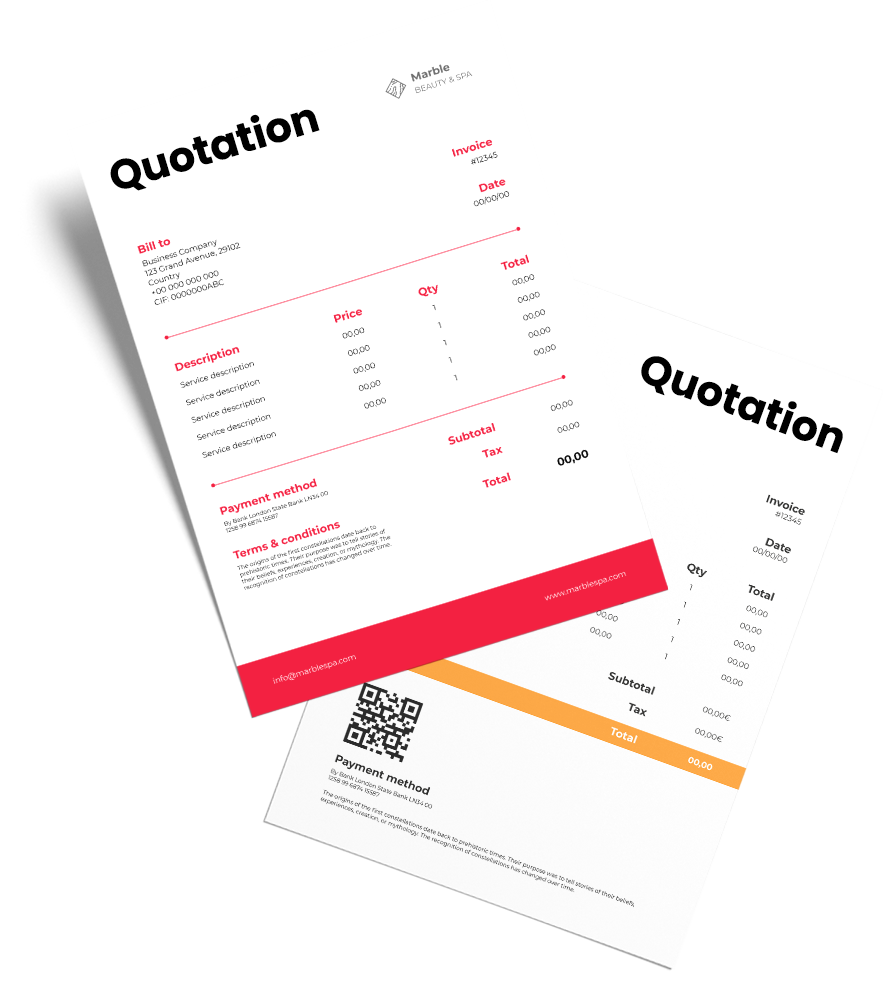
Export Quotation Format

Export Quotation Format

Easily download the Export Quotation Format for your business. Also use Vyapar App to do billing, inventory, and accounting easily and grow your business faster. Avail 7 days Free Trial Now!

  • ⚡️ Create professional quotations with Vyapar in 30 seconds
  • ⚡ Share quotations automatically on WhatsApp and SMS
  • ⚡️ Connect with your parties through reminders, greetings, business cards and more

Download Free Professional Export Quotation Format

Download professional free Export Quotation formats, and make customization according to your requirements at zero cost.

Customize Quotation

Excel export quotation format

Template – 1

Export quotation template in PDF

Template – 2

Vyapar export quotation in word

Template – 3

Generate Quotation

Generate Quotation Online

Export quotation in google sheets

Template – 4

Highlights of Export Quotation Templates

We’ve put in a lot of effort to make sure you get the best export template possible

All versions are print friendly

Built From scratch

Include essential invoice elements

Automatically calculate subtotal & grand total amount

Consistently formatted

What Must Be Included in an Export Quotation Format

Contents of export quotation

Exporter’s Details:

Your Export Quotation Format must contain the details of your exporting business, like the name, logo, and address details. Always include your contact information, like a phone number or email id, so your client can reach out to you easily.

Client’s Information:

Include the information of the person to whom you are sending the quotation. It gives a personalized look to the Export Quotation and helps you maintain the accuracy of information.

Unique Quotation Number:

Exporting businesses make several quotations, so it is better to number each quotation. A unique quotation number can help you find the relevant data in the future when you have the reference number.

Product Description:

Write a brief description of the products you will be exporting. Product descriptions should include quantity, quality, the total number of goods, unit cost, price, etc., as they are necessary to determine transportation costs.

Place of Delivery:

The product’s country of origin and the place they must be delivered must be included in an Export Quotation Format. Mention the country and the exact port of destination.

Export Transit Mode:

Specify the intended means of transportation for the goods to the port or other location from which the buyer will take possession.

Special Export Packaging:

Note the expense to the seller of having this packing done if the customer requests special export packing or crating or if it is necessary for the movement of the goods.

Inland Freight:

The seller may or may not plan and pay for interior transport costs to bring the products to the port or location where their international transit would start, depending on the specified terms of the sale.

International Freight:

Depending on the transaction’s terms, the seller may or may not pay for the items’ overseas shipping. Surcharges and other ancillary fees or charges could be applicable depending on the method and should be included in the total price to be quoted.

Other Terms and Conditions:

Ensure that you include your sales and payment terms in your Export Quotation Format. Indicate any expenses the seller might have due to the proposed payment terms.

Insurance:

The seller may set up and pay for cargo insurance to the buyer’s benefit, depending on the circumstances of the sale. This sum may appear as a specific line item on the formal quote to the buyer in the case of a CIF or CIP term of sale. If the seller purchases cargo insurance for its advantage, it might want to charge the buyer for this expense by including it in the final cost of the products.

Additional Costs and Fees:

Determine and list any additional costs and fees incurred after completing the transaction.

Total Export Price:

Determine the total amount you are attempting to recover from a potential buyer for this deal.

Valuable Features of Vyapar that Help Exporters

Send Professional Export Quotation Format

The best thing about using Vyapar automated software is that you can create professional Export Quotations effortlessly. The app automates most of the process, and you get an error-free Export Quotation.

Additionally, you can send those estimates to your customers directly through Vyapar. You can send it via Whatsapp, email, or SMS. Vyapar also allows you to save and download Export Quotations in any format, including PDF, Excel, Docs, etc.

Exporters can convert their Export Quotations into invoices once the deal is finalized. It only takes a few minutes to produce export invoices, thus increasing speed and productivity.

Vyapar helps build your business brand by providing instant Export Quotations. It is a one-stop solution for your basic accounting needs. You can better manage your firm with the business accounting software Vyapar.

Easy to Make Architecture Quotation
Plan Inventory

Manage Inventory

The incredible features of the Vyapar app help you manage your inventory effectively by tracking your sales. Vyapar maintains a record of business information within the app. It makes it easy for business owners to develop a successful strategy. 

You can make optimum use of your storage with Vyapar’s inventory management software. You may monitor your company’s sales using business reports. It will give you a better understanding of how effectively you have managed your inventory.

You can view the current status of your inventory with the free billing software provided by Vyapar. You can also configure notifications to notify your suppliers of any new orders. 

Moreover, you can use the delivery challan at any time to track the position of packed orders. You can effortlessly complete all export duties using our Export Quotation Format India. It contributes to better customer service.

Record Export Expenses

For accounting and tax filing purposes, it is crucial to track and record all expenses incurred in the export firm. Vyapar software makes tracking the money spent and producing an accurate report simpler.

Our cost-free Export Quotation generator is a useful tool for keeping track of expenditures. Export businesses may quickly optimize their spending to generate significant savings. Both GST and non-GST expenses are recorded using our free GST billing software.

Additionally, Vyapar billing solutions provide you with several advantages. It helps in cost-cutting and increases sales. The free quoting software is a useful tool for swiftly logging unpaid bills. It aids in future tracking of them as well.

Growing businesses can use our free mobile app. It assists in managing their finances. Additionally, keeping track of expenses will help in developing better tactics. Better business profitability will arise from it.

Easy Bank Management
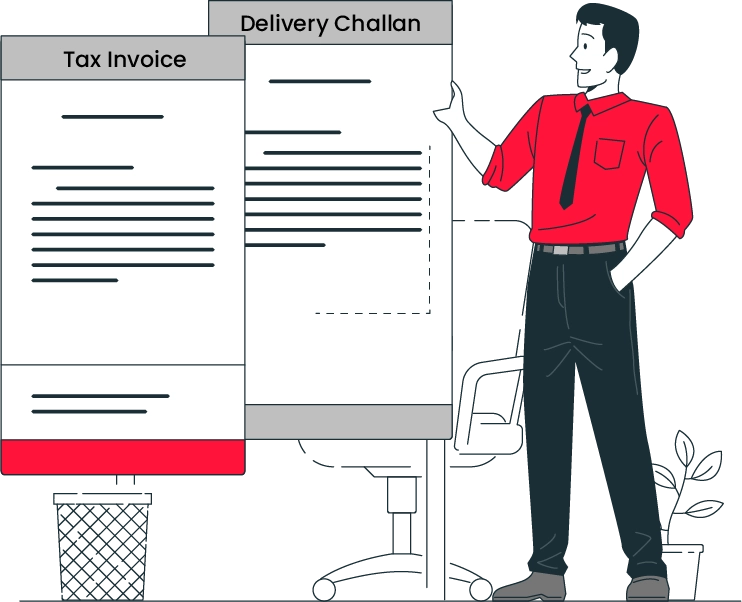
Create export delivery challan

Create Export Delivery Challans and Track Them

Using the Vyapar Export Quotation Format generator, you may create delivery challans and ship them together with your package. It attests to the fact that delivery was made, and the recipient acknowledged it.

You can track your export delivery challans with Vyapar. You can locate your package and provide directions if it gets lost. It ensures that mail reaches its target receiver safely.

The export delivery challan format and the shipment details contain the terms and conditions of the order. It helps to avoid conflicts and makes the process run more smoothly.

Once the product has been delivered to the customer, delivery challans can be converted into invoices. For the advantage of your customers, provide both offline and online payment options.

Data Security For Your Export Firm

Due to the total confidentiality of the Vyapar Export Quotation generator, you can routinely create local or online Google Drive backups. You also have 24/7 access to your company’s financial data across several devices.

No team members or outside parties will be able to access the data for your export company, ensuring its long-term security. You can pick up where you left off with the invoice generator app’s “auto-backup” option.

The software has an encryption technology that limits access to the data to the owner only as an added measure of protection. Vyapar won’t store or distribute user login information for further use.

The Vyapar Export Quotation Format maker makes managing an export business simpler. The app’s comprehensive dashboard lets you analyze your company’s operations in real-time.

Data security
Export Business Payables and Receivables

Export Business Payables and Receivables

With the help of our Export Quotation Template, customers can keep track of every transaction’s details and keep a real-time eye on the cash flow of their export company. 

Using the software, you can keep an eye on the party’s payables and receivables. Keep track of funds to receive and pay using the business dashboard of the software. Finding out who still owes you money is simple.

Calculations are made automatically in the Export Quotation Format. You may prevent bad debts and reconsider your business plan since the cash flow management system from Vyapar alerts you to potential issues early on.

To ensure that these clients pay their invoices on time, you can set up payment reminders via WhatsApp, SMS, or email. You can also save time by using the bulk payment reminder option to simultaneously send payment reminders to your customers.

Benefits of Export Quotation Format

Here are the benefits of using the Export Quotation Format by Vyapar to make estimate formats for your exporting business:

Save Time and Effort

Our Export Quotation Generator app is a free tool for managing exporting businesses that enables customers to track their exports and organize all important information in one place.

Manual bookkeeping requires a lot of time and is error-prone. You may avoid this problem by using automation in the Vyapar app. You can generate an outstanding Export Quotation and the required reports with the transport invoice builder tool.

Vyapar offers complete customization for all of its quotations. Vyapar makes it easier for new users by allowing you to track all the relevant data in one location.

Save time
Maintaining Consistency

Time Can Be Saved While Maintaining Consistency

You may quickly create Export Quotation Formats based on your company’s requirements. Manually carrying it out takes a long time. All information must be recorded manually. This is different from our online quotation tool.

Modifying your company’s information is all required to prepare your format for use with Vyapar’s Export Quotation Format. The customized Export Quotation Format can be saved in different forms for later use.

Doing it this way can avoid having to start from scratch each time you need a quotation. By providing matching quotations to your clients, you can maintain consistency. Because you have more time to do other critical chores, you become more effective.

Access Free Features

The Export Quotation Format is free to use and download. You can create custom Export Quotation Formats without spending any money. You save money since you won’t have to spend money creating quotation formats for your company.

Exporters can edit the Export Quotation Formats and download them at any time for usage in the future. The form can be customized to your business requirements, and saving it is free.

It helps small firms since it saves them money on business quotation design. Printing using a thermal or standard printer is similarly straightforward.

Ton of Vyapar App Features
Multiple format

Make an Export Quote in Any of the Three Formats

Word, PDF, and Excel are the three formats that the Vyapar Export Quotation generator enables you to make quotations. It is simple to create an export quote that is tailored to your business’s requirements.

Exporters can easily change the customizable quotation format to meet specific business firms’ requirements. Your company’s name and logo can be changed, and you can even add extra rows and columns. The font and colour scheme for the Export Quotation Format can be changed.

The only online application that can match it in terms of functionality and quality is Vyapar. It is simple to modify and produce professional-looking Export Quotation Templates for your business because the styles are adaptable.

Significantly Reduced Human Error

If you manually make an Export Quotation Format, you could make an error and lose a lot of money. To avoid errors, you must select the proper quotation maker.

Automation streamlines the procedure and eliminates human error. You can utilize the time you save to concentrate on other things. The quotation maker user interface is easy to use.

It is possible to export and import data from compatible programmes. Designing the Export Quotation for your company doesn’t require more workers. Anyone may simply complete this work.

Reduced Human Error
Build brand image

Builds a Positive Brand Image

During negotiations, offering qualified export bids and estimates enhances the brand’s reputation. To further build confidence, you can give full disclosure regarding the deal.

The Export Quotation Format from Vyapar helps in your professional brand development. A quotation that has been expertly created can make you stand out from the crowd and give your business a professional image.

To convey your brand’s identity flawlessly, you can use our company’s logo, style, font, and brand colours in your invoice formats. A buyer will likely purchase from a seller who uses expert-tailored quotation formats instead of plain text.

What is an Export Quotation?

Export Quotation Format

An Export Quotation is a document that outlines the terms and conditions under which a seller agrees to sell goods to a buyer in another country. It typically includes information such as the quantity and description of the goods, the unit price, the total cost, the delivery terms, and the payment terms. 

The Export Quotation serves as a preliminary offer or proposal from the seller. If the buyer accepts, the two parties can negotiate a final contract to sell the goods. An Export Quotation aims to provide a clear and comprehensive offer that enables the buyer to make an informed decision about purchasing the exported goods or services. 

How Does the Vyapar App Help You Create an Export Quotation Format?

Vyapar Application
  • Click the (+) plus symbol after opening the Vyapar app and logging in. A drop-down menu listing the transactions the Vyapar app can produce will appear. You can also search for the Vyapar quotation generator on Google.
  • Enter the information about your company and the customer by clicking on Estimate/Quotation. Edit your exporting business’s name, logo, contact information, and client information.
  • Add goods and descriptions of your services after that, such as material quantities, unit costs, rates, freight, and taxes. Save all the data when you’ve input it.
  • After completing all the details, you may view a preview of your export estimate or quote. If you feel it requires adjustments, you can make them by clicking the previous tab.
  • Following the process, you can print or save the estimate/quotation as an Excel or PDF file. You can also send the estimate to your client via email, SMS, and WhatsApp.

Benefits of Having an Export Business

Benefits of Creating an Export Quotation
  • Export businesses diversify their markets to reduce business risk. Expanding operations to accommodate rising demand can frequently lower per-unit costs by exporting to overseas markets. 
  • The better reach of goods can open up new markets or widen existing ones. Exports can boost sales and profits and offer the chance to gain a sizable portion of the worldwide market. 
  • Businesses that export to overseas markets acquire new skills and expertise. It may help them uncover cutting-edge technologies, innovative marketing strategies, and competitive insights abroad.

Benefits of Issuing Export Quotations

There are several benefits to issuing exporters quotations, including:

1. Clarity and Transparency: Export Quotations offer clients clear and transparent details on the price of a project. It assists them in understanding the financial repercussions of their decisions and making well-informed ones.

2. Better Communication: The chance of misunderstandings or disagreements during the export process is reduced when the client and exporter clearly understand the client’s requirements.

3. Competitive Advantage: A precise and thorough Export Quotation can make an exporter stand out from the competition and highlight their technical know-how and practical experience.

4. Better Budget Management: The client may better manage their budget and allocate resources by requesting an Export Quotation, which lowers the chance of cost overruns or unanticipated costs.

5. Increased Confidence: A concise and accurate export quote can give the client more faith in the exporter and the products, fostering trust and strengthening the relationship between the two sides.

What are the Factors that Affect Exporting Businesses?

Export quotation for business

Many factors affect a country’s exports. They include:

Trade and Government Policies:

Many nations have trade restrictions preventing you from purchasing or selling a specific product or imposing additional fees. 

Exchange Rates:

The value of each currency is determined by comparison to other currencies. A nation’s export prices will decrease while import prices will increase in response to a decline in its currency.

Subsidies:

The government provides incentives to export businesses to promote exports and entice new exporters. Exporters may benefit from the subsidies in the form of loans, low-cost manufacturing, etc.

Market Competition:

Competition is increasing, and keeping any company’s market position is challenging. The larger nations will often participate more in international trade, escalating the competition.

Domestic and Foreign GDP:

Imports and exports are believed to increase as a country’s GDP rises. People are more likely to purchase more goods when a country’s GDP increases, which boosts the country’s export potential.

Inflation:

When a nation has a high inflation rate, the imports rise, and the exports naturally fall. Similarly, when inflation is low, exports rise, and imports fall.

Quality and Marketing:

People will buy your items of high quality, and the country’s trade would suffer if the quality dropped. A business’s marketing efforts are also crucial. Marketing draws customers to a product; people check the pricing and quality of the goods later. Therefore, properly market your product before exporting or importing.

Geographical Location:

The trading nation’s geographic position impacts both exports and imports. The right weather conditions and air and rivers can facilitate international trade.

Are you a Business Owner?

Take your business to the next level with Vyapar! Try free for 7 days

Try our Android App (FREE for lifetime)

Frequently Asked Questions (FAQs’)

What is an Export Quotation Format?

An Export Quotation Format is a document that provides potential buyers with a detailed offer for goods or services to be exported.

What is the Purpose of an Export Quotation?

The purpose of an Export Quotation is to provide a clear and comprehensive offer that enables the buyer to make an informed decision about purchasing the exported goods or services.

How Do You Write an Export Quote?

An export quote includes product description, quantity, unit price, lead time, payment terms, and shipment details. The format may also include information about the seller’s company, such as its contact information. It may be customized based on the specific needs of the buyer and the export market.

How Should the Delivery Time Be Estimated in an Export Quotation?

Delivery time in an Export Quotation should be estimated based on a few factors:

Lead Time: Time required to complete the production of goods
Shipping Time: Time required to transport goods from the factory to the port of departure
Transit Time: Time required to transport goods from the port of departure to the port of arrival
Customs Clearance Time: Time required to clear goods through customs at the port of arrival
Final Delivery Time: Time required to transport goods from the port of arrival to the final destination

You can visit the UAE site to view content specific to your location

How Useful is Vyapar for Your Business?

Click on a star to rate it!