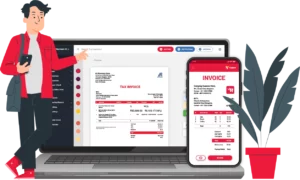
Construction Bill Format in Excel, Word, PDF

Download Construction Bill Format to invoice your clients. Or use Vyapar App to do billing, inventory, accounting easily and grow your business faster!

  • ⚡️ Create professional invoices with Vyapar in 30 seconds
  • ⚡ Share Invoices automatically on WhatsApp and SMS
  • ⚡️ Connect with your parties through reminders, greetings, business cards and more
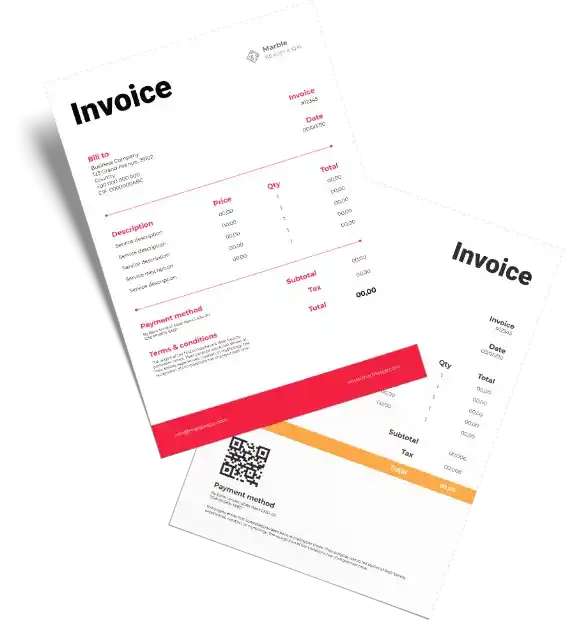
Construction Bill Format

Download Free & Easy-to-Use Construction Bill format in Excel, Word, PDF

Download professional free construction bill format in Word, Excel, Pdf, and make customization according to your requirements at zero cost.

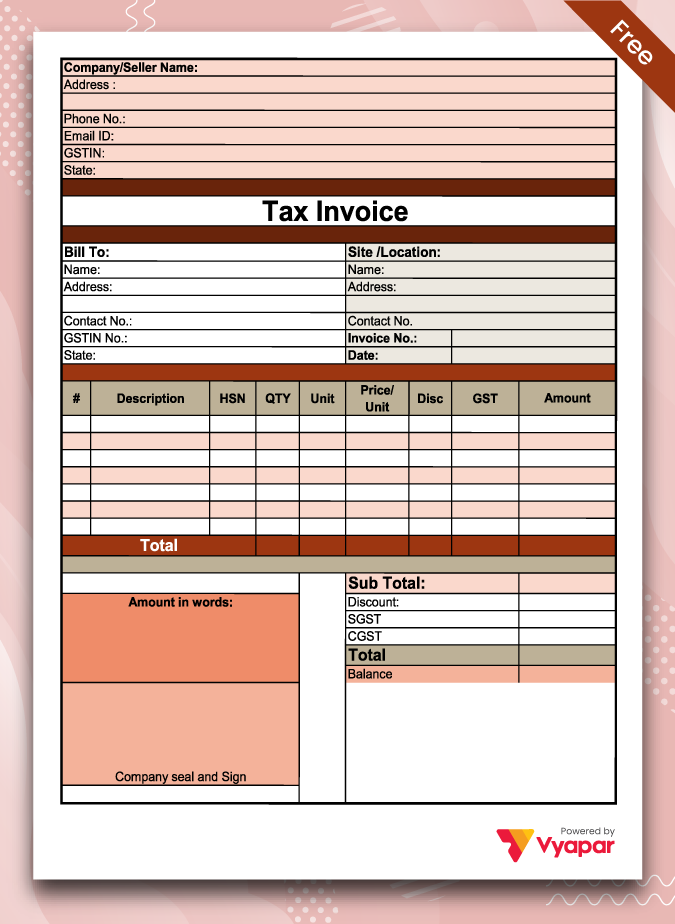
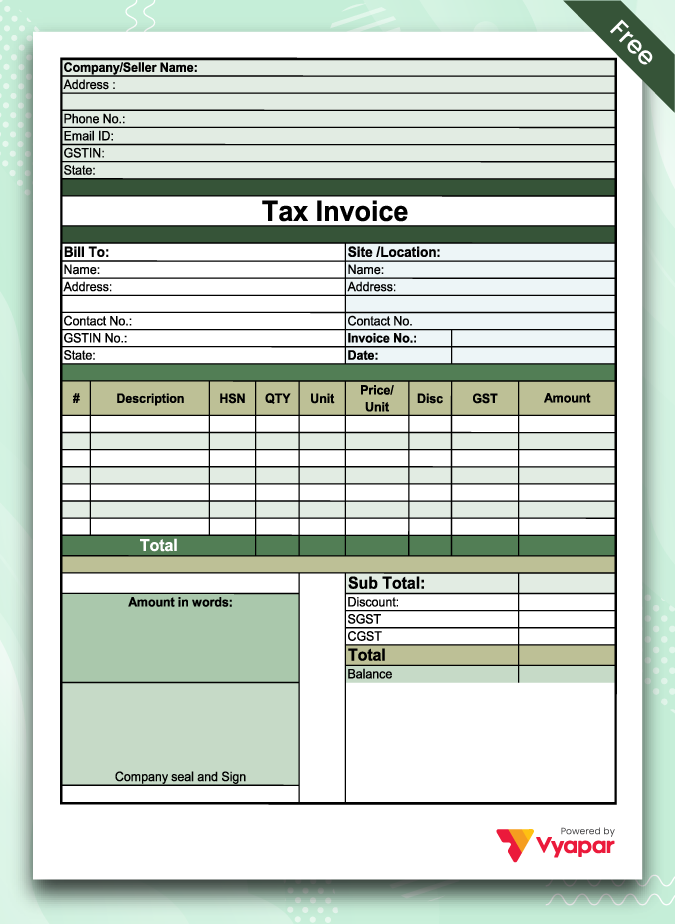
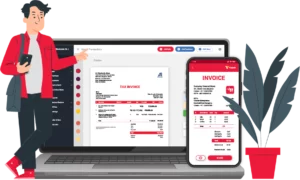
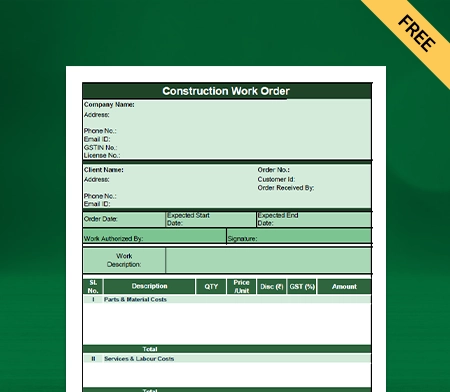
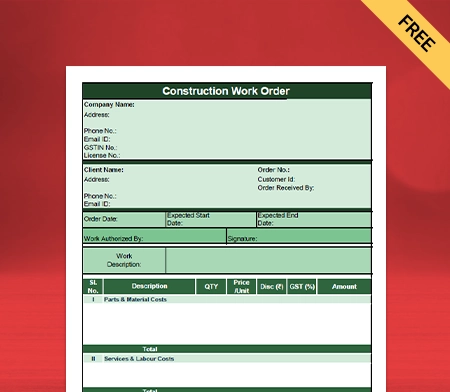
Construction Invoice Format - 01

Construction Invoice Format – 01

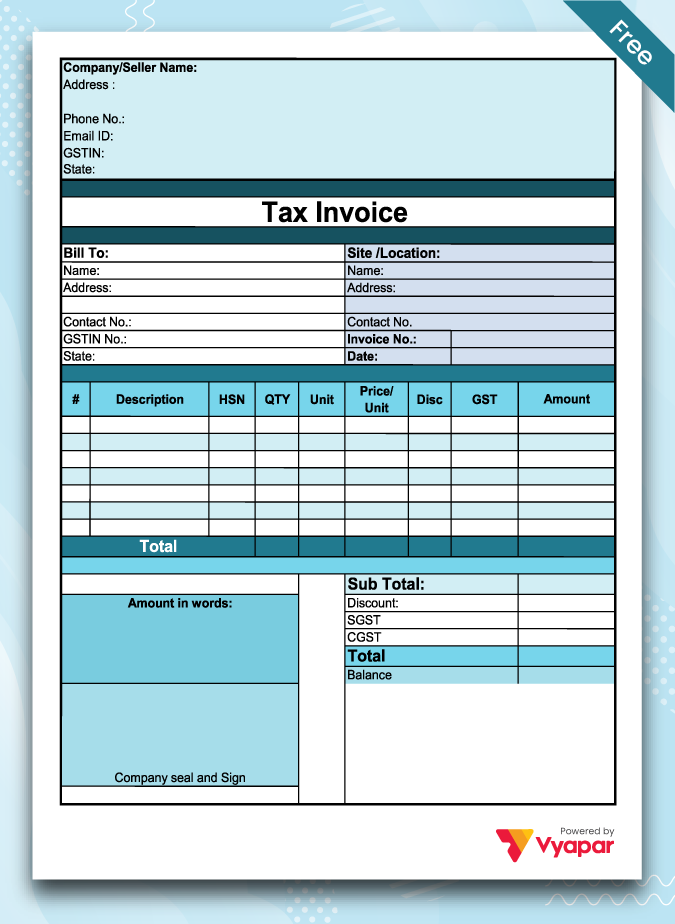
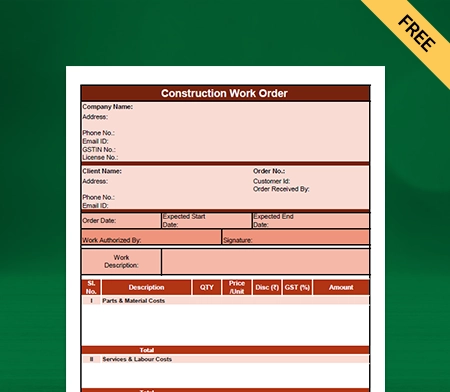
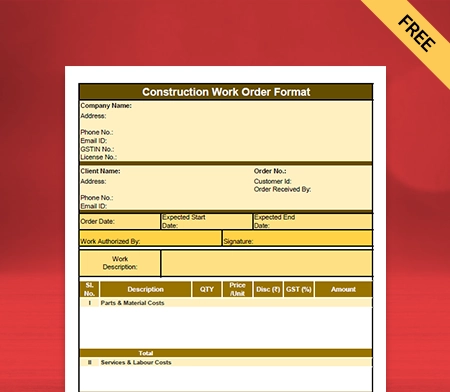
Construction Invoice Format - 02

Construction Invoice Format – 02

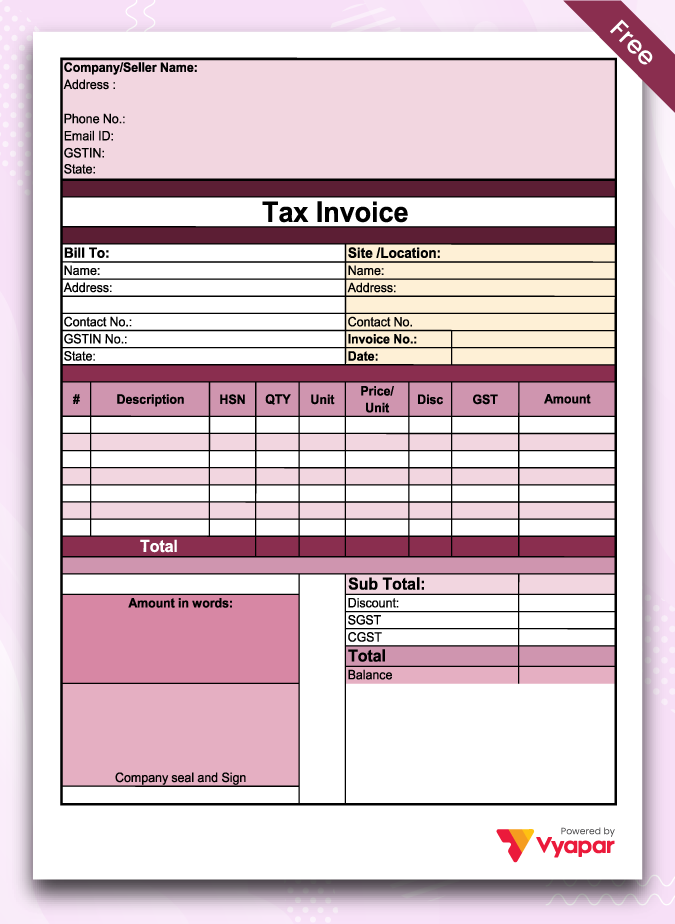
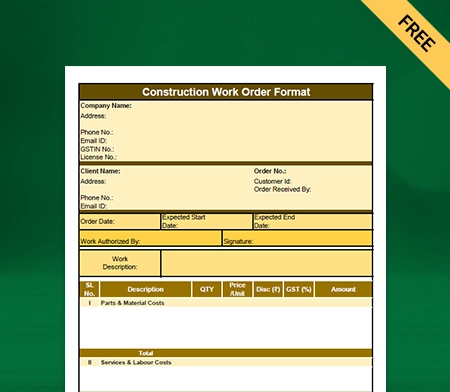
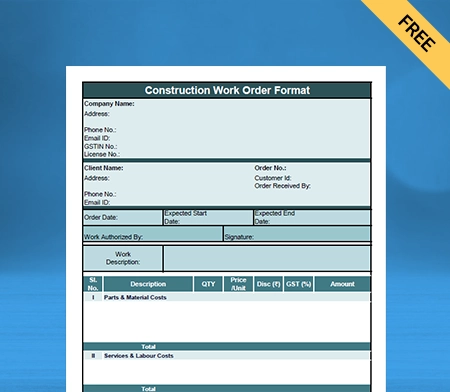
Construction Invoice Format - 03

Construction Invoice Format – 03

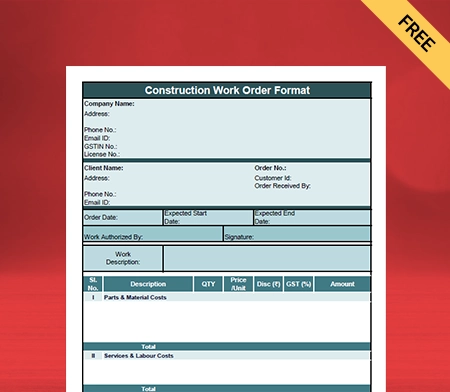
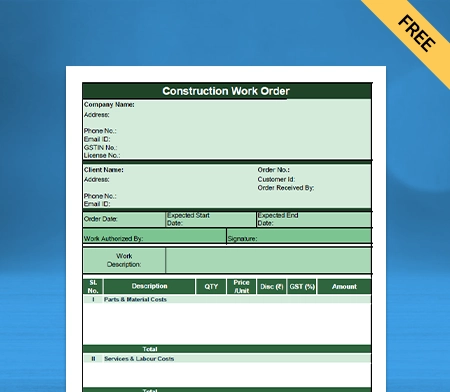
Construction Invoice Format - 04

Construction Invoice Format – 04

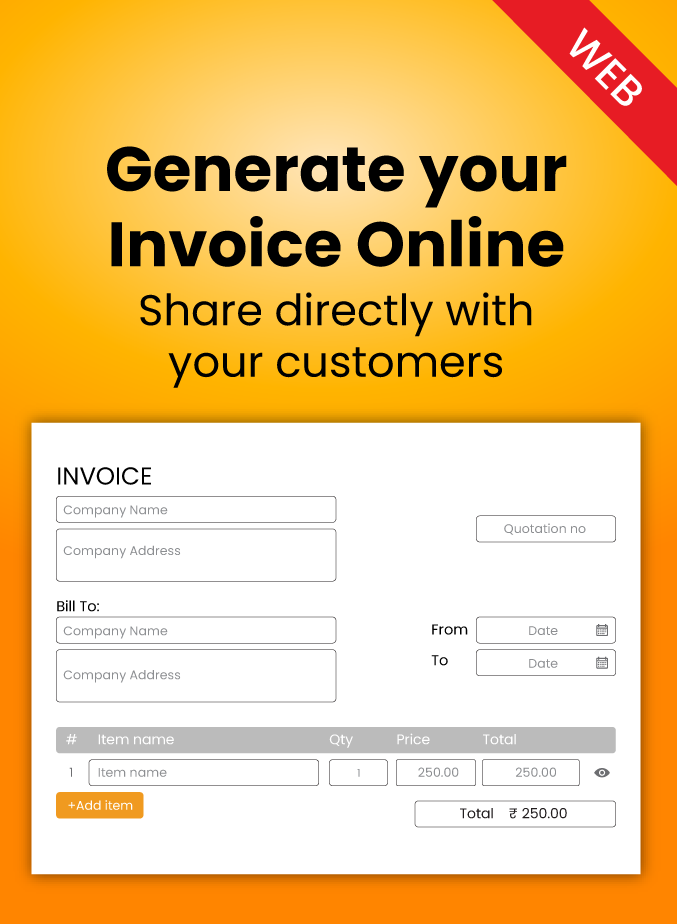
Generate Invoice Online

Generate Invoice Online

Get 50+ Themes to Customize your templates. Try for FREE!

Highlights of Construction Invoice Templates

We’ve put in a lot of effort to make sure you get the best template possible

All versions are print friendly

Built From scratch

Include essential invoice elements

Automatically calculate subtotal & grand total amount

Consistently formatted

What is the Construction Bill?
What is Construction Bill

A construction invoice is a form that contractors give a person or business to whom they have delivered services and supplies an itemized bill. Unless a flat-rate cost is agreed upon, this document will typically include the number of supplies delivered and the hourly charges.

Why Vyapar Is the Premier Choice for Construction Businesses

The construction business is incredibly cut throat. Construction Bill Format in excel, pdf, word by Vyapar helps you make bills faster and manage your business seamlessly. Here’s how:

Automation Greatly Reduces Errors:

You can prevent processing inaccurate billing amounts or sending a bill to the wrong customer with automation using an online construction bill format.

You can create follow-up emails for your clients using the construction invoice generator. You may remind them to make payments. It allows you to focus on growing your company because it saves you time.

The construction bill format in India automatically determines the payable amount. Taxes are included, ensuring that the correct client receives the bill. If you make a mistake, it simply takes a minute to fix it and send it again.

No Additional Costs:

All necessary capabilities are available to you without cost when using the Vyapar construction bill format. All of the free features are available forever to Android smartphone users.

Contractors can expand their businesses by using specialised billing software. They can construct a successful firm and quickly produce unique invoices.

After installing the accounting software for free from the Play Store, users can join up to use it for free. A contractor can use a subscription to the premium features and desktop applications.

Maintain Data Security:

In Free invoice templates by Vyapar, you can set up an automatic backup of your data to protect it from loss or theft.

By configuring automatic backups or carrying out safe backups on time, you may use the Vyapar construction bill format to guarantee the security of your business.

You should occasionally create a local backup for your security. Additionally, the Vyapar bill format would assist in safeguarding the data you have on a hard disc or another storage medium.

24/7 Access To Your Documents:

Client data and construction work details can be managed using a construction bill format in one location. The online form is accessible to contractors on a computer, tablet, or smartphone.

Additionally, it benefits customers. They know where to search for information when they receive similar bills.

It makes your life simpler and increases consumer loyalty. The construction bill format gives your business a more modern and organised look.

Cash Flow Tracking:

The entire administration process is straightforward, thanks to the online construction bill format. You can view your company’s cash flow and payment updates in one spot.

You can manage your construction cash flow if your construction bill is in an easily accessible format. It makes bookkeeping in your business incredibly easy and efficient.

Using the construction bill format, you may instantly get updates on your construction costs whenever you like. Automation can help you manage your firm more quickly.


Advance Data Security with Vyapar App
AV Inventory Management Software

Collect Money In Various Ways:

The Vyapar construction bill style enables you to offer your clients many payment options. You can collect payment through UPI, QR, NEFT, IMPS, e-wallets, and credit/debit cards.

You can customise your invoice with several payment options by using the Vyapar construction bill format. If you offer many ways to pay, your clients are more likely to stay with you.

You can also insert information in the bill regarding your bank account. Customers will pick you over rivals that provide a limited range of options.

Create your first Invoice with 100 + Themes. Try Vyapar App For Free!

Features That Make Vyapar The Best Choice For Construction Bills

Here are some features that make Vyapar best for your tally billing requirements.

1. Professionally Prepare Your Construction Bills:

When you send customised construction bills to your clients, you create a positive reputation for your business. You can rapidly improve the appearance of your construction invoice by using our contractor bill templates.

Additional information can be added, such as your client’s needs, messages customised for each client, and other services. You develop a closer bond with your clientele as a result.

Simple customisation options are offered. Making the client’s bill is simple. Our Vyapar construction bill creation software includes two thermal printer templates.

Twelve invoice designs for regular printers are also included. Select the construction invoice templates that best suit your needs. You can create an invoice more detailed one using construction custom bill forms.


Manage Your Inventory Space

2. Get Detailed Reports Of Ongoing Projects:

Managing your operational and financial demands at once can take some time. The solution to each of these problems is the Vyapar construction management software.

You can create over 40+ reports using the Vyapar construction bill formats. There are alternatives such as balance sheets, total spending or revenue reports, and GST construction reports.

Reviewing the construction reports may evaluate the company’s financial position. You can adjust the price of your services to account for market conditions.

The app simplifies the tax filing process. You can maintain the cash flow while preventing interruptions to the workflow.

3. Make Bills Offline And Online:

Due to inadequate internet access, you do not need to suspend billing operations using our construction bill format. You can create invoices for your clients using the Vyapar app without being connected to the internet.

You can rely on our company accounting software to validate and update transactions when you connect your database to the internet.

Using our system, you may produce invoices for your customers as soon as they hire you for a job. This function is useful in remote places with frequent network and connectivity problems.

The app’s capabilities help clients because they can stop waiting for their invoices. Additionally, it makes billing simpler because transactions may be recorded as soon as they happen without additional work.


Data Safety and Backup
Track Orders

4. Send Professional Construction Quotes And Estimates:

Using the Vyapar construction bill format, you may rapidly prepare construction quotations. Thanks to the software’s superb capabilities, you may send quotes and estimates to clients whenever you want.

You can bill your clients for construction services via WhatsApp, email, SMS, or printing. The Vyapar bill creation programme provides real-time prices and estimates with professional invoices.

With the Vyapar construction bill generator’s aid, most processes are automated. It gets rid of mistakes in the estimates and quotes. Business owners can also set amount due dates to make tracking invoices simple.

Additionally, you always have the option to convert your quotations and estimates into construction invoices. Vyapar’s construction bill format software streamlines estimates and quotes.

5. Easily Manage Your Bank Accounts:

Businesses may easily add, manage, and track online and offline payments with the construction bill format by Vyapar.

For simple cash flow management with Vyapar, you can send or receive money using bank accounts and do bank-to-bank transfers.

The user must add a business account in the bank using the business accounting software to use the app’s bank accounts feature. It also allows for deposits and withdrawals from bank accounts.

Users can access the Vyapar construction invoice template anywhere they have internet access. You can control cheque payments and manually change the amount because of the system.


6. Manage Your Stock Seamlessly:

The raw materials required by the construction industry are plentiful. Thus having a large stock is inevitable. You may control the stock levels in your business by using a construction bill template.

Free bill generation software makes stock management simple for small businesses. The billing format system has a centralised dashboard view, simple new stock entry, precise product categorisation, and low stock warnings, among other features.

All new items can be entered quickly and easily, including their names, descriptions, stock levels, batch numbers, prices, dates of manufacture, MRPs, and wholesale prices.

Reports are produced using the Vyapar bill maker app for construction companies to track inventory performance. It is possible to inspect the records for item sales, low stock, and stock summary.

Types Of Constructions:
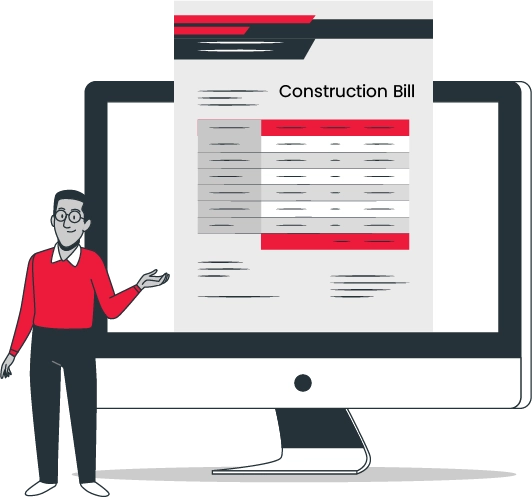
There is various type of construction, but here are the main ones:

Building a House Project:

The first type of construction is residential housing, which entails creating, maintaining, and changing buildings that house people, goods, or equipment. Apartments, townhomes, condos, nursing homes, and dorms are just a few of the different forms of housing that are covered.

Engineers and architects often design residential housing projects, while construction companies hire subcontractors to finish the mechanical, structural, and electrical work.

Personal Project:

Private construction projects are owned, managed, or commissioned by a private entity. Private parties include individuals, homes, businesses, other businesses, non-profit organisations, privately financed hospitals, schools, and other institutions.

These kinds of construction projects come in various sizes and shapes, and at this stage, classifying private construction according to work completed may be helpful.

Commercial Undertaking:

Commercial construction projects include schools, sports stadiums, shopping malls, office buildings, hospitals, stadiums, and skyscrapers.

Like residential housing development, institutional and commercial construction involves building new structures and maintaining and repairing existing ones.

Project For Industry:

The construction type includes structures requiring a high level of specialised and technical planning, construction, and design skills. Typically, industrial or for-profit businesses carry out this type of construction.

Oil refineries, for instance, can be built by a chemical firm, but a power generation company can make nuclear and hydroelectric power plants.

How to Make a Construction Bill?

It would be best if you generated invoices with the necessary details. Here are the essentials for construction invoice templates:

Evaluate The Job Site:

To produce a reasonable estimate, the contractor, subcontractors, and material suppliers should all visit the construction site. It will guarantee that the invoice estimate is near the actual bill.

Comparison Prices With Competitors:

Reviewing competitor pricing is necessary because the contractor wants to stay within an acceptable range of the rates of other contractors. It would be best if you discussed price discrepancies with the client (i.e. quality versus speed, etc.)

Give A Quotation:

The client should get an estimate from the direct contractor outlining the overall cost. If the project’s scope changes and the amount of time or materials required differs, you should also include a disclaimer.

When you make a bill, you need to mention the name of your construction business. Add the logo of your company, if any. Make it clear that it is an invoice.

Address And Contact Details:

Mention the company’s details and contact number so the clients can easily reach out to you for work-related queries.

Client’s Name And Contact Details:

It is vital to address the client in the bill. Also, put the contact details of clients in the invoice. The invoice must be numbered and dated correctly.

Description Of Work:

You must write the scope of your work clearly in the bill/invoice template, including project details, beginning date, and construction completion date. Also, mention the job done and incomplete work if you take payment on a segment basis.

Cost Of All Work Segments:

Break the cost of all work divisions and write them separately in the invoice. Additionally, mention the payment terms and schedule. Include information on any products utilised in the construction process, as well as prices for any services or labour that was rendered.

Total Price, Including Taxes:

At the bottom, write the total price of the project. Moreover, add sales tax to the final price. Include payment instructions and a realistic expected payment schedule to help guarantee that contractors and company owners are paid as soon as possible.

Acceptable Payment Modes:

In the bill, mention the modes of payment you accept, like cash, cheque, QR, internet banking, UPI, etc.

Are you a Business Owner?

Take your business to the next level with Vyapar! Try free for 7 days

Try our Android App (FREE for lifetime)

Benefits Of Using Online Construction Bill Format:

  • The online format has all the essential fields required in a construction bill. It can help you avoid mistakes and delays.
  • When you generate a bill promptly, you will receive your payment. It will enhance your brand image.
  • You can use the online bill format to save time, reduce the cost per invoice, save storage space for paperwork, and focus on construction-related complexities.
  • The online Word, Excel, Pdf construction bill format streamlines data collection and management. It reduces the risk of invoice fraud.

Construction Billing Methods
Lump-Sum Payment Method:

Lump-sum payment or advanced billing method demands payment before the project begins. You can request an advance payment to pay your subcontractors and vendors for raw supplies.

Progress Billing Method:

In this method, a contractor bills a client per the project’s progress or completion of a project division. You must include the work divisions and payment schedule in the contract before starting the work. One of the most effective ways to charge clients and building contractors is through progress billing. The contractors always have money, and the client receives a portion of the completed job.

Fixed Price Billing Method:

A fixed-price billing approach is when the client pays the contractor one flat fee for the entire building project. Contractors are eligible for rewards for completing tasks earlier and face fines for going past contractually stipulated dates. This strategy performs effectively when the scope is clearly defined, and labour costs or raw material prices are constant.

Cost Plus Billing Method:

The client is required to cover the total amount of the project’s construction as well as a profit margin. Since the contractors don’t have to pay money out of their own pockets and never run out of funds, this strategy is also excellent for them. The price includes supplies, labour, and tools. Other costs are also involved, such as mileage for travel, insurance, and communication costs.

Arrears Billing Method:

With this approach, a contractor must request payment after the project. The clients release the cash after the completion of work. This one is dangerous from the contractor’s perspective in two ways: first, you (as a contractor) have to come up with the cash for labour and material costs, and second, what happens if the client rejects the project or withholds payment?

Time & Material Billing Method:

This billing method involves contractors asking for raw material costs and charging hourly or daily. There are no time constraints when adding change orders throughout the billing process. The drawback of the Time & Material billing technique is the extensive documentation process it necessitates.

Unit Price Billing Method:

This billing technique operates by breaking up the projects into segments. Additionally, the project can be expanded, altered, or redone as frequently as the client desires. The main drawback of this billing approach is that contractors still need to get paid on time despite having to submit numerous papers to support their claims.

Frequently Asked Questions (FAQs’)

What is the Construction Bill Format?

The builder, contractor, workers, or any labourer uses the construction bill format to ask for payment from whom they have provided services. It is a written estimate of the work done, the total hours of the project, and the final price.

How Do I Bill as a Contractor?

A contractor should prepare a bill in ink. When the amount exceeds Rs. 20, the original copy should be received and stamped, along with copies of Inspection Notes/Supply Order and Order Form.

How Do I Invoice a Construction Company?

Here’s what a construction company invoice will include:
1. Date of invoice
2. Addresses and names of both parties
3. Describe the products and services
4. The cost and availability of specific products and services
5. The payment terms

What is Payment in Construction?

Contractors receive payments for all expenses incurred during a project, plus a profit percentage. This percentage is pre-negotiated with the employer as part of the contract preparation process.

What are Construction Documents?

This construction document includes the project scope, applicable codes, general dimensions, occupancy diagrams, and exit diagrams.

What Are The Five Types Of Construction?

The five types of construction are:
1. Fire-resistive
2. Non-combustible
3. Ordinary
4. Heavy timber
5. Wood-framed

How do I make a construction bill?

You need to enter the essential details in a construction bill like your company and customer’s name, contact information, address, detailed description of work, total cost, and mode of payment.

What is a construction invoice?

A construction invoice is a document that outlines the details of services provided by a construction company, including labor, materials, and any additional charges, sent to the client for payment.

How do I write a construction invoice?

To write a construction invoice in Vyapar App, select the “Invoice” option, fill in project details, itemize services/materials, add pricing, taxes, and payment terms, and save or send the invoice efficiently.

How to make a bill of construction work?

To create a construction bill using Vyapar App, navigate to the “Invoice” section, input project specifics, itemize labor and materials, set pricing, include taxes, and outline payment terms, then save or send the bill for seamless invoicing.

You can visit the UAE site to view content specific to your location

How Useful is Vyapar for Your Business?

Click on a star to rate it!


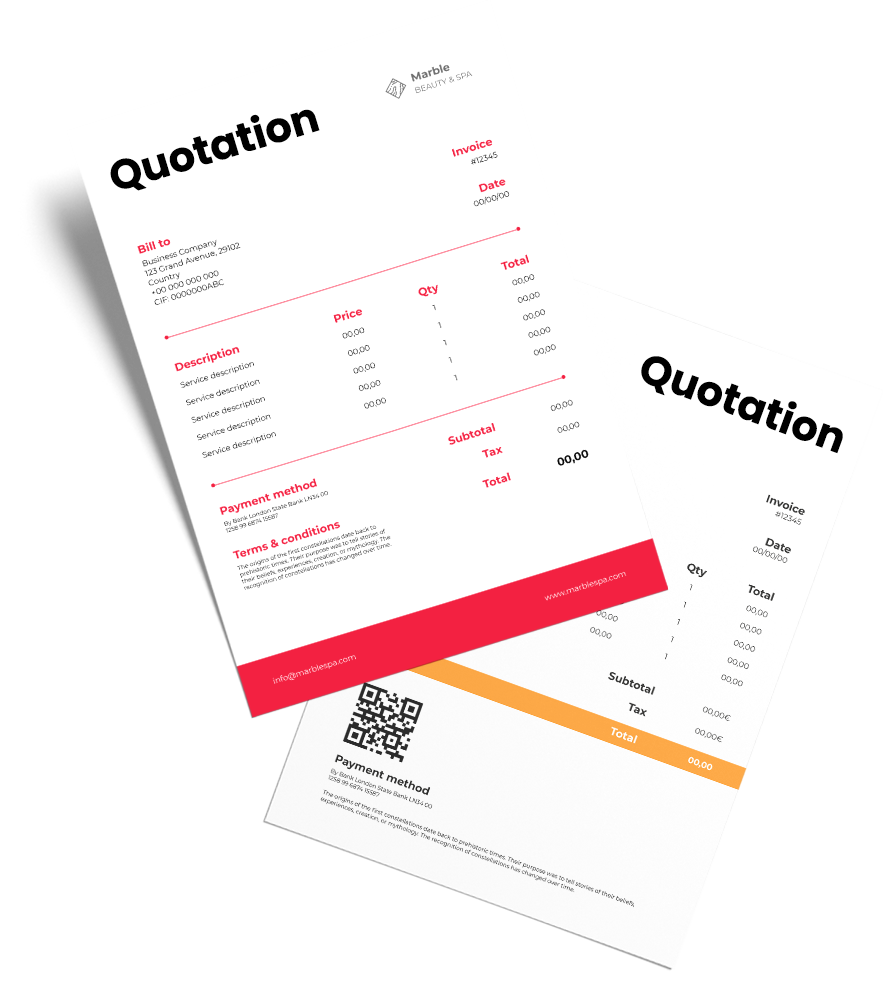
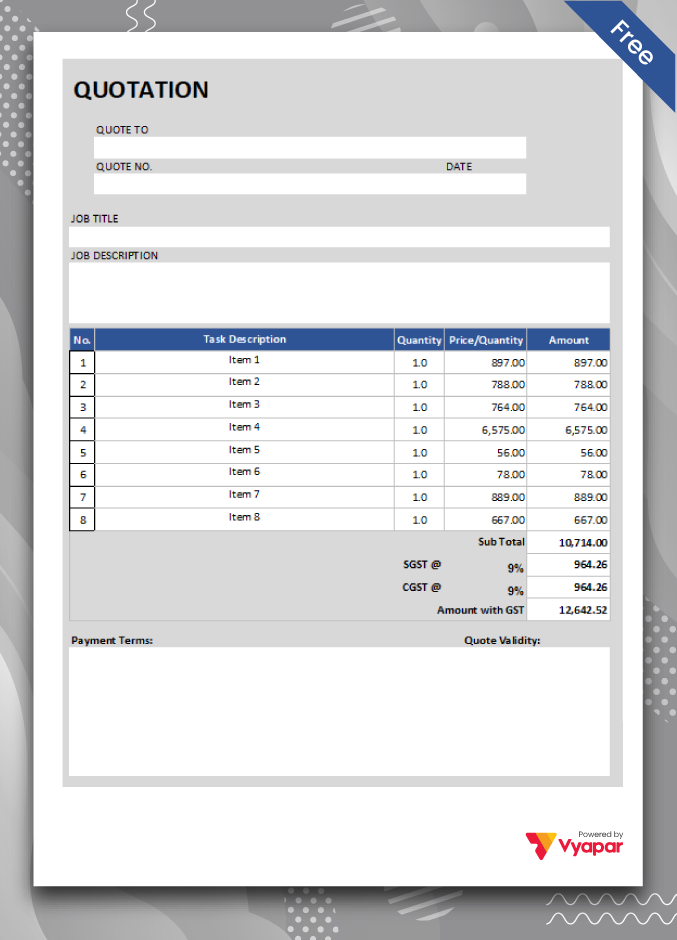
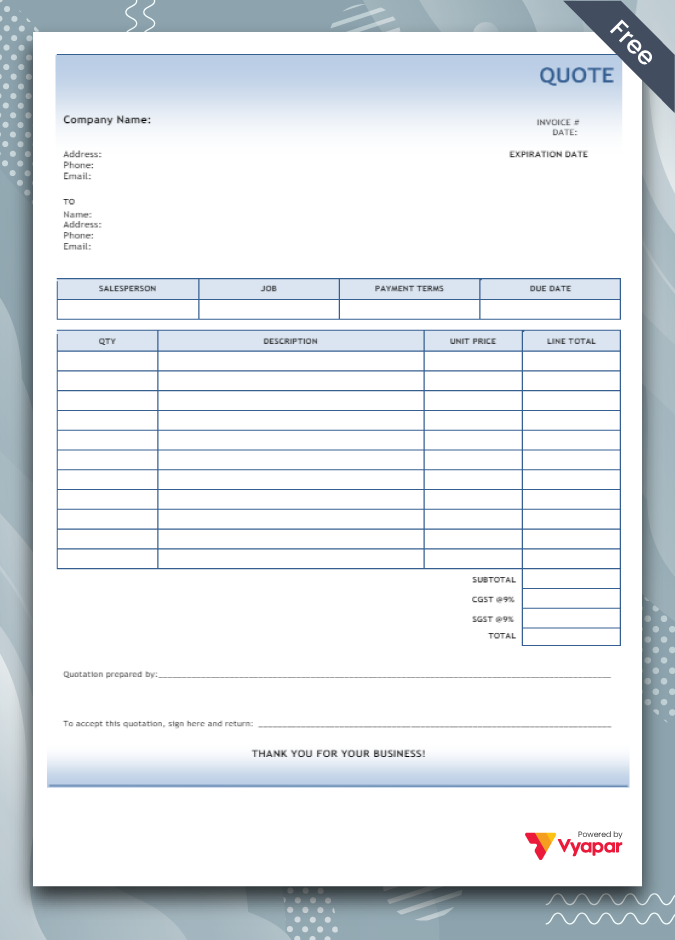
Construction Quotation Format

Construction quotations help in creating simplified quotes for construction businesses.

  • ⚡️ Create professional quotations with Vyapar in 30 seconds
  • ⚡ Share quotations automatically on WhatsApp and SMS
  • ⚡️ Connect with your parties through reminders, greetings, business cards and more

Highlights of Construction Quotation Templates

We’ve put in a lot of effort to make sure you get the best template possible

All versions are print friendly

Built from Scratch

Include essential invoice elements

Automatically calculate subtotal & grand total amount

Consistently formatted

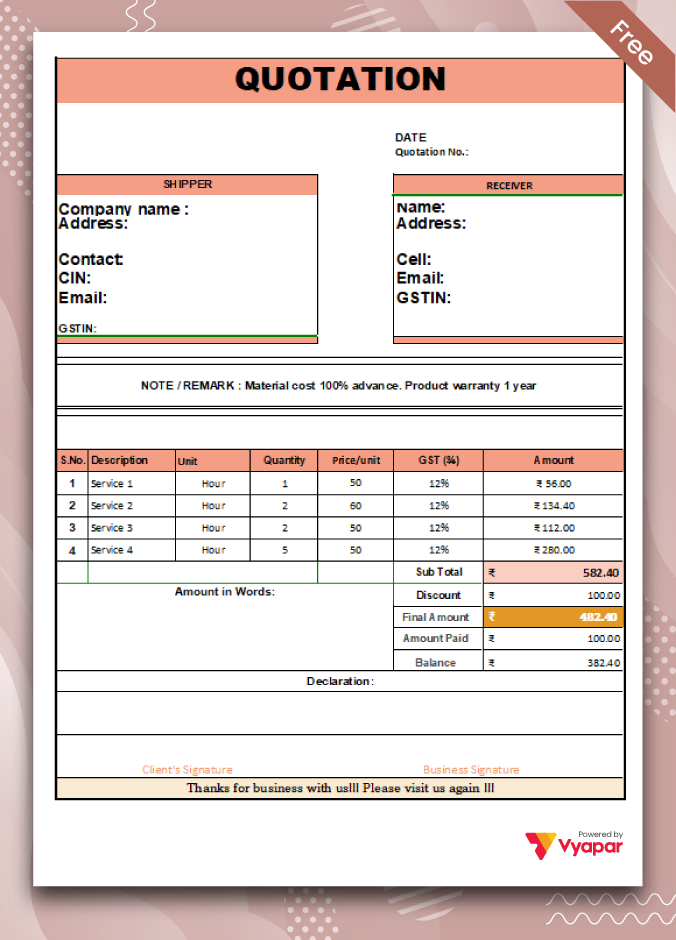
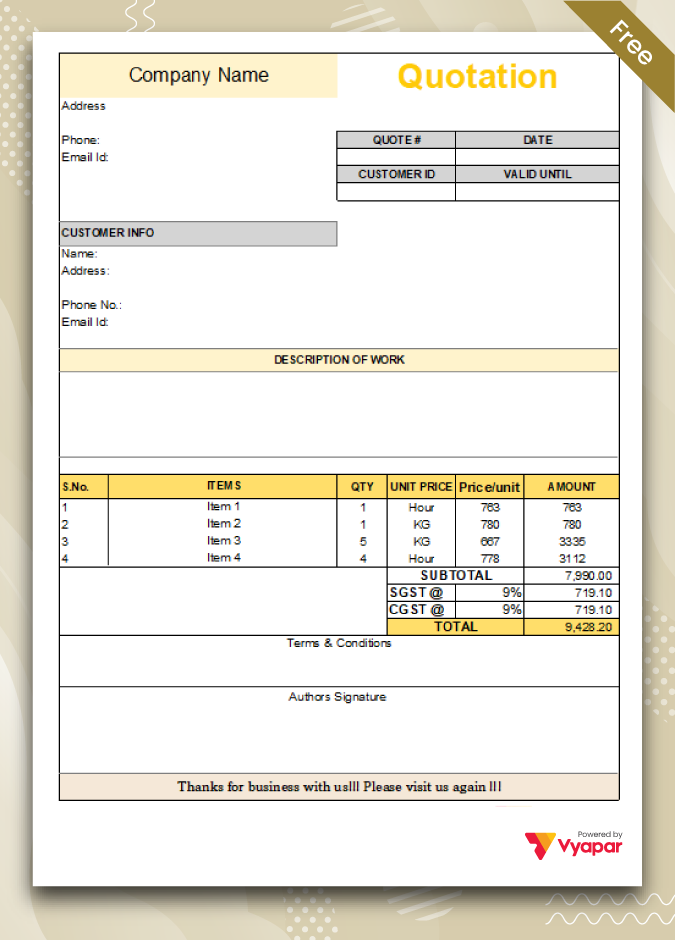
Download Construction Quotation Format For Free

Download professional free construction quotation templates, and make customization according to your requirements at zero cost.

Generate Quotation Online

Type-4

Type-4

Providing Simple Estimates For Construction

Construction  quotes are best to build professional image

Using construction quotation formats, you can provide precise estimates for the products/services you sell in your construction business. All of it allows you to give a transparent picture of the costs of any requested transaction. Simple quotes are suitable to build a professional outlook of your brand.

Managing All Business Requirements With One App!

Manage business with Vyapar app

Our construction quotation maker app is enough to keep all your business requirements in check. Right from managing your business finances like cash flow, sales, transactions, open orders, inventory items, and a lot more is available within the app. All of it makes the whole process seamless for your business requirements. Our app comes with features that allow you to create business reports, and you can use them for analysing sales data and filing taxes for your business.

Why Do You Need a Construction Quotation Format To Create Quotes?

Need of construction quotation format

Creating quotes using construction quotation formats is simpler than any other manual method for anyone working in the construction industry. The quotes come with easy-to-use and customisable quotation templates that can be modified to meet any business’s specific requirements. It makes the quotation maker app a great option to quote clients.

Why Do We Need a Construction Quotation Format?

Importance of construction quote format

A construction quotation format is helpful to make a competitive offer to a potential client professionally. It needs to have details like the name and quantity of services the buyer requires and the estimated cost the seller is ready to provide them.

Before finalising the invoice, you can use a construction quotation format to provide a rough estimate. Once completed, you can convert the construction quotation into an invoice within minutes to finalise a sale transaction.

Using the construction quotation format helps sellers portray a positive brand image to increase the chances of a sale. Ensure that the quote is created professionally, including the details listed below. Although there isn’t a compulsory list of things to include, having all the facts makes it essential to communicate clearly with the client.

Create your first construction quotation with our free Quotation Generator

Features Of Our Construction Quotation Maker App!

Our construction quotation maker app has multiple locations where she would look for quotes. Using our quote maker app, she has made it till now. Now, you can check out.

Accounting Management

Seamlessly manage one or more stores from your store chain using the quote maker app by Vyapar. You can access your data across a range of devices. However, know that the Vyapar license can be platform-specific or device-dependent. Using the construction quote maker app, you can use the data captured by Naruto, who tailed his beast.

Accounting Management
Range of quotation formats

Range of quotation formats

You can choose from many template options before deciding the one that fits well for your requirements. You can use the format created by our team by modifying it to your business-specific needs. It will keep you updated with the latest designs.

Manage products and services

You can set up auto stock management within the construction quotation maker app to seamlessly manage a chain of stores. Further, it provides the option to create and manage up to 5 firms within a company. Using the construction quotation maker app by Vyapar has made it possible for us to streamline the entire product and service management process.

Manage products and services
Create and print invoices

Create and print invoices

You can seamlessly create and print invoices using our business tools based on our construction quotation template designs. You can easily create invoices using the quotations made from the post. Once created, you can print it using any printer within your store. Creating and printing invoices using quote data can help save a ton of time and effort.

Generate Reports

Creating reports using the features in the Vyapar construction quote maker app makes it useful for businesses. By creating multiple accounts within minutes, you can get all the data you need to improve your needs within a few hours. Sales reports can help get an idea of the sales, and GST reports can provide a better picture of the taxes involved within minutes.

Generate Reports
Data safety and security

Data safety and security

Data security is one of our deepest concerns, and our team keeps working on strengthening the security of data stored in it. Further, to avoid any hacking or malpractice due to duplicate content, it is advisable to keep creating backups in your system profile. Backups can come in handy whenever there is an issue.

Frequently Asked Questions (FAQs’)

Is the construction quotation format helpful for your business requirements?

Yes, Creating a quote using the construction quote maker app on our website re-format helps you present your brand image to customers. It helps give approx estimates of the prices for specific requirements. It will help you save the information regarding discounts, taxes, and offers involved in the transaction to help you speed up the sales.

How does the Vyapar app make it easy to quote for services?

Using wholly editable and customisable features of formats in the Vyapar app makes it easier for anyone to prepare a construction quotation for your customers. You can convert the quotes to invoices and get paid for the services you provide. It is like using multiple payment options for your business.

Why is construction quotation format important?

Businesses use the construction quotation format to provide a clear idea about the transaction. It can help you address unique customer requirements and help provide an estimate of the services requested by them. Further, it helps make final invoices faster as the data stores seamlessly convert the quote into an invoice.

Is the mobile version of the construction quotation maker free?

Yes, The essential utilities for creating construction quotations are in the Vyapar app on your Android smartphone. We have kept it free to help all small business owners have a tool to create invoices for their customers.

Is the Vyapar construction quotation maker available on iOS devices?

No, The construction quotation maker app by Vyapar app isn’t available on iOS-based devices. You can use the app on your Windows desktop/computer or your Android smartphone to get the details.

You can visit the UAE site to view content specific to your location

How Useful is Vyapar for Your Business?

Click on a star to rate it!


Inventory Management Software for Construction Industry

Inventory Management Software For Construction Industry

Vyapar is a professional inventory management software for construction industry used for efficient and effective management. It is suitable for all requirements of a construction business, including invoicing, inventory management, and accounting. Start your 7-day free trial today!

Inventory Management Software For Construction Industry

1 Cr+

Happy Customers

FREE

Android Mobile App

Rated 4.7 / 5

On Google Play Store

Multi-Device

Use together on Mobile/Desktop

Multi-User

User Management
Feature

What is Inventory Management Software for Construction Industry?

Define Inventory Management Software for Construction Industry

Construction happens on the job site; however, the operations of a modern construction company go beyond the field. It involves properly and efficiently managing inventory-related data in the construction industry. 

Free inventory management software manages inventory-related tools, materials, equipment, and finished goods for construction. inventory management software for construction industry for the construction industry is a means by which companies and suppliers keep track of stock levels, materials, equipment, workforce, and plant. 

Inventory management software for construction industry is most important when a construction company manages various projects. It allows businesses to track, maintain, organize, and examine their inventory-related processes.

Vyapar app is an inventory management software for construction industry that helps construction companies manage and keep inventory tracking. A well-managed inventory benefits profitability, as misplaced, delayed, or lost items may lead to unnecessary costs and avoidable delays.

What Are The Types of Inventory?

What Are The Types of Inventory

The inventory management process is everything a construction industry utilizes to sell or produce products, from finished goods to raw materials. Industries practice inventory management systems as it affects profitability and productivity. There are different types of inventory in business management. 

The four types of inventory commonly used are raw materials, work-in-progress (WIP), finished goods, and maintenance, repair, and overhaul (MRO). Using the Vyapar inventory management software, users can do better inventory control and management in the construction industry. So, choosing the best construction inventory management software for construction industry is essential to manage and track inventory.

Raw materials:

Materials required to turn the inventory into a finished product are known as raw materials. The inventory items are pieces of parts that are currently in stock. However, these items have not yet been used in finished goods or work-in-progress inventory. 

There are two major categories of raw materials: direct materials and indirect materials. Here, direct materials refer to items that are typically used directly in finished goods, whereas indirect materials refer to items that are a part of overhead or factory costs. For example, direct raw materials are the cement used in construction sites. Indirect raw materials can be the batteries and stairs that indirectly contribute to the construction site. 

Work-in-Progress:

Work-in-progress is the inventory that is being worked on. It includes the raw materials (including labour costs) still in production when the accounting period ends. You can keep an eye on your inventory levels as the production progress in every stage.

All the direct and indirect raw materials the businesses are using to create finished goods are WIP inventory. For example, a WIP shows that a construction project is 40% complete but has used up 60% of its budget. So, the small businesses can conclude that it will go over budget.

Finished Goods:

Finished goods are the inventory that businesses list for sale. It can be considered the most forward of all inventory types. Final products can be listed on the inventory, and the inventory management system adjusts the stock values as a sale is made.

You can track low inventory levels by setting up low inventory alerts. Any available product ready to be sold to customers is known as finished goods. For example, finished goods could be a well-furnished flat for customers.

MRO/Overhaul:

It is also known as maintenance, repair, and operating supplies. MRO inventory is needed to assemble and sell the finished product. However, it is not built into the product itself. 

Depending on the industry, the MRO inventory might be with a supplier, in storage, or transit out for delivery. For example, the basic supplies, such as pens, helmets, and papers, would be considered MRO inventory. 

What Are The Inventory Management Methods?

What Are The Inventory Management Methods

Several types of inventory management methods can be used for efficient inventory management. Depending on the type of industry, a company can choose from several inventory management methods. 

The essential inventory management methods include:

  • Just-In-Time Management (JIT).
  • Economic Order Quantity (EOQ).
  • Materials Requirement Planning (MRP).
  • Days Sales Of Inventory (DSI).

Just-in-Time Management (JIT):

Just-in-time management allows companies to save money and reduce costs and waste by efficiently managing inventory. This method reduces the storage of items and insurance costs. It also reduces the cost of removing excess inventory of items.

JIT inventory management method can be a bit risky at times. Supposedly, if the demand increases unexpectedly, the manufacturer may need more time to get the inventory it needs to meet that demand. It, therefore, damages the reputation and goodwill with customers, thus, driving business towards competitors.

Economic Order Quantity (EOQ):

The EOQ model is used in inventory management. It is done by calculating the number of units a company needs to add to its inventory. It is done to reduce the total costs of the inventory on hand while assuming that the consumer demand is constant. 

The EOQ model ensures the correct inventory amount is ordered per batch. It is done so that a company does not need to make orders too frequently. It ultimately helps in keeping no excess amount of inventory. Assumed that there is a trade-off between inventory set-up costs and holding costs. Minimizing both these costs leads to minimizing total inventory costs. 

Materials Requirement Planning (MRP):

This inventory management method is dependent on sales forecasts. It means that the manufacturers should have accurate sales records to enable efficient inventory planning. 

These inventory needs should be communicated to the materials suppliers timely. The inability to forecast sales and manage inventory acquisitions minutely results in the manufacturer’s inability to complete orders.

Days Sales Of Inventory (DSI):

This inventory management method is a financial ratio method. It indicates the average time (in days) a company requires to turn its inventory, including work-in-progress goods, into actual sales. It is also known as the day’s inventory outstanding, the average age of inventory, and days in inventory, among many other interpretations. 

The DSI method indicates the liquidity of the inventory. The number represents how many days a company’s current inventory stock will last. In general, a lower DSI is preferred in the management software. It indicates a shorter duration to clear off the inventory items, clearing stock. However, the average DSI varies from one industry to another industry. 

Features Of Using Inventory Management Software For Construction Industry

Features Of Using Inventory Management Software For Construction Industry

Inventory management software for construction industry has several features that add value to the industry. The features of inventory management are discussed below.  

Companies in the construction industry often need help with excess or buffer stock. When efficient inventory management software is used, estimating and meeting unseen demands is easier. 

The right inventory management software for construction industry makes it easier to manage and track inventory. It helps you save a lot of time and further increases your productivity. When construction industries automate inventory management, it reduces the risk of human error. 

Vyapar inventory management software has an efficient cost management system. It helps construction companies determine the average inventory cost on hand. Also, it provides flexible, efficient, and reliable valuation. 

It has efficient barcode scanning that helps in instant inventory costs, increased consistency, and considerable error reduction. It also has the feature of efficient purchasing management. Increases vendor accuracy, streamlines the purchasing process, and stops unauthorised purchases. 

Benefits Of Using Inventory Management Software For Construction Industry 

Benefits Of Using Inventory Management Software For Construction Industry 

The various benefits of using inventory management software for construction industry are listed below: 

Improvement in Accuracy:

Improved accuracy is when you know what you have in stock and what you do not at a given moment. When efficiently managing inventory, you know what is in stock and what is not. You order items that are required to meet the demand. When you are aware of what is available and what isn’t, you do not oversell or undersell. 

Detailed Insight Into Products:

One of the biggest benefits associated with inventory management is that you get a detailed insight into products. Efficient inventory management software for construction industry allows users to get detailed insights into your products. You can track products, identify sales trends, and stock holding.

Reduced cost:

In cases where inventory is managed inefficiently, it may lead to a loss of money. It may occur due to avoidable errors and understocked and overstocked items. By automating inventory management software for construction industry, your business can save time and money in the long run. 

Improved Customer Experience:

When you effectively and efficiently manage inventory, you create a better customer experience. Your business completes customer demand by having the correct number of products in stock. It further creates a good customer management relationship. 

Features Of Vyapar Inventory Management Software For Construction Industry

Features Of Vyapar Inventory Management Software For Construction Industry

Vyapar is an inventory management software for construction industry that helps construction companies to track and manage inventory efficiently. The features available on the Vyapar software make it simpler and more accessible for construction companies to track inventory. 

Some amazing features of Vyapar inventory management software are explained below:-

Barcode Scanning Fastens The Process:

The Vyapar inventory management software for construction industry allows companies to use barcode scanners. It helps in adding items to the required bill. As and when products are purchased or sold, your inventory gets updated.

Using Vyapar’s free inventory management software for construction industry for inventory allows you to reduce time and effort. It further helps you to eliminate any slightest possibility of mistakes. Users can also save a copy of data in the drive to ensure its safety and security. 

Track And Manage Inventory On Smartphones:

No industry likes to have excess stock of items stored in warehouses. Vyapar’s free inventory management software allows companies to keep their inventory in check. It is done by analysing the sales reports of the company. 

Using Vyapar’s free inventory management software for construction industry, users will have the necessary supplies to run a business efficiently. Every time you purchase new products, employees can update the list in the Vyapar software.

Hence, Vyapar efficiently helps the construction industry track and manage inventory through smartphones. 

Real-Time Updates On Inventory:

Real-time updates on inventory give the best idea about the performance of a business. Vyapar’s inventory management software for construction industry helps take instant actions before the supply shortage occurs. Construction companies can keep the real-time inventory in check and place new orders with suppliers. 

Vyapar software for inventory management allows users to set up an automatic order placement with the respective supplier. However, in cases of unexpected demand or sales can be managed with real-time data. 

So the companies can be ready with a decent amount of stock in the inventory. It is done to retain every opportunity that comes along the way to maximize returns. 

Seamless Order Tracking:

Using Vyapar’s advanced inventory management software for construction industry for billing and accounting makes creating purchase or sales orders easy. It helps companies to set up a due date for seamlessly tracking orders. It further helps in tracking the inventory. 

Vyapar’s accounting and billing feature also gets an auto stock adjustment. It also helps to ensure the availability of inventory items. The tracking feature on the Vyapar app is helpful for completing orders timely. 

Tracking and managing inventory avoids unnecessary losses and saves time. Users get to save time with the tracking feature and use it to perform other daily tasks. It enables better customer satisfaction and relationship with the management. 

Print With Regular/Thermal Printer:

Construction companies may require their invoices in manual format instead of bill/invoice format. Vyapar’s free billing software and inventory management software for construction industry is the best option. Vyapar inventory management software for construction industry is compatible with regular (laser) and thermal printers. It allows users to get their desired printout within minutes.

Vyapar’s invoicing and inventory management software for construction industry is an efficient way to print bills, challans, and invoices. Users have the better option to instantly generate and create prints in various size options. 

It includes the regular paper size A4 & A5, thermal paper sizes 2″ & 3″, and other customised paper size options. You do not require printing and using digital methods like e-mail, WhatsApp, and SMS. 

Connect the Vyapar accounting software with your regular or thermal printer. It can be done through Bluetooth or a plug-in option to start printing the company’s invoices. Construction companies can use the Vyapar software to create and print invoices for customers. 

Record All Business Expenses:

Vyapar’s inventory management software is beneficial for small businesses. It helps businesses to track and manage all the money spent on basic business requirements. By recording expenses, companies can optimise business expenditures.

Recording customers help businesses save money and time, which can be used for growth. Vyapar is India’s inventory management software for construction industry that helps businesses to enter the GST invoice format of expenses. 

Vyapar’s free billing software is an efficient option for recording expenses. Construction companies can easily optimize their business expenditures to save time and money. Both the GST and non-GST expenses can be recorded. 

Create Purchase or Sales Orders:

Construction companies can track and manage inventory anytime and anywhere. You won’t have to place a new order on the construction site without checking inventory levels. With real-time inventory levels, Advance orders can be placed so that you have new and updated items before there is a shortage in inventory. 

Vyapar’s free inventory management software helps companies by setting up an alert for purchase orders. It is done before the stock goes down a specific level. So, the Vyapar free accounting app allows companies to create both purchase and sales orders. 

Vyapar software for inventory management also ensures that the customers do not return empty-handed. Using Vyapar’s mart inventory management software for construction industry is efficient for construction companies. Effective inventory management has helped both small and medium-sized businesses in India. It has helped them by cutting down the unnecessary stockpiling of items. 

Are you a Business Owner?

Take your business to the next level with Vyapar! Try free for 7 days

Try our Android App (FREE for lifetime)

Frequently Asked Questions (FAQs’)

What is Inventory Management?

Inventory management is the process of ordering, using, storing, and selling a company’s inventory. It includes managing the essential components, raw materials, and finished goods. The warehousing, processing, and storing of such items are also included in inventory management.

What is Inventory Management Software For Construction Industry?

Inventory management software for construction industry is software that is used for automating inventory management. It ensures that you can accurately track the company’s current inventory levels. It helps you instantly identify what products you need more in your inventory. 
 
Inventory management software for construction industry is a system used for tracking and managing inventory levels, processes, orders, deliveries, and sales. It can also be used in the construction industry to control budgets and create work orders, purchase orders, and other construction-related documents. 
 
Companies often use inventory management software to avoid product overstock, understock, and outages. inventory management software for construction industry is a tool for efficiently organising inventory-related data.

How is Construction Inventory Management Different From Other Inventory Management?

The critical difference between construction inventory management software for construction industry and a generic inventory system are stated below. A construction inventory management system is specifically designed to support the various types of construction assets. It also helps in the operational workflows specific to construction in real-time. 
 
The four types of construction assets are – tools, materials, equipment, and consumables. Each of these has different tracking and management requirements. An efficient construction inventory management system will support both individual and bulk items. It also has the ability to track the usage history for efficient inventory management. 
 
An inventory management system for construction industry also supports critical logistics and operational workflows. It includes the ability to carry forward item transfers between locations of multiple warehouses and job sites. It also includes automation of job costing, inspection, barcode scanning, and billing based on tracking. 

How Does Vyapar Inventory Management Software For Construction Industry Help?

Nowadays, inventory can be checked or maintained through phones, laptops, and desktops. Managing and keeping track of all inventories using the Vyapar app can lead to efficient inventory management. If you are using outdated technologies like spreadsheets, it may take time. 
 
However, Vyapar inventory management software for construction industry helps you keep everything efficiently organised. This inventory software reveals in real-time exactly how many items you have in stock and alerts you when you require more.
 
Using the Vyapar inventory management software for construction industry can help the construction industry by:- 
 
1. Monitoring and managing the inventory activity of the business. 
2. Keeping track of costs associated with each inventory item used for production. 
3. Maintaining a record of current levels of stock at each stage of production.
4. Set up inventory alerts to help you reorder more inventory items before they run out.
5. Helps save time by efficiently retrieving details of items with a barcode scan.

Why Efficient Inventory Management Software for Construction Industry is A Must For Construction Industry?

Inventory management for construction is a strategic and broader concept than just tracking items in multiple warehouses. It brings out the opportunity to plan in a strategic manner about how you acquire the projects and manage the entire process. It also helps to analyse the assets and correct materials required in the process. 
 
The modern construction industry has many opportunities to manage multiple warehouses and purchase materials to eliminate waste products. The costs associated can be minimised by deploying the inventory management system. 
 
It helps to improve the accuracy of the warehouse and on-field operations. It starts with identifying the need for a particular item, transferring it, or purchasing it when not in stock. All this can be done through the Vyapar software that tracks, manages, and records the inventory in real time.

How to Improve Inventory Management in the Construction Industry?

To improve inventory management in the construction industry, you need to follow certain steps. The steps to create an efficient construction inventory management process are stated briefly.  
 
Firstly, build a good network of reliable suppliers. You need to check the deliveries receivable and schedule any regular inventory audits. You also need to decide who is responsible for inventory management.
 
Purchasing the correct inventory management software for construction industry is essential. Lastly, necessary improvements in the process are efficient. 

You can visit the UAE site to view content specific to your location

How Useful is Vyapar for Your Business?

Click on a star to rate it!


Invoicing Software for Construction

Invoicing Software For Construction

Invoicing Software For Construction allows your construction company to create professional-looking invoices seamlessly. Using Vyapar makes the entire process seamless and helps you manage your tasks easily. You can download the Vyapar accounting app now and access construction bill formats for free!

Invoicing Software For Construction
Smiley logo

1 Cr+

Happy Customers

Mobile logo

FREE

Android Mobile App

Google play store

Rated 4.7 / 5

On Google Play Store

Multi device logo

Multi-Device

Use together on Mobile/Desktop

Multi user logo

Multi-User

User Management
Feature

What is Invoicing Software For Construction?

Define Invoicing Software For Construction?

Invoicing software for construction allows contractors to seamlessly track, create, and manage invoices. It significantly reduces the hassles of sending bills to customers and collecting payments from them. Contractors can use this software to keep track of their projects, charge many clients simultaneously, generate invoices in different currencies, automate billing processes, streamline payment collection, and save all customer records in one location. 

It also calculates taxes and other costs associated with building projects correctly. With its many features, construction invoice software makes it easy for contractors to keep track of their accounts receivable and keep correct records, which are important for auditing.

Best Practices to Follow to Create Professional-Looking Construction Invoices:

Create Professional-Looking Construction Invoices:

It is commonplace that each construction business has its invoicing practices, and everyone knows what works best for them. Still, there’s always room for improvement for these construction firms. Here are some best practices for construction invoicing:

Send Timely Invoices:

Many construction businesses need to get paid on time. The unwanted delays may not be good for your construction business. Send your invoices as soon as feasible (while remaining reasonable). 

When invoices are sent late, payment is always late. Furthermore, late invoices tend to cause more uncertainty than timely invoices. Ensuring that the invoice is sent to the client when the job is still fresh in everyone’s mind is important.

Keep Invoices Clear and Detailed:

While sending construction invoices to your clients, it is important to determine that the client understands what they are paying for. It’s a good idea to include enough information to back up the requested payments but not so much that the invoice becomes hard to catch.

Standardization is a straightforward approach to achieving this. Although invoice needs vary according to the construction project requirement, having a baseline framework and consistent technique of marking work or products benefits everyone. It keeps your company in providing detailed and well-formatted Invoices to the client. It also adds a professional touch to invoices.

Reference to the quotation or estimate is vital information to include in the Invoices. There should be no differences between the invoice and the original quotation or estimate. 

Document Everything:

As a construction business owner, keeping an organized record of everything associated with the construction business invoices is very important. Keep all project receipts and timesheets in one place or use software to store them automatically. 

It can serve as legal evidence in case of any legal dispute between the construction business and clients over the project. Construction firms can use it as evidence to save them from any false accusations.

Short But Reasonable Payment Terms:

It is commonly seen that longer payment terms result in larger debt ratios, which can be disastrous to a business’s finances. Your business needs to ensure timely payment from the business clients.

The construction business needs to provide clients with clear and concise payment terms. So they might have clarity regarding the payment from the beginning of the project.

Early Pay Incentives Or Late Pay Penalties:

Many construction firms offer discounts if the invoice is paid before the due date, and it is a simple technique to expedite payment. On the other hand, some businesses may also incorporate late payment penalties. This simple modification to your payment conditions can speed up payments.

But keep in mind that incentives reduce profits. In this industry, margins are narrower than ever, and paying for discounts and incentives should be optional. Penalties, however, can be an excellent tool for encouraging timely payment. 

However, it is also critical to prevent antagonizing clients. Discounts and penalties, like everything else, make a lot of sense in some situations, but they are only sometimes appropriate.

Send Invoice Follow-Ups:

Many construction businesses’ invoices remain unpaid the first time they send them to the customer. It becomes essential for them to send a follow-up message to clients to remind them about the Invoices. 

Several factors can cause clients to delay paying their invoices. They can be overlooked, lost in a stack of other invoices, or disregarded! Follow up with phone calls or emails to ensure you are paid what you are owed. Before issuing payment demands, contacting the customer and discussing the invoice is a good idea.

Benefits of Using Invoicing Software For Construction Companies

Using Invoicing Software For Construction Companies

Here are the following benefits of using invoicing software for construction:

1: Automatic Invoice Generation and Billing

If you manually create your invoice on paper, there are huge chances of human errors. If they are not stored properly, there is also a great chance that they may get misplaced or lost, which may be detrimental to your construction business. It may cost you valuable money and reduce the cash flow inside your business.

But using the invoicing software for construction may sort many problems of your business single-handedly. It automates your invoices, and you do not need to repeat the same tedious task repeatedly in your business.

2: Payment Collection Tracking

It becomes difficult to track your invoices and payment collection, leading to delayed payments and reducing the cash flow inside your business. All you need is invoicing software to perform all these essential tasks for your construction business.

Using the invoicing software for construction can help you a great deal when tracking customer payments over time and creating an easy system for collecting payments on overdue balances. It may simplify your payment issues easily.

3: Perform Easy Budgeting

Any construction company’s first job is to oversee project scope, timing, and budget, although budgeting often requires the greatest attention. An erroneous budget estimate might cause a project to run late or stay on schedule. 

That is why it is critical to carefully examine all project plans for risks, create accurate estimates, and communicate objectives to stakeholders and clients regarding budgeting. Fortunately, one of the primary advantages of construction management software is the ability to reduce costs while increasing profits through better budget control.

4: It Provides A Higher Degree Of Customisation

Using the invoicing software for construction comes with more customization in invoices at its foundation. Most construction companies rely on their procedures, and software vendors are usually eager to accommodate those demands by adapting their software to their customers’ specific requirements.

With this in mind, you may consider the software that gives you greater flexibility to customize the invoices as per your business requirements, and you can send them to your clients quickly. It results in faster deployment and, ultimately, faster growth for your organization.

5: Project Management

Invoicing software for construction enables managers to take a more efficient and systematic approach to project management. The project managers can ensure that each team member and the moving parts fit together as one cohesive jigsaw. 

To that aim, easy-to-use inventory management software enables managers to rapidly communicate essential information, track project budgets, and create all necessary components such as information requests, business letters, and change requests.

6: Multi-User Access

When you go for the professional best invoicing software for construction, it allows multi-user access to your business employees. Different employees lead different areas of operations in your business, and it becomes necessary for your invoicing software to allow them access to different areas of software.

Your problems are solved quickly when you use professional all-in-one accounting software like Vyapar, which allows your team members access to different areas of the software so they can effectively collaborate and manage projects.

7: Easy Adaptation and Integration

One of the most significant challenges faced by any software is implementing how quickly it can be adapted and incorporated into a company’s existing workflows and processes. The sooner it is integrated, the sooner it may boost efficiency throughout a business. 

Given the industry’s complexity, invoicing software for construction is designed to make it as simple as possible for every user to adopt and incorporate into their processes. While going for a software integration aspect of software should always be noticed.

8: Financial Reporting and Tracking

When it comes to up-to-date information about companies’ performance, making informed decisions, effective budgeting, and control, or legal or regulatory requirements, it becomes necessary for organizations to look for software that can do financial reporting for them.

By using the best invoicing software for construction, you can quickly generate financial reports and analytics that give you insight into the financial health of your business. It can be very beneficial for your construction company’s financial health.

Tips to Choose the Best Invoicing Software For Construction Companies

Choose the Best Invoicing Software For Construction Companies

Here are the following tips for choosing the best possible invoicing Software for your construction business:

1: Should Integrate With Business Seamlessly

When you consider the best billing software for your construction business, it is essential to consider the integration into that invoicing software. The integration allows your construction business to easily synchronize your business data, eliminate manual entry and reduce the chances of errors. 

It improves your business’s financial management and allows you to easily streamline your invoicing process by sending your business data to your construction invoicing software. 

2: Should Be Easy to Use For All

Software that is difficult to operate might cost your business valuable time. If the software requires technical expertise to perform invoicing, it may not be suitable for your business platform. After all, it may not be great for non-technical and old-age employees.

It makes it necessary to see that software you choose for your business platform should be easy for your business employees, and it may take a short time to get acquainted with its tools and features. The easy-to-use aspect of your software may save time. 

3: Should Have Good Customer Support

When your construction company faces any technical issues, or you have any questions regarding the software, it needs to be addressed quickly by the software’s customer support team. The customer support team should be available 24X7 and can respond to your calls quickly.

It is important that your invoicing software for construction come with customer support team contact details such as email, phone number, or chat to address your questions. The software’s customer team should allow you to meet person-to-person if any greater difficulty arises.

4: Should Showcase Genuine User Reviews

While choosing the invoicing software for construction, it is important to get a recommendation from a colleague. You can check out user reviews to select the best possible software for your business. And you should go online and shortlist a few software for your construction business.

You should visit the official website of the software to have a clear insight into the tools and features that it offers to its clients. It would help if you also visited a few websites which make comparisons between the different software. It helps you get in-depth details when considering the best software for your construction business.

Features that Make Vyapar App the Best Construction Software

Features that Make Vyapar App the Best Construction Software

Send Payment Reminders to Recover Dues:

Vyapar billing software helps small businesses to recover their dues quickly on time and keep their cash flow steady. Vyapar does it for you by helping you keep track of all payments incurred during your day-to-day operations on the business website.

By using the Vyapar app’s reminder tool, you can let your customers know when they need to pay you back. It assists in telling businesses via WhatsApp and email how much is still owed and when it’s due. By sending messages, you can ensure the customer remembers to pay, as it may disrupt your business cash flow. 

The best billing software by Vyapar comes with a wide range of online and offline payment choices to help your customers pay on time. It gives you both offline modes of payment, such as cash, cheque, and QR Code. It also offers you multiple online payment methods, such as credit cards, debit cards, e-wallets, NEFT, RTGS, UPI, QR codes, and more. 

Generate Multiple Reports:

By using our professional software, your business can make choices that allow it to keep growing at a healthy rate. Our free invoicing software enables your business to make 40+ business reports for all your business needs.

Balance sheets made by professionals are part of the Vyapar billing software. The operational efficiency of your business can be significantly enhanced when you use Vyapar to perform your daily operations because you can quickly export the reports in PDF or Excel.

  • Accounting and running a business
  • Charges and online payments
  • Reports on GST and taxation

With our free Invoicing Software, users can easily see and study the data immediately to make confident decisions inside their business platform. Using the app, you can make graphical records to keep track of sales and costs. This free software analyses correct business details, accounts, and more. It is also a quick way to determine how much the business makes. 

Manage Your Cash Flow Seamlessly:

With Vyapar’s billing software, businesses can maintain tabs on their finances. This tool is useful for keeping tabs on finances and creating Zoho invoices. Over a million organizations have utilized our free accounting tools. Many companies rely on cash flow management software to handle billing, budgeting, and other financial tasks.

The accounting software offered by Vyapar facilitates management. It is done to ensure that no monetary miscalculations occur. This invoicing software for construction makes it simple to monitor revenue and expenses. Everything required to process wire transfers is included in this program, such as keeping tabs on your financial outflow and inflow.

Our free Invoicing software shines when maintaining an accurate real-time cash book. It can help a company maintain its profit margins. It totaled up all that has been paid for or purchased. This GST accounting software makes it simple to record financial transactions.

Billing and Invoicing:

Vyapar’s free billing and invoicing software that includes GST can help construction business owners with various duties, including managing inventory, invoicing, and billing and filing GST returns. The fields in our free accounting mobile app can be modified to meet the specific needs of any company or chain of companies.

In only a few minutes, you can use the app to create a GST invoice for your clients and send it to a client through email, WhatsApp, or chat. The GST invoice style is highly recommended, and our GST accounting software makes it easy to produce these invoices.

The billing process speed can significantly be increased with the help of the barcode scanner, and routine operations can be accomplished using shortcut keys. Because it is so simple to associate payments with sales invoices, “Bill wise payment” is a vital function in the Vyapar app.

Provide Multiple Payment Options:

Suppose you offer a variety of convenient payment methods in your business to your clients. In that case, payment default is less likely to occur, and it will significantly improve your business cash flow. It gives various options, including UPI, QR, NEFT, IMPS, and e-wallets, and accepts credit cards.

Customers need convenience, and providing them with online and offline modes of payment is the most considerable convenience you can give them by letting them select how to pay you. You may produce invoices with several payment options using the Vyapar invoicing tool.

Your clients can pay for your goods or services from the various payment options you provide them, or you may provide them with all your options. Including a QR code in the invoice offers customers a convenient payment option to transfer funds to the connected UPI ID. 

Send Estimates and Quotes:

You may effortlessly create helpful documents with our free Invoicing software. It contains correct GST invoices, quotations, and estimations. Vyapar software has built-in features that allow you to send quotes/estimates to customers anytime. You can transmit them via WhatsApp, email, SMS, or printing.

Vyapar Best invoicing software for construction offers a professional appearance and rapid estimates and quotes. The Vyapar app automates most operations. It eliminates manual errors in quotations and estimates. You can also define a due date for tracking bills effortlessly.

You can also turn your estimates and quotations into sales invoices anytime. Invoicing is as simple as a few clicks with the Vyapar program. Vyapar invoicing software provides businesses with a comprehensive solution for swiftly saving more money.

Frequently Asked Questions (FAQs’)

What is the Best Invoicing Software For Construction?

Construction businesses use invoicing software to streamline and automate the creation and management of invoices. The construction business software typically includes customizable invoice templates, project and client management, time and expense tracking, integration with accounting systems, and reporting capabilities.

What are the Benefits of Using the Invoicing Software For Construction?

Here are the following benefits of using invoicing software for the construction business:
 
1. Streamlined invoicing process
2. Improved accuracy
3. Faster payment cycles
4. Customizable templates
5. Integration with accounting systems
6. Expense tracking
7. Documentation management
8. Enhanced communication
9. Reporting and analytics
10. Scalability and growth

How Can I Create Free Invoices For My Construction Business?

You can use the Vyapar software to create your Invoices in all three formats: PDF, Excel, and Word. It allows you to Customise your invoice as per your business requirement. You can add your business logo and theme and choose the colour per your business preference.

Can I Track the Status of Invoices and Payment Receipts?

You can easily track the status of Invoices and payment receipts using the Vyapar business dashboard. Also you get real-time updates of your Invoices and bills on our free billing and invoicing Software. You get all these features at no cost.

Which Software is Best For Invoicing Software For Construction?

Vyapar software is an excellent tool for creating, customizing, and sending professional-looking invoices to your clients. The best part is you don’t have to pay any money from your pocket to access a wide range of its tools and features.

You can visit the UAE site to view content specific to your location

How Useful is Vyapar for Your Business?

Click on a star to rate it!


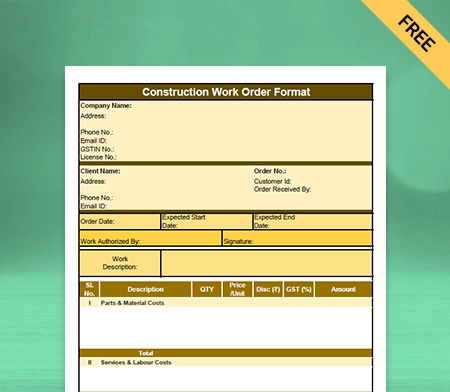
Free Construction Work Order Format

Construction Work Order Format

You can use the Construction Work Order Format to outline the specifics of your construction project. Using Vyapar makes the entire process seamless and helps you manage your tasks easily. You can download Vyapar now and access all work order formats for free!

  • ⚡️ Create professional work order with Vyapar in 30 seconds
  • ⚡ Share work order automatically on WhatsApp and SMS
  • ⚡️ Connect with your parties through reminders, greetings, business cards and more

Free Construction Work Order Format in Excel

Free Construction Work Order Format in PDF

Free Construction Work Order Format in Word

Free Construction Work Order Format in Google Docs

Free Construction Work Order Format in Google Sheets

What is the Construction Work Order Format?

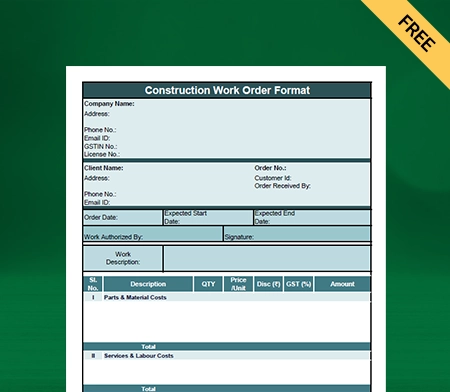
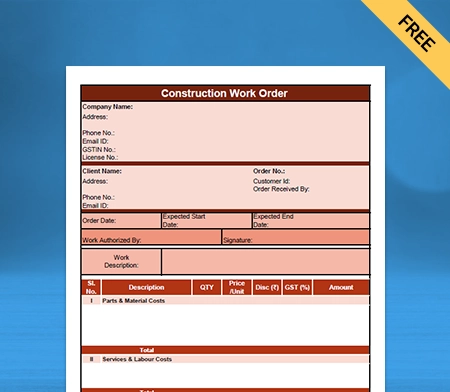
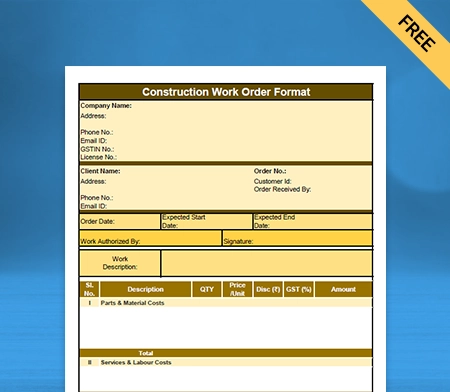
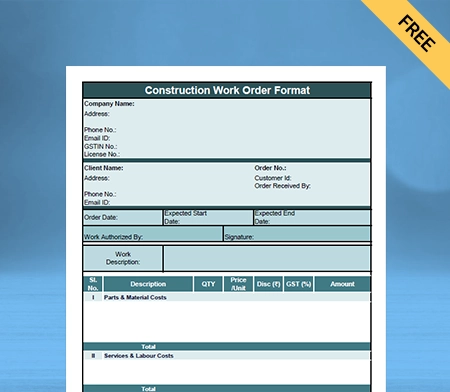
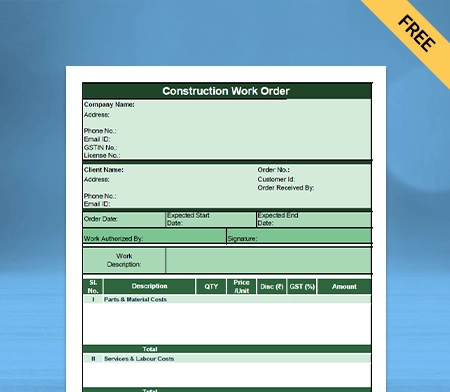
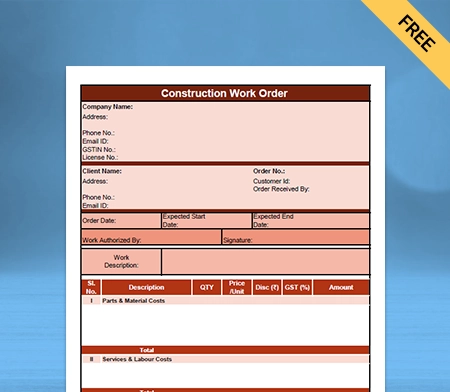
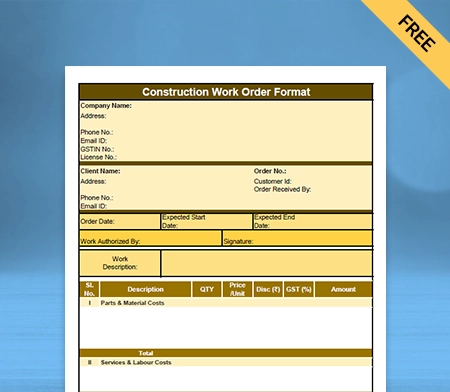
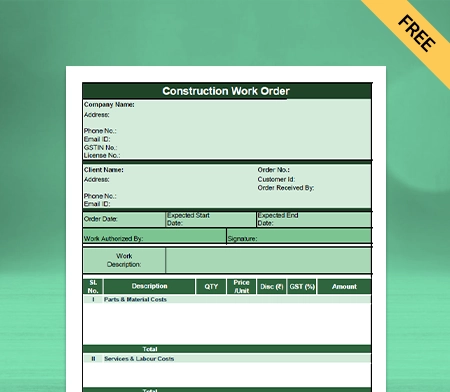
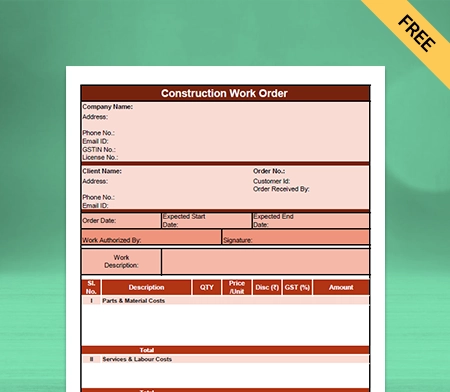
A construction work order format is a document used by the construction industry to outline the specifics of a given undertaking. Construction companies draft them to specify the scope of the work they have agreed to perform for clients. Both parties typically sign a work order to concur on the project’s parameters.

The primary purpose of the construction work order is for the contractor and the client to agree on the project’s specifics. With a work order, a business can estimate project costs, timelines, and required materials.

Types of Construction Work Orders

Types of Construction Work Orders

Here are the following types of construction work order get used:

1: Change Order

This type of construction work order mainly denotes a change in the original construction plans. It specifies the clients with the scope of the change, any associated costs, and the timeline for completion.

2: Maintenance Work Order

The maintenance work order is issued in scenarios for routine maintenance tasks, such as repairing a leaky roof or replacing a broken window.

3: Emergency Work Order: 

It is used by construction companies when there is a need for immediate repairs or immediate attention, such as a burst pipe or a damaged roof after a storm.

4: Preventative Maintenance Work Order:

The construction companies used these orders to perform maintenance tasks to prevent potential problems, such as replacing air filters or lubricating machinery.

5: Capital Improvement Work Order: 

The capital improvement work order is generally used in circumstances of significant upgrades or renovations to a building or facility, such as adding a new wing or updating a building’s infrastructure.

6: Site Visit Work Order: 

This site visits work order comes into use when the contractor or inspector needs to visit a construction site to assess progress, troubleshoot issues, or provide recommendations.

7: Repair Work Order:

Construction companies use the repair work order to address a specific repair issue, such as fixing a broken piece of equipment or repairing damage to a building.

8: Planned Work Order: 

The construction companies use the planned work order format Excel to schedule maintenance or repairs in advance, such as regular inspections or routine equipment maintenance.

Essential Details Required to Create the Construction Work Order Format

Create the Construction Work Order Format

Here are the following details should be included in the construction work order format word:

Contact Information:

The construction work order format PDF specifies whom the client can contact regarding queries or in any uncertain situation. Depending on the company’s size, this could be the contact number details of the project manager, site supervisor, customer service department, etc. Including billing information and company specifics (legal business name and address) is also possible.

Assignment Information

Every job or undertaking has its special work order number. Because of this, filing and evaluating work orders will get easier, even when numerous projects/tasks are being worked on at once, construction businesses can easily search for them. The customer’s name, the representative’s name who made the work order, the customer’s ID, and other details may also be included in this segment.

Dates

A construction work order format word should specify multiple important deadlines. A project or job’s beginning and ending dates are usually the most important milestones.

You can also add information such as the deadline, material requirement for the construction project, or the estimated dates for the arrival of construction items.

Service Description

This comprises the names of those responsible for the project and its broad scope, including its projected final result. This section of automated work orders will likely contain generic work order template data.

For manual work orders, specifics on the services and labour are required. A separate section or addition to the service description detailing the labour cost would be preferable.

Material Description

It should include what kind of raw materials and tools will be needed to complete a project on a construction site. Price and quantity should be mentioned in it so that customers know how much they will have to spend. Including the additional fees like shipping costs and taxes can also make it more precise.

Signature

It demonstrates that both parties to the contract have accepted its terms and conditions. It includes agreeing on the project’s scope and cost. There must be a place for the consumer and the business to sign.

Benefits of Using the Construction Work Order

Benefits of Using the Construction Work Order

Here are the following benefits of using the construction work order format:

1: Better Documentation

Using the construction work order format PDF allows your business to record the construction work which has been done prior efficiently. It works as legal evidence for both the parties (project managers and the clients) and can be used in case of any legal dispute.

It allows you to track changes and update the original scope of work efficiently. The project manager can issue the new work order form to acknowledge the possible scope of changes for both parties.

2: Improved Communication

The construction work order format Excel, allows both parties to communicate clearly and concisely. It assists both parties in removing any miscommunication that occurs between them by reducing manual errors and including the necessary information into it.

Both parties can use work orders to communicate safety instructions and precautions to ensure that workers are aware of difficulties and can take the possible measures or appropriate safety standards. It helps the construction project to get completed with high standards.

3: Customer Satisfaction

Using the construction work order format PDF helps construction companies to achieve better customer satisfaction on their business platform. Using the work order format allows businesses to better project management, quality workmanship, and clear communication.

It helps the construction companies with increased standards and gives the clients better insights into project requirements, timelines, and costs associated with the construction project. 

4: Planning And Scheduling

Using the construction work order format Excel can help your construction business with improved Planning and Scheduling. It allows your clients with a detailed action plan for the possible construction of a project. It includes the necessary information, such as the material specifics and labour requirements, to determine accurate timelines.

It also allows the construction business to identify potential delays or issues and take corrective action before it could harm the work schedule. 

5: Cost Savings

Using the construction work order format word can assist the construction companies in having better control over the construction cost and the project timeline. 

The construction work order format Word allows the contractor to follow the project’s real-time progress easily. It also helps both parties to identify any cost-saving opportunities in the construction project.

6: Better Quality Control

Using the construction work order format Excel gives better control over the standard to maintain quality control for the construction companies. It also allows businesses to include safety precautions and instructions to avoid possible hazards and take preventive measures.

Construction companies can quickly identify defects or issues in the construction process and can quickly correct them. It reduces the risks of Costly delays or rework. Using the construction work order format Excel makes your business more orderly and concise.

How to Prepare a Construction Work Order Format?

Prepare a Construction Work Order Format?

Here are the following ways to prepare your construction work order format:

1: Identify the Problem

While preparing for the construction work order format, the first step is to figure out what are the construction needs of your clients. There should be information about the location of work that should be done. 

Find out how long the problem has been going on and if you need special tools or skills to finish the job. 

2: Document the Specifics

The project needs as much detail as possible. Important information to include is the customer’s name and contact information, the time and date the issue was discovered, the cost estimate, and a plan for informing those affected by any changes to the project’s scope.

3: Assign the Work Order

The content needs to be presented so that it is straightforward to understand and delegate work to other professionals.

Why Use Vyapar App to Create Your Construction Work Order Formats?

Use Vyapar App to Create Your Construction Work Order Formats?

Here are the following reasons why you should use Vyapar free billing software to create your professional-looking construction work order format Excel:

Create Your Order in All Three Formats.

Vyapar software allows you to create a professional-looking Construction Work Order Format in all three formats- PDF, Word, and Excel. It has all the essential information required to create a professional-looking order format. You can choose the theme and colour for your work order format.

Using the construction work order format PDF can provide better portability and be easily shared with clients. It also allows better security to protect sensitive details and information. With your given passwords you can only access it. You can include images, visual aids, and diagrams that allow better understanding for your clients.

The construction work order format word allows the construction companies a high degree of customization and can be tailored per your specific business requirement. You can create a well-detailed, clear, and concise work order format for your clients to reduce the risk of misunderstanding.

Send Payment Reminders to Recover Dues

Inventory Management Software Vyapar for construction businesses lets you alert clients to make payments via the app’s reminder feature. They will receive a WhatsApp and e-mail reminder of the total amount owed and the due date. Sending out payment reminders keeps customers from forgetting about their obligations. With this, you may avoid setbacks by maintaining a steady flow of funds into your company.

Vyapar’s software for construction work order format in Word provides multiple channels for clients to pay on time. Payment methods such as NEFT, RTGS, UPI, QR code, and cash are all included. Customers will appreciate the added ease of several cash and electronic payment choices. This ensures that your project client can use whichever payment method is most convenient.

The payment reminder function of Vyapar software for construction businesses has helped many construction company owners increase cash flow and decrease late payments. The elements of the app work together to guarantee that the membership fees won’t have an effect on the company’s bottom line. You can generate reports to help you modify your business strategies in light of your cash flow.

Delivery Challan

Keeping tabs on delivery challans is a way to know your construction materials have reached the project site unscathed. If one of your shipments goes missing, you can rely on our Vyapar software to help you find it and give clear instructions. The consignor and consignee information may be easily managed with our free Software for Construction companies.

Using the Vyapar software for construction work order format PDF, you can include the order’s terms and conditions to prevent misunderstandings and clarify its scope. This procedure aids the company’s efficiency and ensures the clients receive their packages without incident.

An additional time-saving and useful choice is to transform the delivery challans of construction materials into bills for payment. GST software keeps all delivery acknowledgment data. It simplifies the process of managing a company with lofty productivity targets.

Keep Your Business Data Safe

When you use our small business accounting software to create a work order in India, you can protect the information saved in the app by scheduling regular backups. Vyapar eliminates any possibility of your data being compromised or lost. You can take further precautions by making a copy on your local machine. 

Today, data is the lifeblood of any construction company, making data security an absolute must. You can create reports and analyze the information using sales data for insights into growth opportunities.

However, losing this sensitive information can be detrimental to your construction business and sales, so backups should be created to avoid any problems. Protect the information in our free GST software in India by scheduling regular backups.

Parties: Registered, Unregistered-Composition Party Management.

Using the Vyapar free invoicing software allows the construction companies to efficiently manage the party E-mail, phone, registered address, shipping address, GST number, etc. You can add an additional Party field to manage PAN/Registration/DoB, etc.

Vyapar software for the construction business Allows the construction business to add and assign the party group. Using the software, you can easily manage the Party Opening balance and receivable and payable balance after that.

You can set up a Payment-reminder to receivable parties to let them acknowledge the due payment, as it helps your construction business to get paid quickly. You can quickly do the party-to-party balance transfer by using the Vyapar software.

Regular and Thermal Printer

Vyapar software is an excellent tool for your construction business platform, whether you require your construction work order in Word or Excel format. Vyapar works with thermal and normal (laser) printers, and it can help you get the printout you want in just a few minutes.

With Vyapar’s software/app for the construction business, you can print your construction work order quickly and easily. Now you have a better way to quickly print in all the right sizes, such as normal paper sizes A4 and A5, thermal paper sizes 2″ and 3″, and other custom paper sizes.

You can start printing your construction work order format when you connect our accounting app to your regular or thermal printer via Bluetooth or a plug-in. You can make and send professional invoices to your clients with the Vyapar app. Use digital means like e-mail, SMS, or WhatsApp instead of printing.

Choose the Theme

Your construction business brand’s identity can be significantly improved if you keep a professional construction work order format word sent to your clients. The Vyapar software allows your construction business with two styles of thermal printers that can be used for bills. It also has 20+ free invoice templates for standard printers.

This construction work order program makes it easy to make your contractor work order look better. It’s easy to use the customization options that are offered. Make the work order for your business work order look nice. Making business can make a client more impressed.

The best thing to do for your financial inventory is to use the construction business management App. It is very simple to use. Choose the best GST invoice style for your business needs from the list below. Most businesses use our free software because it helps them look more professional. 

Build a Positive Brand Image

During negotiations for a construction project, a company’s reputation improves when its representatives present accurate bids and estimations. Complete transparency regarding the transaction can also help establish credibility among your business clients.

The Vyapar software for construction business management aids in the development of a reliable reputation. An expertly designed, personalized construction work order, including a work order number, may set you apart from the competition and highlight your business’s professionalism.

Construction work order is a great place to showcase your brand’s identity, so feel free to incorporate elements like our company logo, style, font, and brand colours. Using a professional custom quotation format instead of plain text can increase a seller’s chances of making a sale.

Frequently Asked Questions (FAQs’)

What is a Construction Work Order Format?

A construction work order is a document needed for everyone involved in a construction job to talk about work correctly. The construction work order lists essential details such as the material requirement and who has the responsibility for this project. Most of the time, they are made to be more detailed than a simple purchase order.

Why is a Construction Work Order Format Important?

The construction work order format is important for the customer and the contractor to agree on how the job will be done. This document allows your business platform to better cost project estimation, and material requirements.

What Information Should be Included in a Construction Work Order Format?


1. Company Name
2. Client Name 
3. Order Number 
4. Customer ID
5. Order Received By 
6. Order Date 
7. Expected Start and End Dates 
8. Work Authorised Signature
9. Work Description 
10. Service and Labor Descriptions
11. Parts and Material Descriptions
12. Work Order Compiled By
13. Client Approval Details 
14. Approving Party Signature

How Should a Construction Work Order Format be Formatted?

You can use the Vyapar software for your construction company for your construction work order formatting. It already comes with all the tools and information required in your construction work order. You don’t have to pay any amount to create your work order.

Can a Construction Work Order Format be Customised For Different Projects?

Vyapar is the best online tool to create a customized and tailored construction work order format for your business platform. You can choose the theme and all the necessary information that helps you with a professional-looking construction work order format.

Who Is Responsible For Creating a Construction Work Order Format?

Construction Business is responsible for creating the construction work order format. It increases the transparency in your business platform and builds customer trust in your construction business. Using the work order format can help you quickly recommend your services.

How Can a Construction Work Order Format Be Used During the Construction Process?

A construction work order is used during the initial stages of the tasks; it defines what has to be done, sets completion deadlines, and provides additional instructions as necessary. Vyapar software helps organizations track and handle information about their assets, resources, costs, and labour.

What is a work order book in construction?

For a construction business, a work order book is a record-keeping system that documents various aspects of a project. The work order book is kept on-site in a prescribed format to record higher officials’ comments during work inspections. It typically includes:

1. Instructions from the executive engineer.
2. Measurements related to the construction.
3. Requisition requests for materials.
4. Records of the ordered instruments and materials.

Using a professional work order book format makes managing everyday needs in a construction business easier. A work order book is a comprehensive log of the project’s progress and resource usage.

A construction work order format is crucial for maintaining transparency, accountability, and efficiency in construction projects. You can use the Vyapar app for your construction business to streamline the everyday management of a construction business further.

Related Posts:

You can visit the UAE site to view content specific to your location

How Useful is Vyapar for Your Business?

Click on a star to rate it!