Free Billing Software for Pharmacy - Vyapar App

Pharmacy Billing Software

Run your pharmacy smoother! Create invoices in 20 seconds, manage medicines & inventory, track sales & gain insights. Get paid 50% faster with Vyapar App.
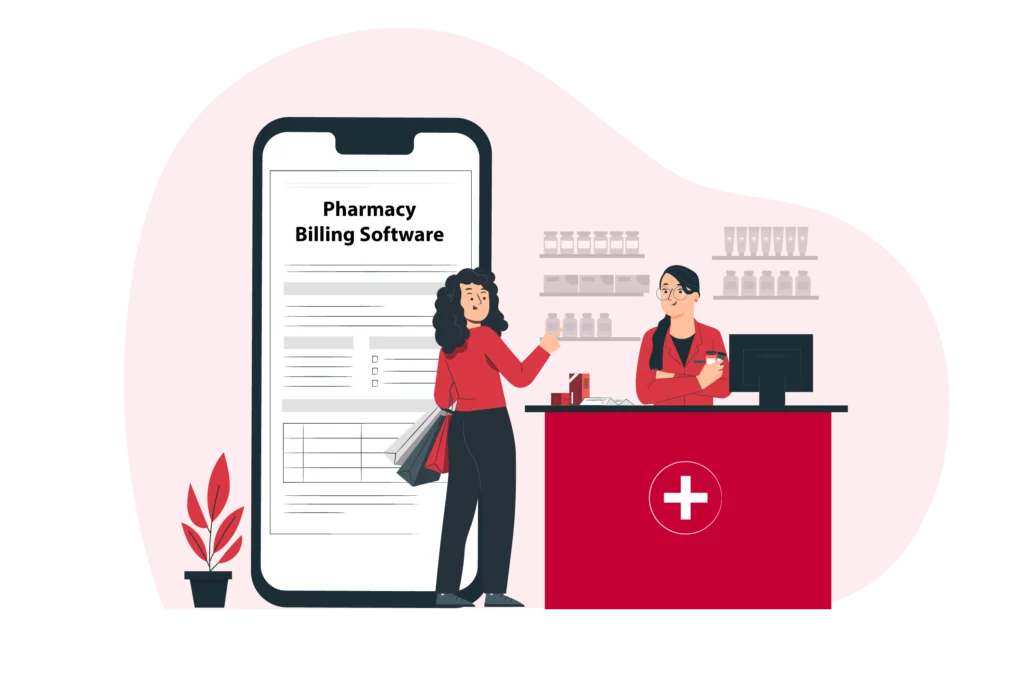
Pharmacy Billing Software
1 Cr+

Happy Customers

FREE

Android Mobile App

Rated 4.7 / 5

On Google Play Store

Multi-Device

Use together on Mobile/Desktop

Multi-User

User Management
Feature

Streamline Pharmacy Billing Software with Vyapar App

Top Features Tailored For Free Pharmacy Billing Software

Expire Stocks - Pharmacy Billing Software
Expiry Stocks

One of the biggest challenges of running a pharmacy store is managing the expiry stocks. Expired medicines can cause health risks to your customers and financial losses to your business. That’s why you need Vyapar, the best pharmacy billing software that helps you track and manage your expiry stocks easily and efficiently.

With Vyapar, you can set expiry alerts for your medicines and get notified before they expire. You can filter and sort your medicines by expiry date and batch number, and generate expiry reports. This way, you can return the expired medicines to your suppliers or distributors and avoid selling them to your customers. Vyapar helps you maintain your reputation and trust by ensuring the quality and safety of your products.

Medicine Drug Type Management By Item Category - Pharmacy Billing Software
Medicine Drug Type Management By Item Category

A pharmacy store has to organise and categorise medicines by drug type, such as tablets, capsules, syrups, etc. Different drug types have different storage and handling requirements, and you need to ensure that your medicines are stored and billed properly. That’s where Vyapar helps you organise and categorise your medicines by drug type within minutes.

Using the best pharmacy billing software, you can create and assign item categories for your medicines based on their drug type. Further, you can filter and search your medicines by item category and drug type, and generate item category-wise reports. This way, you can analyse your sales and profits by drug type and optimise your inventory. Vyapar helps you eliminate errors by providing a simple way to manage your medicines by drug type.

Medical Representative Commission Management Via Additional Fields - Pharmacy Billing Software
Medical Representative Commission Management Via Additional Fields

Running a pharmacy store requires you to record and calculate the commissions of your representatives based on their sales and performance. Medical representatives are an important part of your business, and you need to pay them fairly to keep them motivated. That’s what makes the Vyapar app important for your business. The professional pharmacy billing software helps you record and calculate the commissions.

Using the Vyapar app, you can use the additional fields feature to add custom fields to your bills, such as representative name, commission percentage, commission amount, etc. You can also filter and sort your invoices by additional fields and track the sales and performance of your representatives. This way, you can generate additional field-wise reports and calculate the commissions of your representatives accurately. Vyapar helps you pay your representatives fairly and motivate them to work harder.

Vyapar App Adds Value To Your Pharmacy Business

Duplicate Billing For Repeat Orders

Duplicate Billing For Repeat Orders

Drug License Number Supported Themes

Drug License Number Supported Themes

Highest-Selling Item/Party Reports

Highest-Selling Item/Party Reports

Barcode Identification Support

Barcode Identification Support

Multiple Store Management

Multiple Store Management

Quick Billing For Faster Counterbills

Quick Billing For Faster Counter bills

Batch Number Management

Batch Number Management

Save Images In Invoices

Save Images In Invoices

User-Wise Access Management

User-Wise Access Management

Gst Reports For Filing

GST Reports For Filing

Transaction Message Via Own Whatsapp

Financial Dashboard icon

Real-Time Sync Between Desktop And Mobile

Maximize Your Pharmacy Business Efficiency with Vyapar Pharmacy Billing Software

Duplicate Billing For Repeat Orders

If you have regular customers or orders that are repeated frequently, you don’t have to create new bills every time. You can save time and effort by using the Vyapar app’s duplicate billing feature. This feature allows you to create duplicate bills for your existing customers or orders with just one click.

The Vyapar app will automatically create a new bill with the same details as the original one when you create a duplicate invoice. You can edit the bill if you need to make minor changes or print the bill as per your requirements. This way, you can avoid entering the same information repeatedly and speed up your billing process.
Duplicate Billing For Repeat Orders - Pharmacy Billing Software
Drug License Number Supported Themes - Pharmacy Billing Software

Drug License Number Supported Themes

Every pharmacy needs to comply with the legal and regulatory requirements of its industry. One of these requirements is to display your drug license number on your invoices. This helps you to prove your authenticity and credibility to your customers and authorities. That’s why you need the Vyapar app’s drug license number supported themes feature. This feature allows you to customise your bills and invoices with your drug license number using the Vyapar app’s supported themes.

To use this feature, you just have to select the theme that you want to use from the list of themes available in the Vyapar app. The Vyapar app will automatically add your drug license number and other details to the theme. You can then preview and print the theme as per your requirements. Using this method, you can create professional and compliant bills and invoices for your pharmacy using the Vyapar app.

Highest Selling Item/Party Reports

As a pharmacy owner, you need to keep track of your sales and profits and identify your best-performing items and parties. This helps you to optimize your inventory and pricing strategies and increase your customer satisfaction and loyalty. That’s why you need the Vyapar app’s highest-selling item/party reports feature. This feature allows you to generate and view reports on your highest-selling items and parties using the Vyapar app.

Select the period and the criteria that you want to analyse from the report and the Vyapar app will automatically generate and display the report on your highest-selling items and parties. You can then export or share the report for further analysis. Analysing this report will help you gain valuable insights into your sales and profits and improve your business performance using the Vyapar app.

Highest Selling Item/Party Reports- Pharmacy Billing Software
Barcode Identification Support- Pharmacy Billing Software

Barcode Identification Support

In a pharmacy, you need to ensure that your medicines are correctly identified and billed to avoid confusion. This can be challenging, especially if you have a large and diverse inventory of medicines. That’s why you need the Vyapar app’s barcode identification support feature. You can scan and identify your medicines using barcodes and avoid errors and confusion in billing and inventory management.

You can use this feature by scanning the barcode of the medicine that you want to identify using the Vyapar app’s barcode scanner. The pharmacy billing app will automatically recognise and display the details of the medicine, such as name, price, quantity, etc. You can then add or edit the details as per your requirements. With Vyapar, you can ensure that your medicines are correctly identified and billed using the Vyapar app.

Multiple Store Management

If you own more than one pharmacy outlet, you need to manage them all from one place and keep track of your stock, sales, and expenses across all your outlets. This can be difficult, especially if you have to switch between different devices and applications. That’s why you need Vyapar, the best pharmacy billing software that lets you manage multiple pharmacy stores from one app.

Vyapar allows you to create and link multiple businesses in the app and sync your data and transactions between them. You can also view and compare the performance and reports of each business and get a holistic view of your overall business. The pharmacy billing app makes it easy and convenient to manage multiple pharmacy stores from one app.
Multiple Store Management- Pharmacy Billing Software
Quick Billing For Faster Counter Bills- Pharmacy Billing Software

Quick Billing For Faster Counter Bills

If you have a busy and crowded pharmacy, you need to create and print bills quickly and easily and reduce the waiting time and queues at your counter. This can be challenging, especially if you have to enter a lot of details manually. That’s why you need pharmacy billing software that lets you create and print bills quickly and easily using the quick billing feature.

Vyapar’s quick billing feature allows you to create and print bills in just a few seconds using the Vyapar app. You can use shortcuts and templates to speed up your billing process and avoid errors. Vyapar’s quick billing feature also supports barcode scanning, online payments, and SMS receipts. Vyapar helps you create and print bills faster and easier than ever before.

Batch Number Management

As a pharmacy deals with a lot of medicines, it is best to manage them by batch number and expiry date and ensure the quality and safety of your products. This can be tedious and time-consuming, especially if you have to check and update the batch numbers and expiry dates manually. That’s why you need professional inventory m, management software for your pharma store. Vyapar, the best pharmacy billing software, lets you manage your medicines by batch number and expiry date using the batch number management feature.

The batch number management feature in the Vyapar app allows you to enter and update the batch numbers and expiry dates of your medicines. You can scan the batch numbers and expiry dates using the barcode scanner and avoid errors and confusion. Vyapar’s batch number management feature also helps you to track and manage your expiry stocks and avoid losses due to expired medicines. Vyapar helps you manage your medicines by batch number and expiry date efficiently.
Batch Number Management- Pharmacy Billing Software
Save Images In Invoices- Pharmacy Billing Software

Save Images In Invoices (Few Drugs To Sold Only With Prescription)

If you sell some medicines that require prescriptions, you need to attach and store them with your invoices and keep them securely for future reference in the Vyapar app. This can be useful, especially if you need to verify or refer to them later. That’s why you need Vyapar, the best pharmacy billing software free download that lets you save images in invoices using the save images in invoices feature.

Vyapar’s save images in invoices feature allows you to attach and store images of prescriptions or other documents with your invoices in the Vyapar app. You can also view and print the images along with the invoices as per your requirements. Vyapar’s save images in invoices feature helps you to comply with the legal and regulatory requirements of your industry and prove your authenticity and credibility to your customers and authorities. Vyapar helps you save images in invoices securely and conveniently.

User Wise Access Management

If you have a team of staff and employees working in your pharmacy store, you need to control and monitor their access and activities using the Vyapar app. This can help you to prevent unauthorized or fraudulent actions and ensure the security and integrity of your data and transactions. That’s why you need Vyapar, the best pharmacy billing software that lets you control and monitor your staff and employees using the user-wise access management feature.

This feature enables you to create and assign different user roles and permissions for your staff and employees in the Vyapar app. You can also view and track their login history and activities in the app. This way, you can ensure that your staff and employees have the appropriate access and accountability for their work. Vyapar helps you to manage your staff and employees with ease and confidence.
User Wise Access Management- Pharmacy Billing Software
GST Reports For Filing- Pharmacy Billing Software

GST Reports For Filing

If you are a registered GST taxpayer, you need to generate and file your GST returns accurately and timely using the Vyapar app. This can help you to comply with the GST regulations and avoid penalties and fines. That’s why you need Vyapar, the best pharmacy billing software free download that lets you generate and file your GST returns easily and accurately using the GST reports feature.

GST report generator allows you to generate and view various GST reports in the Vyapar app, such as GSTR-1, GSTR-3B, GSTR-4, etc. You can also export and share these reports with your CA or tax consultant for filing. This way, you can simplify and streamline your GST compliance and filing process. Vyapar helps you to stay on top of your GST obligations and responsibilities.

Transaction Message Via Own Whatsapp

If you want to communicate and connect with your customers effectively, you need to send them transaction messages and receipts via your WhatsApp number using the Vyapar app. This can help you to build trust and loyalty with your customers and increase your sales and referrals. Download Free the best pharmacy billing software by Vyapar, you can send transaction messages and receipts via your WhatsApp number using the transaction message.

This feature enables you to send customised and personalised messages and receipts to your customers via your WhatsApp number in the Vyapar app. You can also use templates and variables to create and send messages and receipts quickly. This way, you can enhance your customer service and satisfaction and grow your customer base. Vyapar helps you to communicate and connect with your customers better and faster.

Transaction Message Via Own Whatsapp - Pharmacy Billing Software
Real-Time Sync Between Desktop And Mobile - Pharmacy Billing Software

Real-Time Sync Between Desktop And Mobile

Access and manage your pharmacy store anytime and anywhere. Sync your data and transactions between your desktop and mobile devices in real-time using the Vyapar app. This can help you to keep your data and transactions updated and consistent across all your devices and platforms. Vyapar lets you sync your data and transactions between your desktop and mobile devices in real-time using the real-time sync between desktop and mobile features.

Sync your data and transactions between your desktop and mobile devices in real-time using the Vyapar app. You can backup and restore your data and transactions using the cloud storage or local storage options in the app. This way, you can access and manage your pharmacy store information anytime and anywhere and never lose your data and transactions. Vyapar helps you to keep your data and transactions updated and consistent across all your devices and platforms.

Are you a Business Owner?

Take your business to the next level with Vyapar! Try free for 7 days

Try our Android App (FREE for lifetime)

Frequently Asked Questions (FAQs’)

Which Is The Best Pharmacy Billing Software?

The best pharmacy billing software is Vyapar because it is free, easy, and feature-rich. Vyapar helps you manage your pharmacy store efficiently and effectively, and comply with GST regulations. Vyapar is trusted by lakhs of pharmacy owners across India.

How Much Pharmacy Billing Software Will Cost?

Pharmacy billing software will cost you nothing if you use the Vyapar app. Vyapar is a free pharmacy billing app that you can download and use without any charges for 7 days. Vyapar also offers a premium version with more features and benefits at a nominal subscription cost.

How To Download Free Retail Pharmacy Software From Vyapar?

To download free retail pharmacy software from Vyapar, you just have to visit our website or app store and click on the download button. You can also scan the QR code on our website or app store and download Vyapar directly to your device.

Who Can Use Vyapar Pharmacy Billing Software?

Vyapar pharmacy billing software can be used by anyone who owns or operates a pharmacy store or pharmacy. Vyapar is designed to suit the needs and requirements of pharmacy owners and managers and to make their work easier and faster.

How To Use Vyapar Pharmacy Billing Software?

To use Vyapar pharmacy billing software, you just have to register and create your business profile in the app. You can then start adding your medicines, customers, suppliers, and transactions in the app. You can also use the various features and functions of the app to manage your inventory, billing, GST, reports, and more.

What Are The Benefits Of Using Vyapar Pharmacy Billing Software?

The benefits of using Vyapar pharmacy billing software are many and varied. Some of the benefits are:
 
-> Save time, money, and hassle by using Vyapar’s free and easy pharmacy billing app.
-> Increase customer satisfaction and loyalty by using Vyapar’s quick and professional billing software.
-> Comply with GST regulations and avoid penalties and fines by using Vyapar’s accurate and timely GST software.
-> Improve your business performance and growth by using Vyapar’s powerful and insightful reports software.

How To Contact The Vyapar Support Team If I Have Any Issues Or Queries?

If you have any issues or queries regarding Vyapar pharmacy billing software, you can contact our support team anytime and anywhere. You can reach us by email, phone, chat, or social media. We are always happy to help you and resolve your issues and queries.
 
Phone: +91-9333-911-911 WhatsApp: +91-6366-827-420

You can visit the UAE site to view content specific to your location

How Useful is Vyapar for Your Business?

Click on a star to rate it!


pharmacy-bill-format-og

Pharmacy Bill Format in Excel, Pdf, Word

Download the Pharmacy Bill Format to invoice your customers. Or use the Vyapar App to do billing, inventory, and accounting easily and grow your business faster! Avail 7 days Free Trial Now!

  • ⚡️ Create professional invoices with Vyapar in 30 seconds

  • ⚡ Share Invoices automatically on WhatsApp and SMS
  • ⚡️ Connect with your parties through reminders, greetings, business cards and more
Free Bill Invoice Format in Excel

Download Professional Pharmacy Bill Formats within Minutes

Download professional free indian pharmacy bill format in excel, word, pdf, and make customization according to your requirements at zero cost.

Pharmacy Bill Format template

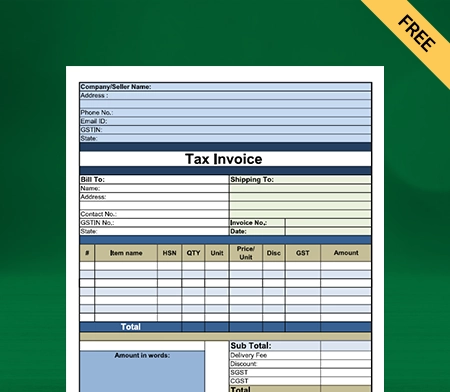
Pharmacy Bill Format – 1

Free Pharmacy Bill Format

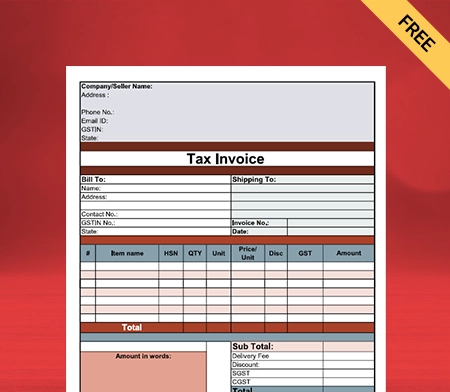
Pharmacy Bill Format – 2

Download Pharmacy Bill Format

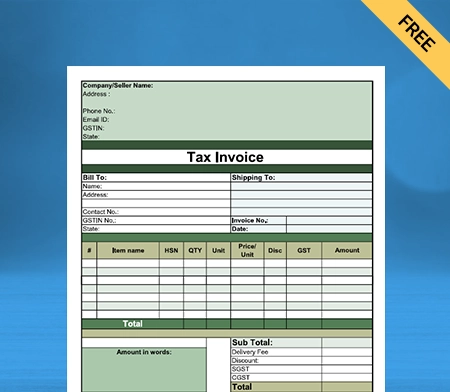
Pharmacy Bill Format – 3

Pharmacy Bill template free

Pharmacy Bill Format – 4

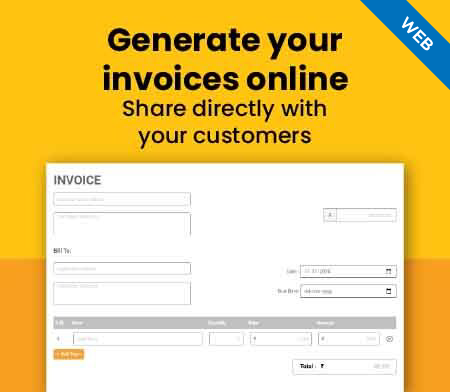
Generate Invoice Online

Create Your Invoices, Boost Your Business – Try Pharmacy Bill Format Today!

Highlights of Pharmacy Bill Templates

We’ve put in a lot of effort to make sure you get the best template possible

All versions are print friendly

Built From scratch

Include essential invoice elements

Automatically calculate subtotal & grand total amount

Consistently formatted

What is a Pharmacy Bill?

A Pharmacy Bill is a legal document used to record the medicines sold by the Pharmacy. It is used to record the medicines bought by the customer. It is also used to keep a record of the medicines which are sold and also of those medicines which are not bought.

Pharmacy bill template

A pharmacy bill is a bill that is given to a patient when they go to a pharmacy to get their medication. The bill will have the name of the patient, the name of the medication, the amount of the medication, the price of the medication, the date of the bill, and the name of the Pharmacy.

The bill will also include the doctor who prescribed the medication. The bill will also have the name of the insurance company paying for the medication. It contains the name of the medicine, quantity, price, total price, date, time, name of the customer, address of the customer, name of the Pharmacy, address of the Pharmacy, name of the pharmacist, contact number of the Pharmacy, contact number of the customer, etc.

What is a Pharmacy Billing Software?

Generate pharmacy invoices using Vyapar

A pharmacy billing software is a computer program that helps pharmacies manage their billing and invoicing processes. The software can automate many of the tasks involved in billing, such as creating invoices, issuing payments, and tracking receivables. It can also help pharmacies keep track of inventory, customers, and orders.

It helps you to manage the entire pharmacy billing process, including billing, inventory, accounting, and reporting. The pharmacy software also helps you to manage your interaction with customers and suppliers.

This software is used in hospitals and pharmacies to manage the inventory and billing of medicines. It is a system that keeps track of the flow of medicines from the manufacturer to the consumer. It is a way of managing the stock of medicines.

It works through a computerized system that helps manage medicines inventory. Further, it is used to maintain the stock of medicines and to keep track of the availability of the medicines.

Benefits of Using Pharmacy Billing Software

Pharmacy billing software is a powerful tool that helps your pharmacy business. It is a computer program that allows you to maintain a record of medicines and their sales. It also helps you to maintain a record of discounts and taxes. There are certain benefits adjoined with using Pharmacy Billing Software for your Pharmacy, which are as follows:

1. Customer Record Keeping

It also helps you to maintain a record of the customers. It helps you to maintain a record of their contact details. It also allows you to maintain a record of their purchased medicines. It also allows you to record the amount they have paid. It also allows you to maintain a record of the amount they have to pay. It also allows you to record the discounts they have availed.

Seamless Design:
Complete Invoicing Layout

2. Supplier Record Keeping

Pharmacy billing software also helps you to keep track of your suppliers. It helps you to maintain a record of their contact details. It also allows you to maintain a record of the medicines that they have supplied. It also allows you to record the medicines they have supplied in small amounts. It also allows you to maintain a record of the amount you must pay to the suppliers.

3. Record of Stock

Pharmacy billing software helps you to keep track of all your medicine inventories. It also allows you to maintain a record of all the medicines that are sold. It also helps you to maintain a record of the medicines that are expired and the medicines that are about to expire. It also helps you to maintain a record of the medicines that are low in stock.

Boost Invoicing Speed
Fully Customisable

4. Record of Sales

Pharmacy billing software also helps you to keep track of your sales. It helps you to maintain a record of the medicines that are sold. It also allows you to record the sales of individual medicines. It also allows you to maintain a record of the medicines sold in bulk or small amounts.

3. Maintaining Employee Records

Pharmacy billing software also helps you to keep track of your employees. It helps you to maintain a record of their contact details. It also allows you to record the amount you must pay them. It also allows you to record the amount you have paid them. It also allows you to maintain a record of the amount they must pay you.

Boost Invoicing Speed
Fully Customisable

4. Tax Records

Pharmacy billing software also helps you to keep track of your taxes. It helps you maintain a record of the amount you must pay as tax. It also allows you to maintain a record of the amount that you have paid as tax.

How does Pharmacy Billing Work?

How does pharmacy billing format work

Pharmacy billing is submitting claims to insurance companies and collecting payments for dispensed medications. It requires pharmacy professionals to be familiar with insurance companies’ reimbursement policies and the different types of insurance plans.

Pharmacy billing is a complex process that can be difficult for pharmacy professionals to manage independently. It’s a time-consuming process that requires a lot of paperwork and tracking.

Pharmacy billing is a complex process that can be difficult for pharmacy professionals to manage independently. It’s a time-consuming process that requires a lot of paperwork and tracking. This process can be complex for pharmacy professionals to manage on their own. It’s a time-consuming process that requires a lot of paperwork and tracking.

Pharmacy Bill Format

Pharmacy bill format

Pharmacy billing is an essential part of the pharmacy business. It is the process of providing a bill or an invoice to the customers for the medicines they purchase from the Pharmacy.

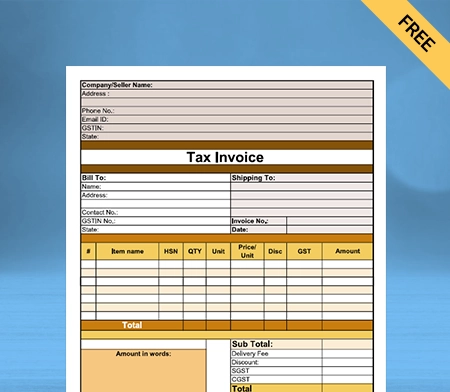
The pharmacy bill should consist of the following details :

Details of all the medicines that the customer has purchased
  • It is a crucial document for the customers and the Pharmacy.
  • The bill is required for the customers to claim insurance for their medicines.
  • Also, it is required for the Pharmacy to keep track of its sales.
  • The pharmacy bill is also crucial for the customers to check the medicines they purchased.

The pharmacy billing invoice should contain all the necessary details of the medicines that the customer has purchased.

Consumer Details
  • It should contain the name of the customer, the date of purchase, the name of the medicines, the quantity of the medicines, and the price.
  • The billing invoice must be clear and accurate.
  • There should not be any kind of confusion regarding the bill.
  • The invoice should be simple and straightforward.
Pharmacy Details

The pharmacy bill should have the name of the Pharmacy and the address of the Pharmacy on it. The pharmacy bill format pdf, word, excel should also have the name and address of the customer on it. The invoice should also contain the date of purchase. The invoice should also contain the name of the medicines that the customer has purchased.

Other Details

The invoice should also contain the quantity of the medicines and the price of the medicines. The invoice should also contain the name of the medicine and the quantity of the medicine. The invoice should also contain the price of the medicine. The pharmacy bill should also contain the name of the doctor and the address of the doctor.

Pharmacy Invoice Template

Customize pharmacy bill format

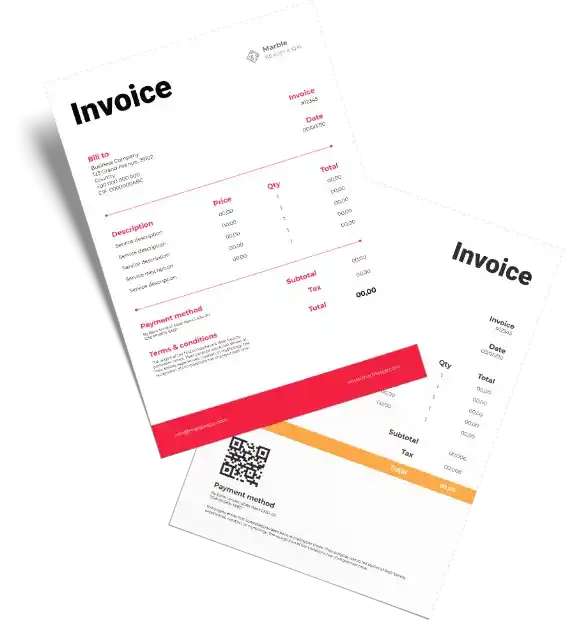
A pharmacy invoice template is a document that is used to create a pharmacy invoice format in word, excel, pdf document. The template helps you to create a professional-looking invoice document that can be used to bill your customers. The template is available in different formats, including Microsoft Word and PDF.

A Pharmacy Invoice Template is available in multiple versions, including the latest version of Microsoft Word. The template is available in a variety of colours and styles. You can use the template to create a professional-looking invoice document that can be used by your customers.

The template can be used to bill your customers for a wide range of products and services. It is available online and can be downloaded for free. The template is available in many different formats, such as Microsoft Word, PDF, and others formats. The template is available in a variety of formats.

These pharmacy bill format india are available in a number of different formats. They can be downloaded from the internet and can be used to create a professional-looking invoice. These templates can also be downloaded from the web and can be used for a variety of purposes.

Features of a Good Pharmacy Billing Software

Pharmacy billing software is a comprehensive solution for managing your pharmacy business. It allows you to manage your inventories, customers, suppliers, sales, purchases, billing, and accounting.

Pharmacy billing software is really the key to success for any medical store. A good Pharmacy Billing Software must have some of the features mentioned below, as these are the prerequisites for fulfilling the demands of the consumer.

1. Inventory Management

Inventory management is the biggest feature of good pharmacy billing software. It helps you to track your medicine stock, expiry dates, quantity, and other details. You can easily maintain your inventory with the help of this software.

Professional Look
Industry Specific Invoice

2. Barcode Scanner

Barcode scanner helps you manage your inventory, sales, purchases and billing. You can easily scan the barcode of your medicines and get all the details.

3. Sales Management

Sales management helps you to manage your sales, sales returns, and sales reports. You can easily manage your accounting with the help of the medical accounting software.

Ready to Share
Access Anywhere

4. Purchase Management

Purchase management helps you to manage your purchase, purchase return, and purchase reports. You can easily manage your purchase with the help of this software.

5. Accounting Management

Accounting management helps you to manage your accounting, profit and loss, balance sheet, and other reports. You can easily manage your accounting with the help of this software.

Stay Ahead
Access Anywhere

6. Customer Management

Customer management is another important feature of good pharmacy billing software. It helps you to manage your customers, customer reports, and other details. You can easily manage your customers with the help of this software.

7. Supplier Management

Supplier management helps you to manage your suppliers, supplier reports, and other details. You can easily manage your suppliers with the help of this software.

Stay Ahead
Access Anywhere

8. Billing Management

Billing management in pharmacy billing software helps you to manage your bills, billing reports, and other details. You can easily manage your billing with the help of this software.

9. Report Management

Report management is another important feature of good pharmacy billing software. It helps you to manage your sales, purchase, inventory, and other reports. You can easily manage your reports with the help of this software.

Stay Ahead
Access Anywhere

10. User Management

User management in good pharmacy billing software helps you to manage your user reports and other details. You can easily manage your users with the help of this software.

11. User Friendly

User friendly pharmacy billing software is easy to use and manage. You can easily manage your software with the help of this software.

Stay Ahead
Access Anywhere

12. Customizable

Customizability is another important feature of good pharmacy billing software. It is easy to customize according to your business needs. You can easily customize your software with the help of this software.

13. Secure

Security is a major requirement in any professional pharmacy billing software. It makes Vyapar secure, and you can easily manage your software with the help of this software.

Stay Ahead
Access Anywhere

14. Accessible

Accessibility is another important feature of good pharmacy billing software. It is accessible from anywhere, and you can easily manage your software with the help of this software.

15. Affordable

Using Vyapar is affordable, which makes it a popular pharmacy billing software. The subscription cost is affordable, and you can easily manage your software with the help of this software.

Stay Ahead
Access Anywhere

16. Mobile

Mobile is another important feature of good pharmacy billing software. It is mobile-friendly, and you can easily manage your software with the help of this software.

17. Cloud

You can use the cloud-based pharmacy billing features of Vyapar to bill customers. With Vyapar, you can easily manage your accounting requirements with ease.

Stay Ahead
Access Anywhere

18. Support

24/7 Support is another important factor that makes Vyapar a great pharmacy billing software. It is supported 24/7, and you can easily manage your software with the help of this software.

Are you a Business Owner?

Take your business to the next level with Vyapar! Try free for 7 days

Try our Android App (FREE for lifetime)

Frequently Asked Questions (FAQs’)

What is a pharmacy invoice?

A pharmacy invoice is a document that is used by a pharmacy to bill a person for health care products and services. A pharmacy invoice can be used for a wide range of products and services, including prescriptions, over-the-counter medications, medical equipment, and other medical supplies.

A pharmacy invoice can be used in hospitals, clinics, pharmacies, and other healthcare facilities.

How do I make a pharmacy bill?

– You will have to make a list of items or medicines that you want to sell.
– Then you will have to make a list of the prices of each medicine.
– Then, you will have to add all the prices and multiply them by the amount of medicine that you want to sell.
– Now, you will have to add the GST to the total price.
– Now, you will have to add the final price to the bill.
– Now, you will have to print it on paper.

How do you format a pharmacy bill format in Excel?

You can format a pharmacy bill format in Excel with gst using the following steps:
* Create a table in Excel that you can use to list your invoices.
* Include columns for the following details:
– Invoice number
– Invoice date
– Customer name
– Customer phone
– Customer address
– Product name
– Product price
– Quantity
– Total
* You can also add columns for:
– Shipping
– Tax
– Grand total
* Add a formula to the Total column that multiplies the Product price by the quantity.
* Add a formula to the Grand total column that adds up the Total, Shipping, and Tax.
* You can add a formula to the Tax column to calculate the tax. To do this, enter the tax rate in a cell, for example, cell B1.
* Enter the following formula in the Tax column: =B1*Total
* You can add a formula to the Shipping column to calculate the shipping cost. To do this, enter the shipping cost in a cell, for example, cell B2.
* Enter the following formula in the Shipping column: =B2

Can pharmacies bill CPT codes?

No, pharmacies cannot bill CPT codes. CPT code is the abbreviation for the Current Procedural Terminology Code set published by the American Medical Association (AMA).

A CPT code is a five-digit numeric code with no decimal marks, although some have four numbers and one letter. CPT codes are used by physicians, allied health professionals, nonphysician practitioners, hospitals, outpatient facilities, and laboratories to represent the services and procedures they provide to patients.

What is a script in Pharmacy?

This is the document that a registered medical practitioner gives to a patient for purchasing medicines.

This document contains the following:

* Name of the patient
* Name of the doctor
* Name and strength of the medicine
* Dose of the medicine
* Route of administration
* Duration of treatment
* Signature of the doctor

What are pharmacy claims?

Pharmacy claims are prescription drug claims submitted by a pharmacy to a health plan or a pharmacy benefit manager (PBM) to be reimbursed for the cost of a prescription drug dispensed to a patient.

The pharmacy claims process is a critical part of the healthcare industry, as it is how pharmacies are reimbursed for prescription drug claims they dispense to patients.

The pharmacy claims process involves five main steps:

* A prescription is written by a physician and submitted to a pharmacy.
* The Pharmacy dispenses the prescription to the patient.
* The Pharmacy submits a pharmacy claim to the health plan or PBM for reimbursement.
* The health plan or PBM adjudicates the pharmacy claim.
* The health plan or PBM reimburses the Pharmacy for the prescription drug dispensed to the patient.

The pharmacy claims process is a critical part of the healthcare industry, as it is how pharmacies are reimbursed for prescription drug claims they dispense to patients.

You can visit the UAE site to view content specific to your location

How Useful is Vyapar for Your Business?

Click on a star to rate it!