Photography Bill Book Format

Use Vyapar’s FREE Photography Bill Book Templates & send professional bills to clients right after a shoot from any devices.  Download Vyapar & experience all-in-one business management!

  • ⚡️ Create professional bills with Vyapar in 30 seconds
  • ⚡ Share bills automatically on WhatsApp and SMS
  • ⚡️ Connect with your parties through reminders, greetings, business cards and more
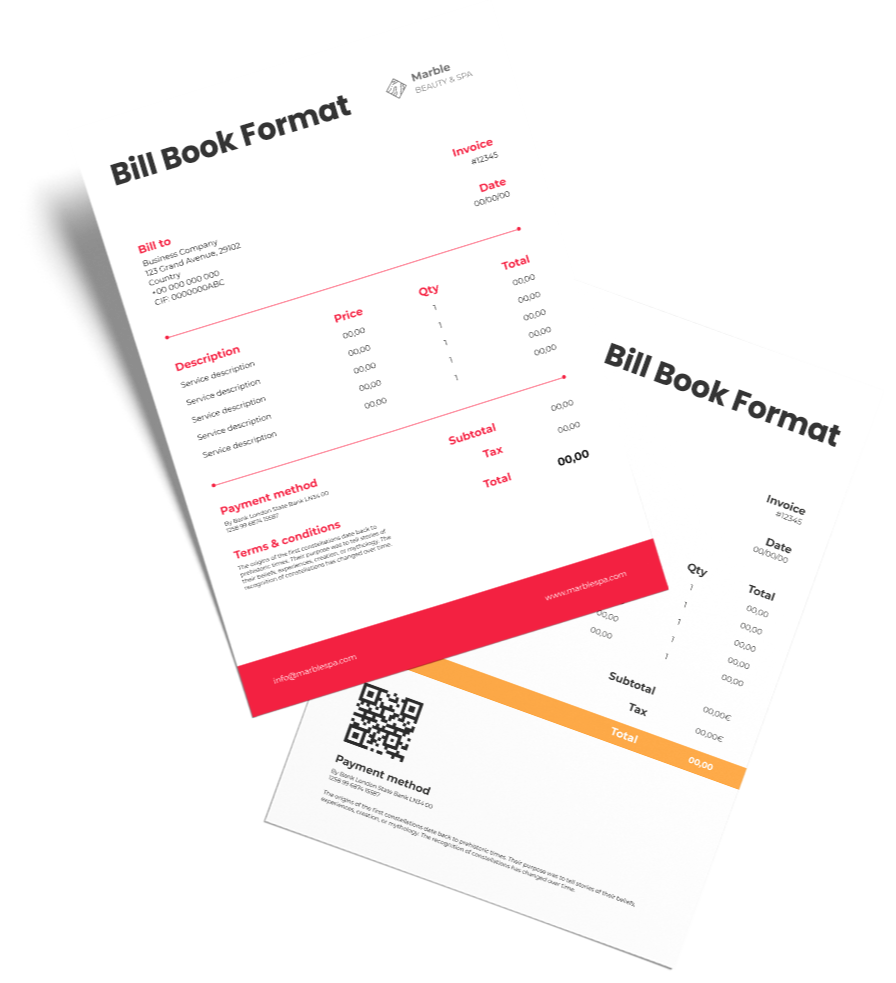
Download a Photography Bill Book Format for Free

Download professional free photography bill book templates, and make customization according to your requirements at zero cost.

Customize Invoice

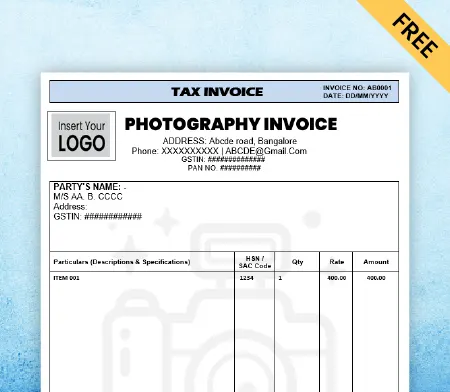
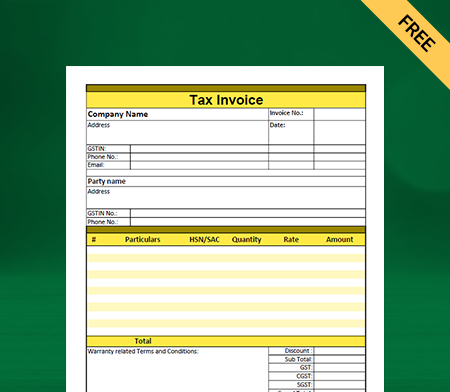
Photography Invoice with GST
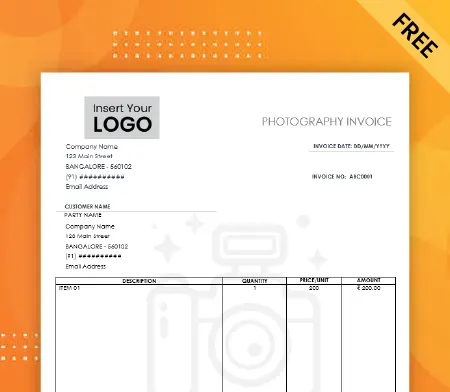
Photography Invoice with TnC

Photography Bill Book with TnC

Simple Photography Invoice
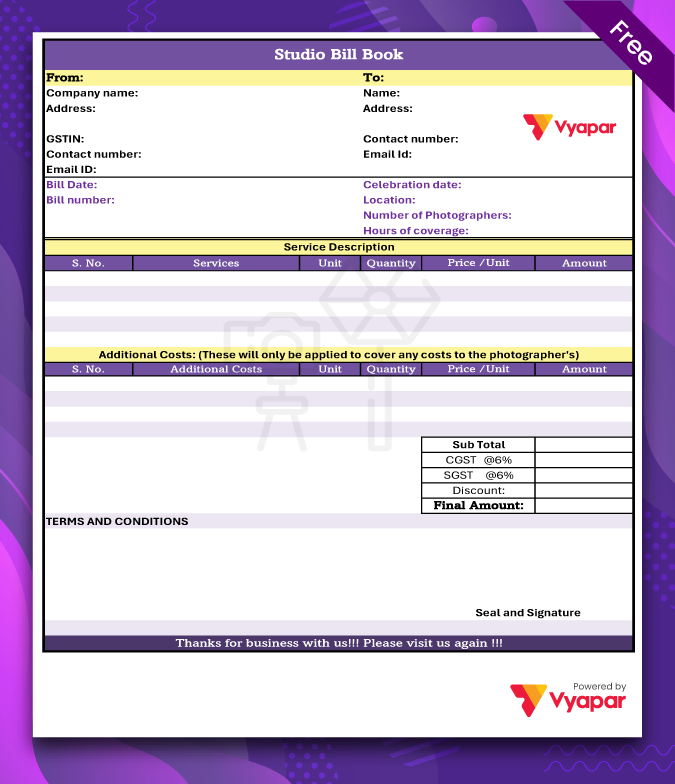
Simple Photography Invoice

Photo Studio Bill Book
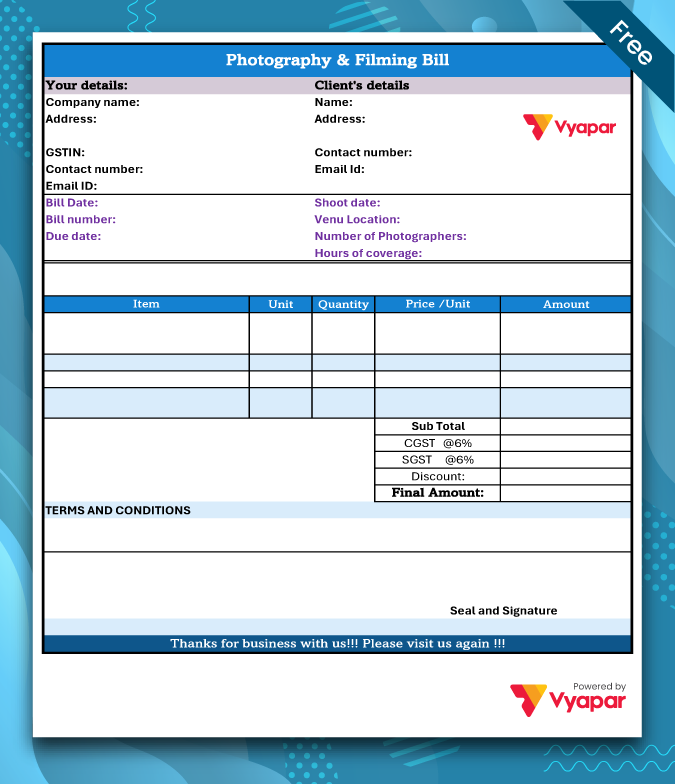
Photo Studio Bill Book

Photography & Filming Bill book
Photography & Filming Bill book

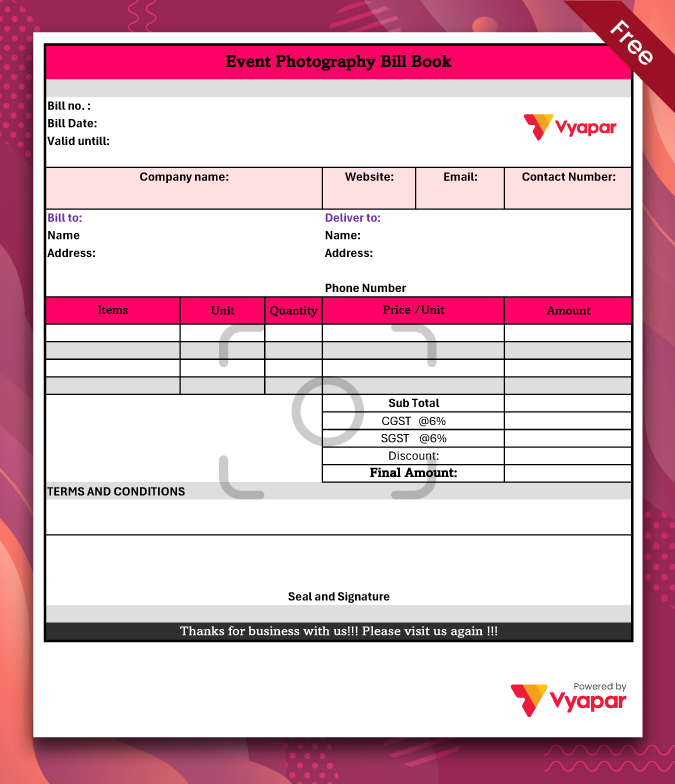
Event Photography Bill Book

Event Photography Bill Book

Highlights of Photography Bill Book Templates

We’ve put in a lot of effort to make sure you get the best template possible

All versions are print friendly

Built from Scratch

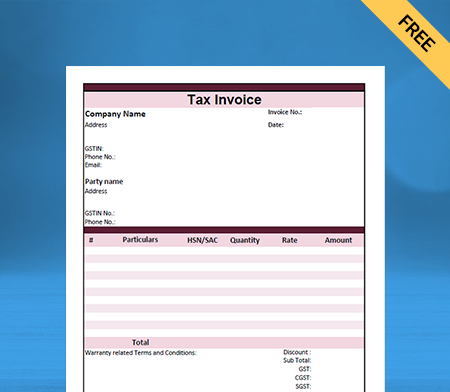
Include essential invoice elements

Automatically calculate subtotal & grand total amount

Consistently formatted

Benefits of Photography Bill Book

Be it a personal or wedding shoot, a photography bill book will prove to be an important part of your business. With templates specifically designed for the photography businesses, you can add the client’s details and send them for instant payments.

Not only this, but it will also help you to keep track of customers so that you can attract them with special discounts on anniversaries or birthdays. Some other features of Photography Bill Book are:

Quick Bill Generation

Photography Bill Book will allow you to generate bills in seconds and could be sent to the client’s email. You are highly likely to receive faster payments sent over email.

Quick Bill Generation
Faster Calculations

Faster Calculations

With a dozen functions and programs, it can become a hectic task to do all the maths by yourself. Also, GST and taxes will surely provide a lot of hurdles to create the bills. Photography Bill Book will take all your hassles away and help you to perform calculations in seconds.

Colour-coded Templates

Color-coded templates are the need of the hour. Imagine if your photography business provides different colored bills for birthdays, anniversaries, personal shoots, or events.

Customisable Templates
Tracking of Bills

Tracking of Bills

Keeping hard copies of your bills and then searching for them in the bill book can be a really difficult task. With Vyapar’s Photography bill book, you can search for past bills in just a few clicks!

Manage Expenses

Generating bills from a bill book will help you to keep track of all your business expenses. You could easily look up the bill book for a breakdown and save up on your time for doing all work manually.

Record Expenses

Choose Your Format of Photography Bill Book

At Vyapar, we believe in providing you templates spanning across numerous sectors in all formats. You can simply download the Photography Bill Book by checking your desired format and start scaling your business now!
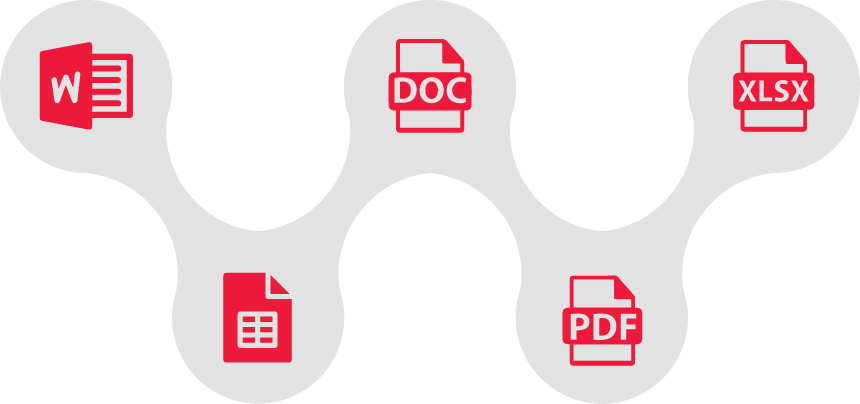
Types of photography bill book format

MS Word Bill Book Format

MS Word has been a market player for decades in generating bills for businesses. It has a wide range of options to customize fonts, colors, logos, images, and data on your bill book. Vyapar provides you with the Photography Bill Book Word Format, so that you can edit them once and start generating bills succeedingly.

Google Docs Photography Bill Book Format

This is usually opted by photography businesses that run more than one shop. With Google Docs, you can store your bills on the drive and access them anywhere, anytime! In short, it has all the features of MS Word, where you can customize templates to send in your bills to customers.

 MS Excel Photography Bill Book Format

Filling up 100 entries could be difficult in addition to math calculations and can take your sleep away. MS Excel is known for its tabular format that adds up to efficiency for the photography businesses that are operating on a large scale. It provides you with a wide range of formulas for easy calculations, therefore, saving up a lot of time.

Google Sheets Photography Bill Book Format

This format has an added functionality that you can store the bills on Google Drive. With all the functionalities of MS Excel, you can opt for this format to check your bills sitting in any corner of the world.

PDF Photography Bill Book Format

This is the most widely used format now for sending the bills to your customers. It allows for quick conversion into different formats and is the choice of many photography businesses. You can download a wide range of PDF templates to escalate your billing process.

Create your first Photography Bill Book with our free invoice Generator

Features of Photography Bill Book

Selecting a format for your garments business could be a really difficult task, especially when Vyapar allows you to download Ladies Tailor Bill Book format from a wide library of templates. Choose between MS Word, MS Excel, etc., after checking the benefits of each format.

Special package

Special package

There could be a possibility of a client requesting your services quite often for the functions or events. You can track such customers and come up with special discount packages before they use their services to set you apart from your competitors.

Tax Reports Generation

Tax Reports Generation

This is a crucial part of any business to file for taxation at the year-end. This is where the Photography Bill book will help you as it maintains all the records to check for detailed and accurate tax reports depending on years of business, all with just a click.

Data on cloud

Data on cloud

With Google Docs and Google Sheets, you can effortlessly generate bills from anywhere. This allows you to check for bills while you are traveling, or you can generate and send them on the go.

Frequently Asked Questions (FAQs’)

What is a Photography Bill Book?

Photography Bill book is made specifically for businesses that deal in Photography to help them with an easy generation of bills. It helps you save manpower, time, and costs, and automates the business procedures.

How much would it cost me to use a Photography bill book for my business?

There is no charge for using the Photography Bill Book format for your business. Simply download the templates of your choice, edit them according to your business needs, and receive payments instantly.

Are all the formats available on Photography Bill Book free?

Yes! Vyapar has a wide library of templates on all formats that can be customized in a few minutes. However, you can also opt for Photography Billing software that has additional perks and benefits.

Can I change the billing details on the bill?

You can change the details in seconds in your photography bill book. It also allows you to change the billing address, billing email, client’s email, terms and conditions, or any other information on the bill.

How do I make a photography bill?

To create a photography bill, include your business details, client information, invoice specifics, service descriptions, pricing, total amount due, payment terms, and any relevant terms and conditions. For efficient billing, Vyapar offers user-friendly software tailored for photography businesses.

How do you bill for photography?

To bill for photography services, gather client details and service specifics. Create a professional invoice using Vyapar or similar software, including business and client information, service descriptions, itemized costs, total amount due, payment terms, and send it to the client.

How do photographers bill clients?

Photographers bill clients by creating a detailed invoice with services, pricing, and terms, sending it to the client, following up on payments, and maintaining records. Using tools like Vyapar simplifies this process.

You can visit the UAE site to view content specific to your location

How Useful is Vyapar for Your Business?

Click on a star to rate it!


Photography accounting software

Accounting Software for Photographers

Are you a Photographer? Focus on capturing beautiful images by saving time using the best Accounting Software for Photography Business to manage your income and expenses. Try Vyapar for Free!

Accounting Software for Photographers Business
Smiley logo

1 Cr+

Happy Customers

Mobile logo

FREE

Android Mobile App

Google play store

Rated 4.7 / 5

On Google Play Store

Multi device logo

Multi-Device

Use together on Mobile/Desktop

Multi user logo

Multi-User

User Management
Feature

Features Tailored for Photography Businesses

Smooth Invoicing
Branded Bills & Invoicing

As a photographer, you capture memorable moments of an event. And to make you memorable, our software gives you the option to customize your bills and invoices according to your brand.

For a business, creating a good impression is important at every touchpoint. With Vyapar, you can add your business name and logo to the invoices while sending them to your customers.

Automated Day-to-Day Tasks
Multi-Device Access

Vyapar Accounting Software’s multi-device access empowers photography businesses by enabling seamless collaboration and flexibility. Photographers can effortlessly manage finances, track expenses, and generate invoices across various devices. This feature ensures real-time updates, enhancing efficiency and convenience in the dynamic world of photography.

Transparent pricing
Expense Tracking

Vyapar Photographers Accounting App streamlines expense tracking for photography businesses, offering to manage costs effortlessly. Helps to capture and categorize photography-related expenses with precision, enabling photographers to stay organized. Simplify your financial management with Vyapar App’s efficient and tailored expense tracking feature.

Why Vyapar is the Best Choice for Your Photography Business?

Effective Payment Management

Payment Reminders

Reports and insights

Report Creation

Digital Invoicing

Multiple Payment Modes

Mobile Business Management

Mobile App

Transaction wise taxes

Seamless Integration

user friendly navigation

User-Friendly Navigation

Vyapar accounting software for photographers’ features suits the needs of the photography business by making it the best-in-class solution for effective and seamless accounting. Its tailored features enhance the efficiency of a photographer’s accounting skills and help to improve the customer experience.

Payment Reminders

As we promised earlier, no more running around clients for payments. Our software will handle that for you. You can easily set up payment reminders before the due date.

You can also set the reminders to be sent according to your client’s convenient communication channel such as WhatsApp, email, SMS, or other suitable options.

Payment Reminders
Accounting Mobile app for photography business

Mobile App

As a photographer, you’re probably moving quite a lot to the client location for photoshoots, scouting an area, etc. Carrying around a laptop along with the already extensive camera gear is not convenient.

For creative professionals with this nature of work, we’ve developed the Vyapar mobile app. This way, you can carry accounting software right in your pocket.

All the functions on the app are free with no limitations, and you get full customer support from our team.

Multiple Payment Modes

Just like you carry multiple lenses, our billing and invoicing system is capable of accepting multiple payment methods. From the common credit card, debit card, bank transfers, all the way to UPI payments and more.

This reduces the chance of your client making excuses regarding the unavailability of a convenient payment method and makes sure you get paid on time as per your contract.

Multiple payment gateways
Report Creation using vyapar

Report Creation

Vyapar, the leading accounting software for photography businesses, empowers you to effortlessly generate comprehensive financial reports. Its powerful business dashboard feature meticulously tracks all your financial data, tailored to your photography business activities. With Vyapar’s intuitive interface and specialized features, managing your finances has never been easier for photography entrepreneurs.

Here’s a list of some of the many reports you can create using Vyapar:

E-payment, Billing and Invoicing, Monthly GST Report, Reporting, GST returns, Permission Management, GSTR 1 format, GSTR 3B, GST-related reports, Balance Sheet, Profit & Loss

User-Friendly Navigation

The photography business accounting app is designed with user-friendly features, tailored to meet the needs of photographers. The interface ensures easy navigation and it has been developed to facilitate a seamless understanding of its features and functions for all users.

User friendly navigation
Seamless Integration

Seamless Integration

Accounting software for photographers Multi-User Management Feature fosters collaborative efforts within startup teams.

Vyapar’s Multi-User Management Feature allows every team member to participate efficiently. It smoothes tasks such as invoicing, expense tracking, and financial reporting. This eases functions for optimal productivity and success in startups.

Reasons to Choose Accounting Software for Photographers

Accounting Software for Photography Business

Picture a world where you get to photograph to your heart’s content without ever having to worry about the financial side of your business:

• No more running behind clients for payments.
• No more trying to remember who paid you and who didn’t.
• No more sitting for long hours and trying to figure out how much you earned this month and how much you spent.

Have you imagined it? Great! Now it’s time to live it!

Vyapar is an easy-to-use accounting software for any business. While your passion is to capture the right moment, it’s our passion to aid people with a hassle-free way of figuring out their finances.

5.0/5.0

4.4/5.0

4.6/5.0

Are you a Business Owner?

Take your business to the next level with Vyapar! Try free for 7 days

Try our Android App (FREE for lifetime)

Frequently Asked Questions (FAQs’)

How Do I Manage My Photography Business?

If you’re running a photography business, keeping up its artistic side is crucially essential, but you can’t even let go of the business aspect as it’s important to ensure long-term success. Here’s everything you need to know about how Vyapar can help your business:

– Efficient Management of Finances
– Helps in Building Creative Invoices
– Stay Organized and Efficient

So, we believe that these factors by the Vyapar empower you to manage your photography business effectively and even help you to just focus on capturing the precious moments from your lens without having any additional burden on your head.

Is Vyapar Suitable for Both Small-scale and Larger Photography Businesses?

Of course! Vyapar is suitable for photography businesses of all sizes. It supports the growing hobbyist to a full-fledged established professional who has a growing clientele. 

Furthermore, Vyapar’s user-friendly interface, which is even easy to learn and navigate makes it perfect for small-scale organizations.

As your business grows, Vyapar tends to grow with you with its amazing features such as report generation, and multi-user access and hence helps you take on more clients and an additional set of projects. 

Also, another reason for choosing us at Vyapar is that our pricing plans are super affordable and budget-friendly, which is suitable for a photography business of any size.

So, whether you’re a solo working professional or even working with a team of photographers, Vyapar helps you manage all your finances effortlessly.

How Secure is Vyapar in Handling Sensitive Financial Data for Photographers?

We at Vyapar take the safety and security of your financial data way too seriously as we employ a multi-layered security approach to ensure that your financial information stays protected. The accounting software for photographers by Vyapar is completely safe and follows:

1. At Vyapar, we make use of the industry standard data encryption methods which ensures that your data stays protected at transit and rest.
2. We at Vyapar even make sure that your financial information is only accessed by the ones’ who are authorized and have the necessary permissions granted. 
3. Moreover, we at Vyapar make sure to conduct regular audits so that we can identify any potential threats or potential vulnerabilities.

Can I Use Vyapar on Multiple Devices or Platforms, Such as Mobile and Desktop?

Absolutely Yes! Vyapar can be accessed on multiple devices. So, whether you’re working on your smartphones, tablets, laptops, desktops, or even computers, Vyapar is readily accessible. This even offers flexibility and convenience and ensures that your photography business remains on top of your finances, and even manages the invoicing tasks on the go, regardless of your location.

What Payment Options Does Vyapar Support for Photography Services?

Although Vyapar isn’t a payment processing platform on its own, it integrates seamlessly with an ample variety of payment gateway options. This not only enables you to offer your clients a convenient way to pay for your photography services but also offers flexibility.

Here are some of the commonly supported payment options through Vyapar:
1. Credit Cards
2. Debit Cards
3. Net Banking
4. E-Wallets

Is Vyapar Capable of Handling Multiple Currencies for International Photography Assignments?

We are currently working on setting up Vyapar’s multiple-currency support. However, if you are eager for this information, we recommend reaching out to our customer support executive directly as they will help you with the most accurate and up-to-date information regarding this feature.

Does Vyapar Provide Any Tax-related Features or Tools for Photographers?

Although we at Vyapar aren’t a replacement for professional tax advice and we do not have dedicated tax software, we do offer some basic tax-related functionalities that will help photographers like you:

– Expense Categorization
– Invoice Generation
– Reports Generation

How to Choose the Right Accounting Software for Photographers?

When it comes to selecting the apt accounting software for the photographers, there are certain specific needs that you need to understand first. These needs may be project management, invoicing, comfort level as well as budgeting. You may move ahead with the software if it aligns perfectly with your business and also offers you specific photography-related features. Moreover, if it grants you mobile access, consider the software as best as it aligns with your photography business.

You can visit the UAE site to view content specific to your location

How Useful is Vyapar for Your Business?

Click on a star to rate it!


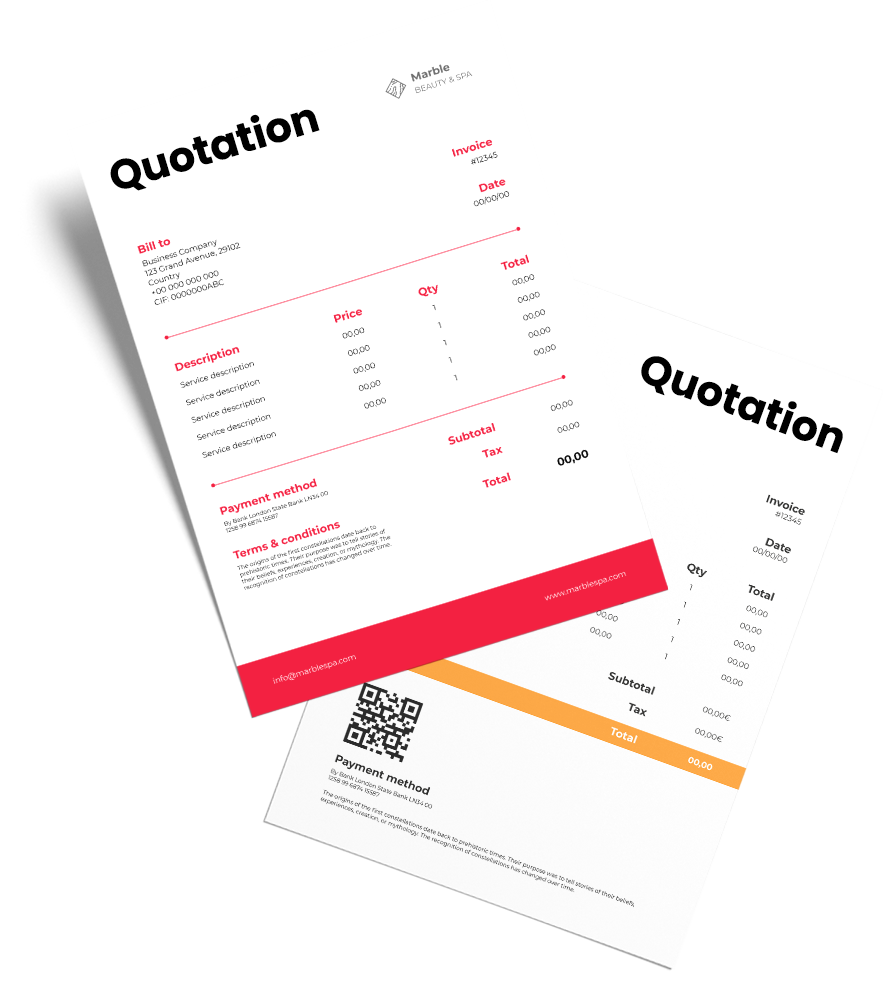
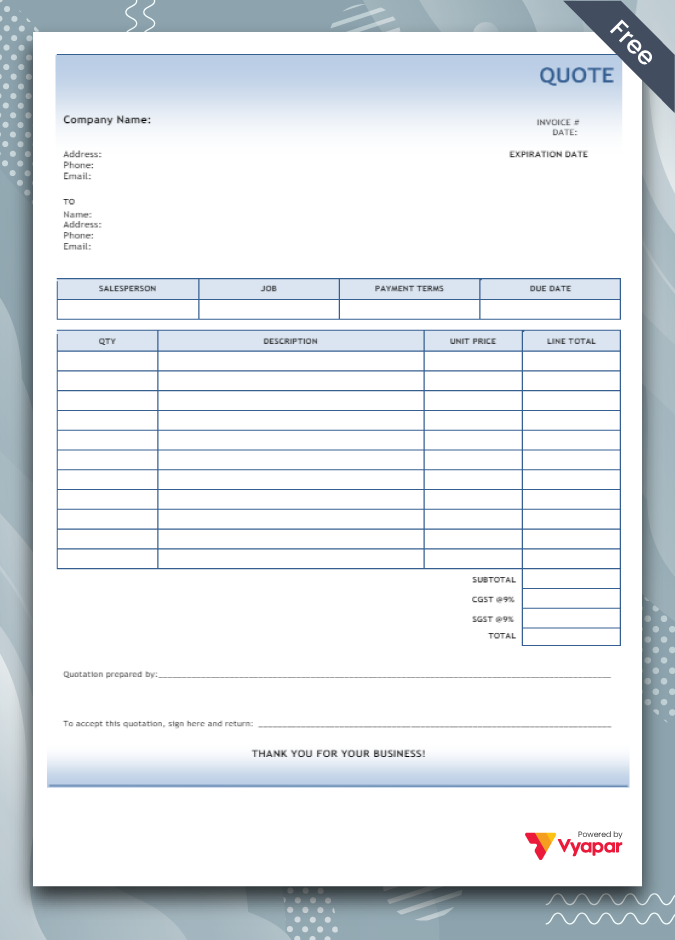
Photography Quotation Format

Using photography quotation format in dealing with a client seamlessly make the process simple for photographers and their customers. Avail 7 days Free Trial Now!

  • ⚡️ Create professional quotations with Vyapar in 30 seconds
  • ⚡ Share quotation automatically on WhatsApp and SMS
  • ⚡️ Connect with your parties through reminders, greetings, business cards and more

Highlights of Photography Quotation Templates

We’ve put in a lot of effort to make sure you get the best template possible

All versions are print friendly

Built from Scratch

Include essential invoice elements

Automatically calculate subtotal & grand total amount

Consistently formatted

Download Photography Quotation Format For Free

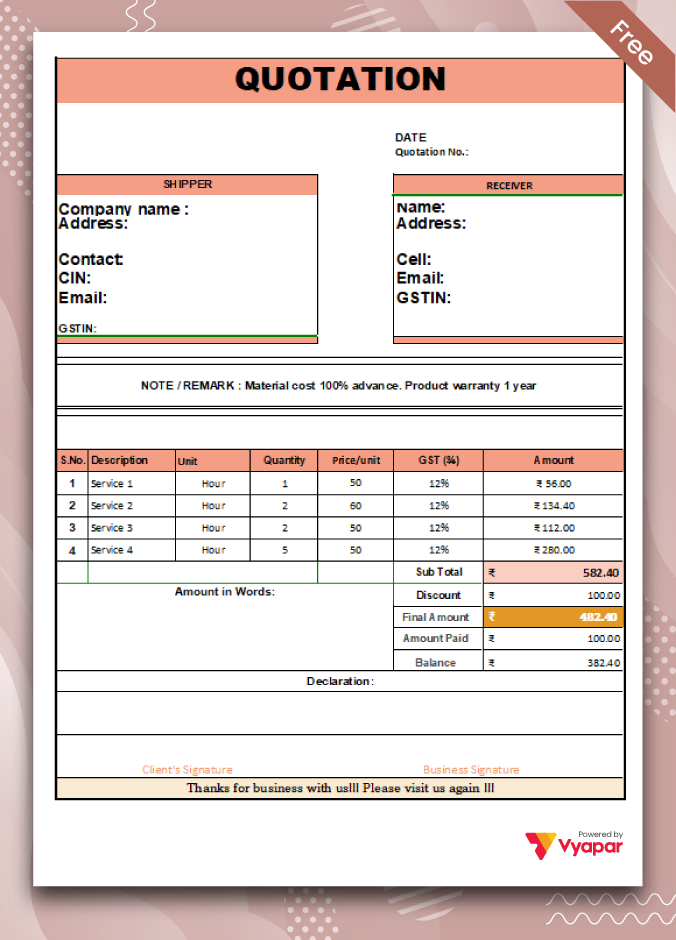
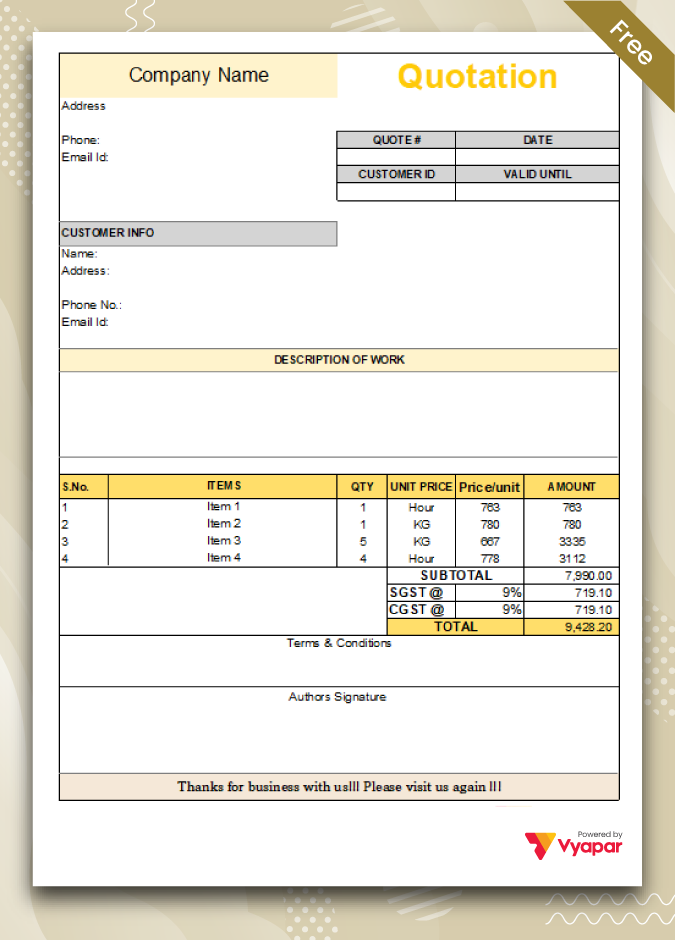
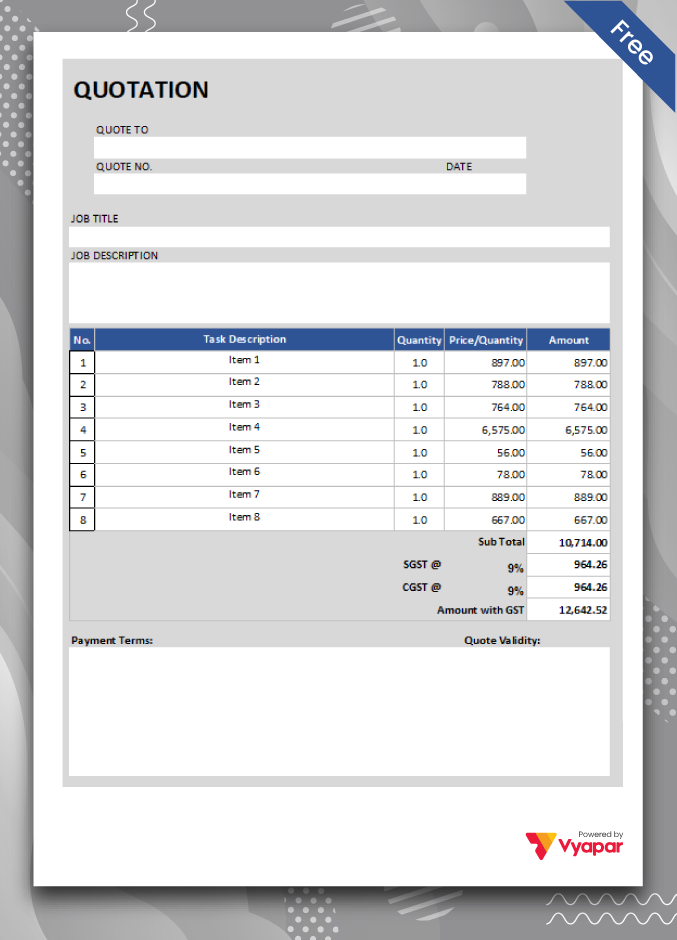
Download professional free photography quotation templates, and make customization according to your requirements at zero cost.

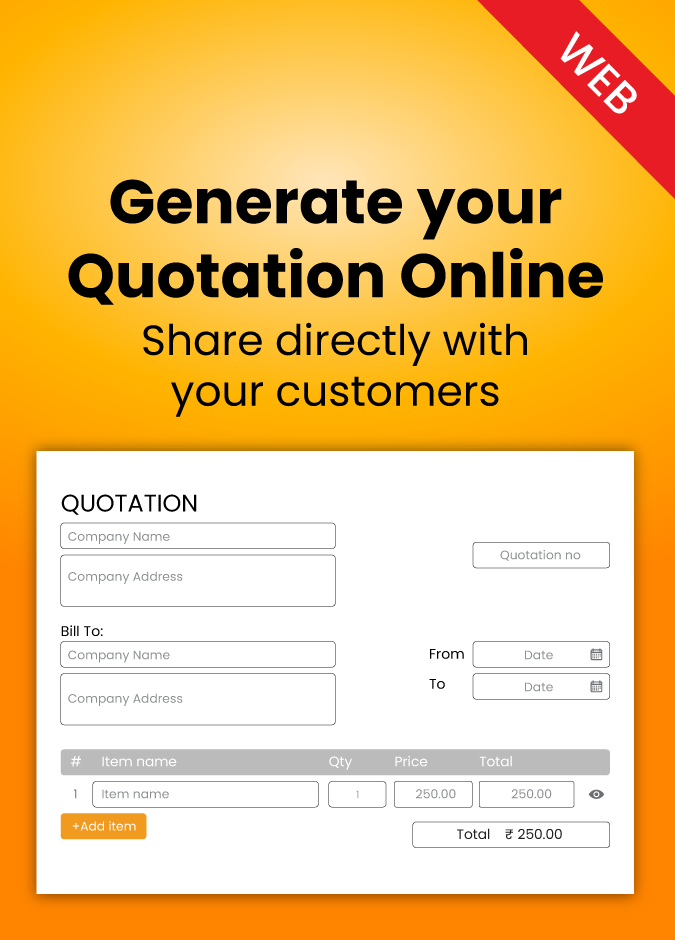
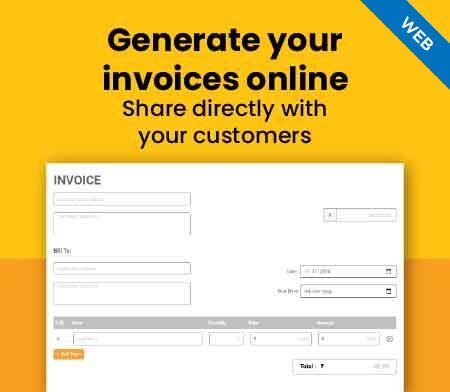
Generate Quotation Online

Type-4

Type-4

Manage All Photography Business Requirements!

Manage photography business requirements

The photography quotation format includes every detail in the layout to create custom quotes for your customers easily. Usually, a person looking for a wedding shoot, photoshoot, or a similar requirement will look out for quotes from multiple photographers before finalising one. Pictures and memories are important to people, and they want to be sure that you are perfect for them. Further, the quotation maker app for photographers help file taxes by creating GST reports using the data saved within the app. All of it makes Vyapar a must-have app for photo studios and individual photographers.

We help photographers to quote professionally!

Photography quote format is best for all photographers

Another significant aspect of photography quotation formats is that they are suitable for all photographers. They can use them to disclose the customised photoshoot services they have requested fully. The quotation provides a roughly defined estimate for the requested offer to clarify the fees. If both parties agree on the price and the deal gets finalised, the quotation is converted into an invoice to mark it as a legally binding trade agreement. The photography quotations help the photo studios provide necessary details to avoid future conflicts.

Why Do Painters Need a Photography Quotation Format?

Need of professional photography quote format

Before finalising a business transaction with the buyer, photography quotations provide the estimated costs for clarity. Further, the custom design helps photographers portray a positive brand image and increase the chances of making a sale. A painting photographer needs to use a photography quotation format.

A photography quotation format is helpful to lock in the right price for your services and avoid future conflicts over the determined sale price, especially when the photography is customised to the buyer’s requirements. It needs to have product and design descriptions finalised with the number of items.

Create your first photography quotation with our free Quotation Generator

Features Of Our Photography Quotation Maker App!

You can use the professional photography quotation maker app for many business purposes like maintaining business activities, managing accounting, tracking inventory, filing taxes, creating business reports, and much more. If you use the Vyapar app to draft quotes for your business, you get access to multiple valuable features that help you avail yourself of several benefits. Top features available in our photography quotation generator are listed below:

Create customised quotes

You can customise the quote as per your business requirement by choosing a suitable theme option created by the Vyapar team. We have made these themes available within the photography quotation maker app at no extra cost. Using them, you can draft a perfect professional quote for your customers and help improve your sales.

Create customised quotes
Multi-party management

Multi-party management

You can create and manage parties within the app for a clear idea of outstanding and overall payments for a particular party. You can save discounts and offers for a particular party using our photography quotation maker app. It will speed up the billing process as these discounts will get automated.

Create and send invoice

You can use our photography quotation formats to create quotes for your customers and turn them into invoices within minutes once you agree on prices. You can send the finalised invoices to your customers using email, SMS, or WhatsApp once the deal gets finalised.

Create and send invoice
Send payment reminders

Send payment reminders

The photography quotation app by Vyapar help sends automated payment reminders to your customers using email, SMS, or WhatsApp. Using this feature, you can avoid delayed payments by sending timely reminders.

Get multi-device sync

You can seamlessly sync data across all your devices using the photography quotation maker app. The premium sync feature in the subscription plan of our photography quotation app keeps all sales records accessible whenever required.

Get multi-device sync
Keep everyone updated

Keep everyone updated

Using SMS/WhatsApp alerts allows photographers to verify the updates like payment verification, order tracking details, and much more. It will help you with updates regarding your business transactions. It will help keep your customers informed about the minute details of the order progress.Using SMS/WhatsApp alerts allows photographers to verify the updates like payment verification, order tracking details, and much more. It will help you with updates regarding your business transactions. It will help keep your customers informed about the minute details of the order progress.

Frequently Asked Questions (FAQs’)

Is the photography quotation format valuable for modern day photography businesses?

Yes, Using a fully customisable photography quotation format for creating quotes for potential customers showcases your professionalism. Further, it helps provide approximate estimates of your prices to help avoid unnecessary confusion after making a sale.

Is the Vyapar photography quotation app available on iOS devices?

No, The photography quotation maker app by Vyapar isn’t compatible with iOS. You can use the app on your Windows desktop computer or use an Android device to access the photography features.

Is the Android version of the photography quotation maker free?

Yes, The basic version of our photography quotation maker app is free for a lifetime on all Android smartphones. The app works fine without requiring a subscription plan unless you wish to use premium features. You can use all of the essential functions to create quotes for your customers for free.

Why do we need to convert quotes into final invoices before sending them?

Remember that you have to issue final invoices at the time of sale. It will include the seller’s price ready to sell these customised services. You can use the photography quotation during the negotiation period for transparency, but you can not collect taxes from the buyer without issuing an invoice.

How does Vyapar help your photography services?

By using Vyapar, you can create professional photography quotes within minutes. You can seamlessly convert the quotes to invoices and get paid for the customised designs within minutes.

Why is photography quotation format required?

The photography quotation format is used by multiple photographers, photo studios, and photograph sellers in the photography industry, making it essential for the industry. Further, it helps provide a clear idea about my charges involved in a transaction.

You can visit the UAE site to view content specific to your location

How Useful is Vyapar for Your Business?

Click on a star to rate it!


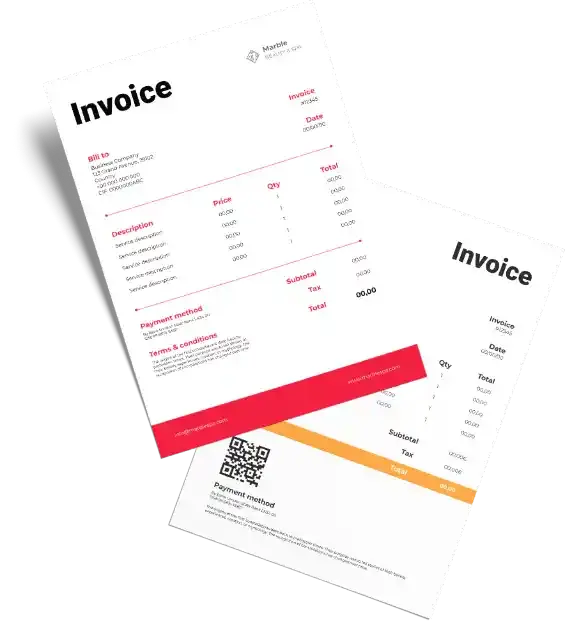
Free Photography Invoice Template

Vyapar can help you manage and issue free photography invoices seamlessly. More than 5 million small business owners in India trust Vyapar and photographers use it for invoicing. Using the app to create free photography invoices using accessible formats is effortless.

Photography Invoice Template

Highlights of Photography Invoice Simple Templates

We’ve put in a lot of effort to make sure you get the best template possible

All versions are print friendly

Built From scratch

Include essential invoice elements

Automatically calculate subtotal and grand total amounts

Consistently formatted

Download Free Photography Invoice Template

Download free photography invoice templates, and make customization according to your requirements at zero cost.

Customize Invoices

Photography Invoice Format Type I

Photography Invoice Format Type II

Photography Invoice Format Type III

Photography Invoice Format Type IV

Generate Invoice Online

What is a Free Photography Invoice Template?

The photography invoice template generally refers to any service related to taking and editing photos. In most cases, this would involve providing pictures and images for commercial use, advertisements, events, portraits, estate, wedding photography invoice format, or any other type of professional use.

Why Should You Send the Free Photography Invoice Template?

The biggest reason your photography business should send an invoice is to provide proof of sale and obtain money from a client. An invoice lays out the work performed, the amount accepted, and owed payment methods, giving your customers the possible tools needed to remit a timely payment.

Another critical reason to use a photography invoice is to develop a paper trail to reduce confusion on agreed-upon terms. In addition, it provides your photo business with key dates, when an invoice is sent, and when payment is due to help you maintain control over your accounts receivable.

The Method Used in Photography Invoices.

There are mostly three kinds of billing methods used in the photography business:

Lump Sum Method

It is called a lump sum when you decide on a single price for a specific task or a set of functions. This price can include the direct costs of a photographer as well.

Photographers in the photography business need to understand that they don’t have to bill an entire project for one mammoth lump sum price. In an invoice, itemize your should work carefully and adequately allocate individual lump sum payments to each task.

Remember this titbit also: if you charge your client using the lump sum method and instantly the scope of work varies from the original plan, here you can also set the extra appointment with the assistance of the time-plus cost method. Some of these additional charges will come in handy if you have quoted a high hourly rate.

Time Plus Cost Method:

When you bill your client based on the time it took you to complete the whole project. You also add all the direct costs during the project. Some examples of direct expenses are managing subcontracts such as hiring make-up artists, hiring equipment (which are not owned by you), colourists, models, travel expenses, and parking and hotel accommodation costs.

Upset Limit:

Using the upset limit method, a photographer can request payment to a client based on the time plus cost method, but up to a predefined lump sum limit. Suppose a photographer charges Rs. 6,000 per hour and the upset limit being set here, for a maximum of ten hours, then he can only charge INR 60,000 even if it takes him twelve hours to complete the shoot.

What are the Benefits of Using the Free Photography Invoice Template?

Fast and Convenient:

Online invoicing these days is fast and convenient. Instead of having the back and forth with your client figuring out a time or way to request payment, you can quickly send them a photography invoice which they can pay with their choice of payment method.

Vyapar provides all solutions like UPI, NEFT, credit/debit cards, and more, making it easy for clients to spend at their convenience. The money gets deposited into your account as scheduled by the payment method.

Automation:

You can also incorporate invoices in your workflow for automated photography invoices. Let Vyapar do the work for you, and please keep in mind when to send the next invoice by creating invoice templates and adding these to your emails that can be included in a workflow.

Automation makes your work easy and will help you get invoices sent timely and ensure you are getting paid. A mobile app is best as it can help generate photography invoices from anywhere at any time. It is important for photographers as manual bookkeeping can become challenging as it would require them to carry a ledger with them.

Professional:

Online professional invoice format helps set the stage for a professional relationship between the client and photographer. Each client paying for services should receive an invoice, which enables you to eliminate awkward conversations around payment and gives the client clear expectations for when payments are due.

Accounting is Easier:

It is very exhausting to find copies of paper receipts, but online invoicing here makes it easier to keep track of your income for accounting purposes. With the help of an online invoice, you can quickly and easily find an invoice or quote. It can be very helpful to you when you file tax returns.

Payment Schedules:

Some photographers face the problem of collecting payments on set dates. While a photographer is busy shooting, especially during the peak months of weddings, it can be easy to forget to send invoices for the remaining balances and collect the payments.

Online invoicing with the Vyapar app makes it quicker and easier to create payment schedules for your clients and invoice them with installments. Your clients will admire the ease of knowing when their payments are due, and they will be able to pay off their balances for sessions.

What are the Contents Required for a Photograph Invoice Template?

It is some essential information for the photograph professional invoice. The information will get included automatically in every photography invoice you create. Most are not just a matter of professionalism but are needed for legal or tax purposes. So make sure your invoices include:

  • It should have an invoice number and date.
  • It must have your information (name or company name, address, and contact details)
  • Contains payee information (client’s name and address)
  • It must have a description of services and have the charges, and the payment details

Many invoice templates will protect you from forgetting the following things since there’s a blank space or heading for each. However, there are still a lot of finer details and standard practices of invoicing that you should also be aware of.

How Many Types of Photography Invoice Templates are There?

The free photography invoice template is handy and great for all kinds of photography, including:

  • Art
  • Wildlife
  • Sports
  • Freelance
  • Portraits
  • Landscape
  • Weddings
  • Corporate and Advertising
  • Aerial
  • Events
  • Real Estate and Architecture
  • Photojournalism
  • Travel
  • and more

Maybe you are a freelance photographer, or you might be into the photography business, you work with a range of clients or are contracted by another business, and you need a professional and streamlined way to bill for your services.

Create your first invoice with our free Invoice Generator

How to Create a Free Photography Invoice Template by Using the Vyapar App?

Creating a free invoice template for photographers is easy using the Vyapar app. Follow the points given:

  • In the Vyapar app, click on the add sale button. The sale form will be opened (you can also use the shortcut key Alt+D to open the sale form).
  • Over here, you first need to select a cash or credit sale. As for now, we are creating a credit sale.
  • After that, select the customer name, and in case you have already selected the customer details, then you can select the customer name from the list. Here, customer details would get filled in automatically over here.
  • In case you are creating an invoice for any customer for the first time. Type out the name and press the tab key. It creates the party, and you can later enter and edit the party details. Enter the party’s phone number and address.
  • On the right side, you can see the invoice number, delivery date, and place of supply, which can be changed if needed.
  • Now you need to add items to the invoice. You need to go to the item line and select the item. Along with this, you can see the item quantity, price per unit, discount, tax and amount, these can be changed if needed, and similarly, you need to add the other items too.
  • After this, you can select the payment type. If you want to enter any additional details in the invoice, you can use the description box. You get an image option l over there, with the help of which you can add any invoice-related document, items or needed images.
  • On the right side, before the total amount, you get an option to add shipping, packaging or any additional charges, which you have to turn on beforehand from the transaction set.
  • You can round off the invoice amount if needed using the round-off option. This option also has to be turned on from the transaction set.
  • Now, you can note it down in the received amount column.
  • Then click on the save button, and you can choose any given free photography invoice template which suits your interest given in the Vyapar app.

Your free photography invoice is ready, and now you can easily share it with your respective client.

Benefits of Using the Vyapar App:

Create Estimates and Quotations:

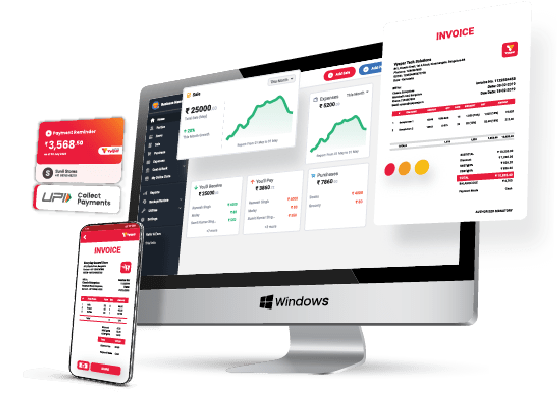
Vyapar app for desktop assists you in creating accurate GST-compliant invoices, quotations and estimates in just a few clicks. You can even send these invoices via the software via WhatsApp, SMS, or email directly.

Customer Management for Cloth Businesses

Track Orders Effortlessly:

Vyapar software for photographers has been designed to track sales and orders easily. It also has an intuitive dashboard that you can use to monitor order status. You can make sure that there are no delays in payments and eliminate invoicing errors.

Customization:

Vyapar app offers you a wide variety of themes that can change your dashboard according to your needs and requirements. It gives you professional photography invoice templates for free that let you send well-designed invoices and get paid on time.

Expense Tracking for Cloth Businesses
Payment Reminders for Cloth Businesses

Expense Management:

Expense management is no longer a complex process for photographers. You can thank Vyapar’s robust financial management solution for it, and it enables you to track and record expenses. As it helps you optimize your business expenditure and reduce excess costs.

Receivables and Payables:

Vyapar app for photographers enables you to separate the accounts receivables and payables. It helps you stay on top of your finances and determine the amount you need to “receive” and “pay” someone very easily. In addition, it lets you identify defaulters who have delayed your payments.

Provides High-grade Security:

The photography invoice maker app by Vyapar offers excellent security features that ensure data security and provide authorized access. The Vyapar app also has an in-built backup and recovery feature that lets you revive data if stolen or deleted.

Generate Delivery Challans:

Vyapar app for photographers helps create and deliver challans too, and linking them to your goods can ensure a seamless delivery of photo albums to your customers. The billing accounting software of Vyapar lets you attach challans to your consignments and keep a delivery record.

Bank Account Management:

The Vyapar app makes your work easier for adding and managing multiple bank accounts. The app supports POS payments for major credit cards and debit cards and provides e-wallets, UPI, and other payment solutions to ensure systematic payments.

GST Billing and Invoicing:

Creating GST-compliant accurate professional invoices is an important aspect of photography services in India. This app supports professional photographers of many types, including credit, proforma, and mixed invoices.

Other Valuable Features of Using The Vyapar App:

Here are some additional benefits of using the Vyapar app for your photography business.

Convenient Data Entry:

Manual bookkeeping requires a lot of effort due to long hours of data entry. As a bookkeeper, you must spend most of your time filing cash registers and spreadsheets.

It is not an armchair job, especially in the photography business. Here, Vyapar automates these tasks for you to focus on what matters for your professional business.

Efficient Inventory Management:

With the Vyapar app for desktop, you can quickly and easily manage your inventory very effectively. The Vyapar app dashboard provides real-time insights into your stock inventory levels.

You can use the details to ensure that you have all your items required for the photoshoot before heading to the site. Also, it will help you verify you have packed everything once you are done with the shoot.

Online Service Catalog:

It lets you create a beautiful product/service Catalog for your clients. Thus, it helps you to accept online orders from your customers. It will widen your business’s radius, and now you can reach thousands of customers simultaneously without extra effort.

The best thing about this online catalog is that you don’t have to pay an extra dime from your pocket for using this service. You can use the Vyapar dashboard to tally your bank statements quickly and check your cash flow.

Accuracy and Speed:

Speed is an essential element for running any photography business. You need to do something you need to settle free photography invoice bill payments and generate GST-compliant invoices and estimates on the go.

Otherwise, you will miss out on valuable opportunities in your photography business. Vyapar app for PC enables you to do this and much more. Thus, adding speed to your operations and letting you achieve your photography business goals.

Frequently Asked Questions (FAQs’)

Do Photographers Use Invoices?

Invoicing is an art that all photographers and essential elements for their photography business should master. Photographers use different sorts of methods to request prepayment from their clients, like the lump-sum method, time plus cost method and upper limit, with the help of different invoice templates.

How Do I Accept Payments As A Photographer?

Your free photography invoice clearly states that the amount reflected is due in full upon receipt, along with an overt due date. It includes your photograph website on the invoice instructing that a client can pay their bill via a credit card/debit card from your website if they choose or can call you to process the payment by phone.

When Should You Send Invoice Photography?

Few photographers may collect a final payment as soon as the session is completed. There are pros and cons regarding invoicing your photography after a session, even if it is just the remaining balance. One thing you may consider is if you send an invoice after the session, there is a chance the client may not pay it.

How Do I Invoice A Freelance Photographer?

If you’re starting your career in the freelance photography business, charging by the hour (plus costs) is the most common way to invoice your customers.

Do I Have To Pay Tax On The Photography Invoice?

The tax mostly applies to the sale of photographs sold in tangible form for noncommercial use. The sale of items and services rendered to create or produce the photographs will also be taxable here.

What Is A Photography Invoice Template?

The photography invoice template generally refers to any service related to taking and editing photos. In most cases, this would involve providing pictures and images for commercial use, advertisements, events, portraits, estate, wedding photography, or any other type of professional use.

How Do You Create An Invoice For Photography?

1. Include an invoice number and date.
2. Write your information (name or company name, address, and contact details)
3. Include the payee information (client’s name and address) and description of services.

What Should Be On A Photography Invoice?

Nine things you should include in your photography invoice to get paid faster.

1. Your / your company’s name and information.
2. The word “Invoice” and invoice number.
3. Client information and contact details.
4. Invoice date and payment due date.
5. The line items for services you provided.
6. The fees and associated taxes (GST).
7. Total discounts on services.
8. GSTIN details.
9. Terms of service.

You can visit the UAE site to view content specific to your location

How Useful is Vyapar for Your Business?

Click on a star to rate it!