Debit Note Format In Tally

You can download the Debit Note Format in Tally for your customers. Also, use the Vyapar App to do billing, inventory, and accounting easily and grow your business faster. Available 7 days Free Trial!

Highlights of Tally Debit Note Templates

We’ve put in a lot of effort to make sure you get the best template possible

All versions are print friendly

Built From scratch

Include essential invoice elements

Automatically calculate subtotal & grand total amount

Consistently formatted

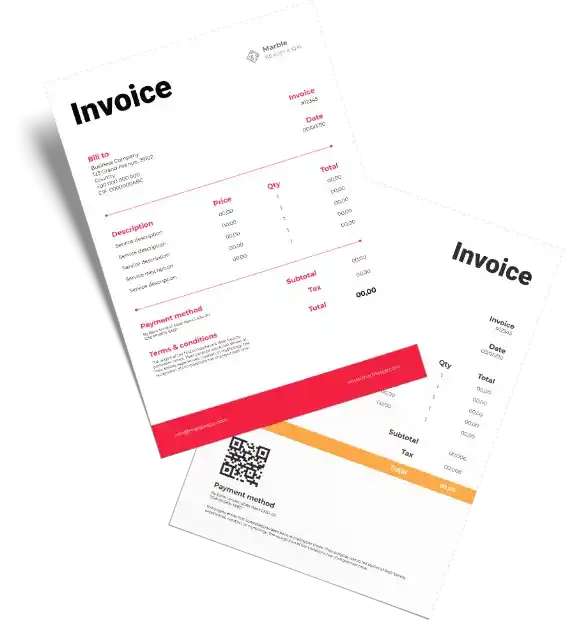
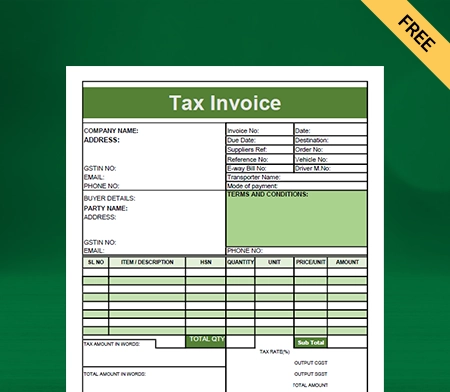
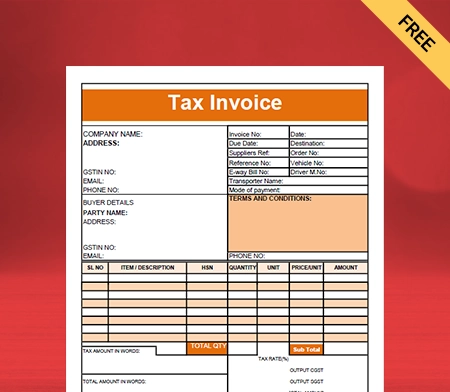
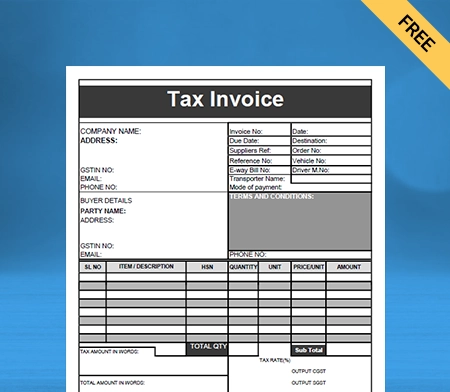
Download Tally Debit Note Format For Free

Download professional free material reconciliation templates, and make customization according to your requirements at zero cost.
Customize Invoice
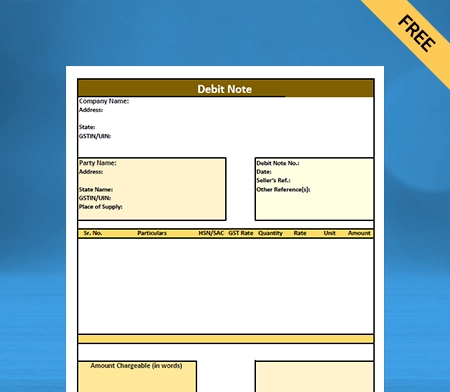
Type – 1
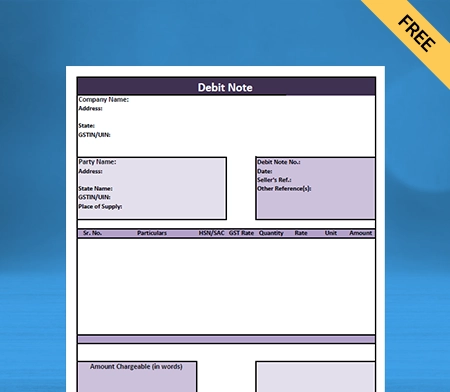
Type – 2
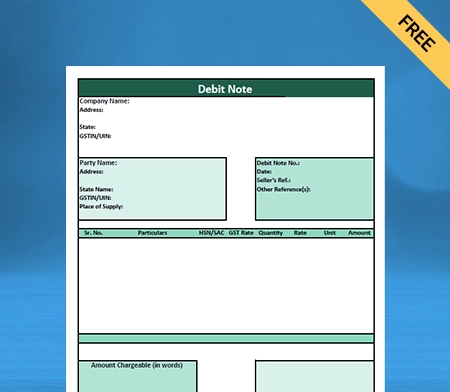
Type – 3
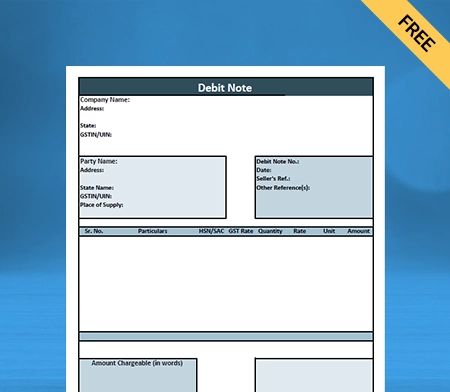
Type – 4

What is a Debit Note in Tally?

A debit note in Tally is a legal document issued to a seller by the buyer. It is used to remind a buyer of existing debt to the seller. A debit note is a document a buyer creates that signifies that the goods and services rendered have been returned to the seller.

A Debit note is also known as a debit memo. It is a document often used as a mode of payment in businesses. A debit note format in Tally is commonly used in case of purchase returns, price escalation, de-escalation, etc.


What are the Differences Between a Debit Note and a Credit Note?

The key differences between a debit note in Tally and a credit note are mentioned below.
A debit note is a document that shows a debit to the seller’s account. On the contrary, credit notes are documents issued to a party by the seller stating that his account has been credited while debiting their account.
A debit note is a document that a buyer issues. On the contrary, a credit note is a document a seller presents.
A debit note is issued when a credit purchase has been made. On the other hand, credit notes are issued when a credit sale has been made.

An example of a debit note would be;

In case of purchase returns by the buyer to the seller; debit notes are issued.

An example of a credit note would be;

When the supplier gets the goods returned by the buyer, they present a credit note.

  • A debit note is in the form of a different kind of purchase return. On the other hand, credit notes are in the form of a different kind of sales return.
  • A debit note shows a positive amount in the books of account, while a credit note format shows a negative amount.
  • A debit note is a document updated in the ‘Purchase Return Book.’ A credit note is a document updated in the ‘Sales Return Book.’
  • A credit note is known for reducing the buyer’s payables account. On the other hand, a debit note is known to reduce the sellers’ account receivables.
  • Updating the purchase return book is mandatory in exchange for a debit note. On the other hand, it is necessary to update the sales return book in exchange for a credit note.
  • A credit note is a document presented when a sales return occurs. A credit note is known to reduce payables. On the contrary, a debit note is a document issued when a purchase return takes place. It is known for reducing receivables.

What are the Key Components of a Debit Note Format in Tally?

A debit note format in Tally consists of certain important components. Ensuring that the GST guidelines are followed while issuing a debit note is necessary.

There is no prescribed debit note format under any law. However, a debit note format in Tally should consist of the following details:

Header: It should be stated that the document is a ‘Debit Note.’

Date: When a debit note format in Tally is issued, it should be mentioned. It is also known as the issuance date of the debit note.

Unique Serial Number: A different and unique serial number for each debit note should be provided. It should also be noted that the serial number is only 16 characters and not more. The unique serial number can consist of numbers, alphabets, and special characters like a hyphen, dash, underscore, etc.

Buyer Details: The name, address, GST number, and contact details of the buyer should be mentioned.

Invoice Details: The invoice number, details, and the issue date should be mentioned for reference.

Supplier Details: The name, address, GST number, and contact details of the supplier should be stated.

Description of Goods: The description of the goods or services rendered being credited should be mentioned on the debit note.

Total Amount: The taxable value of goods or services and the tax rate should be stated. The total amount of the tax debited or credited to the recipient should also be mentioned in the debit note.

Verification: The supplier’s signature or authorized representative should be on a debit note.

Are you a Business Owner?

Take your business to the next level with Vyapar! Try free for 7 days

Try our Android App (FREE for lifetime)

What are the Reasons For Issuing a Debit Note Format in Tally?
A debit note format in Tally is issued mainly by a buyer. It is issued when a buyer returns the goods purchased from the seller for any valid reason. 

  • A buyer issues a debit note format in Tally in cases wherein, 
  • The supplier of the goods delivered damaged or defective goods
  • The shape, quantity, or size of the goods delivered is incorrect
  • There is a calculation error in the debit note format in Tally
  • A debit note is used when some amount of money is spent on behalf of the party 
  • When the supplier has charged higher tax on the goods and services rendered
  • The goods or services are not delivered on time by the supplier, and 
  • In cases wherein, the buyer does not want to purchase the goods or services

The seller can also issue a debit note format in Tally in cases wherein, 

  • The buyer increases the total amount of order quantity to be purchased
  • When the seller needs to make certain adjustments to the debit credit note 
  • In cases where there is a change in the total billing amount in the debit note, and 
  • When the seller finds it important to remind the buyer of their current debt. 

What are the Reasons For Issuing a Debit Note Format in Tally?

A debit note format in Tally is issued mainly by a buyer. It is issued when a buyer returns the goods purchased from the seller for any valid reason. 

  • A buyer issues a debit note format in Tally in cases wherein, 
  • The supplier of the goods delivered damaged or defective goods
  • The shape, quantity, or size of the goods delivered is incorrect
  • There is a calculation error in the debit note format in Tally
  • A debit note is used when some amount of money is spent on behalf of the party 
  • When the supplier has charged higher tax on the goods and services rendered
  • The goods or services are not delivered on time by the supplier, and 
  • In cases wherein, the buyer does not want to purchase the goods or services

The seller can also issue a debit note format in Tally in cases wherein, 

  • The buyer increases the total amount of order quantity to be purchased
  • When the seller needs to make certain adjustments to the debit credit note 
  • In cases where there is a change in the total billing amount in the debit note, and 
  • When the seller finds it important to remind the buyer of their current debt. 

How to Create a Debit Note Format Using the Vyapar App?
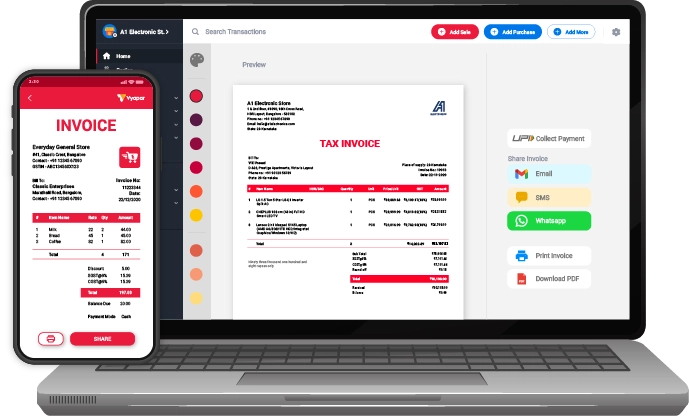
To create a customizable debit note format using the Vyapar app, you have two ways you can follow.

  1. Click on add more (+) option:
  • After going to the software, click on the ‘purchase return option’. 
  • To open the debit note format, you can also use the shortcut key (Alt+L).
  • Enter the customer’s necessary details like name, address, date of issue, and invoice number.
  • Once you follow the above step, your return will be adjusted against that particular invoice.
  • Following the above step, you will be required to give all the details of the products you return to the seller. 
  • The product details include a description, name, and the total amount of goods.
  • After you are done, now save the debit note.

Issuing a debit note often takes a lot of time for users. So, the Vyapar software offers users another way of adjusting a debit note to its specific invoice.

  1. Go to the left menu option:
  • Click on the purchase option in the purchase section on the dashboard. 
  • The users will get to see the list of all the invoices made by them. 
  • Find the invoice whose product you want to return to the seller in the search bar.
  • The search can be done by invoice number-wise, party name-wise, date-wise, invoice balance, or amount-wise.
  • After searching, the invoice will appear on the user’s screen. 
  • Next, click on the three dots and click on the ‘convert to return’ option.
  • Users will see that the debit note is ready with all the necessary details.
  • You get to customize the goods list as per your requirements.
  • Now, save the debit note after making all the required changes. 

These two ways of creating a debit note format in the Vyapar app. You can use either of them at your convenience.

Why Should You Choose the Vyapar Software For Debit Note Format in Tally?

Vyapar accounting software is the best software for debit note format in Tally available in the market. Here is why you should use Vyapar for the best debit note format for your business:

1. Send Payment Reminders to Recover Dues:

Vyapar accounting and billing software ensures that small and medium-sized businesses get timely client payments. The Vyapar software has features that ensure you keep track of all due payments in the business dashboard.

Using the Vyapar app feature, you can send payment reminders to recover your dues from your customers. By email and WhatsApp, you can remind your customers about the total outstanding amount and the due date. Choosing the Vyapar software for debit note format in Tally allows you to avoid unnecessary delays.

The Vyapar billing and accounting software is user-friendly, which attracts users to use it for making debit note format in Tally. Many small businesses rely on the Vyapar app for creating debit credit notes.

Vyapar software is considered the best billing and inventory management software with GST. The features on the app ensure that the dues do not impact the cash flow of your business. Thus, it is a very important advantage for using the Vyapar app to create a debit note format in Tally.

2. Receivables and Payables:

Vyapar is a free billing and accounting software that allows users to keep track of receivables and payables. The free GST billing software allows you to track all the parties stating receivables and payables.

The business dashboard in the Vyapar app allows users to track their money. It includes both the money you have to receive and the money you need to pay in the Vyapar app.

Users easily get the track and observe who did not pay them back. Payment reminders are set by users so that they can timely collect dues from their customers.

Vyapar software allows you to send free payment reminders to any party. This is done through WhatsApp, email, and SMS. Vyapar provides its users with several payment options.

All types of online and offline payment solutions are in the software that allows you to collect dues seamlessly. Vyapar also has a bulk payment reminder feature, saving users a lot of their time. It is done as Vyapar allows sending payment reminders to all the customers in bulk at once.

3. Keeps Data Secure By Automatic Data Backup:

Losing important business data can hurt your business and sales. Hence, you need to create data backups to ensure that all your business data is safe and secure.

Vyapar billing and accounting software for creating a debit note format in Tally allow users to configure an automatic data backup. It thereby ensures the security and safety of the app-stored data of your business.

The features of the Vyapar software for a debit note format in Tally ensure that you can create a debit note whenever necessary without worrying about the data being lost.

Users can also create a local backup for added data safety and security. This helps users secure their data in a personal space such as a hard disc. Using the Vyapar app, you can secure your business by configuring automatic data backups.

4. Record Expenses Seamlessly:

Vyapar’s free accounting and billing app is an efficient option for seamlessly recording business expenses. Keeping a record of your expenses helps you create an efficient gst debit note format in Tally.

The free GST billing and accounting software helps you record GST and non-GST expenses. Keeping track and recording all your expenses in the business is important when you issue a debit note.

Vyapar small business accounting software provides solutions for debit note format in Tally. As you get to track and record your expenses, users get various benefits over its competitors.

Recording expenses helps you reduce costs and maximize sales. Vyapar accounting and billing software is a secure option for instantly recording outstanding expenses. Thus, choosing the Vyapar app for debit note format in Tally is an efficient option.

Features that Make Vyapar the Best All-in-One App for Your Business

Provides Several Payment Options

Vyapar accounting software for a debit note format in Tally allows your customers to pay online and offline payment modes. When you give them various options for your payment, there are very small chances they will default on the payment.

Vyapar app provides various online payment modes such as IMPS, Net Banking, UPI, e-wallet, NEFT, credit card, and debit cards to pay for goods and services. Vyapar billing software for creating a debit note is highly secure and safe.

The biggest comfort a customer can be provided with is the convenience of how they choose to pay you. Vyapar allows customers to make payments using their convenience, like a bank transfer. A bank transfer includes IMPS, NEFT, and RTGS.

Providing customers with various payment methods helps ensure that your customers can pay you without delay. So, issuing a debit note is very convenient using the Vyapar app.


Build A Positive Brand Image
Plan Your Inventory Space

Builds a Positive Brand Image:

Vyapar GST billing and accounting software help build a professional and positive brand image. The Vyapar software for debit note format in Tally allows you to establish a professional image of your brand.

A professionally built customized debit note will tend to stand out among competitors. You can customize your company’s logo, name, font, and style on your debit note.

Doing all these things will help you to present your brand’s identity and professional image in the best possible manner. An exquisitely crafted and customized debit note demonstrates your expertise. It ensures that the seller is convenient to clear all their payment dues.

A customized debit note in accordance with the format looks trustworthy to the sellers. It includes all the necessary information you need to get your dues. The data in the debit note consists of product/service descriptions, taxes, unique serial numbers, etc.

Online/Offline Billing Software:

Using the free accounting software, you can issue a debit note as soon as you want the goods returned. The Vyapar app has online and offline features. This feature on the app is very helpful in rural areas, where network connectivity problems are common.

You need not halt your business operations when there is poor network connectivity. You can use the offline features of the Vyapar app for issuing a debit note format in Tally.

This Vyapar app feature allows you to accept payment dues using e-wallets without needing an active internet connection. The Vyapar app helps you issue a debit note without requiring you to stay online.

Users can solely rely on the business accounting and free billing software to validate the issued debit note and update the database accordingly after regaining internet connectivity.


Track Your Business Status
Manage Inventory Efficiently

Manage Your Inventory:

Vyapar software for issuing a debit note format in Tally helps you to detect when your inventory goes low. This happens mainly when the goods are returned to the seller by the buyer.

Periodic checks on the inventory space help in detecting inventory discrepancies. Inventory management is important for businesses with a wide variety of goods.

Using the GST invoicing software for issuing a debit note format in Tally helps you track the remaining goods. It is very convenient when you use the Vyapar software for a debit note format in Tally. It is because the given data can be used to generate various sales reports.

Frequently Asked Questions (FAQs’)

What Is The Material Reconciliation Format?

Material reconciliation format is an essential aspect of the manufacturing process. It allows the manufacturers to ensure that the operating project is based on goals and results determined by the business. 
 
Reconciliation raises the production capacity and outputs. It allows the manufacturers to compare the standard data to actual data based on the variances and inefficiencies in production.

How Often Should Businesses Perform Material Reconciliation?

Material reconciliation should be performed at least twice by businesses. Preparing material reconciliation at the beginning and end of the production process is advised.

How Does Material Reconciliation Help To Improve Inventory Management?

Material reconciliation allows businesses to conduct proper checks and verify the data collection of the resource. It assists the companies in finding the difference between the physical inventory records and the material data record. 
 
Businesses may use this data to make the necessary adjustments and changes in the production process. It allows the industry to make the numbers align with each other in the process. It helps to improve the inventory management process of the company.

What Are The Key Components Of A Material Reconciliation Process?

The critical components of a material reconciliation format include checking the inventory count of materials and comparing the records of it. It also includes documenting the material reconciliation at the end of the production process. This includes checking any differences and finding the leading cause of the issue to optimise the production process.

Why Is Material Reconciliation Important For The Manufacturing Process?

Material reconciliation is an essential aspect of the manufacturing process. It is important because it can easily detect errors, reduce time, and save money. It also helps to verify the production flow, keep it in check, prevent fraud, and manually alter data. These are the reasons why material reconciliation is essential for the manufacturing process.

What Is Material Reconciliation According To Lean Manufacturing?

Material reconciliation confirms that the main components obtained at the end of the manufacturing process match the input amount of material entered and used. It is a great way to determine the actual yield of integrins, as you can determine the actual output with the expected output.

You can visit the UAE site to view content specific to your location

How Useful is Vyapar for Your Business?

Click on a star to rate it!


Tally-bill-format

Tally Bill Format

Vyapar software is simple and eliminates the need for several accounting and billing apps. Vyapar allows you to effectively manage your business and generate tally bills in various formats. Try the free 7-day trial now!

  • ⚡️ Create professional invoices with Vyapar in 30 seconds
  • ⚡ Share Invoices automatically on WhatsApp and SMS
  • ⚡️ Connect with your parties through reminders, greetings, business cards and more
Free Bill Invoice Format in Excel

Highlights of Tally Invoice Templates

We’ve put in a lot of effort to make sure you get the best template possible

All versions are print friendly

Built From scratch

Include essential invoice elements

Automatically calculate subtotal & grand total amount

Consistently formatted

Free Professional Tally Bill Format

Download the professional free tally bill format, and customize it according to your requirements at zero cost.

Tally Bill Format - 1

Tally Bill Format – 1

Tally Bill Format - 2

Tally Bill Format – 2

Tally Bill Format - 3

Tally Bill Format – 3

Generate Invoice Online

What Is A Tally Bill Format?

What Is A Tally Bill Format?

Sellers use the tally bill format to make invoices for goods or services they sell. It contains the company logo, information about the company and the customer, invoice information, a description of the products and services, applicable taxes, and the authority’s signature.

Contents Of Tally Bill Format:

Contents Of Tally Bill Format:

Every tally bill format must have some essential fields. They are:

Header:

A bill must have the heading “Tally Bill Format” at the top to specify what the document is about. If it is not specified, it is just a piece of paper.

Company Name And Logo:

Every business issues invoices, and it would not be easy to recognise your brand if all the bills were identical. Your tally bill format must have your company’s name and logo on the invoice. It establishes your brand identity and sets you apart from others.

Business Contact Details:

Your tally bill must have your company’s address, phone number, email id, and socials. Customers can easily reach you if they have any query related to a product or service.

Date And Unique Bill Number:

It is essential to record the date when you made the bill. Additionally, you must also assign a unique number to every invoice. This way, you can track any invoice whenever you want. It helps keep accounts organised and maintain accuracy.


Customer’s Details:

The bill should address a customer adequately. It must have the customer’s name, contact number, and address. It is helpful when you want to contact a customer in future. Also, it adds a personalised effect and connects your client with your company.

Description Of Goods And Services:

A bill must have a column of particulars or descriptions to write the details about the products they sell or services they provide to the customers. It assures customers that they can know what they are paying for exactly.

Amount And Taxes:

Break down each product or service’s cost so that it is easy to understand. Add taxes to the subtotal amount and then write the final amount.

Terms And Conditions:

Your bill should specify the due date to pay the amount. Mention any other terms like the accepted mode of payment in the tally bill. It avoids confusion, and you get paid faster.

Authorised Signature:

Sign the bill and get your client’s signature as well. It makes the bill a legally binding document.

Why Should People Use Tally Bill Formats?

  • In any firm, generating invoices is critical to ensure smooth business operations. With tally bill templates, you can generate professional-looking invoices for your business in seconds. 
  • Your company will save valuable time by using a modified tally invoice template. When a template is set up, it needs to be filled out rather than manually added each time.
  • Because you can execute your invoicing responsibilities quickly and efficiently, you reduce the time it takes for your client to receive and pay your invoice.
  • It enables firms to bill clients with minimal effort. A tally bill format reminds clients of completed work, which helps firms collect correct and timely payments.
  • It is a valuable record-keeping application that allows firms to organise their books of accounts. It enables a company to keep track of its finances and working capital.
  • A tally bill format also helps in meeting the tax reporting requirements. It can perform all the calculations for you without any errors. It enables businesses to transition quickly to digital invoicing.
  • It includes multiple payment options, flexible sales and purchase management, multi-billing format, seamless receivables and payables management, and much more to support your business needs.
  • Inventory management is an essential part of any successful organisation. Businesses can now arrange their inventory using Tally bill formats by categorising them into product type, brand, colour, and more. 
  • It is easy to maintain track of stock movement and manage it efficiently with a wide range of inventory reports such as stock summary, ageing analysis report, and item-wise profitability.

How To Export Data From Vyapar To The Tally?

How To Export Data From Vyapar To The Tally?

Tally is a popular accounting software that many businesses use but requires training. To work on that software, people must take a course and learn tally features. 

Small businesses may want to avoid investing that cost. They can use Vyapar tally bill formats to make invoices and then export the data to tally.

You can also generate reports based on such invoices. All the documents are compatible with tally software. Here’s how you can export data from Vyapar to tally software.

Open Vyapar and log in to your account:

  • In the left menu, go to the utility section.
  • In the drop-down menu, you will see an option “Export to Tally.” Click on that.
  • You will see a list of all your transactions.
  • Set the time duration of the data you want to export to tally.
  • Vyapar allows you to export sale transactions, credit notes, purchases, and debit notes.
  • You can also use the filter icon to filter out the invoice number, party name, transaction type, and payment type. On the top right side is an option of “Export to Tally.” Click that.
  • By doing this, your system will automatically create a folder called “Tally Export” in your documents.
  • In that section, you will find two data files (master.xml and voucher.xml).

Now open the tally on your desktop:

  • You can select “Import Data” from the Gateway of Tally menu if you want to import the data from the existing company.
  • If you want to import data into a new company, click “Cmp Info” from the right menu.
  • Select the “Create Company” option and complete all the necessary details.
  • After creating a new company and adding your GST details, click on Import data.
  • First, import the ‘Masters’ data and then the ‘Vouchers’ data.
  • The software will ask you for the file location to import the data. 
  • To enter the file path, go to your documents, click on the path and add a slash key, and then masters.xml.
  • Now copy that path and paste it into the tally by using Ctrl+Alt+V.
  • Now, do the same for vouchers; there, you have all the entries in the tally.

Create your first GST quotation with our free Quotation Generator

Benefits Of Using Tally Bill Format By Vyapar

Using a customizable bill format can help keep your accounting information in one place. Here are the benefits of using the tally bill format by Vyapar:

Saves Time And Reduce Cost:

The manual approach of making bills takes time and increases the possibility of calculating errors and mistakes. You can avoid this issue using the Vyapar app’s tally bill format, which automatically performs all calculations. 

Time is money in any business, and adopting the best tally-style bill format will help you save a lot. When you use the Vyapar tally bill generator to create bill formats, you don’t need many employees; any employee can do it. 

The software automatically updates the records, lowering operating costs by removing overdue bookkeeping. It also saves money on printing and distribution because all data is saved digitally in your device and backup location.

Saves Time And Reduce Cost:
Increases Data Accuracy:

Increases Data Accuracy:

The tally bill format creator reduces human mistakes while calculating or entering data. You can categorise transactions and keep track of cash flow quickly. It guarantees that all documents are easily accessible for tax filing and serves as a reminder to collect debts and pay dues.

It is challenging to manage an organisation’s finances while also managing everything else. The Vyapar software can generate thorough information on your business’s processes. Because the information is automatic and accurate, the user may rely on it.

At any time, a business owner can see costs and revenue. When you alter an offer or pricing, the data is automatically updated so you can take action and make informed decisions.

Customised Bill Formats:

Our tally bill format creator’s multiple invoice templates enable you to create customised invoices, making you appear professional to your clients. You can obtain current customer payment records and be paid directly to your bank account.

The bill formats for Vyapar printing are entirely customisable. To fully represent your firm’s identity, you can integrate our company logo, style, font, and brand colours in your invoice. You can also add or delete any row or column.

Having everything on the bill in order informs your customer of how much you are charging and why. You can also schedule payment reminders and email them to your customers, eliminating the possibility of late payments.

Customised Bill Formats:
Seamless Business Management:

Seamless Business Management:

The Vyapar app allows you to handle all your invoices in one place. It can help you keep track of overdue invoices and issue client reminders. It can help you track all active orders and ensure they are delivered on time.

You may construct your brand image and create a professional sales invoice for your consumers by using the Vyapar tally bill generator. Keep all your client information in one location so you can easily prepare a monthly invoice for them.

Using a professional billing app might help you acquire the trust of your customers. Furthermore, because you can access all critical functions in one app via the business dashboard, the app helps you to manage your projects smoothly.

Compatible With Tally:

Data export to tally is one of the functionalities of Vyapar. You may quickly copy all of your data software directly from your device. You can find the “export to Tally” option in the utility section of the main menu.

Data from other compatible software can be readily exported and imported. Vyapar tally bill format types have a simple user interface. It also sends reminders to collect payments and refund debts, which helps reduce future disagreements.

The Vyapar app allows for the export of sales vouchers, credit notes, purchases, and debit note transactions, with the added feature of being able to filter and export specific entries. Furthermore, business activities can be analyzed by exporting bill formats created within the app.

Compatible With Tally:
Generating Business Reports:

Generating Business Reports:

After making invoices, you can immediately use the acquired data to generate sales or purchase reports to analyse your company’s progress.

You can build 37+ business reports, such as inventory reports, to detect product demand and focus on stocking them in-store.

A tax statement can assist you in smoothly filing taxes and GST. Before filing taxes, users can utilise the tally bill format software to check that all bills are accounted for. You can avoid penalties by following the applicable goods and services tax rules for businesses. The Vyapar app allows for the export of sales vouchers, credit notes, purchases, and debit note transactions, with the added feature of being able to filter and export specific entries. Furthermore, business activities can be analyzed by best exporting bill formats created within the app.

Features That Make Vyapar Best For Creating Tally Bills

Here are the features of Vyapar billing and accounting software that make it stand out:

Data Safety And Security:

Vyapar safeguards user privacy. Your data is kept secure on your device in an encrypted manner. Vyapar never discloses Google’s authentication data to anyone; no one else can access it.

Your data will only be used for login security, encryption, backups, and updates by the app. In the event of a server breakdown, the backup and updates will allow you to resume your work from where you left off.

Vyapar allows you to configure an automatic data backup, which ensures the security of the data saved in the app. You can add even more security by creating a local backup.

It would help secure data stored in a private area, such as a pen drive or hard drive. You may preserve your company’s security by utilising the Vyapar app to set up automatic backups or execute secure backups regularly.

Data Safety And Security:
Maintain Inventory Levels:

Maintain Inventory Levels:

The Vyapar app allows you to set low inventory notifications. It offers you a list of low-quantity products. It automatically refreshes item availability, saving you time for other duties.

Vyapar makes it simple to improve your purchase/sale order types and brand image. It also boosts client happiness and retention.

Tracking inventory allows you to fulfil requests on time. You can place orders based on Vyapar reports before you run out of all the supplies. It assists you in making the best use of your inventory space.

When you track your inventory, you can avoid losses. If there is a robbery, you will immediately know. You can also view pending and finished orders.

Create Estimates Quickly:

With the Vyapar app, you can quickly produce estimates to deliver to customers. It automates the majority of the procedure, resulting in error-free quotes.

With tally bill formats, Vyapar adds professionalism to your estimates while simplifying the management process. Customers can quickly grasp them, which aids in client retention.

The app’s built-in mechanism allows you to send quotations at any moment. There is no need to create an invoice from the start. You can also convert those estimates to sale invoices once the transaction is completed. 

Vyapar provides the option to obtain quick quotes. You may generate them from anywhere and run your business more efficiently. You can also keep track of bills by defining a due date.

Create Estimates Quickly:
Multiple Payment Options:

Multiple Payment Options:

Make it simple for current and new clients to pay online with their preferred payment method. You can generate a single QR code that accepts all payment methods. 

Cash, credit card, debit card, UPI, NEFT, RTGS, QR codes, e-wallets, pay later, and other payment options are accepted. Vyapar allows you to send invoices to consumers via email and Whatsapp.

Customers desire convenience, and the flexibility to pick how they pay you is a crucial benefit you can provide. Using the Vyapar invoicing tool, you can generate high-quality invoices with different payment alternatives.

It has a wide range of themes for all bill formats. A user can entirely customise all of the themes. Any commercial enterprise, including retailers, pharmaceutical companies, gyms, restaurants, and a variety of other businesses, can use it.

Create An Online Store:

You may set up your online business in hours with the Vyapar billing software. Using our mobile billing software, you may list all of the goods and services you provide to your customers.

It will assist you in presenting a catalogue of all the goods and services you provide and increasing your online sales. Sending links to your online store enables you to take online orders from customers who can later pick up their packed goods from your store.

Using the online shop function, you can save time at the checkout counter by having the package ready for your customers before they arrive. It can shorten wait times and improve your customers’ experiences.

Increasing sales and providing doorstep or pick-up services from your store helps your business develop. You can update your online store anytime by using the tally GST bill format.

Create An Online Store:
Manage Business Bank Accounts:

Manage Business Bank Accounts:

With Vyapar, businesses can easily add, manage, and track online and offline payments. You may quickly enter data into the free billing software, whether your revenue comes from banks or e-wallets.

You may regulate your company’s financial flow by sending and receiving money from bank accounts and transferring money from one bank to another.

The Vyapar App enables open checks, allowing users to deposit or withdraw funds while quickly closing them. It allows you to track cheque payments in addition to the many other payment methods available in the app.

You must first link a business account in your bank to the GST cash billing software before using the app’s bank accounts feature. You can also deposit and withdraw funds from your bank accounts quickly.

Frequently Asked Questions (FAQs’)

What Is The Tally Bill Format?

A tally bill format makes invoices for customers when they purchase goods or services. It is proof of a transaction.

Can We Change The Bill Format In The Tally?

Tally offers a variety of invoice customisation options depending on the fields of an invoice. Accountants can add or delete specific columns or details based on the rules and compliances of the business. 

How Do You Get The Tally Bill To Fit On One Page?

Printing Configuration Setting handles all formatting. Click the print button or use the shortcut “Alt + P.” You will see a configuration screen. You can change the configuration setting to fit the tally bill on one page.

How To Create An Invoice Format In Tally?

In tally software, go to “gateway of tally”. Click on Accounting Vouchers and then F8 Sales. You can enter the required information and print it.

You can visit the UAE site to view content specific to your location

How Useful is Vyapar for Your Business?

Click on a star to rate it!


Free Tally Balance Sheet Format

Tally Balance Sheet Format

Streamline balance sheets beyond Tally. Vyapar automates, tracks progress, and lets you collaborate with ease. No more spreadsheets. Try 7 days trial now!

⚡️ Eliminate errors with pre-defined formulas

⚡ Simplify calculations and save time

⚡️ Generate accurate balance sheets in minutes

Highlights of Tally Balance Sheet Format

We’ve put in a lot of effort to make sure you get the best template possible

All versions are print friendly

Built from scratch

Include essential invoice elements

Automatically calculate subtotal & grand total amount

Consistently formatted

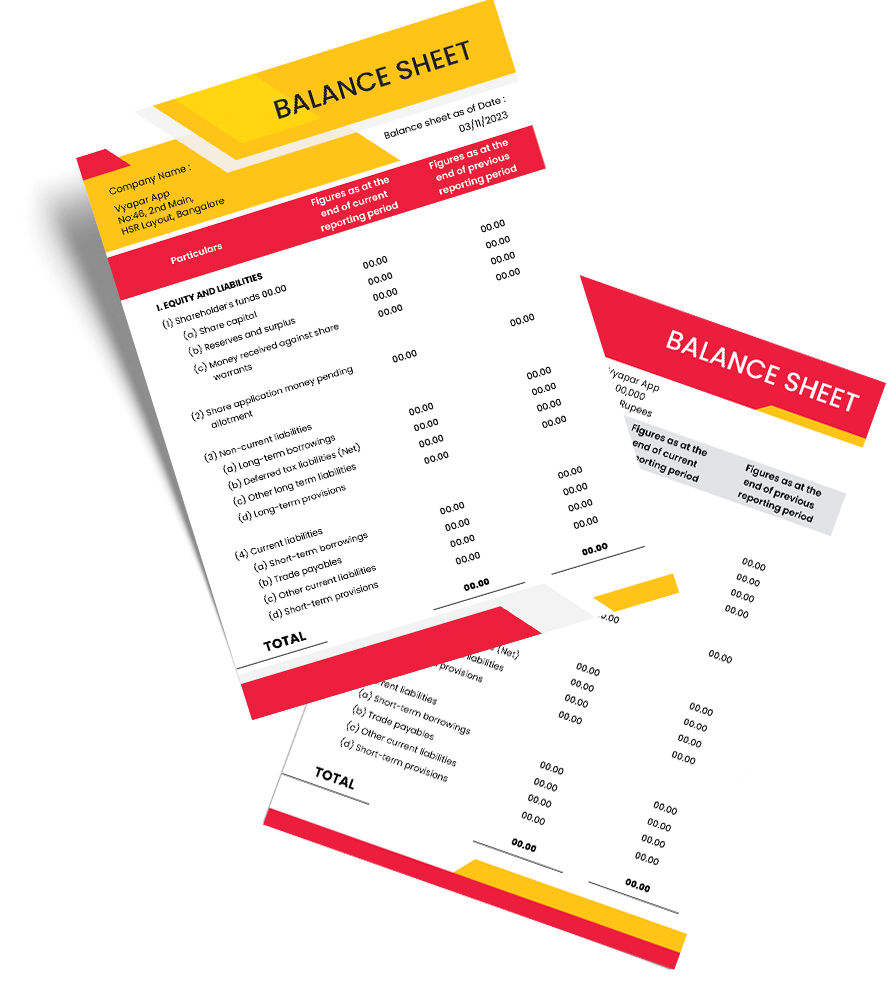
Download Free Tally Balance Sheet Format

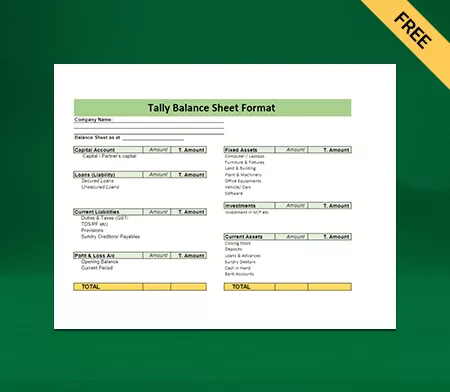
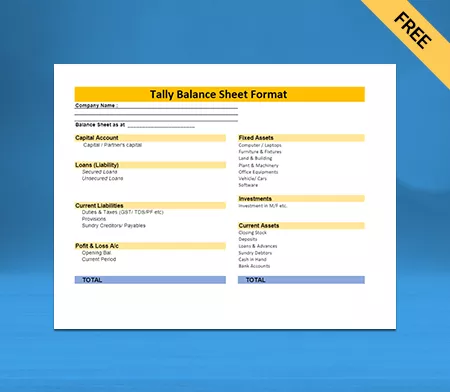
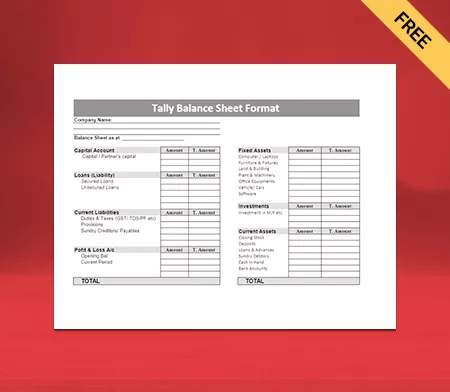
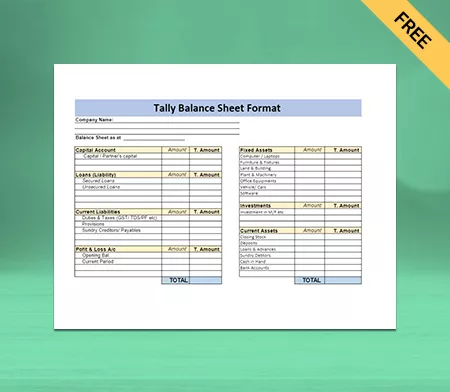
Download Free Tally Balance Sheet Formats, and make customization according to your requirements at zero cost.

Customize Invoice with Tally Balance Sheet Format

Customize Invoices

Download Tally Balance Sheet Format Type I

Tally Balance Sheet Format Type I

Download Tally Balance Sheet Format Type II

Tally Balance Sheet Format Type II

Download Tally Balance Sheet Format Type III

Tally Balance Sheet Format Type III

Download Tally Balance Sheet Format Type IV

Tally Balance Sheet Format Type IV

Generate Invoice Online

Generate Invoice Online

What is a Balance Sheet Format?

Balance is a financial statement that contains the details of assets, liabilities, and owner’s equity and reveals the organisation’s accurate and fair financial position for a given date. The balance sheet is one of the three financial statements used to determine whether a business is prosperous.

Vyapar’s Tally balance sheet format makes it easier to create balance sheets for your business and includes everything you need seamlessly. It provides an overview of the company’s finances, of what it owns and owes, on the date of publication.

What is the Purpose Of a Balance Sheet?

Purpose Of a Balance Sheet

A balance sheet discloses every transaction of the organisation since its establishment and is a mirror image of the company’s financial health. It is prepared to overview the total investment made in the company and how much liabilities have accumulated for payments. Tally balance sheets gives you the chance to analyse if you have enough assets to pay the liabilities and upcoming costs.

You can use the data and information available on the tally balance sheets to calculate critical financial ratios like debt-equity ratio, current ratio, and many more. A user can understand the change in the company’s financial condition over a period by comparing the balance sheet of the current and previous year. It states if the company is growing positively or has stagnant or negative growth.

What are the Components of a Balance Sheet?

A company’s assets are usually of two types as per the ability to convert it into cash: Current Assets and Non-Current Assets. Every company has debts, even the profitable ones, and they are called liabilities in terms of the balance sheet. There are two types of liabilities: Current and Long-Term Liabilities.

Tally balance sheet formula is the basic formula of Equity = Assets – Liabilities to determine the equity. The owner’s equity or net worth includes money invested by the owner and profits minus token money and other debts.

Create your first balance sheet with our free balance sheet Generator

Benefits of Using Tally Balance Sheet Format by Vyapar app:

Using a balance sheet can help you in various ways, such as, It saves your time, keeping your accounting details in one place, and creating personalised invoices with business logos, fonts, and themes.

Benefits of Using Tally Balance Sheet Format | Saves time & efforts

Saves Time and Efforts

The manual process is time-consuming and increases the likelihood of errors and mistakes in calculations. You can avoid this problem by opting for the tally balance sheet format by the Vyapar app, and it automatically performs all calculations correctly. Time is a crucial component for any business, and using the best tally format balance sheet can save a lot.

Benefits of Using Tally Balance Sheet Format | Reduce operating costs

Reduces Operating Costs

You don’t need to hire many employees to use the Vyapar app for making balance sheets, and any employee can handle it to avoid mistakes. The records are updated in the app automatically, which reduces operating costs by eliminating outstanding bookkeeping. It also reduces expenses associated with printing and distribution as all data is stored digitally in your device and backup location.

Benefits of Using Tally Balance Sheet Format | Increase data accuracy

Increases Data Accuracy

The tally balance sheet maker app reduces human error during computation or data entry. You can categorise the transactions and swiftly keep track of cash flow. It ensures that all documents are readily available at tax filing and reminds you to collect debts and pay dues. The user can rely on the information as it is automated and accurate.

Benefits of Using Tally Balance Sheet Format | Decision Making

Helps in Decision Making

It is challenging to multitask between an organisation’s finances and manage everything else. The Vyapar app can provide detailed reports on your company’s processes, and a user can get a clear picture of costs and revenue at any time. It will automatically update the data when you edit a deal or price, so you can take necessary action on it and make relevant decisions.

Benefits of Using Tally Balance Sheet Format | Computerized Invoicing

Computerized Invoicing

The multiple invoice themes of our tally balance sheet maker app allow you to develop customised invoices, making you look professional to your clients. You can also get up-to-date reports on customer payments and can get paid directly to your bank account through UPI. It generates automated payment reminders, and you can send them to your customers; thus, no worries about delayed payment issues.

Features of The Tally Balance Sheet Format by The Vyapar

The best tally balance sheet format by Vyapar gives a snapshot of the financial health of your business, and you can understand the relationship between different accounts. It provides insights into your business liquidity, efficiency, and leverage. Also, a good balance sheet maker app is compatible with multiple payment options like cash, cheque, QR, UPI, NEFT, IMPS, debit/credit card, and much more.

Features of The Tally Balance Sheet Format | Accounting Management

Accounting Management:

Using the Vyapar App, you can create multiple companies and compare your business’s current assets to its current liabilities. A user can measure how efficiently their business uses its assets and shows a clear picture of the company’s liquidity. It’s easier to understand how much leverage your business has and whether you can meet your short term obligations, and you can use that leverage to generate more revenue. Creating quotes for your organisation is easier with the help of the best balance sheet format, and you can efficiently manage your business.

Data Safety and Security:

The GST tally balance sheet maker app by Vyapar protects user privacy. Your data stay safe in an encrypted format on your device. Vyapar never shares Google’s authentication data with anyone, and no other person can have access to the information. The app will only use your data for login security, data encryption, and backups and updates. The backup and updates will let you continue your work from where you left in case of server failure. You can also make your backup by saving data in an Excel Spreadsheet or PDF format.

Features of The Tally Balance Sheet Format | Data Saftey & Security
Features of The Tally Balance Sheet Format | Eliminate Human Error

Eliminate Human Error:

The effect of an error can be fatal, and it is vital to choose the right business balance sheet software to avoid mistakes. The device you use to manage your company can process data much more quickly than humans, saving the organisation’s time. Automation speeds up the process, and eliminating human error saves more time. You can easily export and import data from other compatible software. Vyapar tally balance sheet formats offer an easy to use user interface. Also, it generates reminders to collect payments and repay dues to help reduce future disputes.

Tally makes Business Easy:

One of the features of Vyapar includes data export to the Tally. You can easily copy all your data software directly from the device you are using. You can find the “export to Tally” option in the utility section under the main menu. You can export transactions related to sales, credit notes, purchases, and debit notes. You can even filter the selection and choose specific entries to export. You can also export the balance sheets created using the Vyapar app and analyse your business activities.

Features of The Tally Balance Sheet Format | tally makes Business Easy
Features of The Tally Balance Sheet Format | Assists in GST Filing

Assists in GST Filing:

Using the tally balance sheet software with GST, a user can ensure that all bills are accounted for before filing taxes. Filing GST is not a long process for the Vyapar app users, as the app itself accounts for all the transactions. If it applies to your business, you can generate GST reports like GSTR1, GSTR2, GSTR3, GSTR4, and GSTR9. You can avoid penalties by complying with the relevant goods and service tax law for business. Also, you can file GST seamlessly without any extra help, which saves time and reduces cost.

Generating Reports:

After creating invoices, you can use the collected data to create a tally balance sheet and sales or purchase reports quickly to analyse different metrics of the growth of your business. You can create 37+ business reports like inventory reports to identify product demand and focus on keeping stock of them in-store. A tax statement can help you in filing taxes and GST seamlessly. Also, you can eliminate lots of manual work and save time for your employees, and you don’t need to hire employees to save costs.

Features of The Tally Balance Sheet Format | Generating Reports

Frequently Asked Questions (FAQs’)

Who uses a balance sheet format?

Anyone interested in understanding the business’s financial health, including existing and potential investors, competitors, company management, and government agencies, can use tally balance sheet formats by the Vyapar app.

What is the significance of the balance sheet?

When combined with other financial statements, the balance sheet is essential for liquidity, leverage, efficiency, and rate of returns.

Can I upload Tally data into the Vyapar App?

Not yet! We might implement this feature in future. For now, you can export the data from the Vyapar App to Tally if your accounting requires this action.

Why do we prepare a tally balance sheet format?

A good tally balance sheet format helps describe an organisation’s financial health insightfully and professionally. It reveals the liabilities and assets to the interested parties, thereby giving an idea of the shareholders’ equity at any point in time.

Can I export party details from the existing company to the new company in Vyapar App?

Yes! You can export all-party reports from the reports section & then go to the new companies utility & download the sample file & make sure your party details are fed based on the sample file, select the new file, and restore it.

What is the benefit of Vyapar’s balance sheet over format Tally?

Vyapar’s balance sheet offers several advantages over Tally. Vyapar app is user-friendly software and doesn’t require in-depth accounting knowledge. It provides high-quality invoices and accounting reports on GST, making accounting effortless for anyone.

Vyapar’s balance sheet format can save time by eliminating the need for subsidiary companies to prepare separate financial statements. It also allows you to export data to Tally with just a few clicks. Vyapar comes with an easy-to-use UI  at a lower cost, making it affordable for businesses of all sizes.

On the other hand, Tally is an accounting application that generates financial information but does not perform double-entry accounting. Therefore, Vyapar’s balance sheet can be more beneficial for businesses. You can fully customise the balance sheet formats by Vyapar to meet the specific needs of your business.

Can I export Tally Balance Sheets from Vyapar App in different file formats?

Yes. You can export Tally Balance Sheets from Vyapar App in different file formats. Vyapar provides the flexibility to create balance sheets and export them in Word Docs, Sheets, Excel, and PDF formats.

Multiple file formats make it easier to create balance sheets for your specific business needs and help include everything you need effortlessly. Once you have finalised the design for the balance sheet format, the Vyapar app will help create them using your business data within minutes.

Using a professional accounting tool for balance sheets makes it easier to provide an overview of the company’s finances. You can check what your business owns and owes. It aligns with the traditional balance sheet maintenance methods and adds a professional touch to your business.

You can visit the UAE site to view content specific to your location

How Useful is Vyapar for Your Business?

Click on a star to rate it!