Rent Invoice formats

Rent Invoice Format

Get the best invoice format for your rental needs. Download the rent invoice template by Vyapar and customise it to bill your tenants. You can use the Vyapar invoice generator to manage all rental properties in one place. Get your 7-day free trial today!

  • ⚡️ Create professional invoices with Vyapar in 30 seconds
  • ⚡ Share Invoices automatically on WhatsApp and SMS
  • ⚡️ Connect with your parties through reminders, greetings, business cards and more
Free Bill Invoice Format in Excel

Highlights of Rent Invoice Templates

We’ve put in a lot of effort to make sure you get the best template possible

All versions are print friendly

Built From scratch

Include essential invoice elements

Automatically calculate subtotal & grand total amount

Consistently formatted

Free Professional Rent Invoice Formats

Download professional free rent invoice formats, and make customization according to your requirements at zero cost.
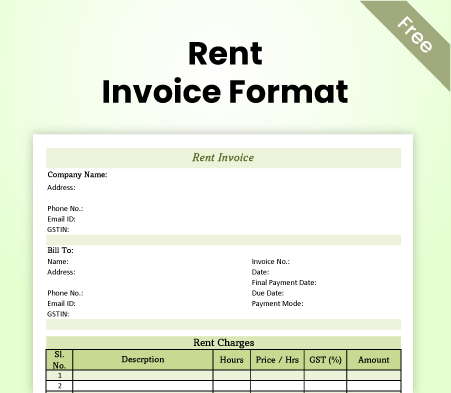
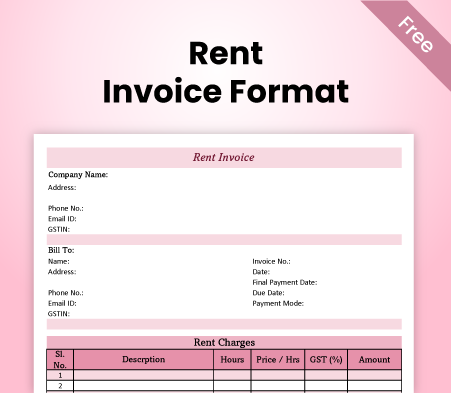
Rent Invoice Format - 1

Rent Invoice Format – 1

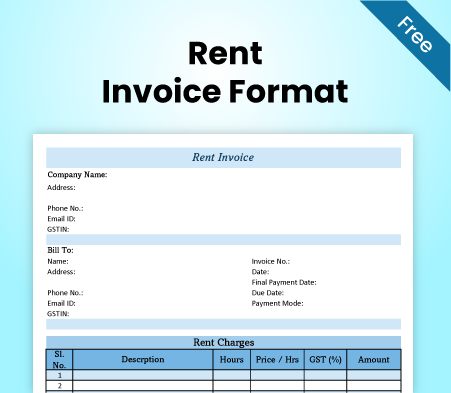
Rent Invoice Format - 2

Rent Invoice Format – 2

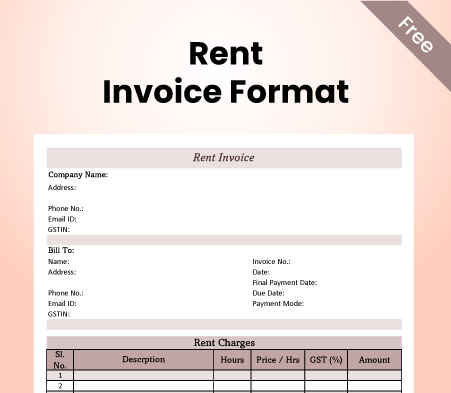
Rent Invoice Format - 3

Rent Invoice Format – 3

Rent Invoice Format - 4

Rent Invoice Format – 4

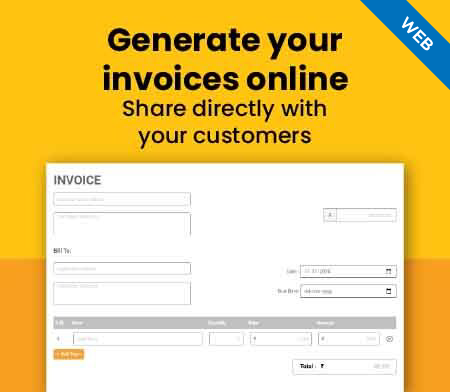
Generate Invoice Online

Generate Invoice Online

What Is A Rent Invoice Format?

What Is A Rent Invoice Format?

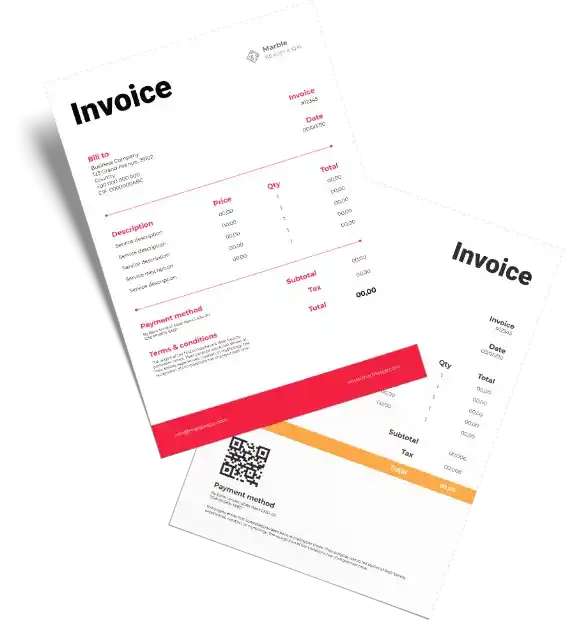
A rent invoice format presents the information and details of a rent payment clearly and consistently. It helps the landlord and the tenant keep track of the rent payments, avoid disputes later, and comply with the legal requirements. A rent invoice format typically includes the following elements:

  • Name, address, and contact details of the property owner and tenant.
  • Property address and description with details of the rental term.
  • Invoice date, payment due date, and invoice number.
  • Rent amount, taxes, and other charges.
  • Payment methods and terms of rental agreement.
  • Signature of the landlord or property managers.

The Vyapar app lets you easily make and personalise your rent invoice. The Vyapar app is a free and easy invoicing software that helps you create professional rental invoices. You can choose a free rental invoice template by Vyapar in PDF, MS Excel, MS Word, Google Sheets, and Google Docs formats.

You can also monitor and handle your rent payments, send alerts and reminders, get paid online, and generate insights and reports using the Vyapar app.

Professional Rent Invoice Format

A rent invoice is a document that records the rent payment or due payment of rent for a property. It is issued by the landlord to the tenant, usually every month, to request or acknowledge the rent payment. A rental invoice is important for landlords and tenants, as it is proof of payment collection, a legal document, and a tax record.

Using the Vyapar app, you can easily create invoices and manage them for free. The Vyapar app is the best invoicing app for creating professional and customised rent invoices. It will help you offer a smooth rental experience to your tenants.

You can also track and manage your payment information, send reminders and notifications, receive payments online, generate reports and insights, and more. The Vyapar app is designed to make your rent invoicing hassle-free and convenient.

What Should Be Included In A Rent Invoice Format?
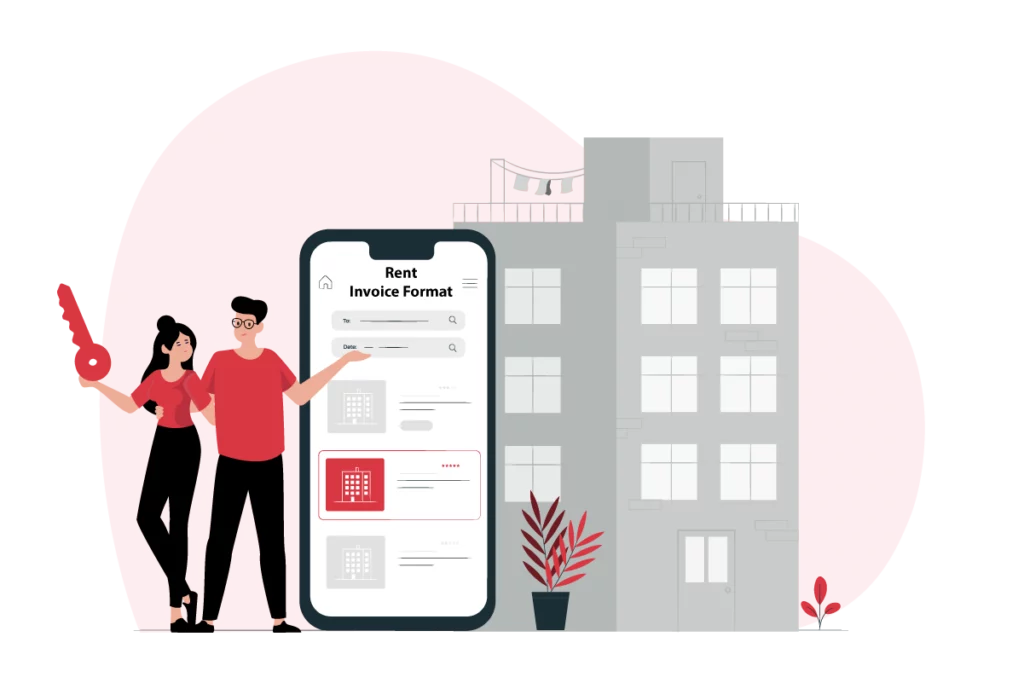
What Should Be Included In A Rent Invoice Format?

A rent invoice template should contain all the essential information relevant to the rent payment and the rental agreement. This information helps the landlord and tenant track rent payments, avoid possible disputes, and comply with legal and tax requirements.

By including every basic detail in your rent invoice format, you can ensure that your rent invoice is clear, accurate, and complete. You can also avoid confusion, misunderstanding, or conflict with your landlord or tenant.

Moreover, you can also maintain a record of your rent payment information using professional rent invoicing software. It will help you comply with all legal and tax requirements.

Here is a list of things you should include in your rent invoice format to generate a professional invoice for your tenants:

1. Landlord’s Name, Address, And Contact Details:

It is important to have details of the person or entity who owns the property and is entitled to receive the rent payment. If you have a rental business, include the details of your business entity, like address and GSTIN. It provides the tenant with the contact information of the landlord or property manager in case of any queries or issues.

2. Tenant’s Name, Address, And Contact Details:

The person or entity who rents the property is responsible for paying the rent. Including the details helps keep records and provides the landlord with the tenant’s contact information.

3. Property Address And Description:

The location and the features of the rented property should be mentioned to ensure clarity between both parties. The property’s type, size, condition, and amenities can be included. It also helps to distinguish the property from similar properties in the area.

4. Invoice Date, Due Date, And Number:

Including the dates help identify when the invoice was issued for future reference. The landlord can track rent payments and avoid collection delays by including the due date. The unique invoice number helps find it in the records faster, track rent payment information, avoid late fees, and prevent duplicate invoices.

5. Rent Amount, Utility Charges, Late Fees, And Other Costs:

To clarify the overall charges, specify the breakdown of the total amount the tenant owes to the landlord for the rental period. It can include the rent amount, the utility charges (such as water, electricity, gas, etc.), the late fees (if any), and any other charges (such as maintenance, security, parking, etc.) that are agreed upon in the rental agreement.

6. Payment Information And Terms:

Keeping the terms of the rental agreement clear is important as it helps avoid legal issues in future; it helps specify the mode, payment method, and frequency of the rent (monthly/quarterly/yearly), as well as the terms and conditions that govern the rent payment. It can include details about the penalty for late payment, the grace period, the refund policy, and the termination clause of the rental agreement.

7. Signature Of The Authorised Person:

The signature confirms the authenticity and validity of the rent invoice. It also signifies the acceptance and acknowledgement of the rent payment by the landlord or the legal owner of the property.

Create A Rent Invoice Using The Vyapar App

Creating a rent invoice using the Vyapar app is very easy and quick. You can create a professional and customised rent invoice in minutes by following these simple steps:

  • Download and install the invoice generator app by Vyapar on your mobile or desktop device. You can get the app from the Google Play Store or the Vyapar website.
  • Register and log in to your Vyapar account. You can use your email, phone number, or Google account to sign up.
  • Now, create a new invoice using the app. Fill in the required information for your rent invoice, such as the contact details of landlord and tenant, details of the property, invoice date, the amount due, due date, number, rental amount, available payment methods and terms, signature, terms of agreement and other details. 
  • Select the rent invoice template of your choice. Customise the invoice design, colour, and logo as per your preference. You can also upload your logo to the invoice.
  • Preview and save the invoice. You can also edit or delete the invoice if you want to make any changes. Once satisfied with your invoice, you can save it on your device and sync it to Google Drive to keep a backup.

Following the steps above, you can create invoices using the Vyapar app. Once created, you can send and share your rental invoice with your tenant via WhatsApp, email, or print.

Further, if you own a rental business, you can track and manage all rent payments, set reminders and notifications, receive payments online, and generate reports and insights using the Vyapar app. The Vyapar app is the best invoicing software for managing rental properties.

Create your first GST quotation with our free Quotation Generator

Manage And Track Rent Invoices Using The Vyapar App

The rent invoicing app by Vyapar not only helps you create rent invoices but also helps you manage and track them. You can easily view and edit your invoices anytime and anywhere, send and share them with your tenants, set reminders and notifications, receive payments online, generate reports and insights, and more.

The Vyapar app is the ultimate rent invoicing solution for property owners and tenants. The professional rent management app provides the best tools to manage and track your rent invoices. It helps save time, money, and effort. It also enables you to avoid errors, disputes, and delays. It also allows you to comply with the legal and tax requirements. 

Here are some of the ways you can manage and track your rent invoices using the Vyapar app:

1. View And Edit Your Invoices:

Access your invoice list from the Invoices section of the Vyapar app. You can see the status of each invoice, such as pending, paid, overdue, cancelled, etc. You can filter and sort your invoices by date, number, amount, client, etc.

Tap on any invoice to view its details, edit, delete, or duplicate it. You can also add notes or attachments to your invoices if needed. Further, you can use free rental invoice templates by Vyapar to change the entire look of your rent invoices.
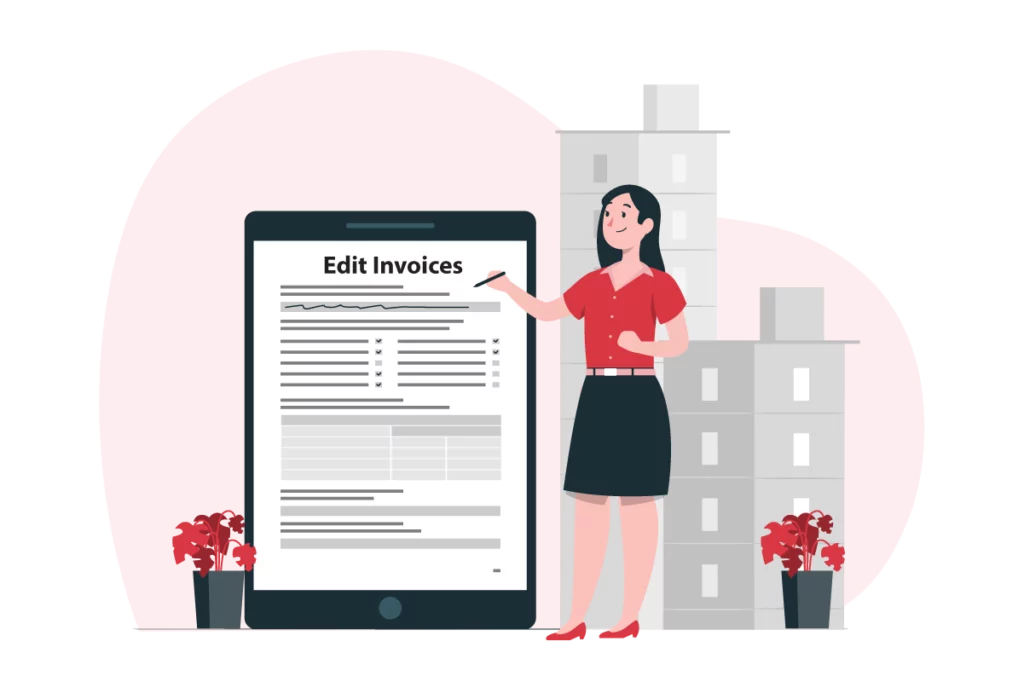

1. View And Edit Your Invoices:
2. Send And Share Your Invoices:

2. Send And Share Your Invoices:

You can send and share your invoices with your tenants via WhatsApp, email, or print. Choose the format of your rental invoice, such as PDF, MS Excel, MS Word, Google Sheets, Google Docs, etc.

Further, you can customise the message that accompanies your invoice. It enables the auto-send feature to send your invoices automatically regularly, such as monthly, quarterly, yearly, etc.

3. Set Reminders And Notifications:

You can set reminders and notifications to remind you when the rent is due or if you have overdue invoices. Choose the frequency and the mode of the reminders, such as SMS, email, WhatsApp, etc.

Also, make sure to customise the message and the tone of the reminders, such as polite, firm, urgent, etc. You can also enable the auto-reminder feature to send reminders automatically to your tenants.
3. Set Reminders And Notifications:
4. Receive Payments Online:

4. Receive Payments Online:

Collect payments directly to your bank account via UPI using the Vyapar app. You can generate and share your UPI QR code in the invoice with your tenants and request them to scan and pay. Also, use the Vyapar app to record and track offline payments, such as cheques and cash.

Add your bank account details or payment gateway to the rent invoice format to enable more payment options and receive payments via NEFT, IMPS, and RTGS. Further, you can allow credit cards, debit cards, and other payment methods.

5. Generate Reports And Insights:

Generate and export reports and insights on your income and expenses, profit and loss, GST, etc., using the Vyapar app. You can choose the report type and period, such as monthly, quarterly, yearly, etc. 

To make the accounting process effortless for your team, you can share your reports with your accountant, auditor, or tax consultant. Filter and sort the report information by date, invoice number, amount, client, etc. Also, view graphs and charts that show the trends and patterns of all rent payments across properties. 

5. Generate Reports And Insights:

Tips And Best Practices For Rental Invoicing

Rent invoicing can be tedious and complicated, especially with multiple properties and tenants. However, following some tips and best practices can make your rent invoicing easier and more efficient.

Here are some of the tips and best practices for rent invoicing:

1. Use A Professional Format For Your Rent Invoices:

Use a clear and consistent format for your rent invoices so that they are easy to read and understand. Add recurring details and save them to make your custom rent invoice format. You can use the same template, layout, font, colour, and logo for all your rent invoices. 

Use the same date format, currency, and language for all your rental invoices. It will help you avoid confusion, misunderstanding, or error when you manage multiple properties using one app.

1. Use A Professional Format For Your Rent Invoices:
2. Include All Relevant Details And Avoid Errors:

2. Include All Relevant Details And Avoid Errors:

Ensure that you have included all the relevant details in your rent invoice, such as the details of both tenant and landlord, invoice number and date, payment due date, rent amount with all charges, payment instructions, and rental terms.

To avoid disputes with tenants, prevent errors or omissions in your rent invoice, such as spelling mistakes, wrong calculations, missing information, etc. Using a professional rent invoice format will help you ensure that your rent invoice is accurate and complete and that you comply with the legal and tax requirements.

3. Send Your Invoices And Follow Up With Tenants:

Always send your invoices on time and follow up with your tenants so that you can receive your rent payments on time. Send your rent invoices at least a week before the due date and remind your tenants with a follow-up. Provide multiple payment methods to help avoid payment delays, as it allows your tenant to pay you with their preferred payment mode.

Show gratitude towards your tenants with a thank you note or a receipt after receiving the payment. Follow up with your tenants if the rent is due and your tenant has missed the due date or made a partial payment. Contact your tenants if there are any changes or issues with the rent payment, such as a rent increase, a maintenance charge, a dispute, etc.


3. Send Your Invoices And Follow Up With Tenants:
4. Maintain A Record Of Your Rent Invoices And Payments:

4. Maintain A Record Of Your Rent Invoices And Payments:

Keep a record of your rent invoices and payments to keep track of rent payments for all properties, avoid disputes with tenants, and ensure compliance with the legal requirements.

Using the rent management app by Vyapar, create regular backups in Google Drive. You should organise your invoices and payments by date, number, amount, client, etc. You can regularly review and update your invoices and payments and reconcile them with your bank statements and receipts.

5. Seek Professional Advice To Clear Doubts Or Queries:

Always seek professional advice if you have any doubts or queries about your rent invoicing, such as the legal and tax implications, the accounting and bookkeeping methods, the dispute resolution procedures, etc.

You can consult a lawyer, an accountant, a tax consultant, or a mediator, depending on the nature and severity of your doubt or query. You should follow their advice and recommendations. It will help you avoid legal or financial trouble and help resolve any conflict or issue.
5. Seek Professional Advice To Clear Doubts Or Queries:

Frequently Asked Questions (FAQs’)

What Is A Rent Invoice?

A rent invoice helps record the payment or due payment of rent. It is issued by the property owner to the tenant, usually monthly. A rent invoice is created to request or acknowledge the rent payment. It is useful for landlords and tenants, as it serves as legal proof of rental expense and helps maintain tax records.

How Do You Write A Rent Invoice?

You can write a rent invoice using a free template or professional billing software by Vyapar. Utilising a rent invoicing app can help make fully customisable rent invoices within minutes.

To write a rent invoice using the Vyapar app, you need to follow these steps:

1. Download and install the Vyapar app on your mobile or desktop device.
2. Register and log in to your Vyapar account.
3. Create a new invoice and fill in the required information.
4. Select the rent invoice template as per your preference.
5. Preview and save the rent invoice.

How Do I Issue An Invoice For Rent?

You can issue an invoice by creating a rent invoice from scratch or creating a rent invoice using a professional invoicing app by Vyapar. To issue an invoice for rent using the Vyapar app, create invoices and share them with your tenant via WhatsApp, email, or print.

How Do I Make A Rental Bill?

You can make a rental bill within minutes using the Vyapar app. Vyapar is a simple invoicing software that helps you create and manage rent bills for your properties.

To make rental bills using the Vyapar app, you need to follow these steps:

1. Start with creating a new rental bill using the Vyapar app.
2. Add a description of the property with rental costs, including charges like utility, late fees, or others.
3. Include details of your rental agreement and the duration of the rental term.
4. List down the termination clause and tenure terms of the rental agreement with any additional notes.
5. Save your rental bill; it is ready to be shared with the tenants.

How Do I Create A Rent Invoice In GST?

You can create invoices with GST within minutes using the Vyapar app for your rental properties. The rental invoicing app by Vyapar helps you keep your GST compliance in check when you create rent invoices for your properties. Further, you can apply applicable tax rates on any other service you provide and rental property.

You can visit the UAE site to view content specific to your location

How Useful is Vyapar for Your Business?

Click on a star to rate it!


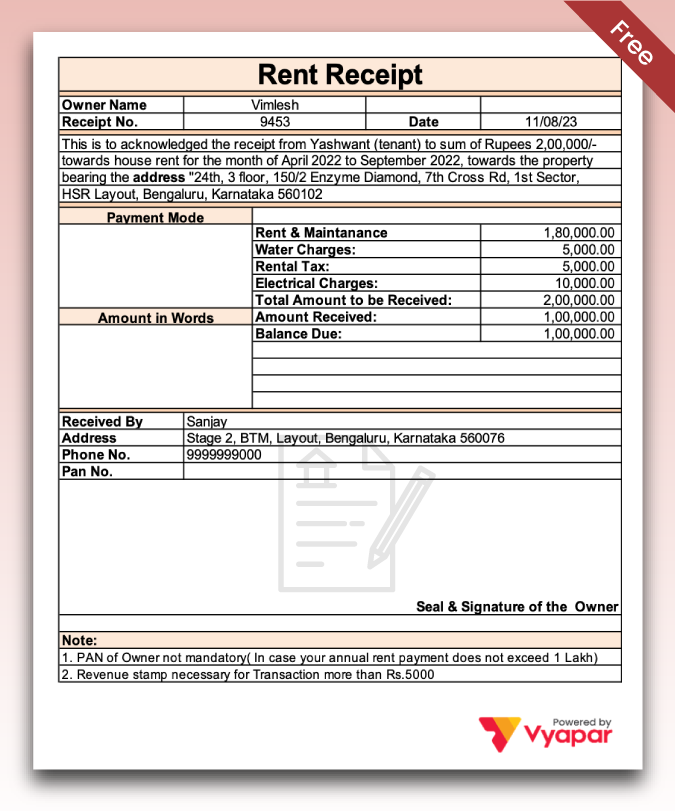
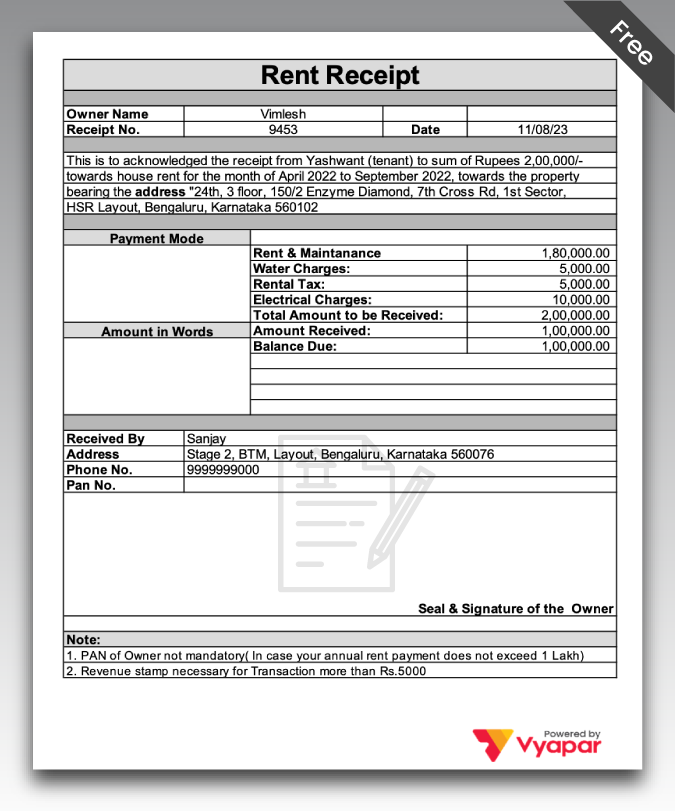
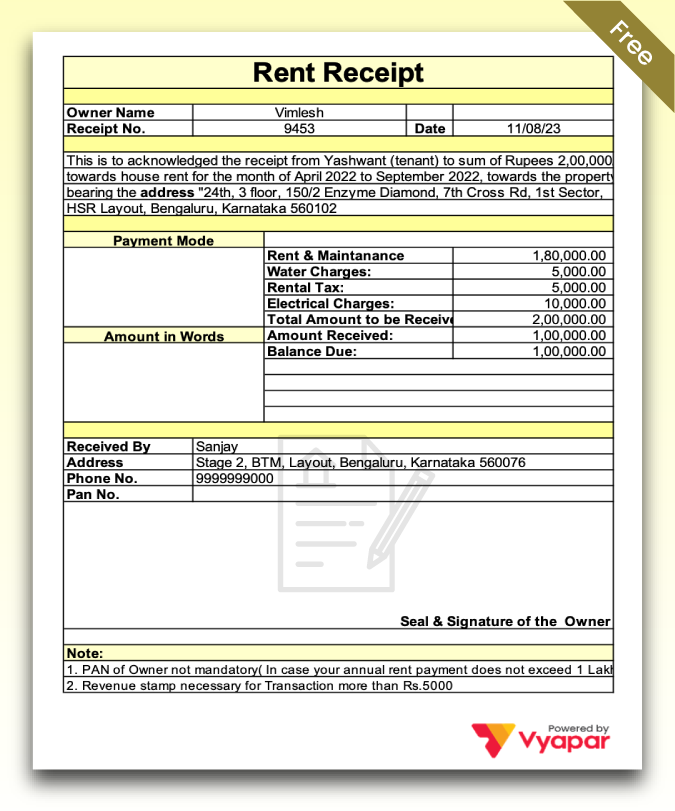
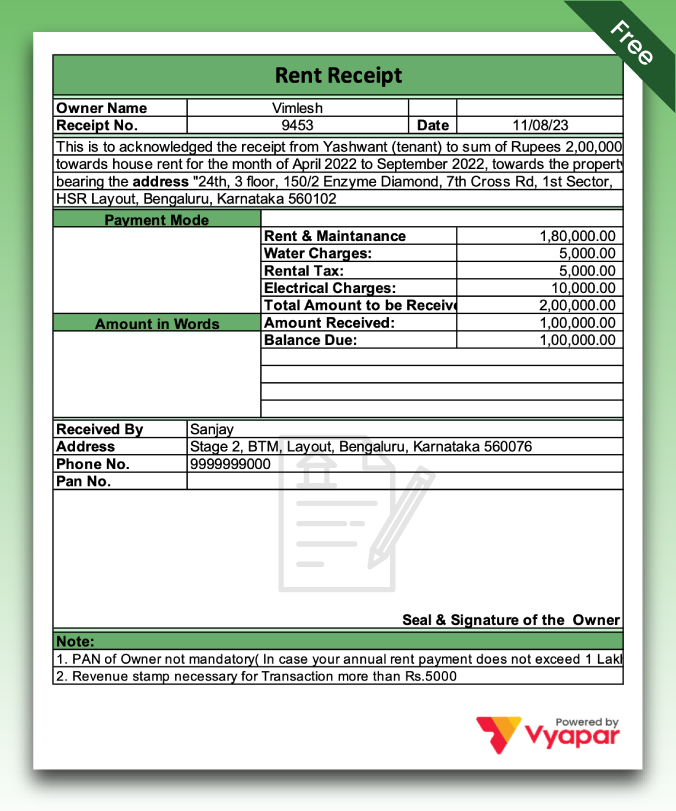
Rent Receipt Format | Vyapar App

Professional Rent Receipt Format

Download a professional Rent Receipt Template for tenants to simplify your billing, inventory, and accounting processes with the Vyapar App. Make your business grow effortlessly. Try it out for a full week – no charge!

Rent Receipt Format
Rent Receipt Format

Download Free Customizable Rent Receipt Format In Excel, G-sheet, and Doc

Highlights of Rent Receipt Format

We’ve put in a lot of effort to make sure you get the best template possible

All versions are print-friendly

Built from scratch

Include essential invoice elements

Automatically calculate subtotal & grand total amount

Consistently formatted

What is the Rent Receipt Format?

The Rent Receipt Format is ideal for individuals looking to shift to metropolitan cities for employment. To facilitate the process of availing the House Rent Allowance (HRA), your HR and accounting departments will request the rent receipt.

As an employee seeking HRA, it is vital to furnish the rent receipt as proof to your employer. Once the rent receipt is verified, your employer may grant deductions and allowances.

Typically, employees request 3-4 months’ worth of rent receipts, as these serve as documentation for the HRA allowance. Streamline this process by effortlessly generating the Rent Slip Format using Vyapar billing software, ensuring all necessary details are automatically included.

What to Include in a Rent Receipt Format?

Crafting a rent receipt requires meticulous attention, as it serves as vital evidence for your Home Rent Allowances from your employers. The following details should be carefully incorporated into your Rent Receipt Format:

  • Tenant’s Name
  • Amount to be paid
  • Landlord Name
  • Rental period
  • Date of payment
  • Address of the rented house
  • Signature of landlord or manager

Additionally, consider including the following essential details on the rent receipt:

  • PAN (while not mandatory, it is advisable in case your annual rent payment exceeds 1 Lakh)
  • Revenue stamp (required if the payment margin exceeds INR 5,000 in cash)
  • Method of payment (cash, credit card, money order, cashier’s check)
  • Details of services and other essential fees (convenience fees, security deposits, utilities, etc.)

Why is a Rent Receipt Necessary For Claiming the HRA Benefit?

To qualify for the House Rent Allowance (HRA), employees are required to furnish a rent receipt to their employers, especially when the monthly rental payment exceeds INR 3,000. This document is instrumental in substantiating eligibility for HRA.

In the current regulatory landscape, including the PAN details of the landlord in the rent receipt has become mandatory. If your landlord lacks a PAN card, you can use an undertaking form, acquire Form 60, and obtain your landlord’s signature.

In situations where individuals pay a higher rent than the amount specified in the rent receipt, there’s a risk of overpayment for the rented house. Employers might calculate the HRA based on the rent receipt amount, neglecting any excess payment made.

When an individual resides with their parents and pays rent to them, it is essential to collect a rent receipt, accompanied by a rent agreement. This documentation should be submitted to the employer. If parents are eligible for Income Tax Return (ITR), they are obligated to declare the rental income in their ITR.

For employees who own a house but live in a different city, the rent receipt becomes crucial for claiming HRA benefits. Additionally, they can seek Income Tax Return (ITR) tax deduction benefits against the interest and principal payments on the home loan.

What are the Advantages of Claiming HRA While Staying with Family?

There are certain benefits given below while you are living with your family:

Guaranteed Tax Savings as a Family: If you reside in your parent’s house and pay rent, presenting the rent receipt to your employer with all essential details allows you to claim Home Rent Allowances (HRA). The Vyapar app offers user-friendly rent receipt formats in PDF, Word, and Excel.

Property Tax Deduction on Your Parent’s Property: While staying with your parents, you can qualify for HRA under specific rules. The rent receipt not only facilitates HRA benefits but also provides advantages on their property tax. This includes a 30% tax deduction on property tax, resulting in a mutually beneficial situation for both you and your parents. Ensure accurate details in the legal rent receipts and property tax deduction papers.

Claim HRA While Paying Home Loan EMI: Utilize the rent receipt to claim HRA tax benefits while paying the EMI on a home loan. This is applicable if your permanent residence is different from your city of employment. If your family falls outside any tax slab, significant tax savings can be achieved. For homeowners in the same city of employment, proper legal documentation is essential for HRA tax exemption. Create your rent receipt format effortlessly with the Vyapar rent receipt maker app to secure substantial tax exemptions, especially if you are over 60.

Which Documents Are Required to Claim HRA While Residing with Parents?

To claim your HRA while staying with your parents, certain essential documents are necessary:

Rent Receipt and Rental Agreement: You may be required to submit the rent receipt and a rental agreement delineating the terms between you and your parents. In many instances, your employer might request a copy of the rental agreement and a rent receipt to facilitate HRA exemption. It’s important to note that a single rent agreement with your parents is not permissible.

Rent Receipt Format Preparation: Utilize the Vyapar app to effortlessly prepare your rent slip format in PDF, Word, and Excel formats. These documents can then be submitted to your payroll or HR department. Additionally, they can be easily downloaded and shared on digital platforms such as WhatsApp and Gmail.

Organized Record Keeping: To ensure eligibility for HRA, it is crucial to organize and maintain your rent receipt on both your Android device and personal computer. This organized record-keeping will facilitate the HRA claim process.

Important Considerations for HRA Deduction

Free Download Rent Receipt Format
  • When calculating HRA in India, it’s crucial to note that cities like Delhi, Mumbai, Kolkata, and Chennai are considered metropolitan areas. Your eligibility for HRA may vary depending on your employment location; you might not fall under the category of metro cities in other employment locations.
  • If your employer includes HRA as part of your salary, claiming HRA may not be possible unless you reside in a rented accommodation, meeting the original conditions for HRA eligibility.
  • You can only claim a portion of the HRA for tax exemption. The eligible amount is determined by subtracting 10 percent of your basic salary from the lowest annual rent paid. The employer’s claimable HRA ranges from 40 to 50 percent of your salary, depending on your location.
  • Even if you live with your parents, you may still be eligible to claim HRA. However, you must provide proof of rent payment, such as a rental receipt or bank transaction. The condition is that your parents need to declare this in their Income Tax Return (ITR).
  • Paying rent to your spouse does not make you eligible for an HRA deduction.
  • If your annual rent exceeds Rs. 100,000, you’ll need to submit your landlord’s PAN copy along with the rent receipt. In cases where the landlord does not have a PAN card, a signed declaration may be required.

Why is the Vyapar App a superior choice over traditional rent receipt formats?

Free Vyapar Rent Receipt Format

Business/Accounting Management: The Vyapar rent receipt maker app stands out by offering simultaneous management of both single and chain stores, eliminating the need for separate registrations for registered and unregistered business platforms. With access across single and multiple devices, it provides non-GST and GST invoices, facilitating seamless transactions through various payment modes. Vyapar allows the creation of multiple companies and up to five real-time firms within a company, coupled with a business dashboard for real-time updates on smartphones and personal computers. All these features are available at an affordable annual package compared to other platforms, with many essential business tools provided free of charge.

Seamless Party Management: Vyapar’s accounting software allows comprehensive party management, including email, phone number, registered address, shipping address, and GST number customization. Additional fields for PAN, registration, and DOB can be incorporated, along with the ability to add and assign party groups within the rent receipt maker app. With the trust of over 5 million small business owners, Vyapar manages party opening balances, receivables, and payables in both online and offline modes. The app includes payment reminders for receivable parties and supports party-to-party payment transfers through various online and offline modes.

Get Essential Reports: Vyapar’s rent receipt maker app offers multiple transaction reports such as sales, purchases, payments, other income, and expenses, along with party reports and bank statements. Business reports include the daybook, sale aging, balance sheet, profit and loss report, and item-wise profit and loss report. The user-friendly design makes Vyapar suitable for all age groups, providing simplicity and ease of adaptation. The app enhances your business platform, making it smoother and faster.

Use Multiple Themes: Vyapar provides multiple themes for the Rent Receipt Template in PDF, Word, and Excel formats, including two thermal invoice themes and twelve regular invoice themes. These customizable themes enhance the visual appeal of your business, making it more inclusive. Vyapar serves as an excellent rent receipt generator for HRA allowances, offering multiple theme options for thermal and regular printers. The user-friendly customization allows users to enable or disable information as per their preferences.

List Tax and Discounts: Vyapar’s rent receipt maker app allows item and transaction-wise tax and discount options, facilitating the creation and payment of rent receipts using the free invoicing software. Users can manage inclusive and exclusive taxes for added items, modify tax rates and groups, and implement management discounts. The app enables easy tracking of invoice status and allows users to set due dates for customers.

In summary, Vyapar not only simplifies the rent receipt creation process but also provides a comprehensive business management solution with its diverse features and affordable pricing.

Are you a Business Owner?

Take your business to the next level with Vyapar! Try free for 7 days

Try our Android App (FREE for lifetime)

Frequently Asked Questions (FAQs’)

What is the Rent Receipt?

As an employee applying for House Rent Allowance (HRA), it is mandatory to provide a rent receipt as evidence to the employer. Upon verification of the rent receipt, employers may grant deductions and allowances. Most employees typically request 3-4 months’ worth of rent receipts.

Can I Request HRA Without a Rent Receipt?

If the employee receives HRA allowances exceeding Rs. 3000 per month, he or she must submit a rent receipt to the employer as proof of claiming HRA. Even if the HRA is below Rs. 3000, it is advisable to keep rent receipts in case the Income Tax Officer requests them later.

How Much Rent Can I Show in My Income Tax Return?

Fifty per cent of the basic salary, including dearness allowance, is applicable for those residing in metro cities, while it is 40 per cent for residents in non-metro cities. The actual house rent paid should be less than 10% of the basic salary, including dearness allowance.

Which Stamp is Asked For the Rent Receipt?

A revenue stamp must be affixed to rent receipts if the cash payment exceeds Rs. 5000 per receipt, as is the case in every part of the country. However, a revenue stamp is not necessary if the rent transaction is conducted through a cheque.

How do I Format a Rent Receipt?

Create the rent receipt in PDF, Word, and Excel formats using Vyapar billing software. Customize your rent receipt according to your preferences on Vyapar, which offers affordable pricing compared to other platforms.

Do I Need a Stamp on the Rent Receipt?

A revenue stamp is required on rent receipts if the cash payment exceeds Rs. 5000 per receipt. However, if the rent is paid through a cheque, a revenue stamp is not necessary.

How do I Get an HRA Allowance Receipt?

To avail of HRA for an income tax deduction, follow these steps:

Create free rent receipts on Vyapar.
* Avoid last-minute hassles by arranging rent receipts promptly.
* Fill in essential details.
* Print the receipt in your preferred format.
* Get the rent receipt signed by your landlord.
* Submit it to your company’s HR department.
* How Much Rent is Tax-Free in India According to the Government of India (GOI)?
* A person is liable to pay tax on rental income if the Gross Annual Value (GAV) of a property is less than Rs 2.5 lakh. However, if rental income is a primary source of income, the person might be subject to the Real-Time Interchange (RTI).

How Much Rent is Tax-Free in India as Per GOI?

A person is eligible to pay tax on rental income if the Gross Annual Value (GAV) of a property is less than Rs 2.5 lakh. However, if rental income is a primary source of income, then a person might have to pay the RTI.

How do I format a rent receipt?

To format a rent receipt, follow these steps:
-> Header: “Rent Receipt”
-> Details: Receipt number, date, landlord’s info.
-> Tenant Info: Name, address, contact.
-> Property Details: Address.
-> Payment Info: Amount paid, method, period.
-> Signature: Space for landlord’s signature.

Is online rent receipt valid?

Yes, an online rent receipt is valid if it contains all necessary details and is issued by the landlord or property manager through a secure digital platform.

Can rent receipt be hand written?

Yes, a rent receipt can be handwritten, especially in situations where digital or printed receipts are not available or practical. Handwritten rent receipts should include essential details such as the receipt number, date, tenant and landlord information, property details, payment amount, method of payment, and period covered by the payment. The receipt should also be signed by the landlord or property manager to acknowledge receipt of the rent payment. However, it’s important to ensure that the handwritten rent receipt is legible, accurate, and includes all necessary information to serve as a valid record of the rent payment.

How do I write a receipt for a rental?

To write a receipt for a rental, follow these steps:
-> Header: “Rental Receipt”
-> Details: Receipt number, date, landlord’s info.
-> Tenant Info: Name, address, contact.
-> Property Details: Address, description.
-> Payment Info: Amount paid, method, period.
-> Additional Notes: Security deposit, other charges.
-> Signature: Space for landlord’s signature.

Can rent receipt be hand written?

Yes, a rent receipt can be handwritten. Handwritten rent receipts are valid as long as they contain all the necessary information such as the receipt number, date, tenant and landlord information, property details, payment amount, method of payment, and period covered by the payment. Additionally, the receipt should be signed by the landlord or property manager to acknowledge receipt of the rent payment. However, it’s essential to ensure that the handwritten rent receipt is legible, accurate, and includes all required details to serve as a valid record of the rent payment.

You can visit the UAE site to view content specific to your location

How Useful is Vyapar for Your Business?

Click on a star to rate it!


Rent