Wedding Photography Invoice Template

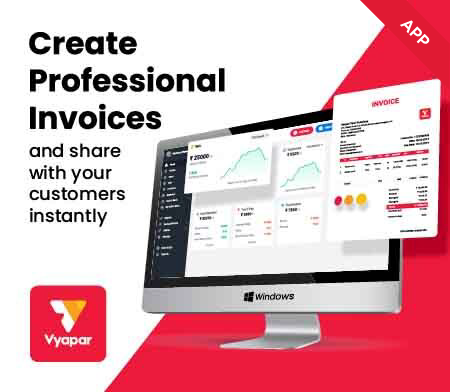
Vyapar can help you manage and issue wedding photographs invoice templates seamlessly. Using the app to create wedding photograph Invoice templates using accessible formats is effortless.

  • ⚡️ Create professional invoices with Vyapar in 30 seconds
  • ⚡ Share Invoices automatically on WhatsApp and SMS
  • ⚡️ Connect with your parties through reminders, greetings, business cards and more
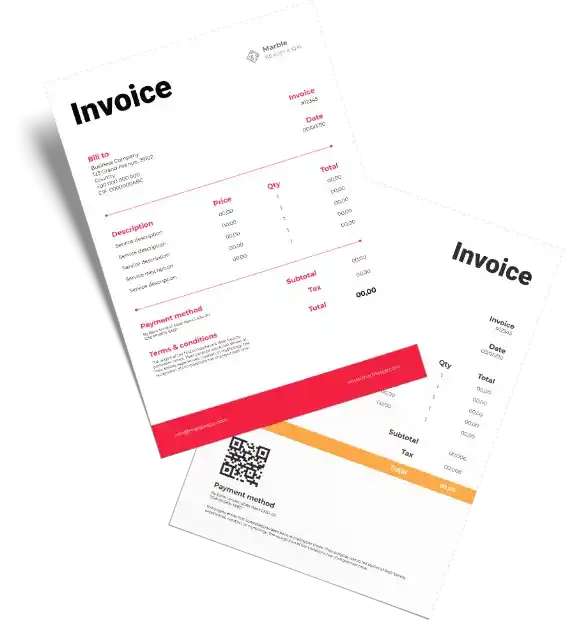
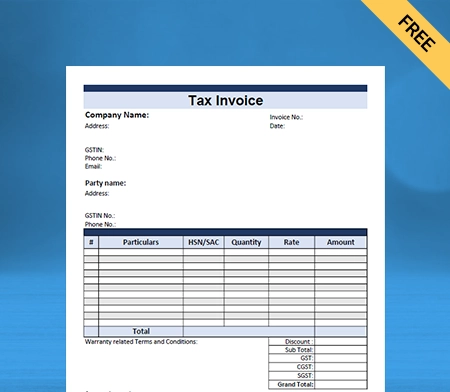
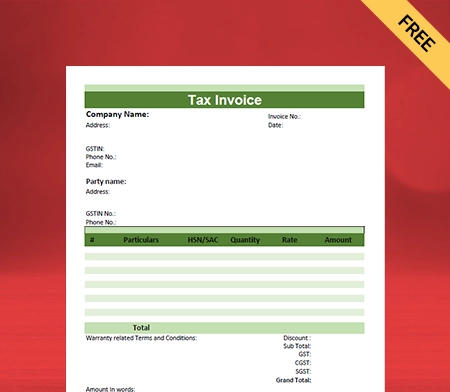
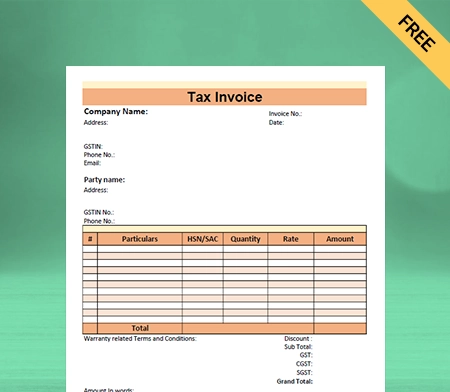
Free Bill Invoice Format in Excel

Highlights of Wedding Photography Invoice Templates

We’ve put in a lot of effort to make sure you get the best template possible

All versions are print friendly

Built From scratch

Include essential invoice elements

Automatically calculate subtotal & grand total amount

Consistently formatted

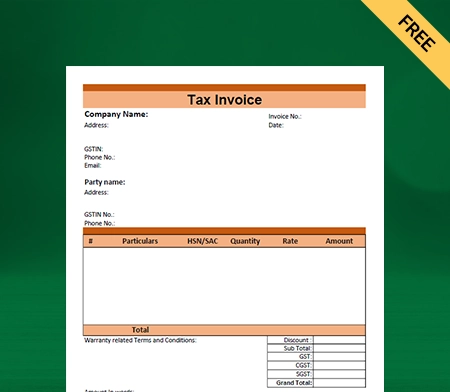
Free Professional Wedding Photography Bill Format

Download professional free wedding photography bill formats, and make customization according to your requirements at zero cost.
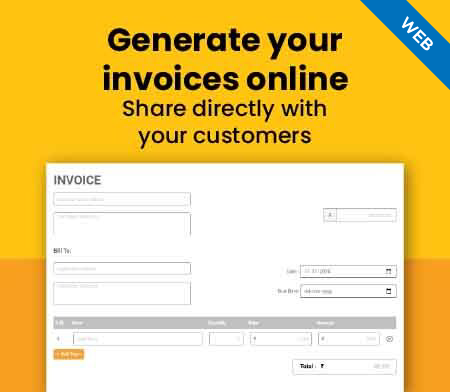
Generate Invoice Online

Generate Invoice Online

What is a wedding photography invoice template?
What is a wedding photography invoice template?

A wedding photography invoice is a billing document that lists charges correlated with delivering, capturing, and editing professional wedding ceremony images. The best part is that using the wedding photography invoice template in the Vyapar app requires no technical knowledge.

The photographer typically estimates through a work order detailing what the photography service will cover (e.g., photo editing, video, etc.). It needs a down payment from the wedding couple before the ceremony, and the invoice is given after the wedding.

Key Features of Wedding Photography Invoice Template

A wedding photography invoice should include the following elements given down below:

  • Accommodate the photographer’s name and contact details (e.g., phone number and address).
  • It should have the photographer’s business logo (if applicable).
  • Contains name and contact information (e.g., phone number and address) for clients
  • It Itemized description of photo services rendered (e.g., shooting, editing), costs associated with services, and applicable taxes.
  • List of payment methods (e.g. credit card, check, money order, cash, PayPal).
  • Accommodates payment terms (including due date)

An invoice can be initiated manually and emailed as a PDF or using an online invoice generator.

Why should you use invoices in your wedding photography?

Why should you use invoices in your wedding photography?

Invoicing for photography comes with some important choices for professional photographers. Aside from setting up your prices, one thing you will need to remember is when you should invoice for your photography.

There is no right or wrong answer here; it is dialectical and based on your business preferences. Read ahead to understand when you can issue professional invoices formats with charging your clients.

Retainer / Deposit Before Sessions::

Most photographers invoice for professional photography by requiring a portion of the total to be paid upfront and then a remaining due date before the session takes place or on the date of the session.

Retainers and deposits are fees collected upfront – what is the difference between the two? A retainer is a fee collected in advance to secure a session date. By default, retainers are non-refundable.

A deposit is a fee that is collected upfront and can be used to reserve a session date. Once the service has been provided, the deposit is returned. Collecting a portion of the fee upfront helps protect the clients from no-showing and limits their chances of canceling.

Invoicing software Vyapar makes it easy to set up a retainer and remaining balance approach using payment schedules. You can now offer partial payments on one invoice to your clients. With payment schedules, you can make a retainer.

The remaining balance can be collected in multiple equal payments or retainer plus multiple equal payments over time. You can remind your clients of any upcoming payments five days before the due date that you determined, as well as payments on the due date.

Full Payment Before Sessions:

There might be multiple times when you find it appropriate to request full payment all at once for your photography service. Some photographers who offer mini sessions charge hourly rates. They require full payment at booking to confirm the date and time that their clients have selected.

Smaller sessions are often more affordable, which can help reduce the number of clients who need to cancel or reschedule. Some professional photographers offer promotional discounts for clients who pay in full for sessions or products.

Payments After Session:

Some photographers may collect a final payment after completing the event photography session. There are pros and cons to invoicing for your professional photography after a session, even if it is just the remaining balance.

If you send an invoice after the session, there is a chance the client may not pay it. You are then faced with trying to collect payment for photography services already provided.

However, there is a benefit to collecting a final payment after the professional photography session – tips! Sending an invoice after the session can increase the possibility of you getting tipped by the clients.

After all, the clients are more likely to tip if they enjoyed the session and felt overwhelmed by the experience. Tips are sent to show appreciation for your hard work during their session.

Create your first invoice with our free invoice Generator

How many types of wedding photography styles are there?

There are 20 wedding photography styles are there given down below:

  • Traditional Wedding Photography
  • Natural Wedding Photography
  • Artistic Wedding Photography
  • Documentary Wedding Photography
  • Editorial Wedding Photography
  • Portrait Wedding Photography
  • HDR Wedding Photography
  • Dark and Moody Wedding Photography
  • Light and Airy Wedding Photography
  • Fashion Wedding Photography
  • Dramatic Wedding Photography
  • Destination Wedding Photography
  • Night Wedding Photography
  • Aerial Wedding Photography
  • Underwater Wedding Photography
  • Illustrative Wedding Photography
  • Commercial Wedding Photography
  • Film Wedding Photography
  • Black and White Wedding Photography
  • Vintage Style Wedding Photography

Who needs to use a wedding photography Invoice?
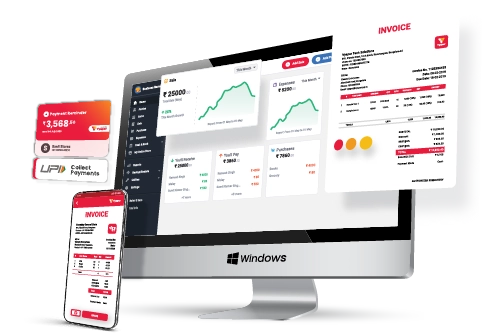
Who needs to use a wedding photography Invoice?

Some professional wedding photographers may not need to send invoices, while others do. The decision of whether or not to send a wedding photography invoice depends on your agreement with the client.

If you have a salaried position or are on a monthly retainer with a company, you will most likely be paid without submitting an invoice (though it’s important to confirm).

If you are a freelance photographer, you must always share an invoice to be paid. Confirm with the clients when you will send an invoice and to whom.

How to create a wedding photography Invoice template by using the Vyapar app?

Here are some easy steps to assist you in creating a professional Invoice for your photography invoices given down below:

  • Go into the Vyapar app, and click on the add sale button. The sale form will be opened. You can also use the shortcut key (Alt+D).
  • Over here, the first thing you need to do is to select a cash or credit sale. For now, we are creating a credit sale. Once you have selected the customer details, you can choose the customer name from the list. The customer details would get filled over here automatically.
  • If you create an invoice for any customer for the first time, type out the name and press the tab key. It will create a party, and later on, you can enter the part and edit the party details. Enter the party’s phone number and address.
  • On the right side, you will find the invoice number, date, and place of supply, which can be changed if needed.
  • Then, for now, you need to add items to the invoice. To add an item to your order, go to the item line and select the item. You can then see the item’s quantity, price per unit, discount, tax and amount. These can be changed if needed. Repeat this process for each additional item you wish to add.
  • After this, you can select the payment type. If you need to ensure, enter any additional details in the invoice, and you can use the description box. You can add any invoice-related document, items or needed images by selecting the image option on the website.
  • On the right side of the screen, you will see an option to add shipping, packaging, or any other additional charges. You must turn this option on in the transaction set before proceeding.
  • If you need, you can round off the invoice amount if required using the round-off option. This option, too, has to be turned on beforehand from the transaction set.
  • Now, you can note it down in the received amount column. Then click on the Save button.

You can generate a wedding photography invoice template and share it with your clients to receive payment more quickly.

Benefits of using the Vyapar app
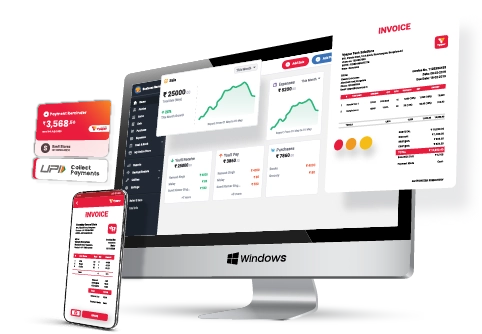
Benefits of using the Vyapar app

Online/Offline software:

The Vyapar app allows you to perform your business operations online and offline. You don’t need to stop your activities because of a poor internet connection. The sellers in hilly regions or densely forested areas have to travel a lot, which is helpful for Freelance photography.

You can use the wedding invoice templates available in the app to send and create professional wedding invoices for your customers. You can manage invoices, record expenses, and cash books, all using one app.

Check inventory status:

Using the Vyapar photography invoicing app, you can know your exact inventory. It will help you check the inventory status before heading out for a wedding photoshoot. You can simplify purchasing, digitally tracking all orders and inventory on a single platform.

By managing inventory, you can keep all the items you have for the shoot in check. You can refer to them when packing items before and after a wedding photoshoot. You can also use It will help you gain visibility over your operation process most of the time.

Improve performance:

Speed is necessary for online business, especially in this modern technological era. With the help of the Vyapar photography invoice templates, you can add speed to your business operations and achieve your goals.

Further, automation will eliminate the possibility of making errors while creating a professional invoice. By making GST-compliment invoices, setting bill payments, and estimates, you can save the time and effort required in each step.

Secured database management:

Vyapar’s free inventory management software in India allows you to set up automatic data backups of their data of invoices to your client. It allows you to protect the previous information stored in the app.

You can also make a local backup for an additional layer of security. It also facilitates quick and easy access, file search, and retrieval. Your information/data is always synced and protected by advanced encryption algorithms.

Multiple payment solutions:

This app accepts a variety of payment methods. Cash substitutes include UPI, eWallet, QR, NEFT, IMPS, and credit/debit cards in Vyapar’s accounting software.

Customers are less likely to default when they are geared with multiple suitable payment options. Vyapar allows you to generate Invoices for your clients without staying online.

Other valuable features of using the Vyapar app:
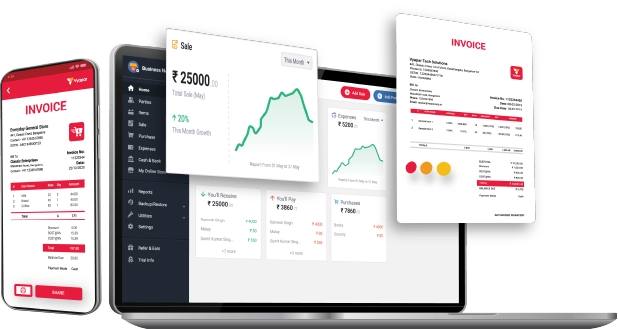
Other valuable features of using the Vyapar app:

Multiple Themes:

Vyapar includes two thermal invoice themes and twelve regular printable wedding invoice themes. The Vyapar app allows you to customize and improve the look of your wedding photography invoice template. You can improve your brand identity as a photographer by using customized invoice templates for your wedding photography business. This will help you to create a professional image and stand out

Vyapar app has multiple theme options for thermal and regular printers. Professional Invoicing software is available for free to all businesses, regardless of size or industry. This makes it easy for businesses to get started with invoicing and to avoid the hassle of paper invoices. Further, all themes are fully customisable to meet unique business requirements.

Online-store:

You can set up your online catalogue store using Vyapar invoicing software for wedding photographers. You can list all the products or services you can charge your clients. It will assist you in presenting a catalogue of all the services/products to customers. It will help you to amplify your online sales seamlessly.

The best part of using Vyapar’s wedding photography invoicing software is that its online store features are free to use. These features help you in taking your business online.

GST Billing/ Invoicing:

A professional invoice these days represents the identity of a company. Using Vyapar Invoice software, you can create GST bills that comply with India’s GST law. Vyapar automates your wedding billing requirements which is an excellent help for photographer businesses. This app effectively assists medium and small businesses to save more time in accounting.

The Vyapar app makes it easy to create a GST bill for wedding photography, both online and offline. This keeps your accounts up to date. Sharing your professional invoices with other business owners and customers is quicker and easier in the Vyapar app.

Unlike other billing software, the Vyapar app will allow you to send GST invoice format to your clients. You can create and send invoices to your customers within a brief period.

Receivables and Payable:

Vyapar free invoicing software for wedding photography allows you to record receivables and payables party-wise.The Vyapar app’s wedding invoice maker lets you track payments and receipts in the business dashboard.

The Vyapar app can keep all the transaction details secure and issue wedding invoices seamlessly. With the help of this invoice software, you can set up payment reminders to ensure your customers pay on time, and users can send payment reminders to any party via SMS, email or WhatsApp. You can remind your customers to pay their invoices by using the payment reminder feature in the Photography Invoice Maker app.

Are you a Business Owner?

Take your business to the next level with Vyapar! Try free for 7 days

Try our Android App (FREE for lifetime)

Frequently Asked Questions (FAQs’)

What is a wedding Invoice template?

A wedding photography invoice is a billing document that lists charges correlated with delivering, capturing, and editing professional wedding ceremony images.

What should be on a photography Invoice template?

1. Accommodates name and contact details (e.g. phone number and address) for the photographer
2. It should have the photographer’s business logo (if applicable).
3. Contains clients’ names and contact information (e.g. phone number and address)
4. It Itemized description of photo services rendered (e.g. shooting, editing), costs associated with services, and applicable taxes.
5. Provide a list of acceptable payment methods (e.g. credit card, cheque, and online payments)
6. Accommodates payment terms (including due date)

How do you write a photography invoice?

Make sure your wedding invoices include the details given down below:
1. It must have an invoice number and the date.
2. Your information includes your name, company name, address, and contact details.
3. It must have the payee information (client’s name and address)
4. Contains a description of services and charges.
5. It must also have the payment details.

How to create a wedding photography invoice?

This part is elementary! Here’s a step-by-step guide to getting your professional invoice done:
1. Open one of Vyapar’s Freelance Invoice Templates.
2. Add details such as your business branding and information.
3. Insert your client’s contact information to be paid on time.
4. Number your invoice appropriately and helpfully.
5. Fill in the lines with completed work details and the cost per task/hour.
6. At last, check the invoice total and details.

What happens after I submit my professional photography Invoice?

After submitting your professional invoice, you must receive your payment by the date specified on your photography invoice. If you haven’t received payment by the due date, follow up with the customer to make sure they received your invoice.

Remember the payment method you chose on your invoice so you know where to look for the payment.

How do I write a business plan for wedding photography?

To create a business plan for your wedding photography venture, start by outlining your services, target market, marketing strategies, pricing structure, and financial projections. You can use tools like Vyapar for invoicing, expense tracking, and managing client payments seamlessly.

How do you present wedding photos to clients?

Here’s a condensed version:
1. Selection: Choose the best photos.
2. Edit: Enhance and adjust the images.
3. Presentation: Use a digital platform or physical products.
4. Personalize: Add names and wedding details.
5. Delivery: Send digitally or physically.
6. Follow-up: Gather feedback.
Vyapar simplifies invoicing for your photography services, leaving you more time to create memorable photo presentations.

You can visit the UAE site to view content specific to your location

How Useful is Vyapar for Your Business?

Click on a star to rate it!


Best Wedding Quotation Format | Vyapar

Wedding Quotation Format

Yo can easily download the Wedding Quotation Format in Word, Excel, PDF for your client. Also, use Vyapar App to do billing, inventory, and accounting easily and grow your business faster. Avail 7 days Free Trial Now!

  • ⚡️ Create professional quotations with Vyapar in 30 seconds
  • ⚡ Share quotation automatically on WhatsApp and SMS
  • ⚡️ Connect with your parties through reminders, greetings, business cards and more

Download Wedding Quotation Format For Free

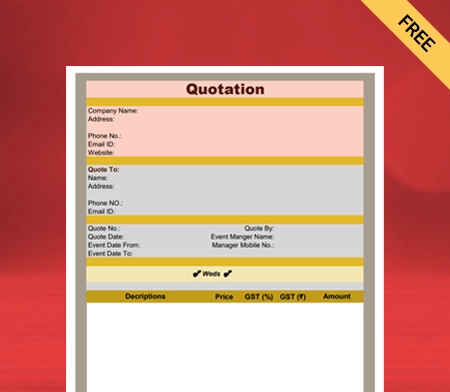
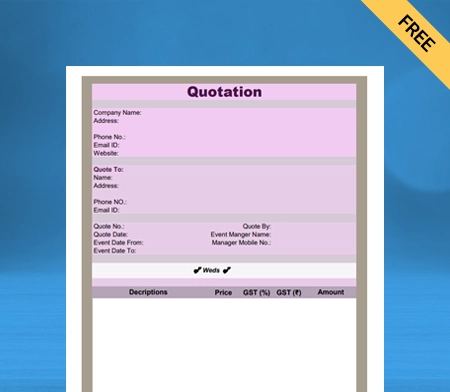
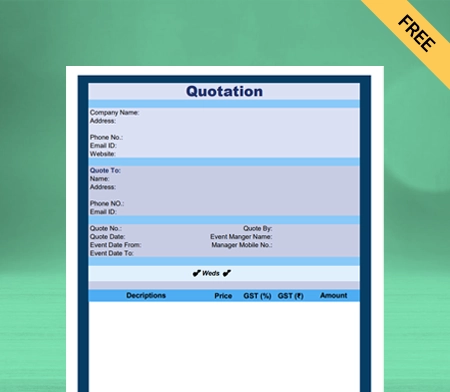
Download professional free wedding quotation templates, and make customization according to your requirements at zero cost.

Customize Quotation

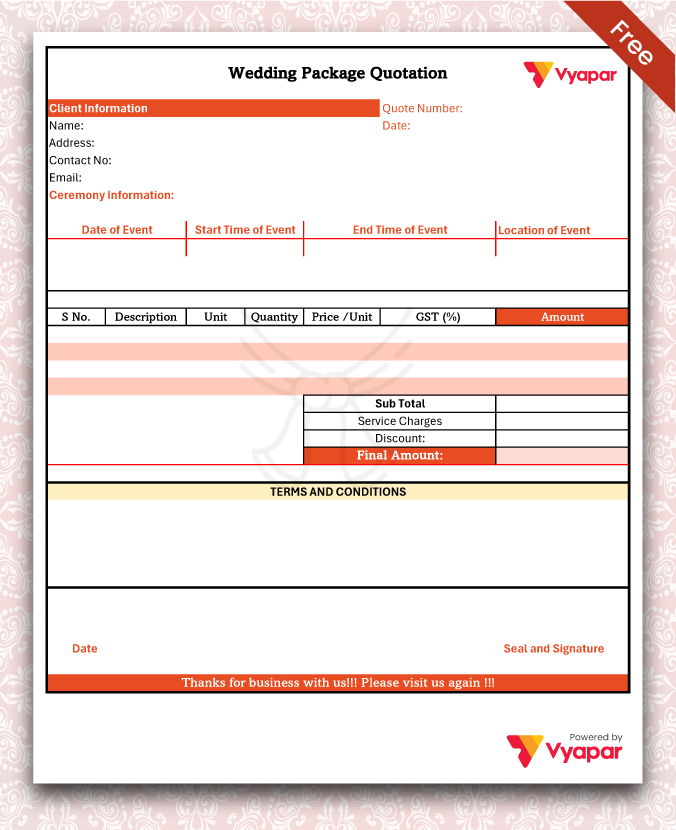
Wedding Package Quotation

Wedding Package Quotation

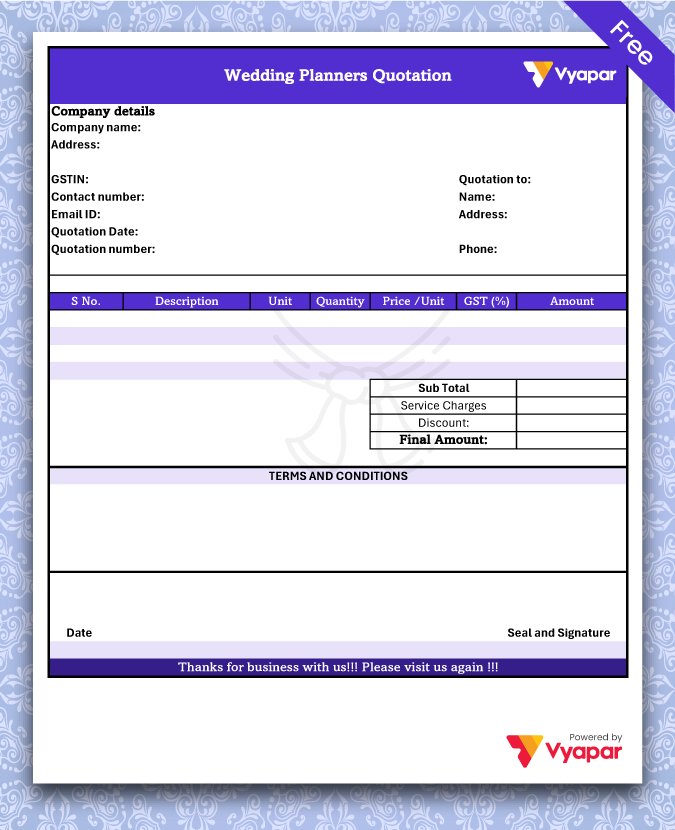
Wedding Planner Quotation

Wedding Planner Quotation

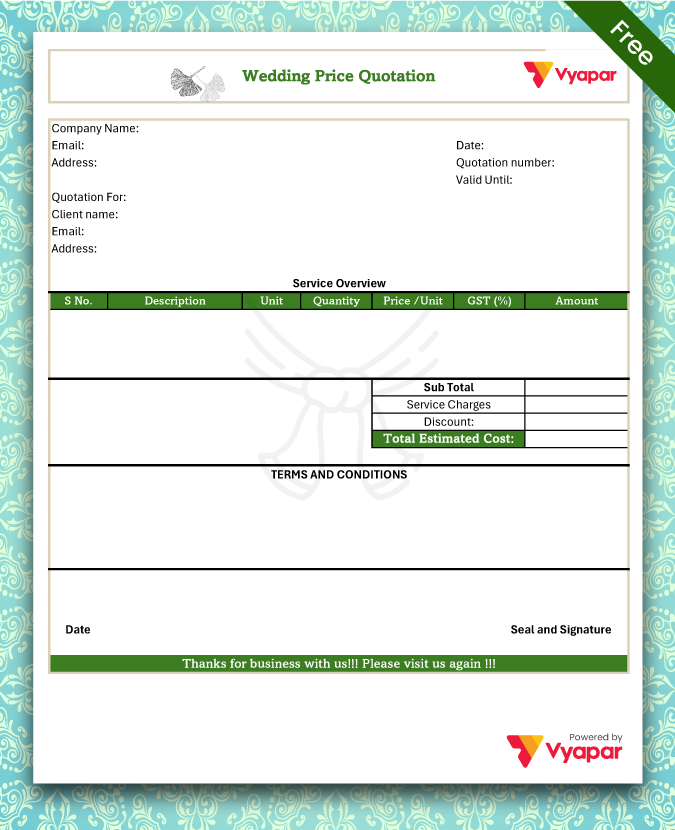
Wedding Price Quotation

Wedding Price Quotation

Generate Quotation

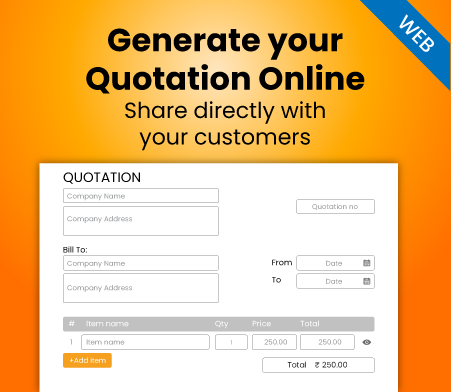
Generate Quotation Online

Highlights of Wedding Quotation Templates

We’ve put in a lot of effort to make sure you get the best template possible

All versions are print friendly

Built from Scratch

Include essential invoice elements

Automatically calculate subtotal & grand total amount

Consistently formatted

What is a Wedding Quotation?

Meaning of wedding quotation format

Wedding Quotations describe how much a client will need to pay a marriage planner to plan their marriage, including the price of products, materials, services, and workers. 

Wedding planners use proposal templates to send estimates to potential clients. Quotes help clients to compare the prices of two or more companies and allow them to choose the best company in their budget.

Wedding Quotation Templates clarify fees for the requested offer by providing a rough estimate. A template becomes an invoice when both parties agree on the price and finalize the proposal. A marriage quote Format helps the planners provide details that will help prevent future disputes.

Things a Wedding Planner Should Consider Before Issuing a Wedding Quotation

Numerous factors affect the pricing in the final quote that wedding planners send to their clients. It is essential that businesses consider the following things before issuing quotes:

You must consider your client’s budget before crafting a marriage template. Note how much your client is willing to spend, what their needs are, and which things require finances. Cut the costs where it is unnecessary to spend. 

The number of guests will affect all the events. You would need to know the total number of people arriving to make arrangements for the venue, accommodations, food, and other services.

After knowing the budget, you would need to search for a venue that fits the budget. You should also search for caterers. To provide meals throughout the day, you will have to create a menu for breakfast, lunch, and dinner. You would need to arrange a confectioner for the sweets.

You will need to consider what other services your client requires, like a DJ and decorators. To fulfill specific requirements and lighten your workload, it will be necessary for you to employ vendors and outsource certain tasks. That will increase the price of the quote.

How to Write a Wedding Quotation?

How to Write a Wedding Quotation

The first thing a client will notice in your wedding quotation format is the theme and cover. It must be top-tier to appeal to a client. Here are the contents that you must have in a proposal template:

Name and Logo of the Business:

Firstly, mention the name of your Wedding Planning Business and your business logo. An attractive logo is essential for your business as it instantly attracts clients’ interest. It also helps in establishing your brand’s identity.

Address and Contact Details:

The introduction part of your wedding quotation format must include the address of your company, phone number, email id, and social media links. This way, potential clients can reach you if they like your Marriage Proposal Template.

Start Your Quote With a Tagline:

A brand tagline gives your clients a clear idea about your business and the services you offer. It differentiates your business from others. As a wedding planner, you can use taglines such as:

“Making your moments extra memorable.”

“For a unique love story.”

Event Details and Define Your Scope of Work:

In this section, list the events you will handle at the marriage. Write a brief description of your approach to the event, start and end time, etc. Your Expert Wedding Planning Quote must include what will be included in the package, such as:

  • Affordable luxury marriage locations
  • Wedding photography quotation
  • Structure of the ceremony
  • Entertainment
  • Catering
  • Flowers, centerpieces, and decorations
  • Customized invitations and save-the-date cards

Introduce Your Team:

You should include the list of people on your team and other vendors you plan to hire. It indicates the expertise of your team members and makes you look professional.

Highlight Your Experience:

In this section, write about your past wedding that you handled and list down testimonials from your clients. Today people look for reviews before buying anything, so it is good practice to highlight your experience.

Quote Your Price:

Now, give a detailed breakdown of package prices according to the goods and services. Include every detail like the service charges, how much a prop costs, workers’ wages, decoration prices, marriage photography quote, etc. It helps potential customers decide whether you are the best for their budget.

Terms of Payment and Other Conditions:

Mention the payment terms like the payment intervals, refund policy, discount, etc. It’s crucial to keep in mind that a number of elements, including market conditions, material costs, and labor availability, might affect the validity of a wedding quote format. 

The wedding planner might need to update the quote and submit a new estimate if these circumstances change considerably.

How to Create a Wedding Quotation Format With the Help of Vyapar?

Ways to create wedding quote format using Vyapar

Making a wedding proposal template becomes easy using the proper format generator software. So choose a template that elevates your business reputation and create Personalized Wedding Quotations for your potential clients with the help of the Vyapar quotation maker

Open the Vyapar quotation generator and select the marriage quote option by clicking the addition (+) icon. Change the date and quote number to start customizing your wedding quote.

Fill Out Your Information

Submit all the details about your wedding planner business and clients using Vyapar. You can change the words, add and subtract rows and columns, change the background, and prepare a personalized wedding quote.

Inspect

Easily you can obtain a preview of your estimate or quote after entering all the necessary information. If you need to make changes after seeing it, go back to the previous tab.

Share Or Download

Once finished, you may print the Wedding Estimate and send it to your client through email, WhatsApp, or SMS. The wedding quotation is available for download in word, pdf, docs, sheets, and other formats. You can also print the quote format using a regular or thermal printer in your preferred size.

Are you a Business Owner?

Take your business to the next level with Vyapar! Try free for 7 days

Try our Android App (FREE for lifetime)

Valuable Features of the Vyapar Software that are Great For Wedding Planners

Features of the Vyapar that are Great For Wedding Planners

When you use Vyapar to create quotes for your company, you have access to many beneficial features that enable you to take advantage of several advantages. The following are some of the critical functions of our marriage quote maker:

Data Safety and Security:

You can frequently create local or online Google Drive backups with Vyapar because it is entirely secure. Additionally, you get multi-device access to your company’s financial data around-the-clock, every day of the week.

Any team members or outside parties cannot access your business’s data, guaranteeing its long-term security. The accounting software contains an encryption system that restricts access to the data to the owner only for enhanced protection. 

User login information will not be saved or shared by Vyapar for further use. By utilizing the auto-backup feature, you have the ability to generate a backup on a daily basis. You can build data backups based on your requirements to protect your data.

The app provides a comprehensive dashboard that allows you to analyze your business actions instantly. Additionally, the excel challan generating tool has an “auto-backup” option that lets you pick up where you left off.

Data Safety and Security:
Track Receivables and Payables:

Track Receivables and Payables:

Our wedding quotation template allows users to preserve all transactional information and monitor the cash flow of their business in real-time. The software will enable you to monitor the party’s payables and receivables.

Track the money you need to receive and pay using the software’s business dashboard. Then you can find out who didn’t pay you back right away. To ensure that your clients pay their invoices on time, you have the option to set up payment reminders using WhatsApp, SMS, or email.

You may also save time by sending payment reminders to your clients at once, utilizing the bulk payment reminder option. The marriage quotation format makes calculations for you automatically and makes your task easy.

Because the cash flow management system from Vyapar flags potential problems early on, you can avoid taking on excessive debt and plan your clients’ weddings according to the assigned budget.

Bank Account Management:

Business entities can add, track, and monitor payments with the Vyapar software for mobile. Businesses may rapidly enter data into free billing software they get as payment.

You must first link a business account with your bank to Vyapar to use the app’s bank accounts feature. By using bank accounts and money transfers between banks, you can send and receive money.

It is available on your smartphone whenever there is an internet connection. You’ll be able to control your cash flow better. Free Inventory Management Software like Vyapar manages all cheque payments and manually modifies the amount.

You may also take money out and put it into bank accounts. The Vyapar app tracks open checks, enabling users to deposit or withdraw cash and close them rapidly.

Bank Account Management:
Print Wedding Quotes Using Thermal or Regular Printer

Print Your Wedding Quotes Using Thermal or Regular Printer:

In minutes, you can print out your wedding estimates using Vyapar’s support for thermal and conventional (laser) printers. Printing wedding quotes on conventional and thermal printers allows you to distribute them to clients.

With the Vyapar app, you now have a better choice for swiftly producing prints in all suitable sizes, including standard paper sizes A4 and A5, thermal paper sizes 2″ and 3″, and various custom paper size options.

Connect our app via Bluetooth or plug it into your regular/thermal printer to print the wedding quotation format. You may build and deliver polished quotes to your clients using the accounting app Vyapar.

By choosing from various Excel, Word, or PDF formats, you can produce marriage quotations with complete customization and print them out for your clients. The process is easy and practical.

Send Professional Wedding Quotations:

Using our free Vyapar wedding quotation format, producing important papers is straightforward. It has precise wedding quote. The Vyapar wedding quote format generator’s built-in capabilities make it simple to send quotes and estimates to customers whenever you choose.

Vyapar software offers rapid estimates and prices in addition to a professional appearance. Most operations can be automated using the Vyapar app. It removes inaccuracies from estimates and bids, and the due date is set for simple invoice tracking.

You can also transform your marriage quotes and estimates into sales invoice formats. You only need the Vyapar software, finished in a few clicks, to create a quotation template.

Your wedding planning business has a key to getting quick quotes thanks to Vyapar’s free software for creating wedding quotation templates. Using wedding quotation-generating software can make it easier for you to run your business.

Send Professional Wedding Quotations:
Set Up an Online Business:

Set Up an Online Business:

With the help of the Vyapar quotation generator and billing app, you can set up your online marriage planning business in a matter of hours. You can list all the goods and services you offer to your clients using our mobile billing app.

It will help you present a catalogue of all the goods and services you offer and boost your online sales. Sending links to your online website allows you to reach a wider audience and open up many opportunities.

When you have an online presence, anyone can contact you. It also allows you to prepare quotes with trending ideas and the best prices. It can give clients a better experience.

The most efficient approach to help everyone is to use an online website. It enables the firm to expand. You can update your online business whenever you want using our Vyapar small business accounting software.

Create your first wedding quotation with our free Quotation Generator

Benefits of Vyapar Wedding Quotation Format

Benefits of Vyapar Wedding Quotation Format

Customized Wedding Quotations:

The Wedding Quotation Format By Vyapar printing is customizable. You can use your company’s logo, style, font, and brand colors in your quote to convey your brand’s identity flawlessly. Using them may create the ideal Professional Wedding Estimates for your clients and increase sales.

It gives you a professional appearance when printing invoices and gives your clients comprehensive details about their purchases. Your business can stand out from the competition by Printing Customized Wedding Proposals

By selecting a suitable theme option developed by the Vyapar team, you can customize the quote according to your company’s needs. These themes are provided without charge within the Marriage Photography Quotation Maker App.

Keep Everybody in the Loop:

By using SMS/WhatsApp alerts, wedding planners may confirm payment confirmation, purchase tracking information, and much more by using SMS/WhatsApp alerts. You will benefit from updates on your commercial dealings. 

Once you and your customers have agreed on rates, you can use our quote formats to create quotes that they can quickly convert into invoices. 

The Vyapar wedding quotation format can help you accomplish your objectives and speed up business operations. It will assist in keeping your consumers up to date on even the most minor aspects of the status of their orders. 
Create a Wedding Quote in All Three Formats:

You may generate wedding quotations in all three forms: Excel, Word, and PDF, with the Vyapar wedding quotation generator. A marriage quote that satisfies the requirements of your business can be readily created.

No other online software can match Vyapar in terms of functionality and quality. It’s simple to alter and build wedding quotation templates for your company that seem professional because of the easily customizable styles.

You can download the formats in high resolution. Using the Vyapar app, you can manage your marriage quotes in one location. You may construct your business image and produce polished estimates.

Less Human Error in Wedding Quotation:

It might cost you a good deal if you make a mistake when manually preparing a marriage quotation. You must choose the right programme to prevent errors. With Vyapar, your business can manage data much more swiftly.

Automation speeds up the procedure and gets rid of human mistakes. The time you save can be used to focus on other things. The user interface of the quote maker is simple to use.

The import and export of data from programmes that are compatible are possible. To prevent further disagreements, it also sends reminders for payments and refunds.

Free Access to Quotations:

Wedding planners can download wedding quotation formats for free using the Vyapar wedding quotation generator. The format can be changed to suit your company’s needs, and saving it is free.

Small businesses especially benefit from it because they don’t have to spend money on business quotation design. It is also simple to print with a conventional or thermal printer.

The wedding quotation format can be used without cost if you sign up and get a free copy from the Play Store. However, a company can use a subscription to access the premium features and desktop applications.

Saves Time:

Personalized marriage quotes for your company can be created almost instantly. The manual method takes a long time. Every item of information must be recorded on paper which is not convenient.

With the help of Vyapar’s wedding quotation format, all you need to do is edit your company’s information to have your format ready. By providing your clients with comparable quotations, you can maintain consistency.

After customizing the marriage quote format, you can save it for further use. In this manner, you may avoid starting from scratch each time you need a quotation. Additionally, you become more productive because you have more time for other crucial duties.

Frequently Asked Questions (FAQs’)

What is the Wedding Quotation Format?

A wedding quotation format contains all the fields a wedding planner must include in their estimate. This wedding quotation is submitted to potential clients for their approval.

How Do I Ensure that My Wedding Quotation Format is Professional and Accurate?

Add your company name and logo to make your wedding quote more precise and professional. Also, Mention your business address and contact details.

How Do I Create a Clear and Detailed Wedding Quotation For My Clients?

Here’s how you can create a clear and detailed marriage quotation for your potential clients:
* You must create an itemized list of all the goods, services, and prices.
* Mention the complete scope of the project to ensure clarity.

How Do I Handle Any Variations or Changes the Client May Request in the Wedding Quotation Format?

If the client wants any changes, you must ensure that you can fulfil their request. After accepting the variation, draw up another quote, including the requested changes and the prices.

What are the Most Important Things to Consider When Creating a Wedding Quotation Format?

While creating a wedding quotation format, you must consider the services required, the props to be used, the client’s budget, and the prices of goods and services.

Are Free Templates Available to Help Me Create a Professional Wedding Quotation Format?

Vyapar quotation format generator offers you various free templates. Easily customize the templates and create a professional wedding format for your business.

How do you write a wedding quote?

To write a wedding quote:
* Include your business details like name, address, and contact information.
* Describe the wedding services offered, such as venue, catering, decorations, photography, and entertainment.
* Break down costs for each service, including any additional charges or discounts.
* Specify payment terms, timelines, and any terms and conditions.

* Provide a total quote amount and validity period.

* Sign and date the quote for validity.

You can visit the UAE site to view content specific to your location

How Useful is Vyapar for Your Business?

Click on a star to rate it!