Online Invoice Format
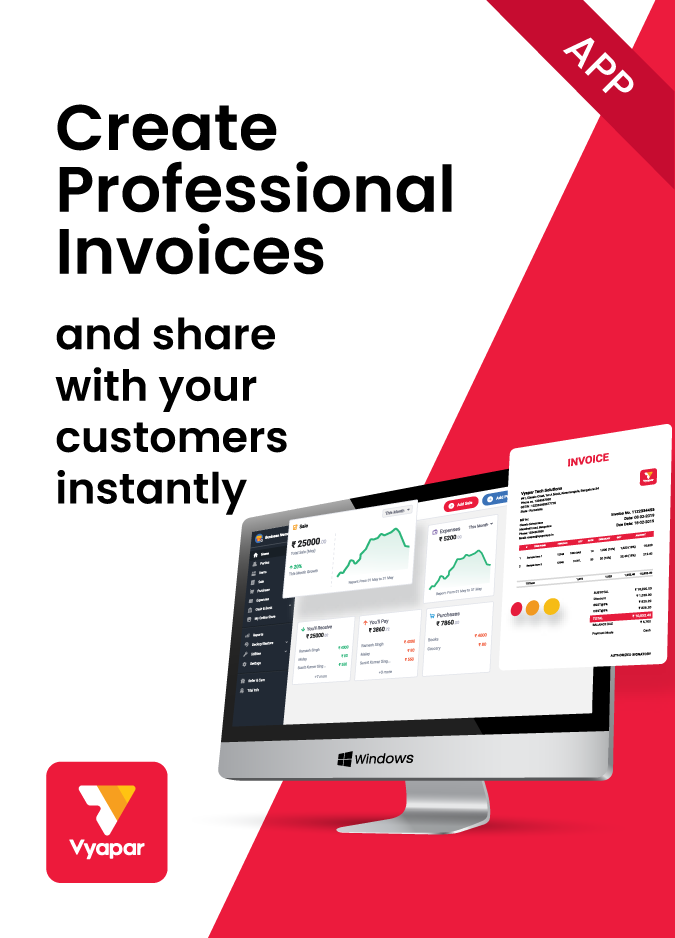
Get access to all online invoice formats for free with Vyapar. Download professionally designed templates and start creating bills for your customers. Further, use the Vyapar app to manage them all in one place with a 7-day free trial.
- ⚡️ Create professional invoices with Vyapar in 30 seconds
- ⚡ Share Invoices automatically on WhatsApp and SMS
- ⚡️ Connect with your parties through reminders, greetings, business cards and more
Highlights of Online Invoice Templates
We’ve put in a lot of effort to make sure you get the best template possible

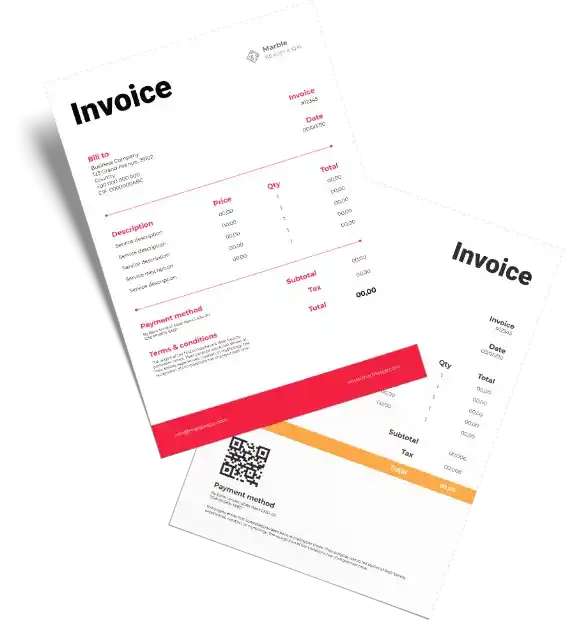
All versions are print friendly
Built From scratch
Include essential invoice elements
Automatically calculate subtotal & grand total amount
Consistently formatted
Free Professional Online Invoice Formats
Download professional free online invoice formats, and make customization according to your requirements at zero cost.
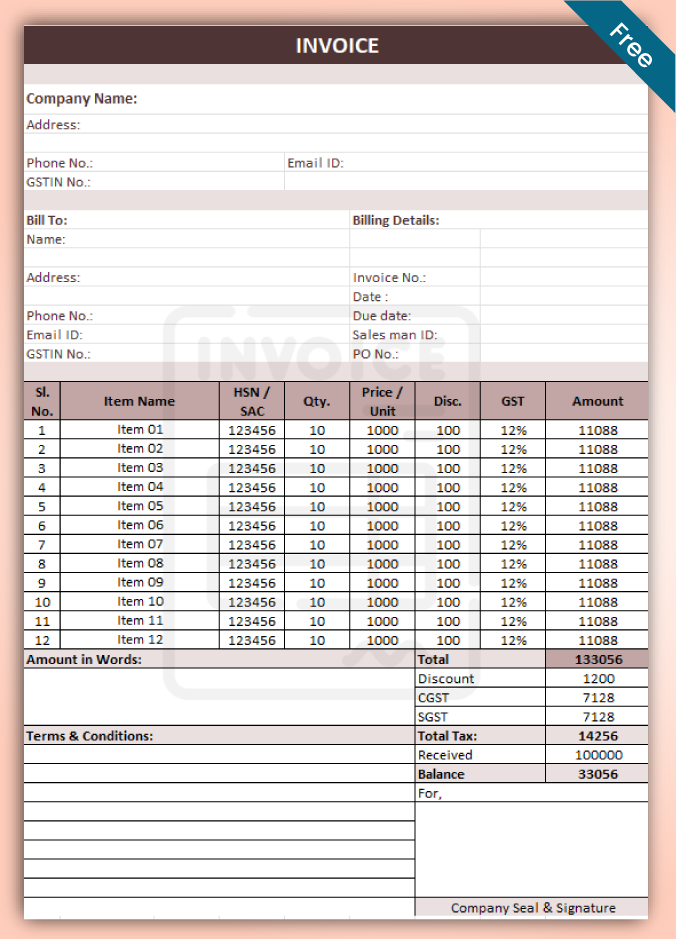
Online Invoice Formats – 1
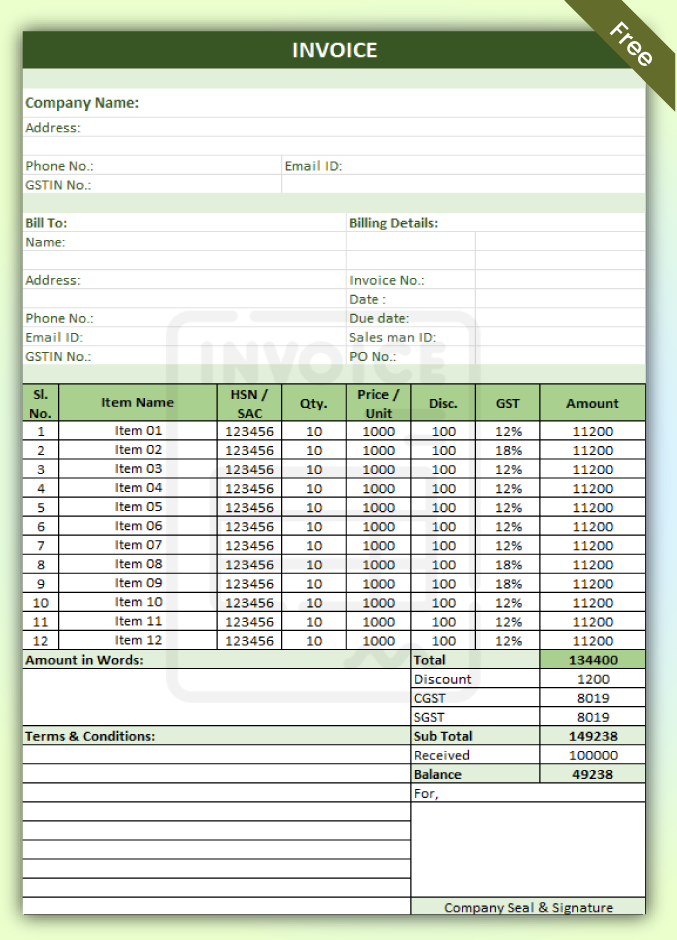
Online Invoice Formats – 2
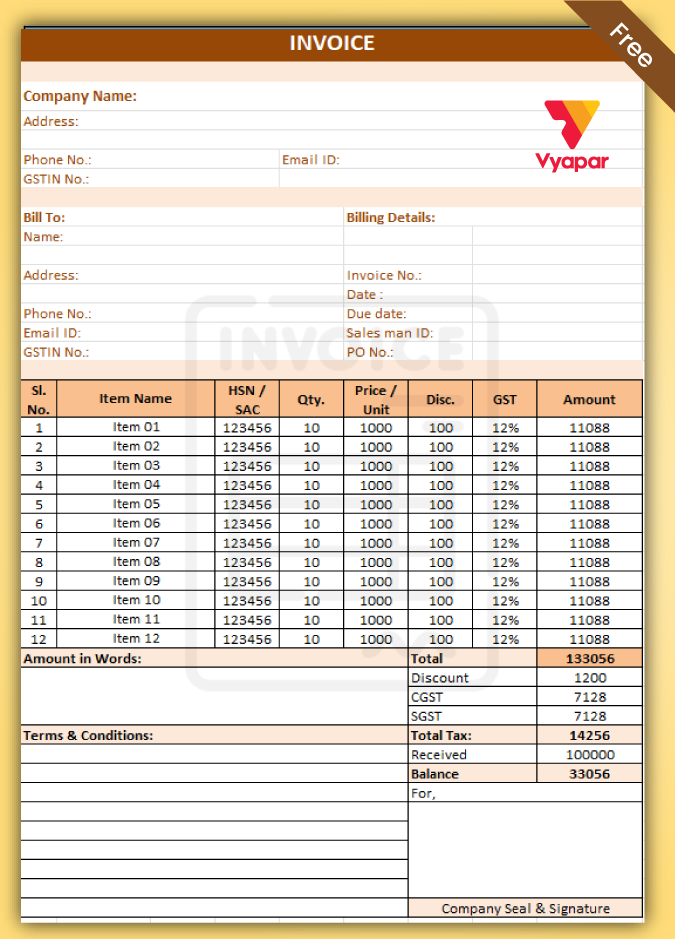
Online Invoice Formats – 3
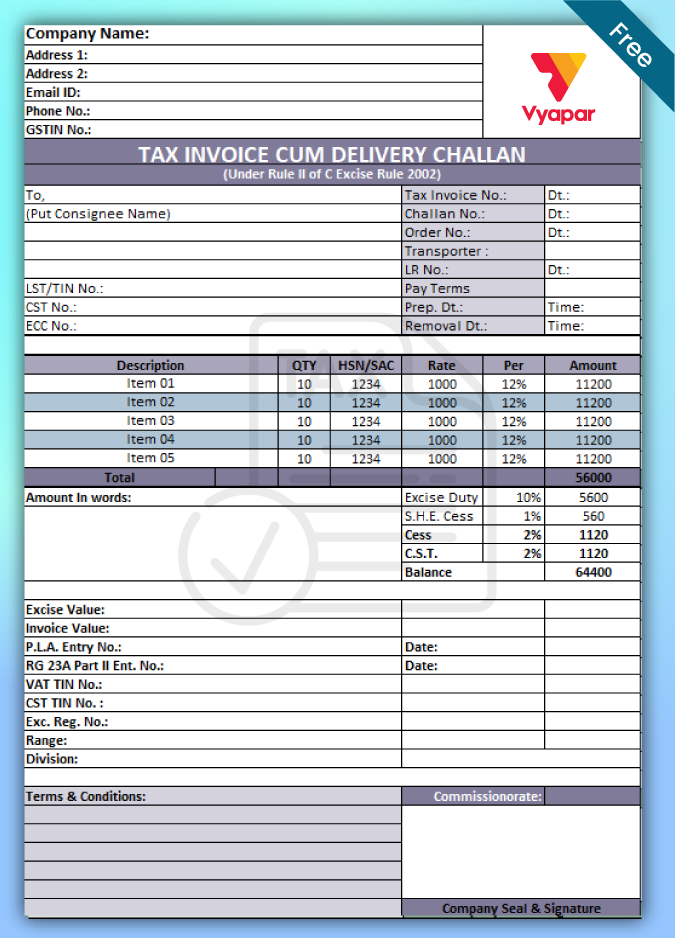
Online Invoice Formats – 4
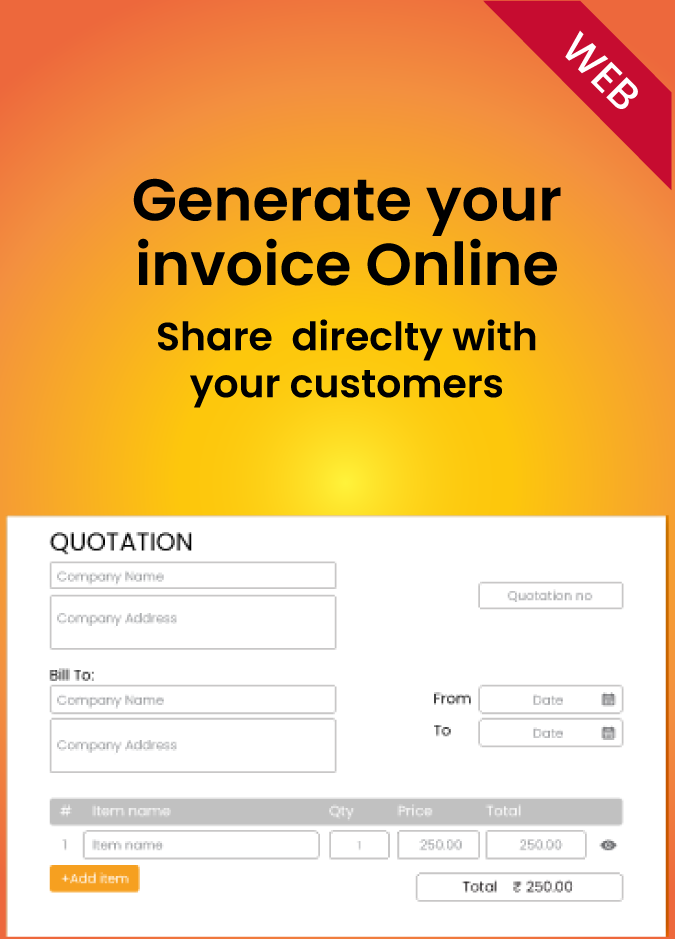
Generate Invoice Online
Types Of Online Invoice Formats Supported By Vyapar
The Vyapar app supports various types of online invoice formats that you can use for your business. You can choose the format that suits your needs and preferences and customize it according to your brand and style. The most commonly used online bill invoice formats are listed below:
PDF Invoice Format Online:
PDF stands for Portable Document Format, one of the most popular and widely used. PDF invoices created using an online invoice generator preserve the appearance of your invoice. It looks the same across all devices. PDF invoices are also secure, as they can be encrypted and cannot be easily edited.
Word Invoice Format Online:
MS Word or Google Docs are word-processing applications that allow you to create an invoice format online within minutes. Word invoices are versatile, as they let you add and modify text, images, tables, charts, and other elements to your invoice. The online invoice bill format in Word & invoice format in Google Docs is also easy to use. After all, it has a familiar interface and functionality.
Excel Invoice Format Online:
MS Excel or Google Sheets are spreadsheet applications that enable you to perform calculations and organize data online. Excel invoices are ideal for businesses that deal with numbers and formulas, such as accounting, finance, or inventory. With the best excel invoice format online, Vyapar helps you automate the invoicing process.
Features Tailored for Locksmith Businesses
Invoice formats with the Vyapar app can bring many benefits to your business. Using a professionally designed free invoice template can help improve your efficiency, compliance, and security. Here are some advantages of using online invoice formats with the Vyapar app:
Efficiency
Online invoice bill formats can save you time and resources by automating invoicing and reducing errors and duplication. The Vyapar app allows you to create and send online invoices in minutes without printing, scanning, or mailing them.
Further, you can also use the Vyapar app’s features to automate tasks such as sending reminders, generating reports, and syncing data. This way, you can focus on your core business activities and increase productivity and profitability.

Compliance
Online bill invoice formats can ensure you comply with the relevant laws and regulations and avoid penalties and fines. With the Vyapar app, you can create online invoices that meet your industry’s and location’s standards and requirements, such as the GST law in India.
You can use the Vyapar app’s features to create reports for your GST returns, claim your input tax credit, and track your tax liability. This way, you can stay on top of your tax obligations and avoid legal troubles.
Security
A professionally designed invoice format can help protect your data and privacy. With the Vyapar app, you can create online invoices that are secure and reliable, as they can be encrypted and password-protected, and they cannot be easily edited or tampered with.
Using the Vyapar app’s features to backup and restore your data, you can access your data from any device. This way, you can prevent any data loss or breach and ensure the safety and integrity of your information.

Professionalism
Online invoice formats can enhance your brand image and reputation by creating attractive and customized invoices. With the Vyapar app, you can create online invoices that reflect your brand and style by adding your logo and signature and attaching documents.
You can also use the Vyapar app’s features to create templates, themes, shortcuts, and keyboard commands. This way, you can impress your customers and build trust and loyalty.
How to Use Online Invoice Formats with Vyapar App?
Using online bill invoice formats with the Vyapar app is easy and convenient. You can create and send online invoices in minutes without hassle or complexity.
Here is a step-by-step guide on how to use online invoice bill format with the Vyapar app:
Step 1:
Download and install the Vyapar app on your device. You can download the online invoice generator app from the Google Play Store or the Vyapar website. The app is compatible with Android, MacOS, and Windows devices.
Step 2:
Set up your business profile and preferences in the Vyapar app. You can enter your business name, address, phone number, email, GSTIN, logo, and other details on the online invoice generator. You can also set your invoice preferences, such as the invoice number, date, due date, payment terms, notes, signature, and other options.
Step 3:
Choose and customise your online invoice format. Select your online invoice template from the PDF, Word, and Excel options. You can also customise your online invoice bill format by choosing your colour and theme, adding your logo and signature, attaching documents and images, and other options on the invoicing template.
Step 4:
Create and send your online invoice using the online invoice generator app. You can create your online invoice by adding your customer details, products or services, prices, taxes, discounts, and other details on the online invoicing app. You can also preview your online invoice before sending it to your customer. You can send your online invoice via email, WhatsApp, or SMS.
Step 5:
Track and manage your online invoices using the free invoicing app. You can track and manage your online invoices by viewing their status, payment history, and balance. You can also use the Vyapar app’s features to send reminders, generate reports, and sync data.
Using online invoice bill formats with the Vyapar app is very easy. You can create and send professional and compliant online invoices in minutes without any hassle or complexity. The app makes it simple to use professionally designed formats for your business.
Tips and Tricks for Using Online Invoice Formats with Vyapar App
Here are some of the tips and tricks for using online invoice bill formats with the Vyapar app:
- Use templates and themes to create professional and consistent invoices. The Vyapar app offers a variety of templates and themes for your online invoice formats, such as simple, elegant, modern, or classic. You can choose the template and theme that matches your brand and style and apply it to your online invoices. This will save you time and effort and create a uniform and appealing look for your invoices.
- Use shortcuts and keyboard commands to speed up the invoicing process. The online invoice generator supports various shortcuts and keyboard commands for your invoice formats, such as Ctrl+C to copy, Ctrl+V to paste, Ctrl+Z to undo, Ctrl+Y to redo, Ctrl+F to find, Ctrl+P to print, and more. You can use these shortcuts and keyboard commands to perform common actions and tasks faster and easier and improve efficiency and productivity.
- Use the Vyapar app’s features to automate tasks such as sending reminders, generating reports, and syncing data. The best billing app offers many features that can automate invoicing, such as sending reminders, generating reports, and syncing data. You can use these features to reduce manual work and keep track of your invoices and payments. For example, you can use the Vyapar app’s reminder feature to send automatic reminders to your customers before the due date and avoid late payments and bad debts.
Create your first GST quotation with our free Quotation Generator
Features That Make Vyapar The Best Online Invoice Generator
In this section, we will list some of the essential features of online invoice format that you should look for when choosing an online invoicing solution for your business. These features will help you create and send professional and compliant online invoices that meet the standards and requirements of your industry and location. Here are some of the most crucial features of invoice format online:
1. Standardisation:
A standardised online bill invoice format follows a standard schema and structure recognised and accepted by the relevant authorities and systems. A standardized free invoice template ensures that your online invoices are valid and authentic and can be easily exchanged and processed by different parties.
For example, the e-invoice format is a standardized online invoice bill format that is mandatory for certain businesses in India and enables seamless data exchange between different systems.


2. Customisation:
A customizable invoice format online allows you to modify your online invoices according to your business needs and preferences. A customizable online invoice bill format lets you add and remove fields, change colours and fonts, insert logos and signatures, attach documents and images, and other options.
For example, the Vyapar app supports various online invoice formats that you can customise according to your brand and style.
3. Automation:
An automated online bill invoice format simplifies and speeds up invoicing by automatically performing calculations and tasks. An online automated invoice format reduces manual work and errors and saves time and resources.
For example, Google Sheets or MS Excel invoice format enables you to perform calculations and organise data using formulas and functions.

4. Security:
A secure online invoice format protects your data and privacy and that of your customers by using encryption and authentication. A secure invoice template ensures that your professionally designed invoices are safe and reliable and cannot be easily edited.
For example, the PDF invoice format preserves the layout and appearance of your invoice and can be encrypted and password-protected.
5. Compliance:
A compliant online invoice format meets the standards and requirements of the relevant laws and regulations and avoids penalties and fines. A compliant online bill invoice format ensures that your invoices are accurate and complete and contain all the required details for filing tax returns and other purposes.
For example, the GST invoice format complies with the Goods and Services Tax law in India and contains all the required details for filing GST returns.


6. Professionalism:
A professional online invoice bill format enhances your brand image and reputation by creating attractive and consistent invoices. A professionally designed online invoice format impresses your customers and builds their trust and loyalty.
For example, the MS Word or Google Docs invoice format allows you to create and edit invoices using word processing applications and add text, images, tables, charts, and other elements to your invoice.
As you can see, these are some of the essential features of online bill invoice format that you should look for when choosing an online invoicing solution for your business. These features will help you create and send professional and compliant online invoices that meet the standards and requirements of your industry and location.
Frequently Asked Questions (FAQs’)
The professionally designed template by the Vyapar app is a free and easy-to-use invoicing software that supports various online invoice formats. The online invoice generator by Vyapar offers many features and advantages over other invoicing software, such as:
1. GST compliance and filing.
2. Data backup and restore.
3. Data sync across multiple devices.
4. Reports and insights.
5. Reminders and notifications.
6. Integrations with other apps and services.
7. Customisation and personalization.
8. Customer support and feedback.
Online invoicing is a modern and convenient way to create and send your customers invoices. Online invoices are digital documents that contain all the details of a transaction, such as the products or services sold, the prices, the taxes, the discounts, the payment terms, and the contact information of both parties.
The professionally designed online invoices can be created using various formats, such as PDF, MS Word or Google Docs, and MS Excel or Google Sheets. Depending on your business needs and preferences, these formats have different advantages and disadvantages.
You can convert an online bill invoice format to another format by using the Vyapar app’s features, such as:
Export: You can export your online invoice to PDF, MS Word, MS Excel, or image formats.
Print: You can print your online invoice using any printer connected to your device.
Share: Using different formats, you can share your online invoice via email, WhatsApp, or SMS.
You can sign an online invoice bill format digitally by using the Vyapar app’s features, such as:
Signature: Add your signature to your online invoice by drawing, typing, or uploading it.
QR code: Include a QR code to your online invoice containing your details and signature.
E-way bill: Generate an e-way bill for your online invoice that acts as a digital signature for your invoice.
If you want free and easy-to-use invoicing software that supports various online invoice formats, you should try out the Vyapar app. The online invoicing app is a powerful and versatile tool that allows you to create and manage invoices on your mobile, tablet, or desktop devices.
The professional invoicing tools let you choose and customise your online invoice format, add your logo and signature, attach documents and images, and send your invoices via email, WhatsApp, or SMS. The app also helps you track and manage your online invoices, generate reports and insights, and sync your data across multiple devices.
You can verify an online invoice format for authenticity and accuracy by using the Vyapar app’s features, such as:
IRN: Check your online invoice’s Invoice Reference Number (IRN), a unique identifier generated by the GST system.
QR code: Scan the QR code of your online invoice, which will display the invoice details and signature.
Validation: Validate your online invoice, which will check the invoice data against the GST system and show any errors or discrepancies.
You can customize an invoice format online for different customers and scenarios by using the Vyapar app’s features, such as:
Templates and themes: Use different templates and themes for your online invoice, depending on your customer’s preferences and industry standards.
Documents and images: Attach different documents and images, such as receipts, contracts, or product photos, to your online invoices.
Options and settings: Adjust different options and settings for your online invoice, such as currency, language, or tax rates.