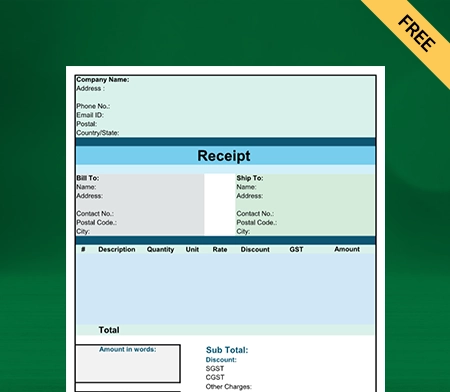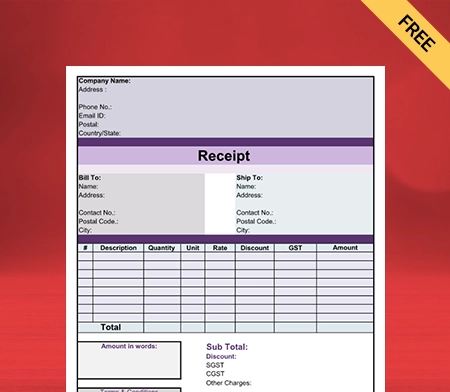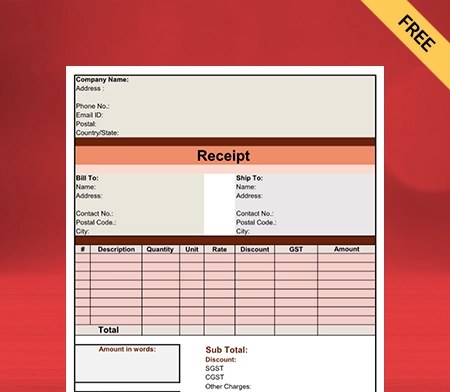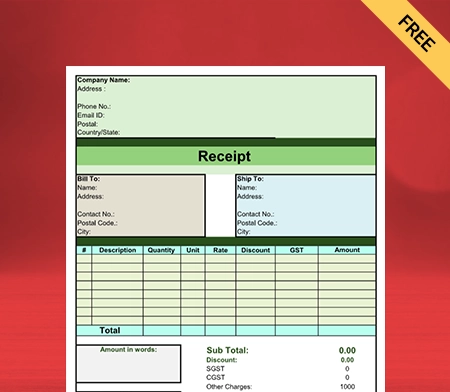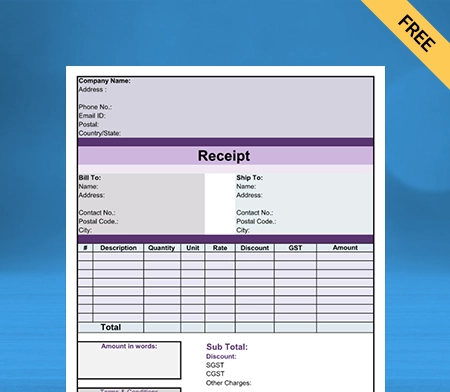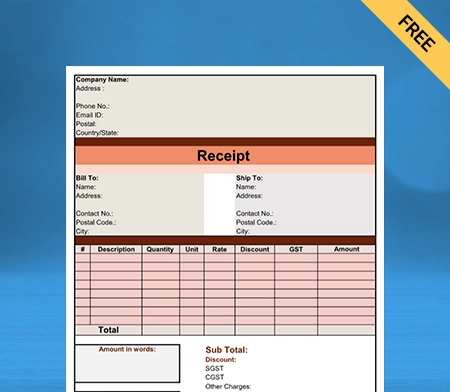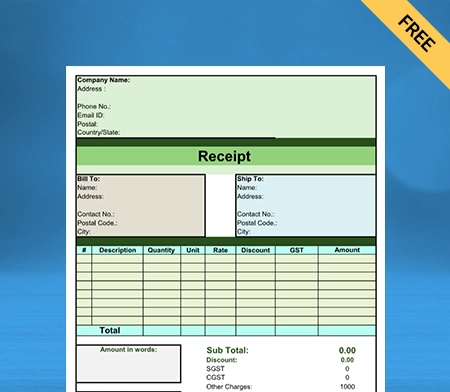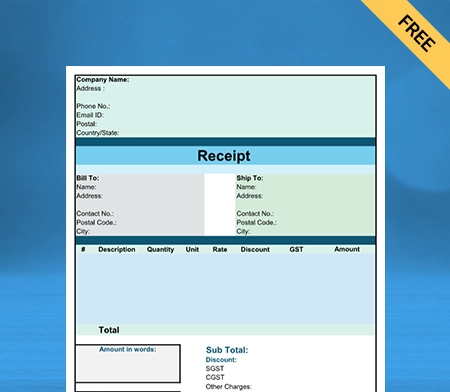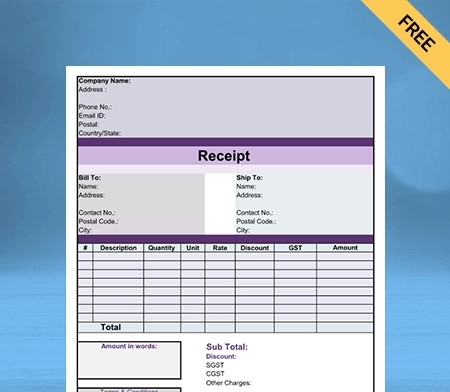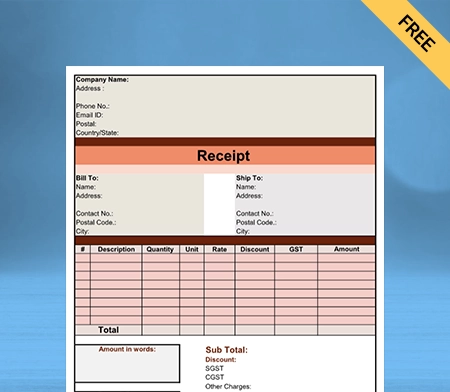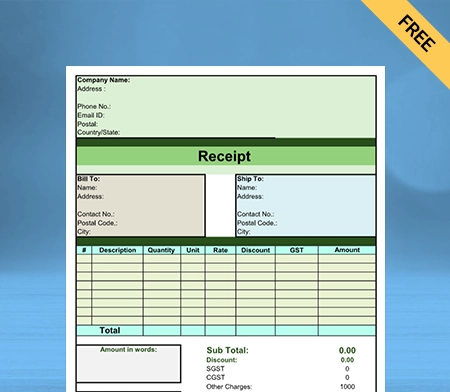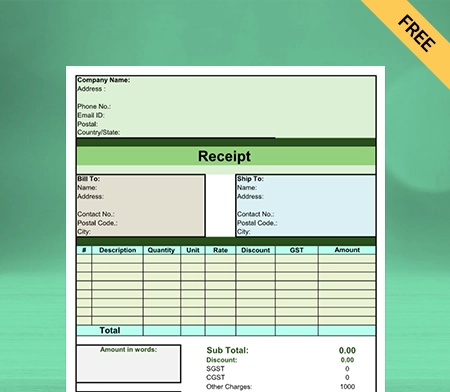
Contractor Bill Format

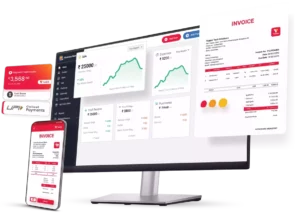
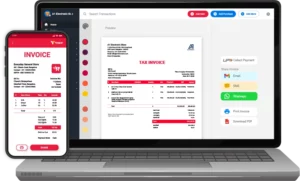
Download Contractor Bill Format to invoice your clients. Or use Vyapar App to do billing, inventory, accounting easily and grow your business faster!

  • ⚡️ Create professional invoices with Vyapar in 30 seconds
  • ⚡ Share Invoices automatically on WhatsApp and SMS
  • ⚡️ Connect with your parties through reminders, greetings, business cards and more
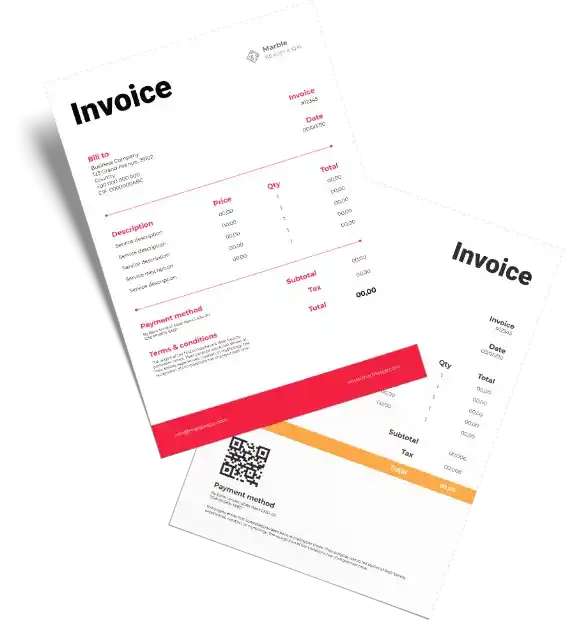
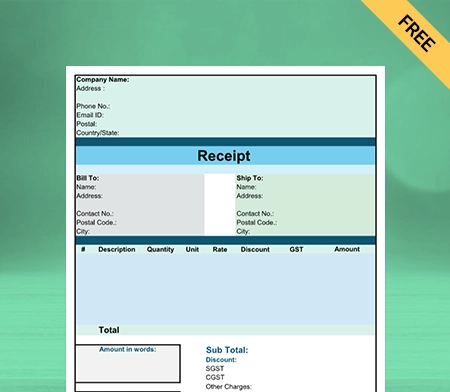
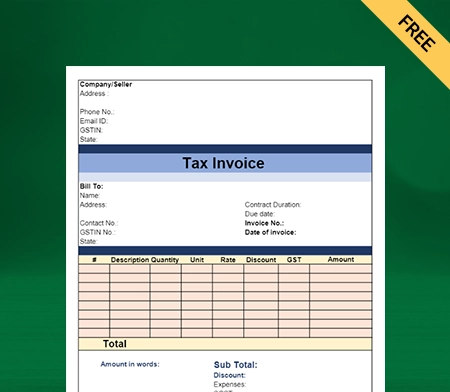
Free Bill Invoice Format in Excel

Highlights of Contractor Invoice Templates

We’ve put in a lot of effort to make sure you get the best template possible

All versions are print friendly

Built From scratch

Include essential invoice elements

Automatically calculate subtotal & grand total amount

Consistently formatted

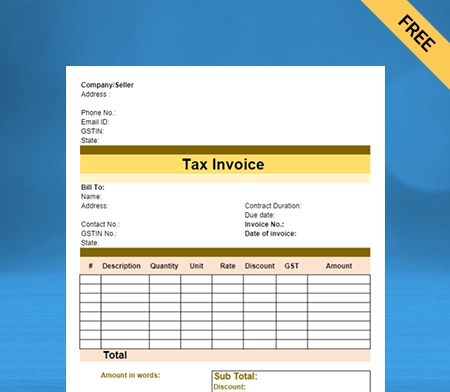
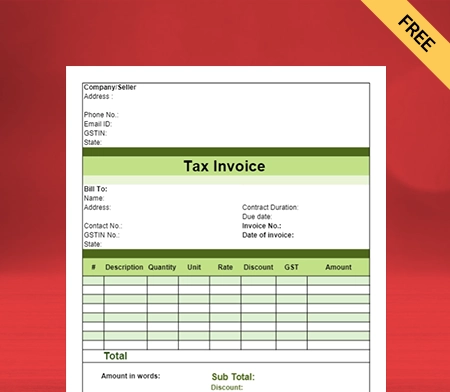
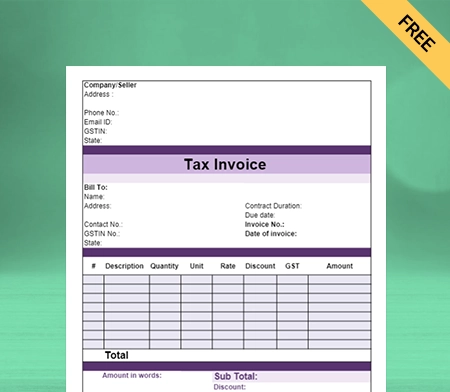
Free Professional Contractor Bill Format

Download professional free contractor bill formats, and make customization according to your requirements at zero cost.
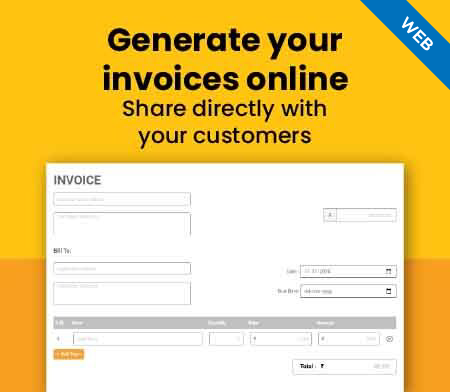
Generate Invoice Online

What is a Contractor Bill Format?
A contractor bill is a document that a contractor uses to bill an individual or company for the services or goods he supplies. This invoice often contains the exact number of materials given, hourly rate rates, or flat-rate payments.

A contractor bill format usually includes information regarding the contractor’s payment conditions. For example, it could indicate that the invoice’s recipient has a certain number of days to pay the amount listed on the bill/invoice. It may also provide a list of acceptable payment methods.

How to Create a Free Bill as a Contractor?

You can use the simple process given down below to create an unbeatable contracting bill for your customers:

Recognize the Document as a Bill:

Check that the word “Bill” appears in a legible font right at the beginning of your page. It must be clear; perhaps a large font with bold formatting would be appropriate. You don’t want anyone to have even the slightest bit of uncertainty about whether or not they have received your free invoice.

Designate a Number for the Bill:

Each bill must have a unique invoice number. It is an essential component of proper record-keeping for you and your customers. The most straightforward approach is to provide each invoice with its unique number in the form of a sequential sequence.

If there is a need to discuss a particular bill, having a unique bill number makes the process much simpler for the contractor and their customer.

Date of Invoice:

Every bill must be dated. Typically, this is near the top, next to the invoice number. When it comes to enforcing payment deadlines and penalties, this is critical.

Your Company Information:

You must enter your company’s name, address, phone number, and email address. Including your company logo on your invoice gives it a professional appearance. Consistency in branding fosters trust and pulls tons of money into your business!

Client Specifics:

On your contractor bill, you must provide your client’s contact information. The name and department and the same company information.

You could be addressing your invoice to a distinct billing department from your regular point of contact. You will be paid on time if you send your invoice to the appropriate recipient as soon as feasible.

Specifics About your Services:

Your probability of rejection decreases the more information you include on your independent contractor invoice. It is where you list every particular service that is rendered. The absolute minimum is

  • a brief explanation of what you did.
  • either the number of goods delivered or the number of hours spent.
  • Paid at (Add applicable tax).
  • For each service, the total.

Payment Owed:

The sum of all the subtotals in your table’s final row is the balance due on the invoice. This number is often listed at the top of invoices in several formats. Making this evident at a glance is helpful because it’s frequently the only information clients want.

Terms Of Payment:

You must include every kind of payment to inform them how you want to be paid. Include your payment data, such as credit and debit card information, PayPal, Google Pay, and bank account information for transfers. Enter a payment link if you have one. Make paying you as simply as you can for your customers.

Why is it Essential to Use Contractor Bill Format for Your Business?
As a contractor, you may be aware that managing a contract business is a mammoth task, and you here, contractor bill software apps can make your business a lot easier by the function given down below:

Generate Concrete Estimates:

It helps to generate the Estimates for your gate pass to grab a project. It creates perfectly designed estimates with contractor invoice templates & estimate templates in just a few minutes, and it assists your Contracting business operations to work smoothly and efficiently.

While doing these tasks manually requires a lot of attention, sometimes leading to human error. It might impact your contract business adversely. This software reduces human errors and makes your business operations more precise.

No Need to Worry About Finances:

With the help of the contractor bill generator software, you can easily create extensive reports that will provide you with information regarding the state of your company’s finances. Individualised reports can be generated fully automated when using the app for billing and invoicing contractors.

This contractor billing software offers your business platform additional vital information, which helps you make the right option for your organisation’s future and familiarise you with what is happening inside your business meetings.

Seamless Expense Management:

It helps you to take into account every stone and brick! Using the Contractor billing software, you can accurately calculate costs, keep track of your spending, and manage your investments in the company.

So you understand the expenditures incurred at each stage while running your firm. Your contractor service will be able to make financial decisions inside your company that are more clear, result-oriented, and informed as a consequence of using this information.

Trusted for Business Security:

The contractor bill format includes a Backup of Data and a multi-tier Protection System. Thanks to the numerous levels of protection, your account for the Vyapar contract bill for contractors has been safeguarded against unauthorised access.

You don’t need to worry about your database being compromised. Contractor bills ensure a multi-step security system that your business can operate in a safe environment.

Create your first construction invoice with our free invoice Generator

Why Should you Use the Vyapar Contractor Bill Format
for Your Business?
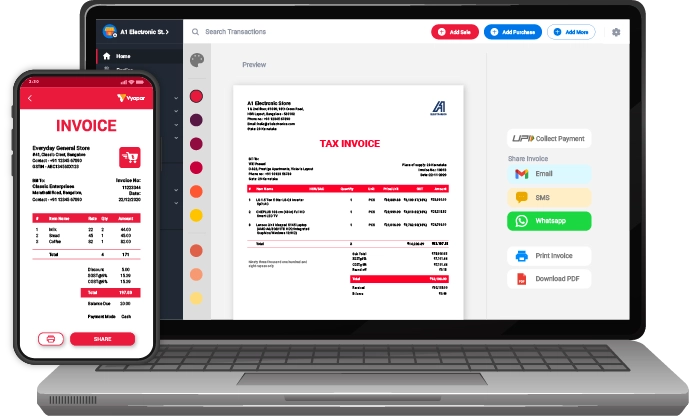
One crore small business owners in India trust Vyapar for its day-to-day operations. There are The Free contractor bill format features for contractors given down below make you discover more success for your business:

Organization of Corporate Costs:

By using Vyapar’s contractor bill format, you can record all of your company expenses so that you may keep a running total of those costs. It can assist you in gaining a better understanding of your company’s profitability.

You may get a quick snapshot of your current cash flow with our accounting software, allowing you to check and ensure you have sufficient excess on hand to maintain the operation of your enterprises.

Provide Convenience of Payment to Customers:

When you send out a free invoice to your clients using the best software for contractor bill format, you can immediately start collecting payments from those clients. Your efficiency makes your business platform a magnet to pull more clients for your help business.

Using Vyapar, you can collect payments directly in your bank account using a variety of online methods such as UPI, QR code, net banking, and more. You can also make offline payments using QR and cash from your customers.

Manage your Business Operations from Anywhere:

The contractor bill format by Vyapar enables you to run your company and issue invoices to your customers regardless of where you are. You will have access to crucial information concerning your company if you download the free mobile app on your device.

It is very beneficial for your business platforms in case you are operating your business from remote areas or if you have to travel across India frequently. The free, user-friendly Vyapar contractor bill format app, which works efficiently from your android phone, very quickly lets you get crucial information and reports for your business.

Makes your Business All-Inclusive:

Contractor billing software is broad since it includes all-encompassing programmes that handle every facet of contracts and specialised programmes that concentrate on specific but crucial aspects of the industry.

While some purchasers may be looking for an all-in-one solution, others may be OK with their current contract management systems but interested in upgrading their budgeting/estimating processes.

Provides Professional Layouts:

Contractor billing software should help you save time and work while reducing the likelihood of making unnecessary mistakes. The ability to quickly and easily create new templates for use in your projects is essential. Create a list of the contracts you need assistance with, and then find the programme that contains everything on your wish list.

Standard templates supplied in contract bill software include ones for project portfolios, accounts payable, general ledger reporting, purchase order management, and transmittals, to name a few examples.

Rock Solid Data Safety and Protection:

There is no question that the data you keep about your company is an invaluable asset to your contractor business. When you use Vyapar, nobody but you will be able to view the information about your company. It comes with a multi-step security system.

In addition, to ensure the protection of your data, you may generate backups of it either on Drive or on local storage. It ensures each possible way to provide a safe and secure business-friendly environment, so you can spend more time with your family and friends without worrying about your business security.

What Makes Vyapar App Best for your Contractor Business?
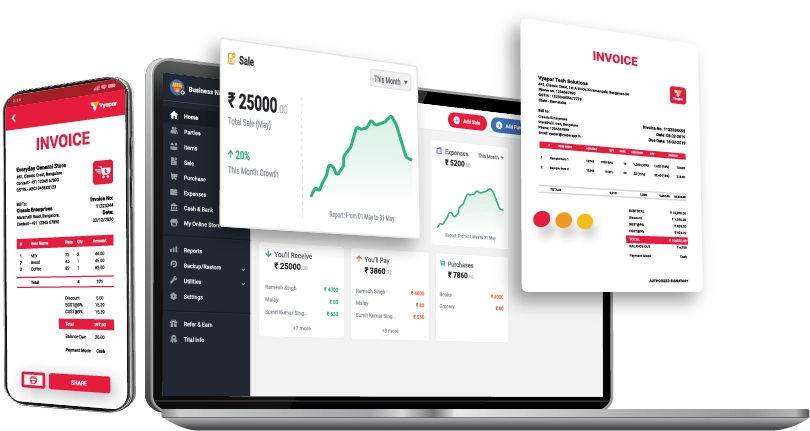
Free Accounting Software:

One of the most crucial elements of successfully managing a contractor’s business is bookkeeping with the help of an accountant. You may easily do all accounting activities without access to a professional contract bill.

Additionally, the Vyapar contractor bill format app enables you to examine your financial situation and cash flow at any moment to ensure that you can continue running your business effectively. So you can expand your business name in all directions.

You can use Vyapar’s free contractor bill format for your business needs on your Android or Windows device. The business dashboard can help you check your business status from anywhere. It makes your business operation more efficient and lets you know all activities that are happening inside your business.

Creates Incredible Bills/Invoices:

Leaving a long-lasting impression on your prospective clients can be facilitated by presenting them with a polished invoice sample. It may assist in increasing the likelihood of one of your leads becoming a paying customer for your business.

You can personalise and improve the appearance of your free invoices by using Vyapar. It will help you protect your brand’s image and differentiate yourself from other businesses in your industry. It makes your contractor invoice template more appealing.

Vyapar contractor bill format software enables your business platform to include your business name, logo, address, due date etc. Your billing/invoicing as it already comes with all the essential details required in your contractor bill format credentials.

Multi-Mode Payment Acceptance:

As a contractor, you must send your bills for your services to customers. The contractor bill format app lets your contractor choose the mode of payment for your assistance. It makes your contractor business more customer oriented.

By providing multiple modes of payment to your clients, you ultimately create a more inclusive customer-oriented business platform for your business. It makes your contractor service preferable for your clients.

Track Multiple Bank Accounts:

A contractor frequently completes projects for several clients, and payments for these projects often arrive at various bank accounts on different dates. You can add your multiple bank accounts in Vyapar and track them seamlessly.

To manage and total your bank accounts, utilise the Vyapar contractor bill format. Our app will make it simpler to process your business revenue smoothly. You can receive your money in these multiple accounts from your clients by using Multiple modes of payment.

Similarly, you can use your mobile device to access free invoicing software and accounting software. Vyapar is free software that allows you to manage your finances, make manual adjustments to the amount, and process check payments.

Establish a Good Name for Your Company:

It is vital to provide competitive quotations and estimates during the negotiation process. It contributes to a positive image of the business. In addition, you can develop confidence by giving comprehensive disclosure regarding the transaction.

You can establish a more professional brand with the Vyapar GST contractor bill format. You may differentiate yourself from other sellers and present yourself professionally by having a properly produced and customised invoice.

You may integrate our company logo, as well as the style, font, and brand colours, in your free invoice, as doing so will assist you in presenting the identity of your brand in an ideal manner. Compared to plain text, professional custom quotation forms significantly increase the likelihood of a buyer purchasing from a seller.

Ensure a Smooth Flow:

Businesses can keep a record of their transactions thanks to the free contractor billing and accounting software. It assists in keeping track of payments. Over one billion different companies have evaluated the capabilities of our free billing software.

Cash Flow management is frequently utilised for businesses’ invoicing and billing needs and those for various other purposes. Vyapar’s contractor bill format contributes to the automation of management tasks.

You will be able to conveniently control your company’s cash flow if you invest in this contractor bill format. It is possible to manage cash transactions by including capabilities such as tracking bank withdrawals and deposits.

Track Your Business Status:

The Vyapar business dashboard ensures that the management process runs smoothly in its entirety. You will only need to go to one location to get up-to-date information on your company’s cash flow, inventory, open orders, and payment status.

You can use your mobile device to operate your company if you use the free contractor bill format and invoicing solutions. Using this free Contractor billing software for your company’s accounting needs will make the process easier and more productive since the process of free invoicing involves the storage of all data.

Using the business dashboard, you can instantly access up-to-date information on all aspects of your company at any time. In our mobile contractor billing app, users do not charge for viewing the dashboard.

Frequently Asked Questions (FAQs’)

What is The Contractor’s Bill Format?

A contractor bill is a document that a contractor uses to bill an individual or company for the services or goods he supplies. This invoice often contains the exact number of materials given, hourly rate rates, or flat-rate payments.

How do I Make a Contractor Bill Format?

You can easily make free contract bills using the Vyapar contractor bill format, as it is specifically built for making eye-seeking contractor bills for your clients. You use its multiple features for other operations of your business.

Do Contractors Have to Invoice?

As a contractor, when you send out invoices, you work in your business rather than perform the service. However, invoicing customers for work completed is an essential component of the financial accounting process for every contracting organisation.

You’re likely juggling multiple projects that may have special pricing terms, timelines, and invoice information.

How do Contractors Bill Clients?

Contractors do the billing manually for their clients, or they can use the contract billing software as it leads you to create more professional and eye-seeking invoices and bills for your clients effortlessly.

What are Standard Contractor Payment Terms?

The 10, 30, and 60 terms of the Net.The word “net payment” is the one that is used most frequently in business transactions, including those involving contractors. It indicates that you must make payment within certain days, counting backwards from the date printed on the invoice.

What are the Three Types Of Contractors?

The three types of contractors are given down below:
General contractors
Turn-key services
Freelance worker

How do I Write a Receipt For a Contractor Bill Format?

You can use Vyapar contract billing to seamlessly create a receipt for your clients. It is free, you don’t have to pay any money from your pocket, plus you can also enjoy its multiple features, which make your business more inclusive and approaching simultaneously.

How do I Protect Myself When Paying a Contractor?

These eight steps you should follow to protect yourself while paying a contractor:
1. Request Proof of Insurance, Bonding, and Licences.
2. Do Not Make Your Choice Solely Based on Cost. Instead, Make Sure to: Ask for References.
3. Avoid Paying Too Much Upfront.
4. Obtain a Written Contract, and Get Everything in Writing.
5. Be Wary of Pressure and Scare Tactics.
6. Consider Hiring Specialized Pros for Additional Guidance.
7. Be Wary of Pressure and Scare Tactics.
8. Listen to your instincts.

You can visit the UAE site to view content specific to your location

How Useful is Vyapar for Your Business?

Click on a star to rate it!


Free Contractor Receipt Template

Free Contractor Receipt Template

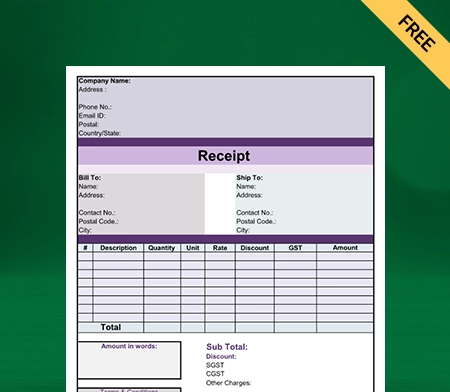
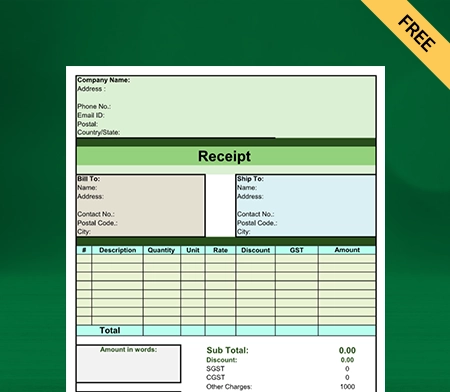
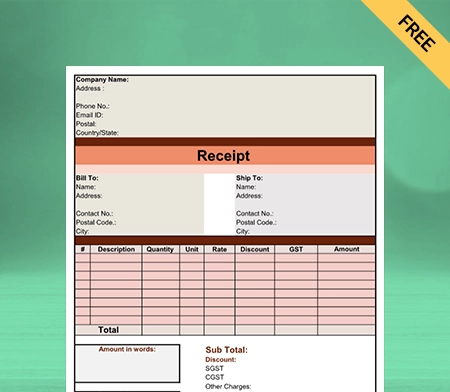
You can generate custom receipts for your business without additional cost with free Contractor Receipt Templates. It saves time and makes the billing process seamless. Try it now!

Professional Contractor Receipt Template

Download Contractor Receipt Template in Excel

Download Contractor Receipt Template in PDF

Download Contractor Receipt Template in Word

Download Contractor Receipt Template in Google Docs

Download Contractor Receipt Template in Google Sheets

What is a Contractor Receipt?

A Contractor Receipt is a document that serves as proof of payment. It displays services and their prices rendered by a contractor for any construction project. The contractor usually issues it to the customer to acknowledge that they have received payment for their work.

The Contractor Receipt contains details like the contractor’s name, the client’s name, and contact information. It also has the date, a description of the services, the total amount, and any applicable taxes or fees.

Contractor Receipts are essential documents for the contractor and client when they work on a construction project. The receipts help to keep track of payments made and received. They can be used for accounting and tax purposes.

Contents of a Contractor Receipt Template

Contents of a Contractor Receipt Template

A contractor invoice includes the following information:

Title: A customized Receipt Template must have an appropriate title like “Contractor Receipt Template” so a client can know the document’s purpose.

Contractor Information: You must include your me, address, and phone number. You should also insert your business’s logo. It makes you more recognizable to others and strengthens your brand name.

Client Information: Mention the name and address of the client or the person paying for the services. Contractors have many clients; it would only be evident to address a receipt to a customer if it had a name on the construction receipt.

Receipt Number: A unique identifier is assigned to the receipt for record-keeping purposes.

Date: Your receipt should also have the date on which the services were provided and the date the receipt was issued.

Description of Services: Ensure that you include a detailed description of the services provided. The details of materials used, the time spent on the construction project, and the rate must be a part of the description.

Name And Quantity of Materials Used: It would be better to include the materials used in the construction project and their quality. It gives your customers a clear idea and boosts their trust in your services.

Total Amount: You must mention the total amount charged for the services. Add any taxes or fees.

Payment Method: The receipt should specify the payment method that was used. Cash, checks, credit cards, and bank transfers can be added as acceptable payment modes.

Signature: The signature of the contractor must be present on the receipt. It certifies that the services were provided and that payment has been received.

Why Should a Contractor Issue a Receipt?

Contractor Issue a Receipt

There are several reasons why a contractor should issue a receipt to their clients.
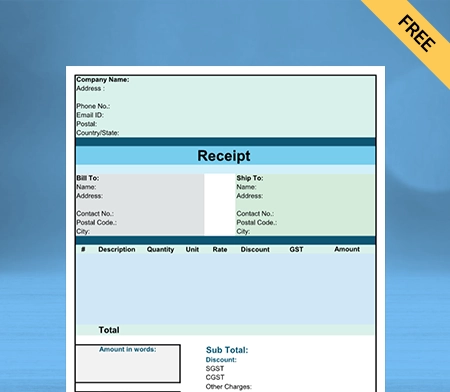
Proof of Payment: A receipt serves as proof that the client has paid for the services rendered by the contractor. The contractor and the client need can keep accurate financial records.
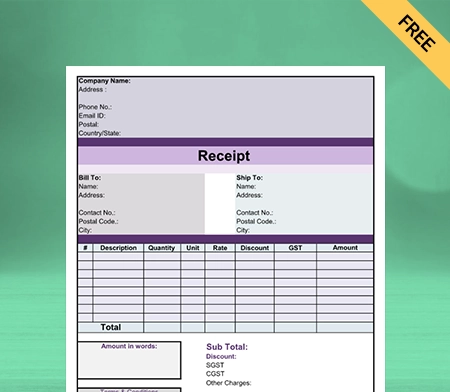
Professionalism: Issuing a Contractor Receipt demonstrates professionalism on the contractor’s part. It demonstrates that the contractor takes their business seriously. He is dedicated to offering their customers high-quality services.
Legal Requirements: In some jurisdictions, contractors must issue receipts for services rendered. It helps ensure all transactions are documented, and taxes are paid correctly.

Dispute Resolution: A receipt can be used as proof to settle a disagreement between the contractor and the client regarding overpayment or the services rendered.

Overall, issuing a receipt is a simple but essential step in the contractor-client relationship. It helps to ensure that all parties clearly understand the services provided and the payment received, which can prevent misunderstandings and disputes in the future.

Importance of Contractor Receipt Template

Importance of Contractor Receipt Template

A Contractor Receipt Template is an essential tool for contractors for the following reasons:

  • A Receipt Template helps to ensure that all receipts issued by a contractor are consistent in format and content. It makes it easier for the contractor to keep accurate records. Clients can also easily understand the information on the receipt.
  • Using a Receipt Template can save time for the contractor, as they do not need to create a new receipt from scratch each time. It is beneficial for contractors who provide services to multiple clients.
  • A well-designed and professional-looking Receipt Template can help to enhance the contractor’s image and reputation. It shows that the contractor takes their business seriously and is committed to providing quality services.
  • A Receipt Template can ensure that the contractor complies with any legal requirements regarding the content of receipts. It can help to prevent legal issues or disputes with clients.
  • A Receipt Template ensures that all necessary information is included on the receipt, such as the date, description of services, and the total amount charged. It can help prevent errors or omissions leading to confusion or client disputes.

Essential Things You Shouldn’t Miss as a Contractor

Things You Shouldn't Miss as a Contractor

Here is a list of things you should keep in mind while making Contractor Invoice Templates:

Track Your Hours:

You must have a system in place to keep track of the number of hours you put in for each client. It should be right from the start of your first assignment. You can use your diary to track hours or billing software with a timer. Whatever you choose to do, make sure your records are correct. 

Send an Invoice Immediately:

You and your client can stay better organized if you send your invoice to clients as soon as you finish the service. Because you issued the invoice immediately, it conveys to your clients that you value timely payments. Also, it implies prompt payment, preserving the financial flow of your organization.

Consistent Invoice Format:

Consistently formatting your invoices throughout time will save you time and keep your business’s image professional. Also, your clients will understand everything entirely. You don’t want customers asking where specific details on your invoice can be found.

Share Your Conditions of Payment:

You must discuss the terms and conditions of payment on your invoice. This is a kind reminder that they previously consented to them when they signed your contract at the beginning of the service.

Pursue Overdue Bills:

Don’t wait a month to begin pursuing a past-due bill. Send a reminder as soon as the payment deadline has passed. This is just a kind reminder of the past-due sums and how to make a payment. Next, until you receive payment, follow up with every successive follow-up politely but thoroughly.

Keeping Everything Orderly For Tax Season:

Your contractor business also involves taking care of your tax duties. Your financial records largely consist of your invoices, so they must be correct. You may satisfy your obligation to pay for healthcare, social security, and income taxes by constantly monitoring your revenue, business expenses, and tax deductions.

How to Make a Contractor Receipt Template Using
the Vyapar App?

Using a Contractor bill formats by Vyapar will help you tremendously. A Contractor Receipt Template will help you save time and maintain records efficiently. Here’s how you can do it:

  • Download the Vyapar app, and create your account.
  • Open the app, and click on the (+) button. You will see multiple options related to sales and purchase transactions.
  • Click on the “Purchase-In” option to create a receipt for the customer.
  • Enter the receipt number, date, customer’s name, contact details, and the total amount received.
  • Also, mention the mode of payment, the customer used to pay you, and a description of goods or services.
  • You can preview the receipt before saving it and make changes according to your business needs.
  • Click “Save” to save the Contractor Receipt, and you will see an arrow beside the save button. You can use it to share the Contractor Receipt with your customers.

Advantages of Using Vyapar’s Contractor Receipt Template

Advantages of Using Vyapar's Contractor Receipt Template

Vyapar’s Contractor Receipt Template can help you in the following ways:

1. Make Customised Contractor Receipt Templates:

You can improve your company’s reputation by sending clients a customized copy of the receipt. Our construction Receipt Templates can help you quickly improve the look of your receipts.

You can add more details, including your client’s wants, messages that are tailored to each client, and other services. As a result, you develop trust and build a good relationship with your clientele.

It is easy to customize the Contractor Receipt Template with easy customization options. You can send it online or print the template to make the receipt manually.

2. Reduce Errors:

You may make mistakes when you make your Contractor Receipt Template from scratch. Using our free templates, you don’t have to worry about errors and can speed up the entire process.

You can easily input the information in the pre-formatted template. Additionally, once you add prices of services, the template generator automatically calculates the final price.

You are not required to hire extra staff to design and make your construction Receipt Templates. Anyone on your team can do it with our easy-to-use templates.

3. Print or Save the Template to Your Device:

You can send your Contractor Receipt Template electronically rather than physically. After printing a digital copy of the receipt, you can manually fill it out, which only takes a few minutes. 

The Contractor Invoice Template is available for download by the user for later use. The entire procedure is cost-free. You can save the template in any format, including Google Docs and Google Sheets.

Printing the customized format and manually entering the data are also options. The Contractor Receipt Template is compatible with all common bill sizes and standard and thermal printers.

4. Maintain Your Consistency:

Consistency is easier to maintain if you consistently use the same Contractor Receipt Template. Using this technique, you may save having to start over each time you need a receipt.

Users can complete creating a copy of the receipt more quickly and use the extra time to concentrate on other essential tasks. Also, you know which fields go where because you consistently use the same structure.

Using free Contractor Receipt formats by Vyapar, you can keep construction Receipt Templates accurate and error-free. Also, it helps your staff be more productive.

5. Save Your Time:

For your business, using a customized Contractor Receipt Template will save time. The Contractor Receipt Template will make it easy for you to create your business receipts quickly.

It is time-consuming and error-prone when done manually. To work around this problem, use the online formats from Vyapar. You do not need to start from scratch each time.

By employing this technique, you can avoid starting over each time you need to make a Contractor Receipt. You can update the Contractor Receipt Template and save it for later use. 

6. Free Access:

Use and download Contractor Receipt Templates to cater to the needs of your construction project for free. Contractors can make custom Contractor Invoice Templates without spending any money. 

Contractors can download and edit the Export Quotation Formats whenever they want to use them. The form can be modified to meet your company’s needs, and saving it is cost-free.

The cost savings on Contractor Receipt Templates benefits small businesses. It is also simple to print with a thermal or regular printer.

Features of the Vyapar App that are Beneficial For Contractors

Features of the Vyapar App that are Beneficial For Contractors

The Vyapar app is your one-stop solution for all your accounting purposes. Here are some features that make your work seamless:

Send Payment Reminders:

The Vyapar billing and accounting software helps the business dashboard keep track of any overdue debts. The app’s reminder feature allows you to send payment reminders to your customers.

Reminding them of the full amount owed and the due date will be easier via WhatsApp and email. Customers receive reminders to help them remember to make payments. Doing this may sustain your company’s cash flow and avoid needless delays.

The best billing software from Vyapar offers payment options to encourage quick client payments. These include cash, debit and credit cards, e-wallets, NEFT, RTGS, UPI, QR codes, and other payment options.

Consumers can easily make payments using a variety of cash and online payment options. It ensures that customers can pay in the most straightforward method possible.

Generate Contract-Related Reports:

Businesses must make intelligent decisions to continue on a growth track. Use our free billing software to create up to 37+ different business reports that you may use.

The Vyapar small business accounting software has expert construction receipt and report templates. The operational efficiency of your business is enhanced by how simple it is to use reports from Vyapar in any format.

Users can access and analyze the data immediately with our free GST Accounting and invoicing Software. You can create graphical reports using the software to monitor sales and expenses.

This free programme analyses exact financial data, commercial facts, etc. It is also a quick and efficient approach to assessing profitability. You can create reports in formats like material reports, GSTR 1, etc.

Simple Bank Account Management:

With the Vyapar contractor bill format, businesses can easily add, manage, and track online and offline payments.

With Vyapar, you may send or receive money using bank accounts and conduct bank-to-bank transfers for straightforward cash flow management.

To use the bank accounts feature of the app, the user must add a business account in the bank using the accounting software. Additionally, it enables bank account deposits and withdrawals.

Anyone with internet access can use the Vyapar Contractor Invoice Template. The solution enables you to manage cheque payments and manually alter the amount.

Data Protection For Your Company:

The contractor can save all data in local or online Google Drive backups created with Vyapar. Also, you constantly have Access to financial information about your business via various gadgets.

The billing and accounting app Vyapar simplifies business management. The app’s comprehensive dashboard enables you to analyze the daily activities of your business instantly.

As an additional layer of security, the software uses encryption technology to restrict. Access to the data to the owner alone. User login information won’t be saved or shared by Vyapar for later use.

Your business’s data won’t be accessible to other team members or parties, ensuring its long-term security. The “auto-backup” feature of the bill generation app allows you to continue where you left off.

Send Estimates For Your Services:

Using the Vyapar app, you can quickly produce quotations, estimates, and accurate receipts. Thanks to built-in features in the GST billing software, you may give clients quotes and estimates whenever you want.

Our billing software aids in the simplification of bids and estimates. The professionalism of the billing app will wow your devoted customers and draw them back. They can be sent immediately via WhatsApp, email, SMS, or printing.

With instant estimates and quotes, the billing software from Vyapar provides a professional image. The Vyapar app allows for the automation of the majority of tasks. It removes mistakes from estimates and quotations.

Also, you always have the option to convert your bids and estimates into sales invoices. Thanks to Vyapar’s free billing software, the company can save more time and get immediate estimations. You can run your business more effectively.

Monitor Expenses:

It is essential to keep track of and record all costs incurred throughout the delivery of the items to prepare your accounting and taxes. The creation of accurate reports and expense tracking is made more accessible by Vyapar.

The billing solutions from Vyapar also offer you many benefits. Cost-cutting and revenue growth are made possible. With the free programme, you can quickly keep track of outstanding debts. Also, it helps in their future tracking of material.

Budgeting is easy with the help of our free software. Businesses can quickly reduce their costs and make considerable savings. Using our free software, you can keep track of both GST and non-GST expenses.

Vyapar is a mobile app that has several free features. It helps SMEs manage their finances efficiently. Also, keeping track of your spending will make it simpler to create effective solutions. Hence, corporate profitability will increase.

Frequently Asked Questions (FAQs’)

What is a Contractor Receipt Template?

A Contractor Receipt Template is a document that includes the details of the services provided by the contractor and charges for the same. A receipt shows that the contractor has completed a construction project and that the customer has paid for it.

Why Should I Use a Contractor Receipt Template?

Using a Contractor Receipt Template makes you look professional and saves time. The template has all your business information; you just need to add customer detail, which helps you avoid creating new documents every time.

Can I Customise a Contractor Receipt Template to Meet My Specific Needs?

Yes. You can customize a Contractor Receipt Template to meet your business-specific needs using the Vyapar Contractor Receipt Template.

Are There Any Free Contractor Receipt Templates Available Online?

Vyapar’s Contractor Receipt Templates are available online for free. Contractors can use the templates and customize them for their needs without cost.

You can visit the UAE site to view content specific to your location

How Useful is Vyapar for Your Business?

Click on a star to rate it!